
Download HP LoadRunner Community Edition (Free)
 Editorial Team
⚡ Smart Summary
Download and Install HP LoadRunner Community Edition through a structured two-part workflow. This tutorial walks through account registration on the Micro Focus portal, downloading the free package, and completing every installation step with verified screenshots.
Following is the step-by-step process to install LoadRunner Community Edition (free version). VuGen comes bundled with the Community Edition. Micro Focus has now taken over the LoadRunner tool. Installing LoadRunner is a two-step process.
What is HP LoadRunner?
HP LoadRunner is an industry-leading performance and load testing tool used to measure how a system behaves under real-world workloads. It records user actions, replays them as virtual users, and reports response times, throughput, and bottlenecks. The Community Edition is free and includes VuGen, the Virtual User Generator used to author test scripts.
System Requirements
Before starting the download, confirm the workstation meets the minimum requirements for a smooth installation.
- Operating System: Windows 10 or Windows Server 2016 and later (64-bit).
- RAM: 8 GB recommended for running VuGen with light scenarios.
- Disk Space: Minimum 6 GB free for installer files and dependencies.
- Browser: Updated Chrome or Edge for the Micro Focus download portal.
- Dependency: Microsoft Visual C++ 2010 Redistributable Package (the installer ships with it).
Part 1) Download HP LoadRunner
With the prerequisites in place, begin by creating a Micro Focus account and downloading the Community Edition installer.
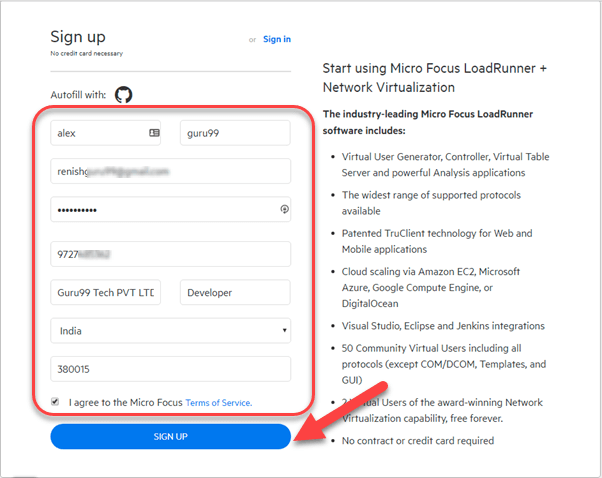
Step 1) Go to https://www.microfocus.com/en-us/signup. Enter your data and click Sign Up.
Step 2) The next screen confirms registration was successful.

Step 3) Check your inbox and confirm your email.

Step 4) Go to the Login page — https://login.saas.microfocus.com/msg/actions/showLogin.
- Enter your email.
- Click Continue.

Step 5) On the next screen:
- Enter your password.
- Click the “Sign In” button.

Step 6) You will be taken to your Dashboard. Click the download button to download the latest LoadRunner version for free.
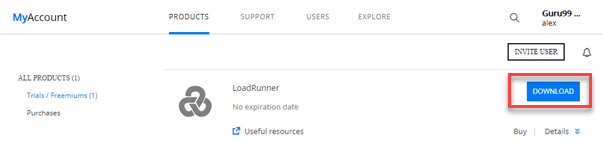
Step 7) On the next screen, click on HPE LoadRunner 12.55 Community Edition.

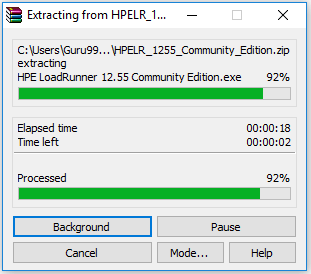
Step 8) The download will begin. Once complete, extract the downloaded file.
Part 2) Install LoadRunner
With the installer extracted, you can now run the guided setup to install LoadRunner and its dependencies.
Step 1) Click HPE LoadRunner inside the unzipped folder.

Step 2) Select the destination folder and click the Install button to begin LoadRunner installation.
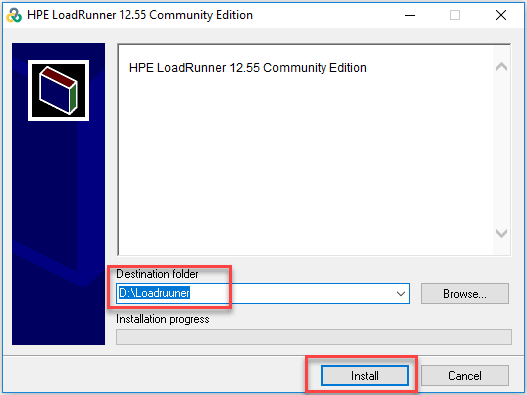
Step 3) The installation process starts.
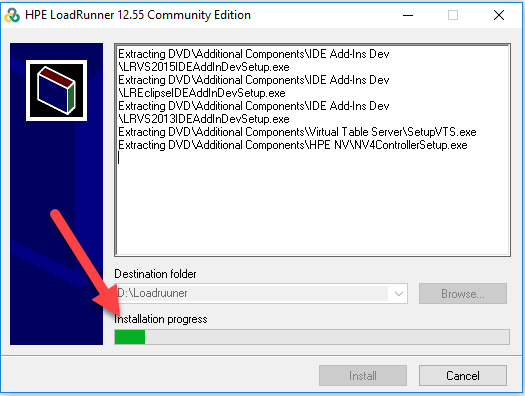
Step 4) Once installation is done, on the next screen:
- Select Microsoft Visual C++ 2010 Redistributable Package.
- Click the OK button.

Step 5) Microsoft Visual C++ 2010 Redistributable Setup installation will begin.
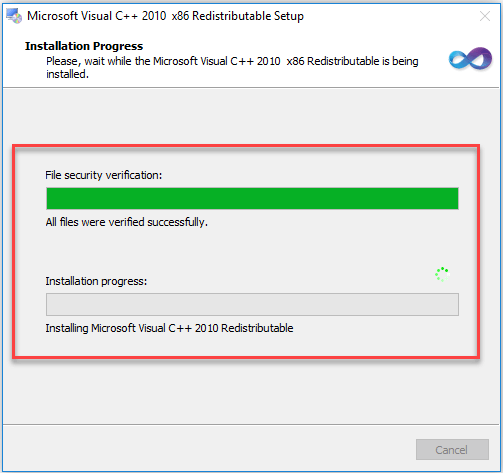
Step 6) Once the dependency installation is complete, on the welcome screen:
- Select LoadRunner.
- Click the Next button.

Step 7) On the next screen:
- Select all checkboxes.
- Click the Next button.

Step 8) Choose the destination folder and click Next.

Step 9) On the next screen, click the Install button.

Step 10) If the Windows Firewall prompt appears, click Allow access.

Step 11) On the next screen, unselect the option LoadRunner Agent and click Next.
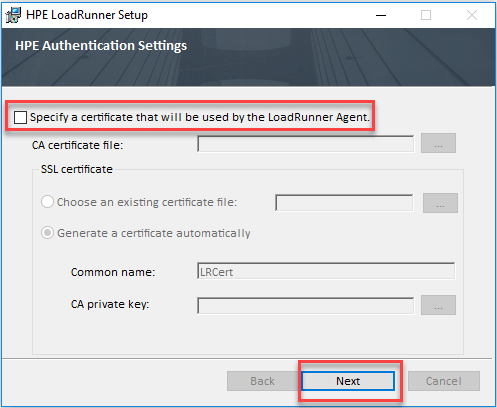
Step 12) On the next screen, select HP Network Virtualization.

Step 13) Installation will begin.

Step 14) Finally, the license details are shown.

Step 15) On the next screen, select Restart Now.

Step 16) After reboot, click on the LoadRunner icon on the desktop to start Micro Focus LoadRunner.

