
What is Client? How to Create a New Client in SAP SCC4
 Editorial Team
⚡ Smart Summary
Creating a new Client in SAP SCC4 establishes an isolated logical workspace inside one SAP instance. This tutorial defines the SAP Client concept, explains the three standard clients (000, 001, 066), and walks through the SCC4 transaction step-by-step for setting up a fresh client.

What is a SAP Client?
A Client in SAP represents a customer. Each customer maps to one Client, and a single SAP instance can host many Clients without any additional software installation. The Client model enforces strict data isolation, so one Client cannot view the data of another Client, even though both share the same underlying system.

As shown above, Clients 100 and 200 coexist under one SAP roof. SAP allows you to create Client numbers ranging from 000 to 999, giving organizations significant flexibility to map tenants, environments, and projects to dedicated workspaces.



What Does a SAP Client Contain?
Every SAP Client packages three distinct data layers. Understanding these layers helps administrators decide what gets copied during a Client refresh and what stays local to each environment.
- Application Data: Operational records that live in database tables — sales orders, master data, financial postings, and similar transactional content.
- Customizing Data: Configuration that customers build when tailoring SAP modules to their business processes, such as document types, account assignments, and workflows.
- User Master Record: Authorization details assigned to each user. Basis consultants maintain these records and the role assignments that govern access.
Why Use the SAP Client Concept?
The Client architecture provides measurable business and technical advantages, which is why SAP SaaS providers and enterprise customers rely on it:
- SAP service providers can host many customers on a small number of SAP Systems, lowering infrastructure and licensing overhead.
- Cost savings extend beyond hardware and software — multiple customers reuse the same application solution, including administration and support.
- Clients help shape a clean SAP landscape: you can dedicate one Client to development, one to testing, and another to production within the same system.
Standard SAP Clients: 000, 001, and 066
SAP ships with three standard Clients out of the box:
- 000
- 001
- 066
000 Client (Master Client): Available immediately after SAP R/3 installation. It contains a simple organizational structure of a test company and includes parameters for all applications, standard settings, and configurations for the control of standard transactions. It also stores examples used across many business application profiles, along with Client-independent data.
001 Client (Customizable Copy): A duplicate of Client 000 that includes the same test company. Its settings remain Client-independent once configured or customized. Most administrators use Client 001 as the source when creating a new Client.
066 Client (EarlyWatch Client): Known as the EarlyWatch Client. The SAP EarlyWatch Alert is a diagnostic service for monitoring SAP and non-SAP systems through the SAP Solution Manager. Alerts cover performance issues, average response time, current system load, database administration, and similar operational signals.
How to Create a New Client in SAP SCC4
Although SAP technically allows Client numbers from 000 to 999, maintaining a large number of Clients quickly becomes operationally challenging. The recommended approach is to keep only as many Clients as your landscape genuinely needs. Follow the steps below to create a new Client through transaction code SCC4.
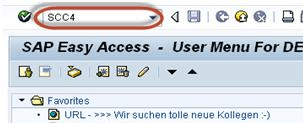
Step 1) Execute T-Code SCC4.
Step 2) The transaction opens on the initial screen for SAP Clients.

Click New Entries to start creating a new SAP Client.

Step 3)
- Enter the basic Client details as shown below:
- Client number and description
- City to which the Client belongs (for example, NY-New York)
- Logical System in the format <SID>CLNT<Client Number>
- Standard Currency (for example, EUR)
- Client Role such as Customizing, Demo, Training/Education, or Production
- Enter your Client-specific data and set the permissions you require.
- Save your entries.
- Press F3 to return to the SCC4 overview screen.

Step 4) The new Client appears in the SCC4 list. In this example, Client 100 has been created successfully.

