
Binary Search Tree (BST) with Example
 Editorial Team
⚡ Smart Summary
Binary Search Tree (BST) is a node-based tree where each node’s left subtree holds smaller keys and its right subtree holds larger keys, enabling fast search, insert, and delete. It covers BST attributes, types, operations, and pseudo code.
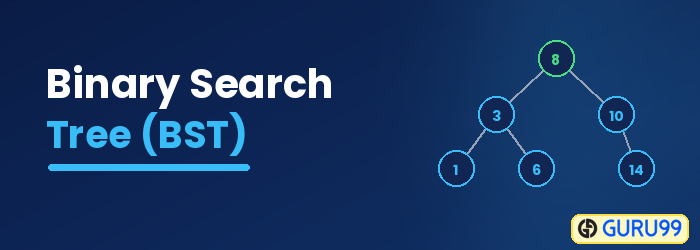
What is a Binary Search Tree?
The Binary Search Tree is an advanced algorithm used for analyzing the node, its left and right branches, which are modeled in a tree structure, and returning the value. The BST is devised on the architecture of a basic binary search algorithm; hence, it enables faster lookups, insertions, and removals of nodes. This makes the program really fast and accurate.
Attributes of Binary Search Tree
A BST is made of multiple nodes and consists of the following attributes:
- Nodes of the tree are represented in a parent-child relationship.
- Each parent node can have zero child nodes or a maximum of two subnodes or subtrees on the left and right sides.
- Every sub-tree, also known as a binary search tree, has sub-branches on the right and left of themselves.
- All the nodes are linked with key-value pairs.
- The keys of the nodes present on the left subtree are smaller than the keys of their parent node.
- Similarly, the keys of the nodes present on the right subtree are greater than the keys of their parent node.

- There is the main node or parent level 11. Under it, there are left and right nodes/branches with their own key values.
- The right sub-tree has key values greater than the parent node.
- The left sub-tree has key values less than the parent node.
Why do we need a Binary Search Tree?
- The two major factors that make a binary search tree an optimum solution to any real-world problem are Speed and Accuracy.
- Due to the fact that the binary search is in a branch-like format with parent-child relations, the algorithm knows in which location of the tree the elements need to be searched. This decreases the number of key-value comparisons the program has to make to locate the desired element.
- Additionally, in case the element to be searched is greater or less than the parent node, the node knows which tree side to search. The reason is that the left sub-tree is always lesser than the parent node, and the right sub-tree has values always equal to or greater than the parent node.
- BST is commonly utilized to implement complex searches, robust game logics, auto-complete activities, and graphics.
- The algorithm efficiently supports operations like search, insert, and delete.
Types of Binary Trees
Three kinds of binary trees are:
- Complete binary tree: All the levels in the tree are full, with a possible exception at the last level. Similarly, all the nodes are full, directing to the far left.
- Full binary tree: All the nodes have 2 child nodes except the leaf.
- Balanced or Perfect binary tree: In the tree, all the nodes have two children. Besides, there is the same level for each subnode.
Learn more about the Binary Tree in Data Structure if you are interested.
How Binary Search Tree Works?
The tree always has a root node and further child nodes, whether on the left or right. The algorithm performs all the operations by comparing values with the root and its further child nodes in the left or right sub-tree accordingly.
Depending upon the element to be inserted, searched, or deleted, after the comparison, the algorithm can easily drop the left or right subtree of the root node.
BST primarily offers the following three types of operations for your usage:
- Search: searches the element from the binary tree.
- Insert: adds an element to the binary tree.
- Delete: deletes the element from a binary tree.
Each operation has its own structure and method of execution/analysis, but the most complex of all is the Delete operation.
Search Operation
Always initiate analyzing the tree at the root node and then move further to either the right or left subtree of the root node, depending upon whether the element to be located is less than or greater than the root.

- The element to be searched is 10.
- Compare the element with the root node 12, 10 < 12, hence you move to the left subtree. No need to analyze the right subtree.
- Now compare 10 with node 7, 10 > 7, so move to the right subtree.
- Then compare 10 with the next node, which is 9, 10 > 9, look in the right subtree child.
- 10 matches with the value in the node, 10 = 10, return the value to the user.
Pseudo Code for Searching in BST
search(element, root)
    if !root
        return -1
    if root.value == element
        return 1
    if root.value < element
        search(element, root.right)
    else
        search(element, root.left)
Insert Operation
This is a very straightforward operation. First, the root node is inserted, then the next value is compared with the root node. If the value is greater than the root, it is added to the right subtree, and if it is lesser than the root, it is added to the left subtree.

- There is a list of 6 elements that need to be inserted in a BST in order from left to right.
- Insert 12 as the root node and compare the next values 7 and 9 for inserting accordingly into the right and left subtree.
- Compare the remaining values 19, 5, and 10 with the root node 12 and place them accordingly. 19 > 12, place it as the right child of 12; 5 < 12 and 5 < 7, hence place it as the left child of 7. Now compare 10, 10 is < 12 and 10 is > 7 and 10 is > 9, place 10 as the right subtree of 9.
Pseudocode for Inserting a Node in BST
insert (element, root)
    Node x = root
    Node y = NULL
    while x:
        y = x
        if x.value < element.value
            x = x.right
        else
            x = x.left
    if y.value < element
        y.right = element
    else
        y.left = element
Delete Operations
For deleting a node from a BST, there are some cases, i.e., deleting a root or deleting a leaf node. Also, after deleting a root, we need to think about the root node.
Say we want to delete a leaf node, we can just delete it, but if we want to delete a root, we need to replace the root’s value with another node. Let’s take the following example:
- Case 1 – Node with zero children: this is the easiest situation, you just need to delete the node which has no further children on the right or left.
- Case 2 – Node with one child: once you delete the node, simply connect its child node with the parent node of the deleted value.
- Case 3 – Node with two children: this is the most difficult situation, and it works on the following two rules:
- 3a – In-Order Predecessor: you need to delete the node with two children and replace it with the largest value on the left-subtree of the deleted node.
- 3b – In-Order Successor: you need to delete the node with two children and replace it with the smallest value on the right-subtree of the deleted node.

- This is the first case of deletion, in which you delete a node that has no children. As you can see in the diagram, 19, 10, and 5 have no children. But we will delete 19.
- Delete the value 19 and remove the link from the node.
- View the new structure of the BST without 19.

- This is the second case of deletion, in which you delete a node that has 1 child. As you can see in the diagram, 9 has one child.
- Delete the node 9 and replace it with its child 10, and add a link from 7 to 10.
- View the new structure of the BST without 9.

- Here you will be deleting the node 12 that has two children.
- The deletion of the node will occur based upon the in-order predecessor rule, which means that the largest element on the left subtree of 12 will replace it.
- Delete the node 12 and replace it with 10, as it is the largest value on the left subtree.
- View the new structure of the BST after deleting 12.

- Delete a node 12 that has two children.
- The deletion of the node will occur based upon the In-Order Successor rule, which means that the smallest element on the right subtree of 12 will replace it.
- Delete the node 12 and replace it with 19, as it is the smallest value on the right subtree.
- View the new structure of the BST after deleting 12.
Pseudo Code for Deleting a Node
delete (value, root):
    Node x = root
    Node y = NULL
    # searching the node
    while x:
        y = x
        if x.value < value
            x = x.right
        else if x.value > value
            x = x.left
        else if value == x
            break
    # if the node is not null, then replace it with successor
    if y.left or y.right:
        newNode = GetInOrderSuccessor(y)
        root.value = newNode.value
        # after copying the value of successor, delete the successor
        free(newNode)
    else
        free(y)
Important Terms
- Insert: Inserts an element in a tree / creates a tree.
- Search: Searches for an element in a tree.
- Preorder Traversal: Traverses a tree in a pre-order manner.
- Inorder Traversal: Traverses a tree in an in-order manner.
- Postorder Traversal: Traverses a tree in a post-order manner.
