
10 BEST Linux Books (2026 Update)
 Editorial Team
We are reader supported and may earn a commission when you buy through links on our site
Linux is an open-source, Unix-like operating system built around the Linux kernel, first developed by Linus Torvalds in 1991. It supports multiple hardware platforms and is widely used in servers, cloud computing, cybersecurity, and software development.
Learning Linux helps you develop essential skills in command-line operations, system administration, shell scripting, and programming. Choosing the right book depends on your experience and career goals. Linux: The Comprehensive Guide to Mastering Linux is our top recommendation for its coverage of installation, commands, networking, and server management.
We have selected 10 of the best Linux books for beginners, administrators, and developers. This guide compares practical tutorials, reference materials, and advanced resources to help you find a suitable book for building your Linux expertise. Read more…
Best Linux/UNIX Books
| Book Title | Author Name | Latest Edition | Publisher | Ratings | Link |
|---|---|---|---|---|---|
| Linux: The Comprehensive Guide to Mastering Linux | Michael Kofler | 1st edition | Rheinwerk Computing |  |
Learn More |
| Linux for Beginners | Jason Cannon | 1st edition | Independently Published | |
Learn More |
| Linux Command Line and Shell Scripting Bible | Richard Blum | 3rd edition | Wiley | |
Learn More |
| Command Line Kung Fu | Jason Cannon | 1st edition | Independently Published | |
Learn More |
| Linux Administration | Jason Cannon | 3rd edition | Independently Published | |
Learn More |
Ratings: These ratings come from Amazon book listings, not Guru99. They may vary by book edition or seller. Ratings, publisher names, and edition details were checked in October 2026.
1) Linux: The Comprehensive Guide to Mastering Linux
Author Name: Michael Kofler
Publisher: Rheinwerk Computing
Latest Edition: 1st edition
No of Pages: 1180 pages

Linux: The Comprehensive Guide to Mastering Linux by Michael Kofler is our top recommendation because it covers Linux from first installation through server administration. It explains the terminal, Bash, files, users, permissions, storage, networking, security, and common server tools in one large volume.
The wide scope makes it useful as both a course and a desk reference. At 1,178 pages, it can feel heavy if you only need basic commands. Choose Linux for Beginners for a shorter introduction, or Linux in a Nutshell when you mainly need quick lookups.
What You’ll Learn:
- Install Linux alongside another operating system with safer planning
- Navigate files, directories, permissions, and processes from terminal
- Write Bash scripts that automate routine administration tasks
- Configure networks, storage, users, services, and system security
- Manage Apache, Postfix, Samba, and database server tools
- Use containers and virtualization for isolated Linux systems
Best For: Beginners and working administrators wanting one large guide to Linux installation, command-line work, networking, services, security, containers, and troubleshooting basics.
2) Linux for Beginners: An Introduction to the Linux Operating System and Command Line
Author Name: Jason Cannon
Publisher: Independently Published
Latest Edition: 1st edition
No of Pages: 204 pages

Linux for Beginners by Jason Cannon starts with the terms and commands a new Linux user meets first. It explains distributions, shells, files, directories, permissions, processes, software installation, and remote access without assuming previous Linux experience.
Short chapters and direct examples make the book easier to finish than a large reference. Its limited size means it does not go deeply into server design, kernel internals, or advanced scripting. It works best as a first step before a broader administration book.
What You’ll Learn:
- Understand Linux distributions, terminals, shells, and basic terminology
- Move through directories and manage files using commands
- Edit text files and inspect their contents quickly
- Manage file permissions, users, groups, and software packages
- Connect to remote Linux systems with secure shell
- Build a practical command-line foundation without prior Linux experience
Best For: Complete beginners needing a gentle introduction to Linux commands, files, permissions, software installation, processes, networking, and remote server access skills.
3) Linux Command Line and Shell Scripting Bible, 3rd Edition
Author Name: Richard Blum
Publisher: Wiley
Latest Edition: 3rd edition
No of Pages: 816 pages

Linux Command Line and Shell Scripting Bible by Richard Blum and Christine Bresnahan joins command-line basics with a full Bash scripting course. It covers shells, filesystems, permissions, editors, environment variables, script structure, user input, text processing, functions, and script control.
The many examples suit readers who want to automate real tasks. The third edition, published in 2015, teaches Bash in depth, compares it with the dash and zsh shells, and closes with practical scripts that work with databases, the web, and email.
What You’ll Learn:
- Navigate Linux shells and understand command-line behavior clearly
- Manage filesystems, permissions, software, editors, and environment variables
- Build Bash scripts with conditions, loops, and functions
- Read user input and display useful script output
- Process text with sed, gawk, and regular expressions
- Control scripts, schedule jobs, and automate routine tasks
Best For: Linux users and junior administrators who want structured lessons on command-line tools, Bash scripting, text processing, automation, and practical examples.
4) Command Line Kung Fu
Author Name: Jason Cannon
Publisher: Independently Published
Latest Edition: 1st edition
No of Pages: 126 pages

Command Line Kung Fu by Jason Cannon is a compact collection of terminal tips, command combinations, and shortcuts. It shows how to search files, process text, redirect output, build pipelines, work with permissions, inspect processes, manage archives, and connect to remote systems.
The short examples are easy to try during daily work, and experienced users may still find useful combinations. It is not a complete Linux course and explains less background than the beginner books. Readers should already know how to open a shell and run basic commands.
What You’ll Learn:
- Combine common commands into faster command-line workflows safely
- Search files and text using practical command patterns
- Redirect output and connect commands through useful pipelines
- Handle permissions, processes, archives, and remote systems efficiently
- Turn repeated terminal tasks into short reusable commands
- Learn compact examples designed for immediate daily practice
Best For: Linux users who know basic commands and want faster ways to search, process text, manage files, and solve terminal tasks.
5) Linux Administration
Author Name: Jason Cannon
Publisher: Independently Published
No of Pages: 204 pages

Linux Administration by Jason Cannon moves from command-line work into day-to-day server management. It introduces users, groups, permissions, processes, services, scheduled jobs, startup behavior, storage, networking, packages, logs, security, backups, and recovery.
The task-based approach gives new administrators a practical checklist of duties. Its coverage is broad rather than deep, so experienced administrators may want a distribution-specific reference for advanced networking, security, or storage. It is most useful after learning basic navigation and file commands.
What You’ll Learn:
- Understand Linux server roles and core administration duties
- Manage users, groups, permissions, files, and directories safely
- Control processes, services, scheduled jobs, and startup behavior
- Configure networking, storage, package management, and system updates
- Monitor logs, system resources, performance, and common failures
- Apply basic security, backup, and recovery practices consistently
Best For: New system administrators and Linux users needing practical guidance on accounts, services, storage, networking, security, backups, monitoring, and troubleshooting tasks.
6) Linux: The Complete Reference
Author Name: Richard Petersen
Publisher: Independently Published
Latest Edition: 6th edition
No of Pages: 830 pages

Linux: The Complete Reference by Richard Petersen is a broad guide to using and managing Linux. It covers commands, distributions, desktops, filesystems, storage, users, permissions, shells, scripting, networking, internet services, and security.
Its range makes it handy when you want one book for both everyday use and administration. Published in 2007, the sixth edition is strongest on long-standing topics such as commands, filesystems, permissions, shells, and scripting.
What You’ll Learn:
- Learn essential Linux commands and their common options
- Install, configure, and maintain major Linux distributions confidently
- Manage filesystems, storage devices, users, and permissions safely
- Configure network services, internet access, and system security
- Work with shells, scripting tools, editors, and utilities
- Use the book as a broad desk reference
Best For: Linux learners and administrators wanting a broad reference covering commands, distributions, filesystems, networking, security, scripting, services, and everyday maintenance tasks.
7) How Linux Works
Author Name: Brian Ward
Publisher: No Starch Press
Latest Edition: 3rd edition
No of Pages: 464 pages

How Linux Works by Brian Ward explains what happens beneath Linux commands. The third edition follows booting, the kernel, devices, processes, memory, filesystems, system calls, networking, firewalls, servers, logging, shell scripting, virtualization, and containers.
Clear diagrams and background help readers connect separate system parts instead of memorizing commands. The book expects patience and some terminal practice; readers looking only for a quick command list may find it slower than a reference. It is strongest when you want to understand why Linux behaves as it does.
What You’ll Learn:
- Understand how the Linux kernel starts the system
- Learn how devices, drivers, processes, and memory interact
- Follow boot loaders, systemd, logging, and user-space startup
- Explore filesystems, storage, swap, LVM, and system calls
- Configure networking, firewalls, servers, containers, and virtualization basics
- Write shell scripts while understanding underlying Linux behavior
Best For: Curious Linux users and administrators who know basic commands and want clear explanations of booting, processes, networking, storage, and internals.
8) Advanced Programming in the UNIX Environment, 3rd Edition
Author Name: W. Stevens
Publisher: Addison-Wesley
Latest Edition: 3rd edition
No of Pages: 1032 pages

Advanced Programming in the UNIX Environment, 3rd Edition by W. Richard Stevens and Stephen A. Rago is a detailed guide to UNIX and Linux system programming in C. It covers files, directories, processes, signals, threads, terminals, sockets, and interprocess communication through complete programs.
The explanations and source code make it a long-term reference for serious programmers. It is not a beginner C book. Published in 2013, the third edition tests every example on FreeBSD, Linux, Mac OS X, and Solaris, so readers can see how the same interface behaves across systems. Readers should already understand C.
What You’ll Learn:
- Use UNIX file descriptors and low-level input-output operations
- Work with files, directories, links, permissions, and timestamps
- Create and control processes using standard UNIX interfaces
- Handle signals, threads, synchronization, and terminal input safely
- Build interprocess communication with pipes, sockets, and semaphores
- Study complete C examples for system programming tasks
Best For: Experienced C programmers needing deep coverage of UNIX system calls, files, processes, signals, threads, terminals, networking, and interprocess communication APIs.
9) Linux Kernel Development: Linux Kernel Development
Author Name: Love Robert
Publisher: Addison-Wesley Professional
Latest Edition: 3rd edition
No of Pages: 470 pages

Linux Kernel Development by Robert Love explains how the Linux kernel is organized and how kernel code is written. It covers processes, scheduling, system calls, interrupts, timers, synchronization, memory, page caching, device models, modules, portability, and debugging.
The focused scope helps C programmers read kernel source with more context. The third edition, published in 2010, is based on the 2.6.34 kernel and explains the design reasoning behind each subsystem, not only its code.
What You’ll Learn:
- Find, configure, compile, and install Linux kernel source
- Understand processes, scheduling, system calls, and interrupts clearly
- Learn kernel memory management and page caching basics
- Work with timers, synchronization, and deferred kernel tasks
- Explore device models, modules, portability, and debugging methods
- Read kernel code with practical development context included
Best For: C programmers and kernel contributors who need a focused guide to processes, scheduling, memory, interrupts, synchronization, modules, and kernel development.
10) Linux in a Nutshell: A Desktop Quick Reference
Author Name: Ellen Siever
Publisher: O′Reilly
Latest Edition: 6th edition
No of Pages: 942 pages
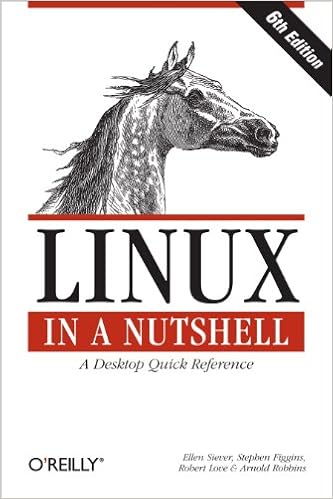
Linux in a Nutshell by Ellen Siever, Stephen Figgins, Robert Love, and Arnold Robbins is a command and administration reference. It covers shells, filesystems, processes, users, networking, security, package tools, editors, programming utilities, version control, and hundreds of commands.
The alphabetical reference format helps experienced users find options quickly without reading whole chapters. The sixth edition, published in 2009, works best as a lookup for established commands, shell syntax, and long-standing tools rather than as a course for learning Linux from the beginning.
What You’ll Learn:
- Look up hundreds of Linux commands and options quickly
- Review shell syntax, variables, quoting, redirection, and history
- Manage users, processes, filesystems, storage, and system services
- Configure networking, firewalls, routing, DNS, and remote access
- Reference package tools, editors, programming tools, and version control
- Find concise answers without reading chapters from start
Best For: Linux users and administrators needing a command reference for shells, filesystems, networking, security, package tools, services, editors, and troubleshooting tasks.
How to Choose a Linux Book
Start with the job you want Linux to do. New users need commands, files, permissions, and package basics. Administrators need services, storage, networking, logs, security, and backups. Programmers may need UNIX interfaces or kernel code instead of desktop guidance. Also check the edition date because Linux tools and distribution defaults change.
- For one broad guide: Start with Linux: The Comprehensive Guide to Mastering Linux.
- For complete beginners: Choose Linux for Beginners.
- For shell scripting: Use Linux Command Line and Shell Scripting Bible.
- For Linux internals: Read How Linux Works.
- For UNIX programming: Pick Advanced Programming in the UNIX Environment.
- For quick command lookup: Keep Linux in a Nutshell nearby.
How to Practice Linux While Reading
Use a virtual machine or a spare computer so mistakes do not affect important files. Type every command, change its options, and check the result. Keep notes for commands you use often, and build small tasks such as creating users, checking logs, scheduling backups, or writing a simple Bash script.
Older books can still teach stable ideas, but confirm current package names, service commands, network settings, and security advice in your distribution’s documentation before changing a live system.
