
What Is an Infocube in SAP BI/BW? How To Create One?
 Editorial Team
⚡ Smart Summary
An InfoCube in SAP BW is a self-contained multidimensional dataset built on the extended star schema, storing fact-table key figures surrounded by dimension tables, and serving as both a data target and an InfoProvider for reporting.

What is an InfoCube?
An InfoCube is a data storage area in which we maintain data extracted from the source system physically. An InfoCube can function as both a data target and an InfoProvider. From a reporting point of view, an InfoCube can be described as a self-contained dataset.
For example, a Sales Amount InfoCube with dimensions such as MONTH, PRODUCT, CUSTOMER, and REGION can be viewed by any of the axes, for example total sales by region or by customer. The dimensions of an InfoCube are entities or hierarchies.

BIW (Business Intelligence Warehouse) provides the facility to define 16 dimensions, out of which 3 are predefined.
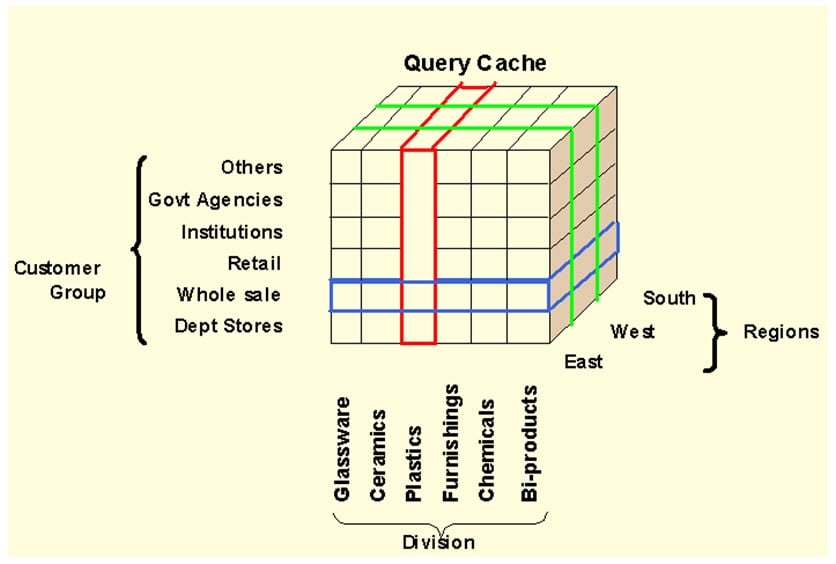
The above cube demonstrates a simple three-dimensional cube. Each dimension can hold 248 characteristics for analysis. One square in the cube represents the relative value for the corresponding customer/region/division combination.
InfoCube Structure
- An InfoCube follows the extended star schema.
- It has a fact table at the center, surrounded by 16 dimension tables, with master data lying outside the cube.
- InfoCubes are the central multidimensional data model in BI.
- It is a self-enclosed data set encompassing one or more related business processes. A reporting user can define or execute queries against an InfoCube.
- It stores summarized or aggregated data for long periods. An InfoCube consists of precisely one fact table surrounded by dimension tables.
- SAP-delivered InfoCubes begin with a number, usually 0. Your own InfoCube should begin with a letter from A to Z and be 3 to 9 characters in length.
Types of InfoCube
An InfoCube is classified into three types based on the way of maintaining and distributing the data.
- Standard InfoCube: maintains the data physically in the cube. Read-only is possible.
- Virtual InfoCube: does not maintain data physically in the cube. During query execution, it brings the data from the respective source system.
- Real-Time InfoCube: stores the data physically in the cube. Read and write are possible. It is significantly used in planning the data.
How to Create a Standard InfoCube
Step 1) Create InfoCube.
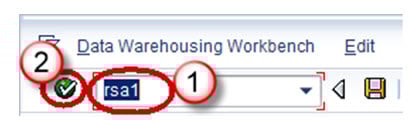
- Go to transaction code RSA1.
- Click the OK button.
Step 2)
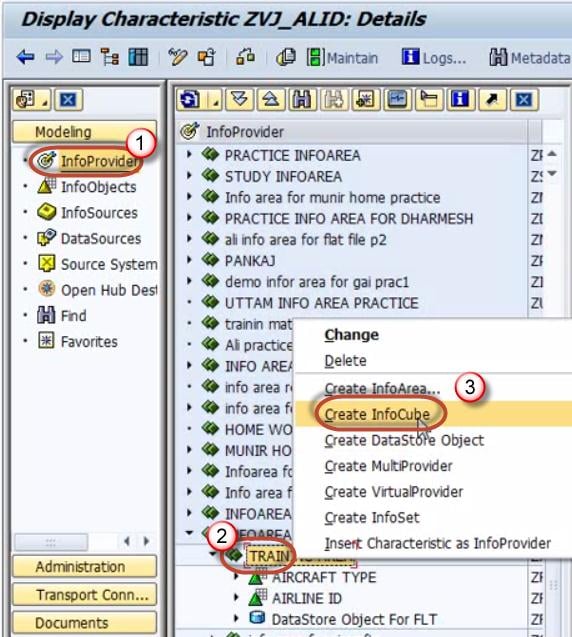
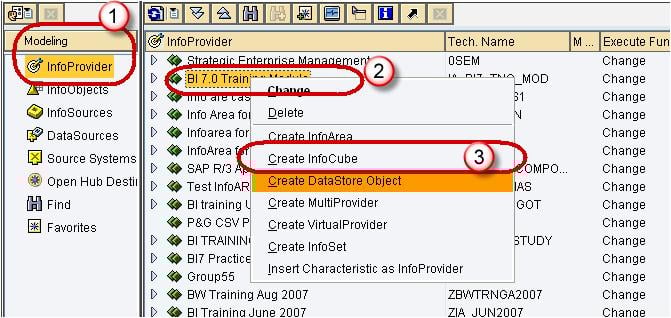
- Navigate to the Modeling tab -> InfoProvider.
- Right click on InfoArea.
- Click on “Create InfoCube” from the context menu.
Step 3)
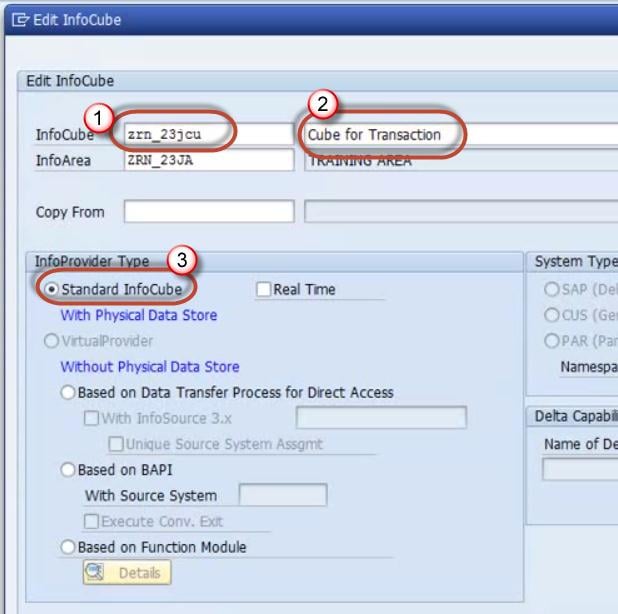
- Enter the Technical Name.
- Enter the Description.
- Choose the option button “Standard InfoCube”.
Click the Create button.
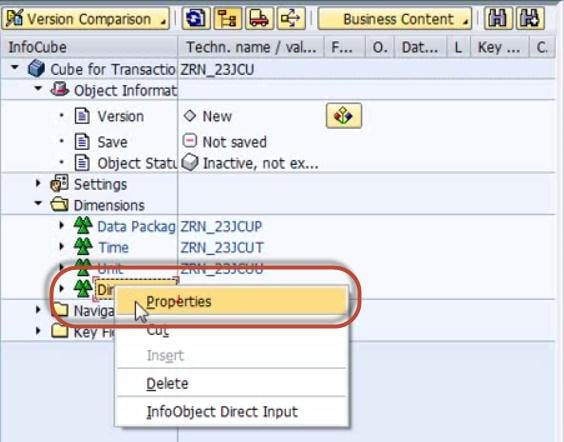
Step 4) Right click on Dimension 1 -> Properties.
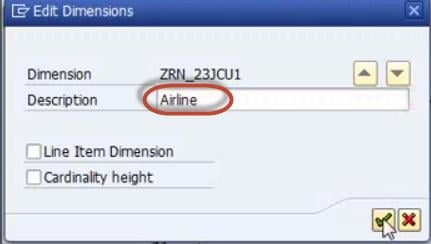
Step 5) Rename the dimension as per the InfoObject information.
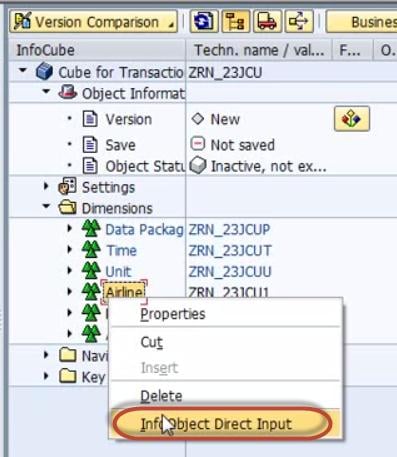
Step 6) Right click on the Dimension -> InfoObject Direct Input to insert InfoObjects into the dimension.
Step 7) Select Characteristics.

Step 8) Select Airline ID in characteristics.

Drag and drop it into the dimension.

Step 9) Similarly, create new dimensions and follow steps 4-8 to add the InfoObjects.

Step 10) Add key figure InfoObjects to the InfoCube.
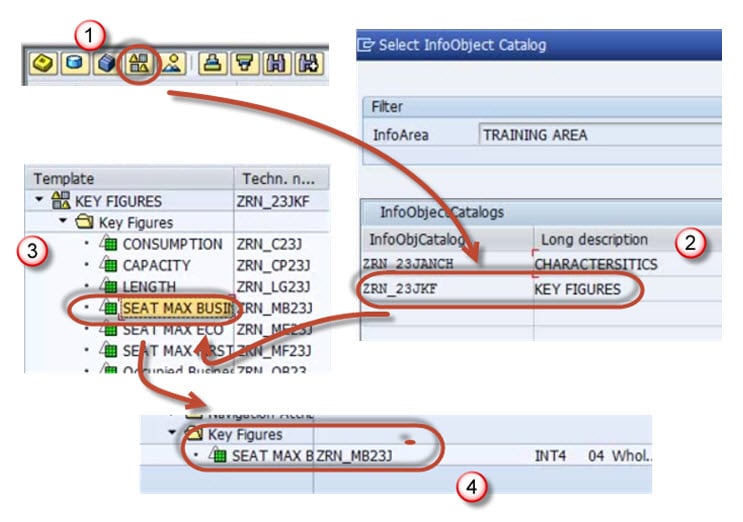
Step 11) Follow the process above to add more key figures.

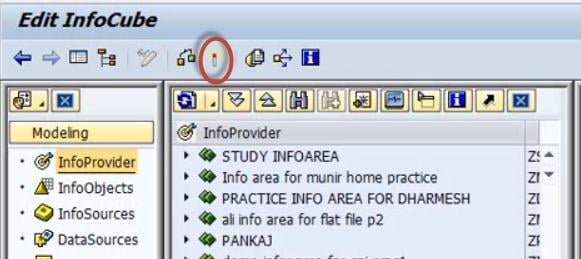
Step 12) Activate the InfoCube.
InfoCube Additional Points
The technical name of the dimension table is assigned by the system using the pattern /BIC/D<your InfoCube>#, where the first # is 1, the second 2, and so on. For a SAP-delivered cube, it begins with /BI0/D.
Characteristic InfoObjects can be freely added to customer-created dimensions. Dimension tables should be used optimally. Ensure optimum cardinality while adding characteristic InfoObjects to dimensions. For example, a departmental store has 10,000 customers and 1,000 different materials; the cardinality is m:n, which means each customer can buy many materials. Such cardinality should not be maintained in the same dimension table.
Thumb rule: avoid m:n within a dimension.
Best Practices
- Use a standard InfoCube to facilitate multidimensional analysis.
- Use it to store summarized or aggregated information with a large volume of data.
- Use a line-item dimension if only one object is placed in a dimension table.
- Bring character information through navigational attributes where appropriate.
Points to Avoid
- Do not group m:n cardinality within the same dimension.
- Do not maintain high-cardinality information in a dimension table without a line-item dimension.
