
SAP BW InfoObject, Infoarea, InfoObject Catalogue & Types
 Editorial Team
⚡ Smart Summary
InfoObjects in SAP BW are the smallest information units, characteristics, key figures, units, and time characteristics, organized inside InfoObject catalogs and InfoAreas to build the InfoProviders such as InfoCubes and DSOs used for reporting.
What Are InfoObjects?
InfoObjects take information from the source, then adjust and arrange it into a standard or customized report. InfoObjects are the smallest available information modules or fields in BI. They are needed in InfoProviders such as InfoCubes, DSOs, MultiProviders, and queries, which are all made up of InfoObjects.
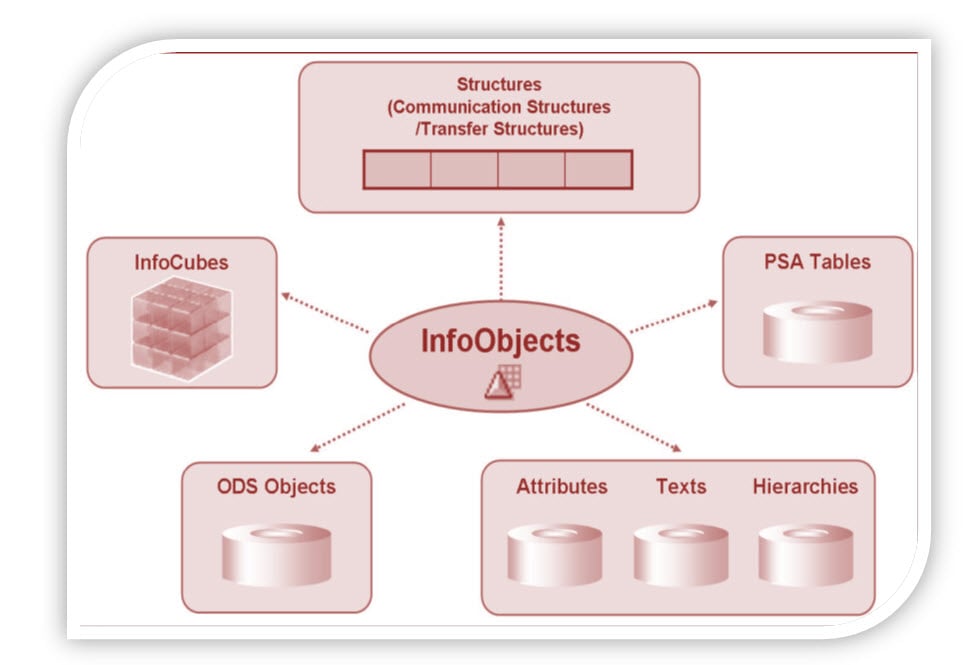
An InfoObject gives all information about the business. For instance, company XYZ wants to find out how much of “product x” shipped on “date x” to “factory x”. By defining InfoObjects for specific functions such as 0MATERIAL, 0DATE, and 0LOCATION, all the information can be retrieved.
InfoObjects can be classified into the following types:
- Characteristics (for example, customers)
- Key figures (for example, revenue)
- Units (for example, currency or amount unit)
- Time characteristics (for example, fiscal year)
- Technical characteristics (for example, request number)
Characteristics
Characteristics are business reference objects used to analyze key figures. Examples of characteristic InfoObjects: Cost center (0COSTCENTER) and Material (0MATERIAL).
Key Figures
Key figures provide the values to be evaluated. They are numeric information reported in the query. Examples of key figure InfoObjects: Quantity (0QUANTITY) and Amount (0AMOUNT).
Units
Units are paired with key figure values. They assign a unit of measurement to a key figure value. For instance, in 10 Kg, 10 is the key figure and Kg is the unit. Other examples of unit characteristics: Currency unit (0CURRENCY), which holds the currency type such as USD or EUR, and Value unit (0UNIT), which holds the unit of measure such as gallon, inch, or cm.
Time Characteristics
Time characteristics give a time reference to data. Examples: Calendar day (0CALDAY), Calendar year (0CALYEAR), and Fiscal year (0FISCYEAR).
Technical Characteristics
Technical characteristics are SAP standard objects that have their own administrative purposes. Examples:
- InfoObject 0REQUID: while loading data to various data targets, SAP allocates unique numbers stored in this InfoObject.
- InfoObject 0CHNGID: when an aggregate change run is done, a unique number is allocated and stored in this InfoObject.
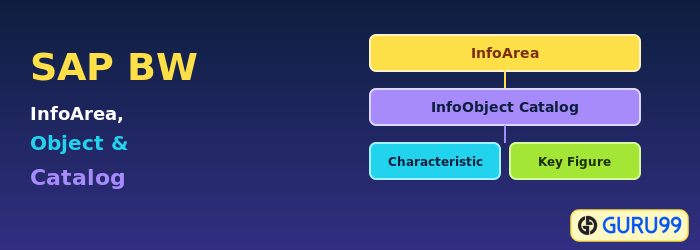
Before creating an InfoObject, the InfoArea and InfoObject catalog need to be created.
What is an InfoArea?
- In Business Warehouse, InfoAreas are the branches and nodes of a tree structure.
- They are used to organize InfoCubes and InfoObjects.
- Each InfoObject is assigned to an InfoArea.
- An InfoArea can be thought of as a folder used to hold related files together.
What is an InfoObject Catalog?
- Every InfoObject needs to be created within an InfoObject catalog.
- It helps with organization and is in no way related to reporting functions.
- Example: there are many InfoObjects for SAP Financials that can be clubbed into one InfoObject catalog. This makes management and maintenance easy.
- An InfoObject can be assigned to multiple catalogs.
There are two types of InfoObject catalog:
- Characteristic InfoObject catalog
- Key figure InfoObject catalog
Here is the roadmap to create an InfoObject:

