
Python Program to swap two numbers without using third variable
 Editorial Team
⚡ Smart Summary
Swapping two numbers without a third variable exchanges their values in place using arithmetic addition and subtraction, the bitwise XOR operator, or bitwise-arithmetic tricks. Python can also swap directly with tuple unpacking.
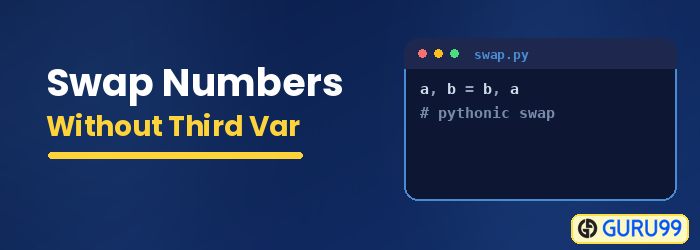
The sections below cover four ways to swap without a temporary variable, plus arithmetic overflow.
In programming languages, swapping means exchanging the values of two variables. The variable might contain a number, string, list or array, object, etc. The general way of swapping is to use a temporary variable to hold values. For example,

The general steps of swapping two numbers are:
- Declare a temporary variable C
- Assign the value of A to C, meaning C = A. Now C = 20
- Assign the value of B to A, So A = 30
- Assign the value of C to B, So B = 20, as C has the value 20.
This is how swapping is done with the help of a temporary variable, and it works for both integer and float numbers.
Swap using Arithmetic Equation
As we know, swapping means to interchange the content of two objects or fields or variables. Swap using an arithmetic operation means performing the swap using a mathematical equation, i.e., addition and subtraction.
If we are given two numbers and asked to swap without using a temporary variable, then using three arithmetic equations, we can swap the numbers.
Pseudocode for swapping numbers using an arithmetic operation:
A = A + B
B = A - B
A = A - B
Let us assume we have two numbers, A = 20 and B = 30.
Condition 1: A = A+B
So, the current value of A is 20+30 = 50
Condition 2: B = A-B
Now, B = 50-30 = 20
We can see that we got the value of A in B.
Condition 3: A = A-B
Finally, A = 50-20 = 30
A has the initial value of B.
So, we just swapped the numbers.
Here is the program to swap two numbers in C/C++:
#include<stdio.h>
int main()
{
	int a, b;
	printf("Enter value of A: ");
	scanf("%d", & a);
	printf("Enter value of B: ");
	scanf("%d", & b);
	printf("A = %d, B = %d", a, b);
	a = a + b;
	b = a - b;
	a = a - b;
	printf("\nNow, A = %d, B = %d", a, b);
}
Output:
Enter value of A: 20
Enter value of B: 30
A = 20 , B = 30
Now, A = 30 , B = 20
Program in Python:
a = int(input("Enter value of A: "))
b = int(input("Enter value of B: "))
print("A = {} and B = {}".format(a, b))
a = a + b
b = a - b
a = a - b
print("Now, A = {} and B = {}".format(a, b))
Output:
Enter value of A: 20
Enter value of B: 30
A = 20 , B = 30
Now, A = 30 , B = 20
Now in Python, we do not even need to perform arithmetic operations. We can use:
a,b = b,a
Here is a demonstration where a=20, b=30;

Swap using Bitwise XOR Operator
This method is also known as XOR swap. XOR means exclusive OR. We take two bits as inputs to the XOR in this bitwise operation. To get one output from XOR, only one input must be 1. Otherwise, the output will be 0. The following table shows the output for all combinations of input A and B.
We need to know how the XOR operation works to swap two numbers using the bitwise operation. Here is a table for XOR where A and B are the input values.
| A | B | A XOR B |
| 0 | 0 | 0 |
| 0 | 1 | 1 |
| 1 | 0 | 1 |
| 1 | 1 | 0 |
If two inputs have the same value, then the XOR operation gives 0; otherwise, 1. For this example, we will be using a 3 XOR operation. In most programming languages, XOR is denoted as “^”.
Let us assume A=4 (in Binary = 0100) and B=7 (in Binary, 0111)
Condition 1: A = A ^ B
| A | 0 | 1 | 0 | 0 |
| B | 0 | 1 | 1 | 1 |
| A ^ B | 0 | 0 | 1 | 1 |
Now, A = 0011 (in Binary).
Condition 2: B = A^B
| A | 0 | 0 | 1 | 1 |
| B | 0 | 1 | 1 | 1 |
| A ^ B | 0 | 1 | 0 | 0 |
So B = 0100, which was the initial binary value of A.
Condition 3: A = A^B
| A | 0 | 0 | 1 | 1 |
| B | 0 | 1 | 0 | 0 |
| A ^ B | 0 | 1 | 1 | 1 |
Finally, A = 0111, which was the equivalent binary value of B.
Program in C/C++:
#include<stdio.h>
int main()
{
	int a, b;
	printf("Enter value of A: ");
	scanf("%d", & a);
	printf("Enter value of B: ");
	scanf("%d", & b);
	printf("A = %d, B = %d", a, b);
	a = a ^ b;
	b = a ^ b;
	a = a ^ b;
	printf("\nNow, A = %d, B = %d", a, b);
}
Output:
Enter value of A:4
Enter value of B:7
A=4, B=7
Now, A=7, B=4.
Program in Python:
a = int(input("Enter value of A: "))
b = int(input("Enter value of B: "))
print("A = {} and B = {}".format(a, b))
a = a ^ b
b = a ^ b
a = a ^ b
print("Now, A = {} and B = {}".format(a, b))
Output:
Enter the value of A:10
Enter the value of B:15
A=10 and B=15
Now, A=15,B=10.
Swap Numbers using Bitwise-Arithmetic
This method is the same as the arithmetic method, but we will use bitwise operations such as AND, OR, and complement to perform addition and subtraction. Before going to the steps, let us look over “complement” quickly.
1’s complement means to change all the 0 to 1 and 1 to 0. Let us take an example.
- Let us assume a number 23, a decimal number.
- Converting to Binary gives us 10111. There are only 5 bits, but the computer stores numbers in 8, 16, 32, 64 … bits. So let us add zero in front of the Binary. It will not change the original value of the number. So it will become 00010111.
- As we know, 1’s complement means to change all the 0 to 1 and 1 to 0, so performing 1’s complement over 00010111 gives 11101000.
This 1’s complement is represented with the “~” symbol in most programming languages. Putting this symbol before any integer values or floating-point values will give the 1’s complement.
And 2’s complement means adding binary “1” to the 1’s complement. If we do 2’s complement to the above number:
- Binary = 00010111
- 1’s complement = 11101000
- 2’s complement:
11101000
+ 1
11101001
So, 2’s complement is 11101001. This is the Binary for -23.
In summary, for performing 2’s complement of a number A, it will look like:
2’s complement of A = (~A) + 1
Now let us assume A=8 (binary 00001000), B=10 (00001010)
Condition 1: A = (A & B) + (A | B)
It is equivalent to A = A + B.
A & B = 00001000 & 00001010 = 00001000
A | B = 00001000 | 00001010 = 00001010
Now, 00001000 + 00001010 = 00010010 (decimal 18)
So, A = 18
Condition 2: B = A + (~B) + 1
It is equivalent to B = A-B
Here, B = A – B
From the above discussion, if we need to perform subtraction, we perform 2’s complement to the negative number and then add it.
So, -B = ~B + 1
Now, B = 00010010 + (11110101) + 1 = 00001000
B’s value is equivalent to decimal 8, which was the initial value.
Condition 3: A = A + (~B) + 1
It is equivalent to A = A-B
Now, A = 00010010 + 11110111 + 1
A = 00001010 (equivalent to decimal 10)
Finally, A got the value of B. Thus, the swapping was completed.
Program in C/C++:
#include<stdio.h>
int main()
{
	int a, b;
	printf("Enter value of A: ");
	scanf("%d", & a);
	printf("Enter value of B: ");
	scanf("%d", & b);
	printf("A = %d, B = %d", a, b);
	a = (a & b) + (a | b);
	b = a + ~b + 1;
	a = a + ~b + 1;
	printf("\nNow, A = %d, B = %d", a, b);
}
Output:
Enter the value of A: 8
Enter the value of B:10
A=8, B=10
Now, A=10, B=8
Program in Python:
a = int(input("Enter value of A: "))
b = int(input("Enter value of B: "))
print("A = {} and B = {}".format(a, b))
a = (a & b) + (a | b)
b = a + ~b + 1
a = a + ~b + 1
print("Now, A = {} and B = {}".format(a, b))
Output:
Enter the value of A: 25
Enter the value of B: 25
A = 25 and B = 25
Now, A = 25 and B = 25
What is Arithmetic Overflow?
The term overflow means exceeding the limit. Arithmetic overflow means that the result of any arithmetic operation exceeds the range or limit of the computer architecture’s number representation. For example, if a number is divided by zero, it becomes infinite, and the computer number system cannot hold it in 32 or 64 bits.

Integer number representation in a 32-bit system
The consequence of the arithmetic overflow can be:
- The addition of two positive numbers becomes negative, because the sign bit might become 1, meaning a negative number.
- The addition of two negative numbers becomes positive, because the sign bit might become 0, meaning a positive number.
