
Python String count() with EXAMPLES
 Editorial Team
⚡ Smart Summary
Python string count() is a built-in method that returns how many times a character or substring appears in a string. Optional start and end arguments limit the search to a specific slice of the text.
What is Python String count()?
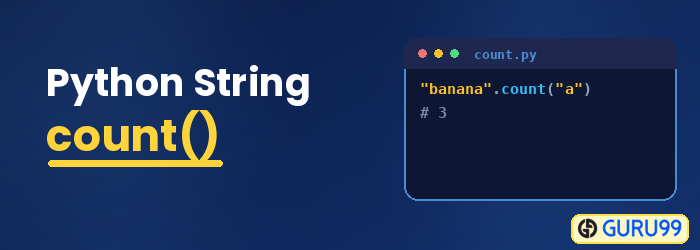
The count() method is a built-in function in Python that returns the total number of times a given element appears in a string. The counting begins from the start of the string and continues till the end. You can also specify the start and end index from where you want the search to begin.
Syntax for Python String count()
The Python string count() function uses the following syntax:
string.count(char or substring, start, end)
Parameters
- char or substring: The single character or substring you want to search for in the given string. count() returns how many times it appears in the string.
- start: (optional) It indicates the start index from where the search will begin. If not given, it starts from 0. For example, when you want to search for a character from the middle of the string, you can give the start value to the count function.
- end: (optional) It indicates the end index where the search ends. If not given, it will search till the end of the string. For example, when you do not want to scan the entire string and prefer to limit the search to a specific point, you can give the value to end in the count function.
Return Value
The count() method will return an integer value, that is, the count of the given element in the given string. It returns a 0 if the value is not found in the given string.
Example 1: Count Method on a String
The following example shows the working of the count() function on a string.
str1 = "Hello World"
str_count1 = str1.count('o')  # counting the character “o” in the givenstring
print("The count of 'o' is", str_count1)

str_count2 = str1.count('o', 0,5)
print("The count of 'o' usingstart/end is", str_count2)
Output:
The count of 'o' is 2
The count of 'o' usingstart/end is 1
Example 2: Count Occurrence of a Character in a Given String
The following example shows the occurrence of a character in a given string, as well as by using the start and end index.
str1 = "Welcome to Guru99 Tutorials!"
str_count1 = str1.count('u')  # counting the character “u” in the given string
print("The count of 'u' is", str_count1)

str_count2 = str1.count('u', 6,15)
print("The count of 'u' usingstart/end is", str_count2)
Output:
The count of 'u' is 3
The count of 'u' usingstart/end is 2
Example 3: Count Occurrence of a Substring in a Given String
The following example shows the occurrence of a substring in a given string, as well as by using the start and end index.
str1 = "Welcome to Guru99 - Free Training Tutorials and Videos for IT Courses"
str_count1 = str1.count('to') # counting the substring “to” in the givenstring
print("The count of 'to' is", str_count1)
str_count2 = str1.count('to', 6,15)
print("The count of 'to' usingstart/end is", str_count2)
Output:
The count of 'to' is 2
The count of 'to' usingstart/end is 1
Python count() Method on a List
The count() method is not limited to strings. Python lists and tuples also provide a count() method that returns how many times a specific element appears in the sequence. Unlike the string version, list.count() and tuple.count() accept only the element to search for, and they do not take start or end index arguments.
fruits = ['apple', 'banana', 'apple', 'grape', 'apple']
print(fruits.count('apple'))  # counts how many times 'apple' appears

numbers = (1, 2, 2, 3, 2)
print(numbers.count(2))  # count() also works on a tuple
Output:
3
3
Because count() belongs to both strings and sequences, the same method name works whether you are counting characters in text or repeated items in a collection.
How to Count Overlapping Occurrences in Python
The count() method only counts non-overlapping occurrences of a substring. When matches can overlap, count() reports fewer results than you might expect. For example, counting “aa” inside “aaaa” returns 2 rather than 3, because count() moves past each match it finds.
text = "aaaa"
print(text.count("aa"))          # non-overlapping count is 2

import re
overlaps = len(re.findall("(?=(aa))", text))
print(overlaps)                  # overlapping count is 3
Output:
2
3
To count overlapping matches, use the re module with a lookahead assertion, or loop with the find() method, advancing the search position by one character after every match.
» Learn more about Python String methods
