
What is Maven in Java (Architecture)
 Editorial Team
⚡ Smart Summary
Maven in Java is an automation and management tool from the Apache Software Foundation that builds and manages projects using a Project Object Model. This resource explains what Maven is, how it benefits development, the processes it manages, its architecture, and how to use a pom.xml file.
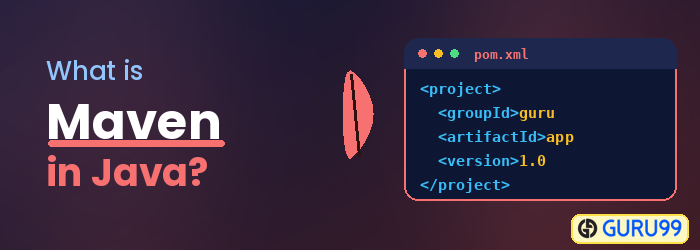
What is Maven?
Maven is an automation and management tool developed by the Apache Software Foundation. It is written in the Java language to build projects written in C#, Ruby, Scala, and other languages. It allows developers to create projects, manage dependencies, and produce documentation using a Project Object Model and plugins. It has a similar development process to ANT, but it is more advanced than ANT. Maven can also build any number of projects into a desired output such as a JAR, WAR, or metadata. It was initially released on 13 July 2004. In the Yiddish language, the meaning of Maven is “accumulator of knowledge”.
How can Maven benefit my development process?
Maven helps the developer create a Java-based project more easily. Any new feature created or added in Maven can be easily added to a project through the Maven configuration. It increases the performance of the project and the building process. The main feature of Maven is that it can download the project dependency libraries automatically.
Below are examples of some popular IDEs that support development with the Maven framework:
- Eclipse
- IntelliJ IDEA
- JBuilder
- NetBeans
- MyEclipse
Processes which can be managed using Maven
- Builds
- Documentation
- Reporting
- Dependencies
- SCMs
- Releases
- Distribution
- Mailing list
Maven Architecture
Maven architecture includes the plugin JAR, code file, etc.


How to use Maven
- To configure Maven in Java, you need to use the Project Object Model, which is stored in a pom.xml file.
- The POM includes all the configuration settings related to Maven. Plugins can be configured and edited in the <plugins> tag of a pom.xml file, and the developer can use any plugin without knowing much detail about each plugin.
- When the user starts working on a Maven project, it provides default configuration settings, so the user does not need to add every configuration in pom.xml.
Steps/process involved in building the project
- Add/write the code for application creation and process that into the source code repository.
- Edit the configuration / pom.xml / plugin details.
- Build the application.
- Save the build process output as a WAR or EAR file to a local location or server.
- Get the file from the local location or server and deploy the file to the production site or client site.
- Update the application document with the date and updated version number of the application.
- Create and generate a report as per the application or requirement.
