
What is Informatica? Complete Introduction Tutorial
 Editorial Team
⚡ Smart Summary
Informatica is a data integration software company whose PowerCenter ETL tool extracts, transforms, and loads data across heterogeneous sources, enabling organizations to build data warehouses, migrate legacy systems, cleanse records, and consolidate information into one trusted system.
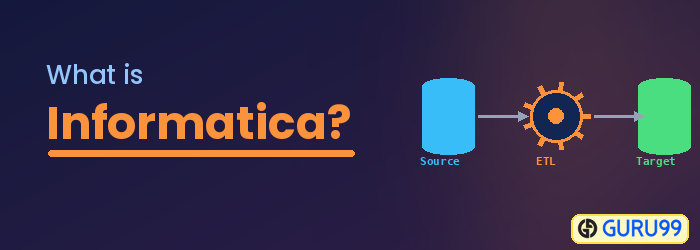
What is Informatica?
Informatica is a software development company which offers data integration products. It offers products for ETL, data masking, data quality, data replication, data virtualization, master data management, and more. Informatica PowerCenter, the ETL and data integration tool, is the most widely used product, so in common usage the term “Informatica” refers to the Informatica PowerCenter tool for ETL.
Informatica PowerCenter is used for data integration. It offers the capability to connect and fetch data from different heterogeneous sources and to process that data. For example, you can connect to both an SQL Server database and an Oracle database and integrate the data into a third system.
The different editions of PowerCenter are:
- Standard edition
- Advanced edition
- Premium edition
Popular clients using Informatica PowerCenter as a data integration tool are the U.S. Air Force, Allianz, Fannie Mae, ING, Samsung, and others. Popular tools available in the market in competition with Informatica are IBM DataStage, Oracle OWB, Microsoft SSIS, and Ab Initio.
Typical use cases for the Informatica tool include:
- An organization migrating from an existing legacy system, such as a mainframe, to a new database system, so the migration of existing data into the new system can be performed.
- Enterprises setting up a data warehouse require an ETL tool to move data from the production system to the warehouse.
- Integration of data from various heterogeneous systems, such as multiple databases and file-based systems, can be done using Informatica.
- Informatica can also be used as a data cleansing tool.
The Informatica ETL tool is often considered better than its competitors because it offers a wide range of product editions, so a user can opt for a specific edition based on requirements. Informatica is constantly featured as a data integration product leader in the Gartner Magic Quadrant listing.
Informatica technology is available for all popular platforms. It offers cloud-based services, so with minimal setup an organization can use this tool. Informatica offers real-time data integration, web services integration, business-to-business (B2B) data integration, a big data edition, master data management, and connectors for social media and Salesforce. Forbes has quoted Informatica as the next Microsoft, which itself reflects the market share Informatica holds over its competitors.
Why Do We Need Informatica?
Informatica comes into the picture wherever a data system is available and, at the back end, we want to perform certain operations on the data. This can include cleaning up data, modifying data based on a set of rules, or simply loading bulk data from one system to another.
Informatica software offers a rich set of features, such as operations at the row level on data, integration of data from multiple structured, semi-structured, or unstructured systems, and scheduling of data operations. It also has a metadata feature, so information about the process and data operations is preserved.
Informatica PowerCenter Architecture
Informatica PowerCenter follows a service-oriented architecture (SOA) built on a client-server model. The server side runs the processing services, while developers work through separate client tools.
The main building blocks of the architecture are:
- Domain: The top-level administrative unit that groups all nodes and services for an environment.
- Node: A logical representation of a machine in the domain; a gateway node receives client requests and routes them to services.
- Repository Service: Manages the PowerCenter repository, storing and retrieving the metadata that defines mappings and workflows.
- Integration Service: The execution engine that runs the workflows and moves data from source to target.
Developers connect to these services through four client tools, the Designer, Repository Manager, Workflow Manager, and Workflow Monitor, installed on their machines to build, manage, and monitor data integration jobs.
Key Features of Informatica PowerCenter
Informatica PowerCenter is popular in the enterprise because it combines broad connectivity with strong performance and governance. Its key features include:
- Wide connectivity: Prebuilt connectors reach relational databases, mainframes, flat files, cloud applications, and message queues.
- Rich transformations: A large library of reusable transformations handles complex data logic without hand-coding.
- High performance: Partitioning, pushdown optimization, and parallel processing move large data volumes efficiently.
- Metadata-driven design: Every mapping and workflow is stored as metadata, making jobs easy to reuse and audit.
- Scheduling and monitoring: Workflows can be scheduled and tracked centrally through the Workflow Monitor.
- Data quality and governance: Built-in tools support data cleansing, profiling, and master data management.
Together, these features explain why Informatica is consistently ranked a leader in the Gartner Magic Quadrant for data integration.
The ETL Process in Informatica
Because Informatica PowerCenter is an ETL tool, its core job is to extract data, transform it, and load it into a target. Understanding this three-step process makes the rest of the tool easier to learn.
1. Extract: PowerCenter reads data from one or more source systems, such as relational databases, flat files, XML, or cloud applications. A source definition tells the tool the structure of the incoming data.
2. Transform: The extracted data passes through a mapping, where business rules are applied. Data is cleaned, joined, aggregated, looked up, and reformatted so that it matches the requirements of the target system.
3. Load: The processed data is written to the target, which is often a data warehouse table but can also be a file or another application. Loading can be a full refresh or an incremental update.
These steps are organized through three PowerCenter objects:
- Mapping: Defines the flow of data from source to target, including every transformation in between.
- Session: A task that runs a single mapping and specifies connection and runtime details.
- Workflow: A sequence of one or more sessions and other tasks that the Integration Service executes in order.
A developer builds the mapping in the Designer, wraps it in a session, and schedules it inside a workflow. The Workflow Monitor then shows whether each run succeeded, how many rows were processed, and where any errors occurred. This clear separation between design, execution, and monitoring is a major reason Informatica scales well for large data warehouse projects.
