
Create and Drop INDEX in Cassandra
 Editorial Team
⚡ Smart Summary
Create and drop index in Cassandra enables filtering on columns that are not part of the primary key. This page covers the CREATE INDEX and DROP INDEX commands, the naming rules, index types available, and the cases where an index is the wrong answer.

Cassandra Create Index
Command ‘Create index’ creates an index on the column specified by the user. If the data already exists for the column you want to index, Cassandra creates indexes on the data during the ‘create index’ statement execution.
- After creating an index, Cassandra indexes new data automatically when data is inserted.
- The index cannot be created on primary key as a primary key is already indexed.
- Indexes on collection columns are supported, using the KEYS, VALUES, or ENTRIES form depending on what needs to be searched.
- Without indexing on the column, Cassandra cannot filter that column unless it is a primary key.
That is why, for filtering columns in Cassandra, indexes need to be created.
Syntax
CREATE INDEX IndexName ON KeyspaceName.TableName (ColumnName);
Example
Here is the snapshot where it was tried to filter “dept” column without creating the index. In response, the error was returned.

Here is the snapshot where index is created on dept column.

CREATE INDEX DeptIndex ON University.Student (dept);
Here is the snapshot where it will be successfully filtered ‘dept’ column.

SELECT * FROM University.Student WHERE dept = 'CS';
The index name is optional. Omitting it lets Cassandra generate one automatically, which matters when the index later has to be dropped.
CREATE INDEX IF NOT EXISTS ON University.Student (dept);
Cassandra Drop Index
Command ‘Drop index’ drops the specified index. If index name was not given during index creation, then index name is TableName_ColumnName_idx.
- If the index does not exist, it will return an error unless IF EXISTS is used that will return no-op.
- You have to specify the keyspace name with the index name, otherwise the index will be looked for in the current keyspace.
Syntax
DROP INDEX IF EXISTS KeyspaceName.IndexName;
Example
Here is the snapshot of the executed command ‘Drop index’ that drops the index DeptIndex.
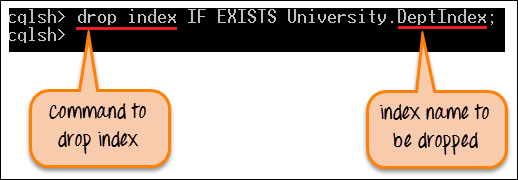
DROP INDEX IF EXISTS University.DeptIndex;
After successful execution of the command, DeptIndex will be dropped from the keyspace. Now data cannot be filtered by the column dept.
To confirm which indexes exist before dropping one, describe the table and read the index definitions at the bottom of the output.
DESCRIBE TABLE University.Student;
Types of Index in Cassandra
The command above creates a standard secondary index, but three distinct mechanisms exist and they behave very differently.
| Type | How it works | Best for |
|---|---|---|
| Secondary index | Each node indexes only its own local data, so a query without a partition key must contact every node. | Moderate cardinality columns queried alongside a partition key. |
| SASI index | An attached index supporting LIKE prefix and suffix matching plus numeric ranges. | Text search patterns. Still marked experimental, so test before production use. |
| Storage Attached Index (SAI) | Introduced in Cassandra 5.0, sharing one index structure across columns with lower write overhead. | The modern replacement for both of the above on Cassandra 5 clusters. |
Indexing a collection column uses a modifier that states which part to index.
CREATE INDEX ON University.Teacher (VALUES(Email));
CREATE INDEX ON University.Course (KEYS(prereq));
CREATE INDEX ON University.Course (ENTRIES(prereq));
VALUES searches the elements of a set or list, KEYS searches map keys, and ENTRIES matches a key and value pair together. Collection indexing is covered further in the Cassandra collections tutorial.
When Not to Use an Index in Cassandra
A secondary index is convenient but it is not a relational index, and using one in the wrong place is a common cause of slow clusters. Four situations call for a different approach.
- Very high cardinality. Indexing something close to unique, such as an email address, means almost every partition holds one matching row, so the query fans out across the entire cluster to return a single record.
- Very low cardinality. Indexing a two-value flag such as active or inactive produces enormous index partitions, and reading one returns half the table.
- Frequently updated columns. Every change writes an index entry and a tombstone for the old one, so tombstone build-up degrades reads over time.
- Queries with no partition key. Without one, the coordinator must contact every node and merge the results, which does not scale as nodes are added.
The durable alternative is a second table keyed by the column that needs searching, written at the same time as the first. That follows the query-first principle described in the Cassandra data model rules, and it keeps every read to a single partition on a single node.
As a working rule, an index suits a column of moderate cardinality that is queried together with a known partition key. Anything outside that description is better served by a purpose-built table.
