
5 Best Consent Management Platforms (2026)
 Noah Robinson
Consent management platforms promise easier privacy operations, yet weak scans, unreliable blocking, wasted setup time, confusing dashboards, hidden plan limits, and inconsistent regional behavior can create serious gaps. Those failures distort analytics, expose visitor data, and leave teams unsure whether preferences truly work. Many buyers overlook downstream signal enforcement and withdrawal testing. The right platform brings accurate discovery, clearer controls, and defensible records. It also protects marketing workflows while respecting visitor choices. That creates welcome confidence and a practical path forward.
I spent 85+ hours researching 15 platforms, reviewing product documentation, pricing, integrations, security, and recurring customer feedback. After rigorous evaluation, I shortlisted five Best Consent Management Platform options with verified features, practical pros and cons, and transparent limitations. Each recommendation is backed by current official evidence and a reproducible testing framework. Continue reading to identify the strongest fit for your organization. Read more…
Best Consent Management Platforms: Top Picks!
| Tool Name | Best For | Top Features | Free/Trial Plans | Link |
|---|---|---|---|---|
| Cookiebot | Automated cookie scanning for growing websites | Cookie scan, auto-blocking, Consent Mode | Free plan; one domain | Learn More |
| OneTrust | Enterprise consent across complex digital properties | Tracker discovery, geotargeting, audit logs | Demo; personalized quote | Learn More |
| Ketch | Policy-driven consent across connected data systems | Policy templates, orchestration, preference center | Free plan; no card | Learn More |
| Didomi | Omnichannel consent for publishers and global brands | Geotargeting, cross-device sync, analytics | Demo available | Learn More |
| Osano | Fast deployment with broader privacy operations | AI classification, geolocation, consent logs | Free plan; 1 domain | Learn More |
1) Cookiebot by Usercentrics
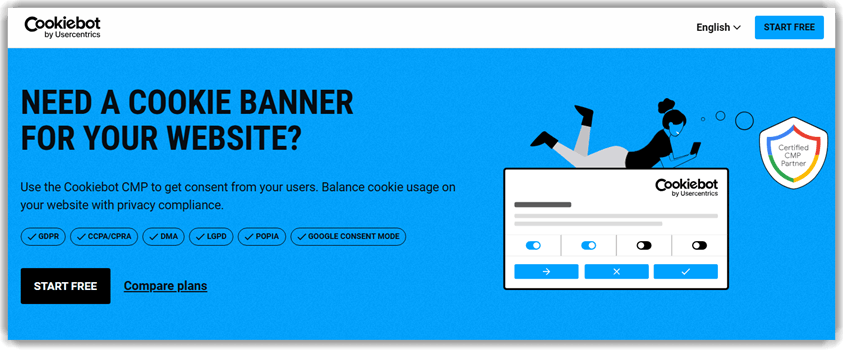
Cookiebot by Usercentrics scans websites for cookies and trackers, categorizes findings, and manages visitor permissions across GDPR, ePrivacy, CCPA/CPRA, DMA, and state laws. Used by over 2.4 million websites and apps worldwide, it is a Gold Tier Google-certified CMP for Consent Mode v2.
The platform supports websites, mobile apps, SaaS products, and ecommerce experiences. Prior-consent blocking holds nonessential scripts until visitors decide, while timestamped logs preserve audit evidence. A self-updating cookie declaration reduces routine policy maintenance and reflects the website’s current tracking environment.
Features:
- Automated Scanning: Automated scans detect cookies and tracking technologies without manual configuration. Findings are checked against a database containing over 13,000 known trackers.
- Prior Blocking: The platform blocks nonessential scripts until visitors consent, supporting prior-consent requirements under GDPR, ePrivacy, and applicable CIPA scenarios in the United States.
- Cookie Declaration: A self-updating cookie declaration reflects the website’s current tracking environment. Teams spend less time maintaining disclosures after tags or cookies change.
- Consent Signals: Google Consent Mode v2 works on every plan, including Free. Microsoft UET Consent Mode and Microsoft Clarity Consent Mode are also supported.
- Localized Banners: Customizable banners support nearly 50 languages and geotargeted consent flows. Visitors receive an experience suited to their location and applicable rules.
- Consent Logs: Every visitor decision receives a timestamped consent record. The resulting audit trail helps teams answer regulatory reviews and internal compliance questions.
- Integrations: No-code connections support Google Tag Manager, WordPress, Shopify, Wix, and many major content-management platforms. Deployment fits common publishing and commerce stacks.
- Ad-Tech Support: IAB Transparency and Consent Framework 2.3 support communicates standardized choices across programmatic advertising partners. This helps publishers meet current ecosystem requirements.
Pros
Cons
Pricing:
Cookiebot offers a free one-domain plan; Premium Lite costs €7 monthly and removes traffic limits.
| Plan | Pricing |
|---|---|
| Free | €0; up to 50 subpages; 1 domain; unlimited users |
| Premium Lite | €7/month; up to 50 subpages; 1 domain; no traffic limits; GDPR, ePrivacy, US state laws, and Google Consent Mode |
2) OneTrust
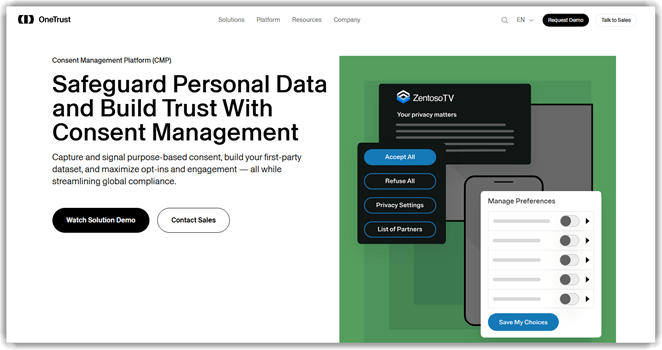
OneTrust manages consent across websites, mobile apps, streaming devices, and connected televisions. Its tracker discovery maintains an evolving inventory of cookies, SDKs, and third parties. Geolocation-aware templates adjust disclosures across regions and languages. Large organizations benefit when many brands require centralized governance.
In a multinational rollout, shared policies can standardize banners while preserving local requirements. Audit-ready receipts record decisions and configuration history for later review. No-code controls block trackers until valid consent arrives. Broad integrations extend choices into marketing and data systems, although implementation usually needs dedicated ownership.
Features:
- Tracker Inventory: Automated discovery identifies cookies, SDKs, trackers, and third parties. The evergreen inventory helps disclosures remain aligned with changing digital properties.
- Regional Experiences: Geolocation-aware multilingual templates adjust choices across legal jurisdictions. Administrators can maintain consistent branding while honoring different regional requirements at scale.
- Script Controls: No-code blocking and script controls enforce visitor decisions before tracking begins. Teams reduce dependence on repeated manual tag-manager changes frequently.
- Consent Receipts: Audit-ready records preserve consent events and change history. Exportable logs help privacy teams answer regulators, stakeholders, and internal reviewers quickly.
- Experience Testing: A/B testing compares banner layouts and language. Teams can improve clarity and opt-in performance without weakening required visitor choices.
- Channel Coverage: OneTrust supports web, mobile, OTT, and connected television properties. Central policies reduce duplicated administration across expanding digital experiences at scale.
- Preference Sync: Consent choices can synchronize across touchpoints and connected systems. Visitors receive fewer repeated prompts while downstream tools receive current permissions.
- Standards Support: The platform supports Google Consent Mode v2, GPC, GPP, and IAB frameworks. This suits complex advertising and analytics ecosystems reliably.
Pros
Cons
Pricing:
OneTrust uses custom pricing, with personalized quotes based on team size, business goals, properties, and usage.
Link: https://www.onetrust.com/products/consent-management/
3) Ketch
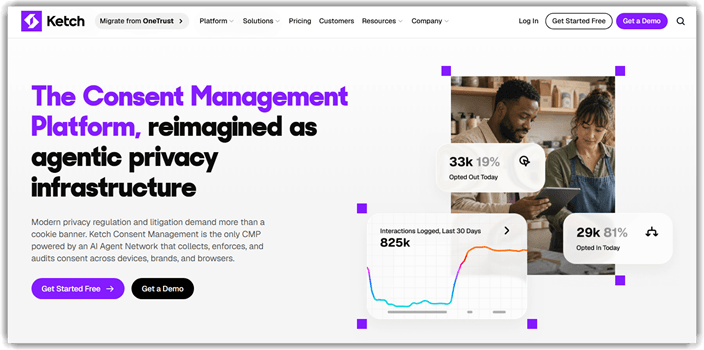
Ketch treats consent as a permission signal that travels beyond website banners. Its policy engine applies jurisdiction, purpose, identity, and legal-basis rules across connected systems. Tracker scanning and tag orchestration support website enforcement. Data teams benefit when permissions must remain consistent across complex customer journeys.
For an expanding application stack, centralized records can reduce fragmented consent logic. Cross-device resolution connects choices across recognized users and touchpoints. No-code templates accelerate regional notices while APIs handle workflows. The permanent free tier supports smaller deployments, although advanced governance and automation require higher plans.
Features:
- Policy Engine: Ketch evaluates permissions using purpose, jurisdiction, identity, and lawful basis. Central rules help teams enforce consistent decisions across connected environments.
- Tracker Scanning: Cohort-based scans detect tags, pixels, and unexpected website activity. Findings help teams identify technologies that bypass intended consent behavior earlier.
- Tag Orchestration: The Smart Tag controls downstream website technologies using current preferences. Real-time signals reduce manual enforcement gaps between banners and trackers.
- Notice Designer: More than 400 no-code options customize banners, modals, and preference centers. Teams can align experiences with brands and jurisdictions directly.
- Permission Vault: Server-side records retain consent receipts, lawful bases, and policy decisions. Security teams gain defensible evidence for audits and investigations quickly.
- Cross-Device Sync: Identity resolution connects recognized visitor choices across devices and channels. This reduces repeated prompts and inconsistent downstream permission states globally.
- Developer Tools: APIs, webhooks, and mobile SDKs support custom enforcement workflows. Engineering teams can integrate consent into applications and internal systems securely.
- Privacy Templates: Maintained templates cover major global privacy laws and update as requirements change. Administrators can adapt policies without starting from scratch.
Pros
Cons
Pricing:
Ketch has a full-feature free plan; Starter begins at $150 monthly, while Plus starts at $499 billed annually.
| Plan | Pricing |
|---|---|
| Free | $0; up to 5,000 unique users; full-feature CMP; no credit card; 2 integrations |
| Starter | From $150/month; up to 30,000 unique users; guided self-service setup; core privacy workflows; 2 integrations |
| Plus | From $499/month billed annually; up to 100,000 unique users; preferences, advanced reporting, Identity Sync foundations, and migration support |
Link: https://www.ketch.com/platform/consent-management
4) Didomi
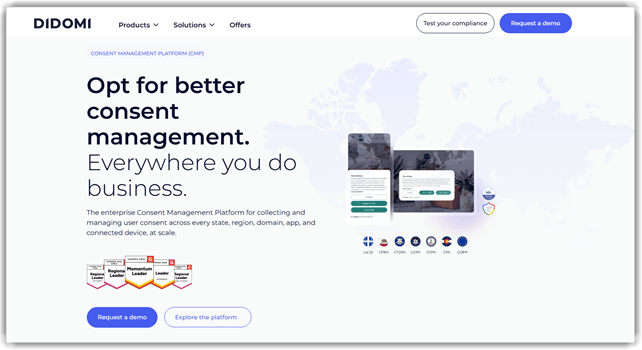
Didomi combines consent collection, preference management, and compliance monitoring across channels. Its geotargeting controls adapt notices by country, state, domain, application, or connected device. Support for many languages helps global teams standardize privacy experiences. Publishers benefit when advertising frameworks and regional rules intersect.
Across web, mobile, and connected television, synchronized choices can reduce repeated prompts. Consent analytics reveal acceptance patterns and support controlled experience testing. Exportable logs provide evidence for audits and internal reviews. Server-side tagging and marketing integrations broaden enforcement, though complex programs may need implementation guidance.
Features:
- Geotargeting: Didomi adapts notices by country, state, domain, application, and device. Teams can apply regional rules without maintaining disconnected implementations globally.
- Language Support: Consent experiences support more than forty languages for international audiences. Localized disclosures help visitors understand choices across global properties clearly.
- Omnichannel Sync: The platform synchronizes consent across websites, mobile apps, and connected televisions. Recognized users encounter more consistent preferences throughout their journeys.
- Consent Analytics: Dashboards analyze consent rates, journeys, and configuration performance. Teams can investigate changes and optimize experiences using structured evidence over time.
- Experience Testing: A/B testing compares notice designs and messaging under controlled conditions. Privacy teams can improve comprehension while preserving required choices.
- Compliance Logs: Detailed consent logs and exportable reports support audit preparation. Administrators can retrieve historical choices when users or regulators request proof.
- Ad-Tech Standards: Didomi supports Google Consent Mode, Microsoft UET, GPC, GPP, and IAB frameworks. Publishers can transmit standardized signals across advertising partners.
- Server-Side Support: Server-side tagging connections propagate consent beyond browser scripts. Engineering teams can extend enforcement into modern measurement and data architectures reliably.
Pros
Cons
Pricing:
Didomi offers a requested product demo, while consent-management pricing remains customized for each business and implementation scope.
| Plan | Pricing |
|---|---|
| Product Demo & Pricing | Request a demo |
Link: https://www.didomi.io/consent-management-platform
5) Osano
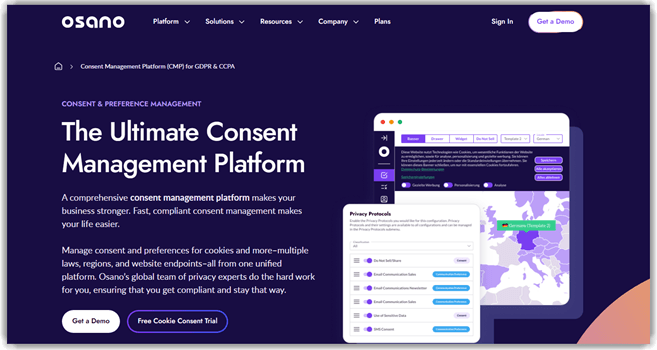
Osano combines cookie consent with privacy operations inside one platform. Its tracker discovery scans sites and classifies detected technologies using maintained rules. Geolocation selects appropriate banners and consent models for each visitor. Growing privacy teams benefit when consent, rights, and governance require shared oversight.
A single JavaScript line supports website deployment across common platforms. Strict blocking can stop unapproved trackers before they collect data. Google Consent Mode v2, GPC, and advertising frameworks extend consent signals downstream. A free tier and thirty-day trial simplify evaluation, while advanced modules use sales-led pricing.
Features:
- Tracker Discovery: Scheduled scans identify cookies, pixels, and newly introduced tags. AI-assisted classification reduces repetitive sorting while keeping inventories ready for review.
- Blocking Modes: Strict and permissive controls determine how unapproved trackers behave. Teams can choose enforcement aligned with technical requirements and regional policies.
- Regional Logic: Geolocation applies suitable consent models, language, and disclosures for each visitor. Administrators manage global experiences from centralized configurations at scale.
- Consent Logs: Timestamped consent records preserve banner versions and user choices. Searchable history supports disputes, audits, and later preference changes over time.
- Consent Signals: Google Consent Mode v2, GPC, IAB TCF, and GPP support standardize downstream communication. Marketing tools receive clearer permission states reliably.
- Performance Design: A split-payload delivery approach reduces unnecessary script weight during page loads. Teams can limit consent tooling’s impact on Core Web Vitals.
- Mobile SDKs: Native iOS, Android, and React Native SDKs extend consent into applications. Developers can keep mobile experiences aligned with website policies.
- Privacy Suite: Subject rights, assessments, data mapping, and vendor risk modules share one platform. Privacy teams can expand beyond banner management when needed.
Pros
Cons
Pricing:
Osano offers a free plan for one domain; Plus costs $199 monthly, while Custom uses tailored pricing.
| Plan | Pricing |
|---|---|
| Free | $0; 1 user; 1 domain; 5,000 monthly visitors |
| Plus | $199/month; 2 users; 3 domains; 30,000 monthly visitors; privacy and legal templates; UK and GDPR representative |
| Custom | Custom pricing; unlimited users and domains; compliance check; basic subject rights; No Fines Guarantee |
Link: https://www.osano.com/solutions/consent-management-platform
Comparison Between Top Best Consent Management Tools
| Tool | Cookiebot by Usercentrics | OneTrust | Ketch | Didomi |
| Tracker Discovery | ✔️ | ✔️ | ✔️ | ✔️ |
| Regional Banners | ✔️ | ✔️ | ✔️ | ✔️ |
| Free Entry Plan | ✔️ | ❌ | ✔️ | ❌ |
| Guided Support | ✔️ | ✔️ | ✔️ | ✔️ |
| Audit-Ready Logs | ✔️ | ✔️ | ✔️ | ✔️ |
| Consent Mode | ✔️ | ✔️ | ✔️ | ✔️ |
What Is a Consent Management Platform?
A consent management platform collects, records, and applies people’s privacy choices. It usually controls cookies, pixels, SDKs, and other tracking technologies. The visible banner is only one component of that system. Behind it, rules determine which technologies may process personal information. The platform also stores evidence showing when preferences were recorded. Administrators can update notices as laws or business practices change. Strong platforms let people revisit and withdraw choices without unnecessary friction. They support compliance work, but they never replace qualified legal advice.
How Do Consent Management Platforms Work?
A CMP first scans properties for cookies, tags, pixels, and SDKs. Administrators then classify each technology by purpose and lawful basis. Regional rules decide which notice each visitor should receive. Before permission, blocking controls should stop restricted technologies from loading. After selection, the platform stores a timestamped consent record securely. It also signals approved states to connected analytics and advertising services. Preference centers let visitors revise their decisions whenever circumstances change. Teams should retest this workflow whenever websites, applications, or integrations change.
How Is a CMP Different From a Cookie Banner?
A cookie banner presents choices, but a CMP enforces them. The banner cannot prove restricted scripts stayed inactive before permission. A complete platform scans trackers, records decisions, and communicates consent downstream. It also supports withdrawal, regional rules, reporting, and audit evidence. Basic banners may simply store a browser cookie after clicking. That behavior alone does not demonstrate lawful consent or reliable enforcement. Buyers should inspect what happens behind the visible design carefully. Network requests and consent logs matter more than attractive banner templates.
What Features Should You Look for in Consent Management Platforms?
A strong CMP should connect visitor choices with real technical enforcement. Prioritize capabilities that remain useful as traffic and regulations change. Test each area against live network behavior before purchase.
- Tracker Discovery: Regular scans should identify new cookies, tags, pixels, and SDKs automatically.
- Prior Blocking: Restricted technologies should remain inactive until visitors provide valid permission.
- Regional Logic: Banners should adapt across opt-in, opt-out, language, and jurisdiction requirements.
- Consent Evidence: Searchable records should preserve timestamps, versions, purposes, and withdrawal activity.
- Signal Integrations: Consent states should reach analytics, advertising, CRM, and data systems reliably.
How Do You Choose the Right CMP for Your Business?
Start by mapping every website, application, region, and tracking purpose involved. Then identify laws, advertising frameworks, and internal systems requiring consent signals. Compare setup effort against available privacy and engineering resources realistically. Pricing metrics deserve attention because sessions, domains, and traffic grow. Confirm whether logs, exports, localization, and withdrawal meet operational requirements. Small teams may prefer guided deployment and transparent self-service plans. Enterprises usually need governance, permissions, APIs, and cross-channel synchronization. Run a controlled pilot before committing every property or brand.
Why Does Google Consent Mode v2 Matter for CMP Buyers?
Google Consent Mode v2 communicates permission states to supported Google tags. It includes ad storage, analytics storage, user data, and personalization signals. Correct implementation helps tags adjust behavior after visitor choices change. However, enabling the setting does not guarantee accurate technical enforcement. Teams must verify default states before any consent interaction occurs. They should also confirm updates after accepting, rejecting, or withdrawing permission. Debugging tools can reveal whether signals reached connected Google services. Choose a CMP with documented configuration guidance and dependable tag integrations.
How Should CMPs Handle GDPR and CCPA Differences?
The GDPR generally emphasizes affirmative permission before nonessential processing begins. Many American state laws emphasize accessible opt-out rights and preference signals. A CMP should apply appropriate regional logic without confusing global visitors. It must also recognize Global Privacy Control where applicable and configured. Clear purpose categories help people understand which processing they authorize. Withdrawal should remain as simple as the original consent action. Because obligations depend on circumstances, legal review remains important. The platform should support counsel’s policy instead of inventing legal conclusions.
Can AI Improve Consent Management Without Replacing Human Oversight?
AI-assisted classification can reduce repetitive work when new trackers appear. Models may suggest categories, purposes, vendors, or relevant policy templates. They can also flag unusual consent changes for closer investigation. However, classifications may miss custom scripts or unfamiliar business contexts. Privacy professionals should verify every consequential recommendation before publishing configurations. Engineers must confirm that suggested rules match actual network behavior. AI works best as triage support rather than final authority. Human accountability remains necessary for legal interpretation and technical validation.
How Do CMPs Affect Website Speed and Marketing Data?
Every CMP adds code, network requests, and decision logic to pages. Poor loading order can delay rendering or allow trackers prematurely. Well-designed platforms minimize payloads and load essential controls efficiently. Blocking also changes analytics because rejected visitors generate less observable data. Consent Mode can support modeled measurement, but it cannot restore everything. Teams should measure Core Web Vitals before and after implementation. They should compare marketing reports against verified consent and regional behavior. Performance and data quality require ongoing monitoring after every major change.
How Did We Test Consent Management Platforms?
This reproducible protocol evaluates real enforcement, not banner appearance alone. It records controlled conditions and measurable outcomes, so readers can compare platforms without invented claims or unexplained scoring.
- Setup Time: Record the elapsed time from account creation until a working banner appears on a controlled test website without vendor assistance.
- Cookie Detection: Seed twenty-four known cookies, pixels, and tags, then document exactly how many the first scan detects before any manual correction.
- Pre-Consent Blocking: Inspect network requests and storage before interaction, checking GA4, Meta Pixel, Hotjar, and comparable services across repeated clean sessions.
- Consent Mode v2: Validate default and updated values for ad_storage, analytics_storage, ad_user_data, and ad_personalization after every choice, including withdrawal resets.
- Geolocation: Compare European and American test locations to confirm correct opt-in, opt-out, language, and regional banner behavior using documented network locations.
- Consent Withdrawal: Accept each category, withdraw permission later, and verify affected cookies, scripts, and downstream signals actually stop across a fresh session.
- Page Speed: Measure Core Web Vitals before installation and afterward, repeating tests enough times to reduce random variation and browser noise.
- Dashboard Usability: Score navigation, configuration clarity, reporting, record retrieval, and error feedback using the same repeatable tasks without relying on documentation.
- Test Context: Record the test date, plan, platform version, browser, website stack, region, and configuration for reproducibility, including cached states.
- Installation Problems: Document every failed scan, integration conflict, misleading setting, support dependency, and workaround encountered during controlled setup, including exact reproduction steps.
How Do We Select the Best Consent Management Platforms?
Guru99 supports practical buying decisions through independent research, careful fact checking, and transparent comparisons. Our editorial process prioritizes useful evidence, current details, and clear explanations for every reader before publication.
- Market Coverage: We examined 15 platforms spanning self-service CMPs, enterprise privacy suites, publisher solutions, and developer-focused permission systems before narrowing the final list. This broad scan exposed meaningful differences in audience, deployment, scope, and operating model.
- Official Verification: Our team checked current product pages, documentation, plans, integrations, standards support, and trial language before including any concrete feature or pricing claim. Technical guidance was cross-checked when marketing pages lacked implementation detail.
- Use-Case Fit: The researchers mapped each platform against small-business, enterprise, publishing, mobile, multinational, and data-governance needs to avoid one-size-fits-all recommendations. Every shortlisted product needed a clear audience and defensible practical role.
- Review Patterns: The team synthesized recurring themes across reputable software-review platforms, emphasizing repeated experiences around setup, usability, support, cost, and configuration complexity. Isolated complaints were not treated as representative evidence without supporting patterns.
- Value Assessment: Our testers compared documented plan limits, pricing metrics, free access, deployment effort, and upgrade requirements without treating the cheapest option as universally best. Long-term administration and scaling costs also informed each judgment.
- Risk Controls: Our experts prioritized prior-consent blocking, withdrawal behavior, consent evidence, regional rules, security controls, and reliable downstream signal propagation during evaluation. A polished banner never outweighed weak enforcement or incomplete auditability.
- Editorial Review: The experts removed exaggerated claims, separated vendor assertions from verifiable capabilities, and flagged unavailable public pricing instead of estimating unsupported costs. Every section was checked for clarity, internal consistency, and current product positioning.
How Can You Troubleshoot Common Consent Management Platform Problems?
Consent failures usually involve loading order, geolocation, integrations, or stale configurations. Reproduce each issue in a clean browser before changing shared production settings.
- Issue: Nonessential trackers fire before the visitor makes any consent selection during initial page loading.
Solution: The administrator should check script ordering, default states, tag triggers, and blocking rules before republishing the configuration. - Issue: Google Consent Mode shows granted states before the banner receives permission on first page load.
Solution: The team should verify default commands load first, then inspect tag-assistant events and regional overrides carefully. - Issue: Cookie scans repeatedly miss trackers loaded through embedded widgets or iframes during deeper navigation.
Solution: The operator should test deeper page paths, authenticated flows, delayed scripts, and vendor-specific manual declarations. - Issue: Visitors cannot find a reliable method for withdrawing previously granted consent from every page.
Solution: The site owner should expose a persistent preference link and confirm revocation updates storage and connected systems. - Issue: European and American visitors receive identical banners despite different legal requirements during regional testing.
Solution: The administrator should review geolocation rules, proxy behavior, fallback regions, language settings, and publishing status. - Issue: The website becomes slower after adding the consent management platform script on important landing pages.
Solution: The developer should compare waterfalls, remove duplicate tags, optimize loading order, and discuss payload options with support.
Verdict
After comparing five consent platforms, I found three options that balanced practical deployment, dependable enforcement, integrations, and long-term privacy management particularly well.
- Cookiebot by Usercentrics: I preferred its automated scanning and approachable deployment for teams needing dependable website consent without enterprise-level complexity.
- OneTrust: Its cross-channel governance impressed me most, especially for global organizations coordinating detailed policies, evidence, and integrations.
- Ketch: Ketch stood out through policy-driven enforcement, transparent entry pricing, and consent signals that extend beyond the website banner.
