
What is Residual Payment in SAP with Example
 Editorial Team
⚡ Smart Summary
Residual Method in SAP FI clears an open invoice in full and creates a brand-new open item for the unpaid balance, giving accountants a clean audit trail for incoming and outgoing partial payments processed through transactions F-28 and F-53.
What Is the Residual Method in SAP FI?
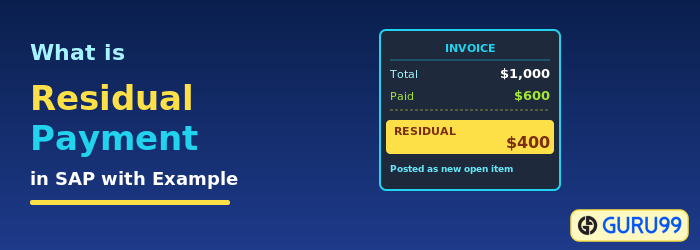
In SAP Financial Accounting (FI), the Residual Method is a posting technique used when a customer or vendor settles only a portion of an outstanding invoice. Instead of leaving the original invoice partially open, the system clears the full original document and automatically generates a new open item that carries the remaining balance. This approach keeps the accounts receivable and payable ledgers tidy, because each unpaid amount sits on its own document with a fresh posting date.
The Residual Method differs sharply from the Partial Payment Method. With the Partial Payment Method, the original invoice stays open, and the payment is linked to it as a related item, so two documents exist side by side until the balance is settled. With the Residual Method, only one open document remains at any time, which simplifies aging reports, dunning runs, and reconciliation work performed by AR and AP teams.
Why Choose the Residual Method for Partial Payments?
Accountants prefer the Residual Method when audit clarity and clean aging buckets matter more than retaining the original invoice reference. Because the remainder is posted as a new document with a current date, the residual amount restarts its aging clock, which can be helpful for dispute tracking or when a customer renegotiates payment terms. It is also a clean fit for organizations that run automated dunning, because the open item amount always reflects the true unpaid balance.
How to Post Incoming Partial Payments by Residual Method (F-28)
The steps below show how to post an incoming customer payment using transaction code F-28. When the Residual Items tab is used, the system clears the original invoice and creates a new open item for the unpaid amount.
Step 1) Open Transaction F-28
Enter Transaction Code F-28 in the SAP Command Field.

Step 2) Enter Header Data
On the Post Incoming Payments: Header Data screen, enter the following information:
- Enter the Document Date
- Enter the Company Code in which the payment is to be posted
- Enter the payment currency
- Enter the Cash or Bank Account in which the payment is to be posted
- Enter the Payment Amount received
- Enter the Customer ID of the customer making the payment
- Press Process Open Items

Step 3) Select the Residual Items Tab
After processing the open items, switch to the Residual Items tab to record the unpaid balance.
- Choose the Residual Items tab
- Select and activate the invoice against which the partial payment has been received
- Enter the Residual Amount that remains unpaid

Step 4) Save the Payment Document
Press Save to post the payment document. SAP clears the original invoice and creates a new open item for the residual amount.

Step 5) Verify the Document Number
Check the status bar for the Document Number generated by SAP. This confirms that the residual posting has been saved successfully.

How to Post Outgoing Partial Payments by Residual Method (F-53)
Outgoing payments to vendors follow the same Residual Method logic, but use transaction code F-53. The system clears the vendor invoice and posts a new payable document for the unpaid amount.
Step 1) Open Transaction F-53
Enter Transaction Code F-53 in the SAP Command Field.

Step 2) Enter Header Data
On the Post Outgoing Payments: Header Data screen, enter the following information:
- Enter the Document Date
- Enter the Company Code in which the payment is to be posted
- Enter the Cash or Bank Account in which the payment is to be posted
- Enter the Payment Amount being sent
- Enter the Vendor ID of the vendor receiving the payment
- Press Process Open Items

Step 3) Select the Residual Items Tab
After processing the open items, move to the Residual Items tab to record the unpaid balance.
- Choose the Residual Items tab
- Select and activate the invoice against which the partial payment has been made
- Enter the Residual Amount that remains unpaid

Step 4) Save the Payment
Press Save to post the outgoing payment document. SAP clears the original vendor invoice and creates a new open payable for the residual amount.

Step 5) Verify the Document Number
Check the status bar for the Document Number generated. This confirms that the outgoing residual posting has been saved.

Residual Method vs Partial Payment Method
The Residual Method clears the original invoice and posts a new open item for the unpaid balance, while the Partial Payment Method keeps the original invoice open and links a payment document to it. Pick the Residual Method when you want a single open document with a fresh aging date, and pick the Partial Payment Method when you need to keep the original invoice visible until full settlement, which can help when customers reference the original invoice number on remittances.
