
SAP Field Status Group Configuration
 Editorial Team
⚡ Smart Summary
Field status variants and field status groups in SAP control which fields appear during G/L posting, defining each field as suppressed, required, or optional to enforce consistent, accurate data entry across company codes.
What is a Field Status Variant in SAP?
A field status variant is a container that holds a set of field status groups and is defined once at client level. It is then assigned to one or more company codes, so the same field rules apply wherever the variant is used.
What is a Field Status Group?
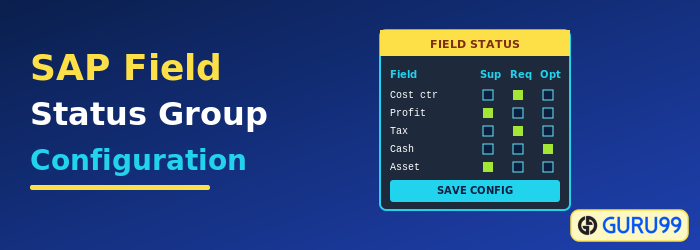
A field status group sits inside the variant and controls how individual fields behave when a user posts to a general ledger account. Each field is set to one of three statuses:
| Status | Effect during posting |
|---|---|
| Suppress | The field is hidden on the screen. |
| Required | The field is shown and must be filled in. |
| Optional | The field is shown and may be left blank or filled. |
The field status group is entered in the G/L account master, which links the account to these rules.
How to Define Field Status Variant and Field Status Group
Step 1) Enter the Transaction code SPRO in the SAP Command Field and press Enter.

Step 2) In the next screen, select SAP Reference IMG.

Step 3) In the next screen, “Display IMG”, navigate the following menu path: SAP Customizing Implementation Guide -> Financial Accounting -> General Ledger Accounting -> Business Transactions -> G/L Account Posting -> Make and Check Document Settings -> Define Field Status Variants.

Step 4) In the next screen, select “Create” from the Application Toolbar.

Step 5) In the next screen, enter the following:
- Enter a unique Field Status Variant Key.
- Enter a description for the purpose of the Field Status Variant.

Step 6) In the next step:
- Select the new Field Status Variant.
- Select the Field Status Groups folder.

Step 7) In the next screen:
- Enter Field Status Groups for the Field Status Variant.
- Select a Field Status Group and press the Choose Detail button.

Step 8) In the next screen, select the field group to maintain the status.

Step 9) In the next screen, maintain the field status of the group fields.

Step 10) Press “Back” on the SAP Standard Toolbar. Similarly, maintain the other field groups. After maintaining all the groups and field status groups, press “Save” from the SAP Standard Toolbar.

Step 11) In the next screen, enter the Customizing Request number.

You have successfully created a Field Status Variant and its Field Status Groups.
How to Assign Field Status Variant to Company Code
Step 1) Enter the Transaction code SPRO in the SAP Command Field and press Enter.

Step 2) In the next screen, select SAP Reference IMG.

Step 3) In the next screen, “Display IMG”, navigate the following menu path: SAP Customizing Implementation Guide -> Financial Accounting -> General Ledger Accounting -> Business Transactions -> G/L Account Posting -> Make and Check Document Settings -> Assign Company Code to Field Status Variant.

Step 4) In the next screen, maintain appropriate Field Status Variants for the company codes listed.

Step 5) After maintaining the Field Status Variant for the company code, press ‘Save’ from the SAP Standard Toolbar.

Step 6) In the next screen, enter the Customizing Request number.

You have successfully assigned the company code to the Field Status Variant.
