
QuickSort Algorithm in JavaScript with Example
 Editorial Team
⚡ Smart Summary
QuickSort Algorithm in JavaScript sorts an array in place by picking a pivot, partitioning smaller values left and larger values right, then recursing. It averages O(n log n) and outperforms the built-in sort() on large numeric datasets.

What is Quick Sort?
Quick Sort is a comparison sorting algorithm that follows the Divide and Conquer approach. It selects one element as a pivot, splits the array into a part that holds values smaller than the pivot and a part that holds larger values, and then applies the same procedure to each part until the whole array is ordered.
Quick Sort is one of the most widely used sorting algorithms in every programming language. If you write JavaScript, you have probably already used the built-in sort() method, so you may wonder why a separate Quick Sort implementation is worth learning. To answer that, you first need to know what sorting means and what the default sorting in JavaScript actually does.
Three properties define Quick Sort:
- In place: it rearranges the original array and does not allocate a second array of the same size.
- Recursive: each partition produces two smaller ranges that are sorted by the same function.
- Unstable: two elements with equal keys may end up in a different relative order than they started in.
What is Sorting?
Sorting means arranging elements in a defined order. You have almost certainly met this in school: putting numbers from smallest to largest is ascending order, and putting them from largest to smallest is descending order. Sorting is not limited to numbers. Strings can be ordered alphabetically, dates chronologically, and objects by any field you choose, such as price or score.
Sorting matters because ordered data unlocks faster operations. A binary search runs in O(log n) time, but only on sorted input. Deduplication, range queries, ranking, and merge operations all become far cheaper once the data is in order, which is why every language ships at least one sorting routine.
Default Sorting in JavaScript
As mentioned earlier, JavaScript provides sort(). Take a small array such as [5,3,7,6,2,9] that you want in ascending order. Calling sort() on the array appears to do exactly that.
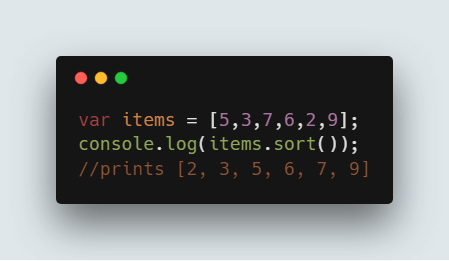
The screenshot above shows the browser console printing the sorted array. Here is the same code:
var items = [5, 3, 7, 6, 2, 9];
console.log(items.sort());
Output:
[ 2, 3, 5, 6, 7, 9 ]
That result is correct, but only by accident. Array.prototype.sort() converts every element to a string and compares the strings unless you supply a comparator function. Every value in this array is a single digit, so the string order happens to match the numeric order. Change the data and the illusion breaks.
var prices = [10, 9, 1, 100, 25];
console.log(prices.sort());                              // string comparison
console.log(prices.sort(function (a, b) { return a - b; })); // numeric comparison
Output:
[ 1, 10, 100, 25, 9 ]
[ 1, 9, 10, 25, 100 ]
⚠️ Warning: Never call sort() on numbers without a comparator. “100” sorts before “25” because the character “1” comes before the character “2”. Always write sort((a, b) => a - b) for numeric data.
Which algorithm does sort() use?
The specification does not name an algorithm, so each engine chooses its own. Modern engines all use a merge-based algorithm:
- V8 (Chrome, Edge, Node.js) has used TimSort since V8 7.0, shipped in Chrome 70.
- SpiderMonkey (Firefox) uses merge sort.
- JavaScriptCore (Safari) also uses merge sort.
Since ES2019 the language guarantees that sort() is stable, which rules out a plain Quick Sort inside the engine. Merge-based sorting needs O(n) auxiliary memory, and it must call your JavaScript comparator for every single comparison. A hand-written numeric Quick Sort compares numbers directly and sorts in place, so it can win on large numeric arrays. Sorting 1,000,000 random integers on Node.js 22 took roughly 100 ms with the Quick Sort below and roughly 210 ms with sort((a, b) => a - b).
So Quick Sort is worth writing when you need in-place sorting, tight control over memory, or simply a solid understanding of how sorting works. Let us look at the mechanics in detail.
How Does Quick Sort Work?
Quick Sort repeats one core operation, called partitioning, on smaller and smaller ranges. Here are the steps in order:
- Find the pivot element in the array.
- Start the left pointer at the first element of the range.
- Start the right pointer at the last element of the range.
- Compare the element at the left pointer with the pivot. If it is less than the pivot, move the left pointer one step to the right. Continue until the left element is greater than or equal to the pivot.
- Compare the element at the right pointer with the pivot. If it is greater than the pivot, move the right pointer one step to the left. Continue until the right element is less than or equal to the pivot.
- If the left pointer is still less than or equal to the right pointer, swap the two elements.
- Increment the left pointer and decrement the right pointer.
- If the left index is still less than or equal to the right index, repeat from step 4. Otherwise, return the index of the left pointer.
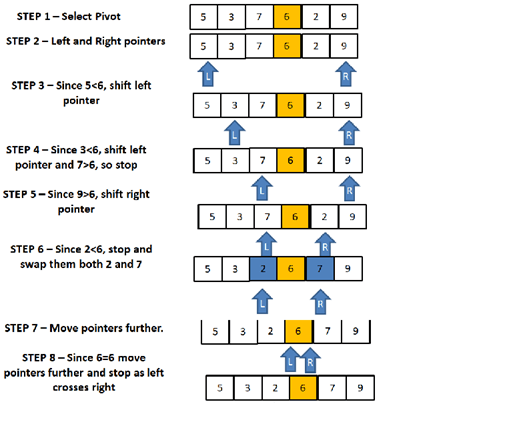
The diagram above traces those pointer movements on a sample array. Every element smaller than the pivot ends up to its left and every larger element ends up to its right, which is exactly what the returned index marks. The section below walks through the same array step by step.
How to Determine the Pivot Element
Choosing the pivot is the single decision that separates a fast Quick Sort from a slow one. If you always take the first element, an already sorted array produces the worst possible split: one empty side and one side with every remaining element. That turns the algorithm into O(n²). Taking the middle element (the array length divided by two) avoids that trap for sorted and reverse-sorted input, which is why the code below uses it.
Common pivot strategies:
- First or last element: simplest to code, but O(n²) on sorted data.
- Middle element: a good default that handles sorted and reverse-sorted arrays in O(n log n).
- Random element: makes worst-case input impossible to construct in advance.
- Median of three: takes the median of the first, middle, and last values; the standard choice in production libraries.
Now walk through Quick Sort on the array [5,3,7,6,2,9].
STEP 1: The pivot is the middle element. With left = 0 and right = 5, Math.floor((5 + 0) / 2) gives index 2, so the pivot value is 7.
STEP 2: Start the pointers at the ends of the array. The left pointer is at index 0 (value 5) and the right pointer is at index 5 (value 9).
STEP 3: Compare the left value with the pivot. 5 < 7, so move right to index 1. 3 < 7, so move right to index 2. The value there is 7, which is not less than the pivot, so the left pointer stops at index 2.
STEP 4: Compare the right value with the pivot. 9 > 7, so move left to index 4. The value there is 2, which is not greater than the pivot, so the right pointer stops at index 4.
STEP 5: The left index (2) is less than or equal to the right index (4), so swap the two values. The array becomes [5,3,2,6,7,9].
STEP 6: Move both pointers one step inward. The left pointer is now at index 3 and the right pointer at index 3.
STEP 7: Repeat the scan. The value at index 3 is 6, and 6 < 7, so the left pointer advances to index 4. The value at index 3 is not greater than the pivot, so the right pointer stays at index 3.
STEP 8: The left index (4) is now greater than the right index (3), so the loop ends and the function returns 4. Everything before index 4 is smaller than or equal to the pivot, and everything from index 4 onward is larger than or equal to it.
Based on that walkthrough, you need code for two operations: swapping two elements and partitioning a range.
Code to Swap Two Numbers in JavaScript
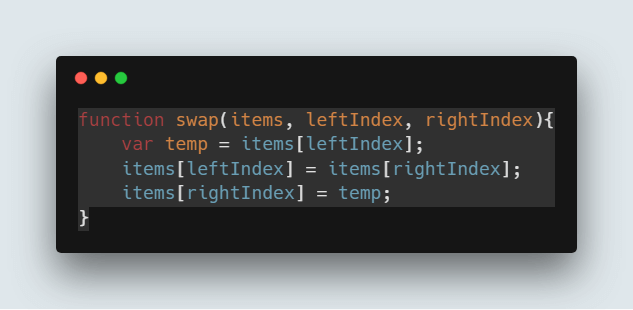
As the editor screenshot above shows, the swap helper uses a temporary variable to exchange the values at two indexes. It mutates the array directly and returns nothing.
function swap(items, leftIndex, rightIndex) {
    var temp = items[leftIndex];
    items[leftIndex] = items[rightIndex];
    items[rightIndex] = temp;
}

var demo = [5, 3, 7, 6, 2, 9];
swap(demo, 0, 5);
console.log(demo);
Output:
[ 9, 3, 7, 6, 2, 5 ]
💡 Tip: Modern JavaScript can swap without a temporary variable using array destructuring: [items[i], items[j]] = [items[j], items[i]];. It reads more cleanly, though the explicit helper is marginally faster in hot loops because it avoids allocating a temporary array.
Code to Perform the Partition
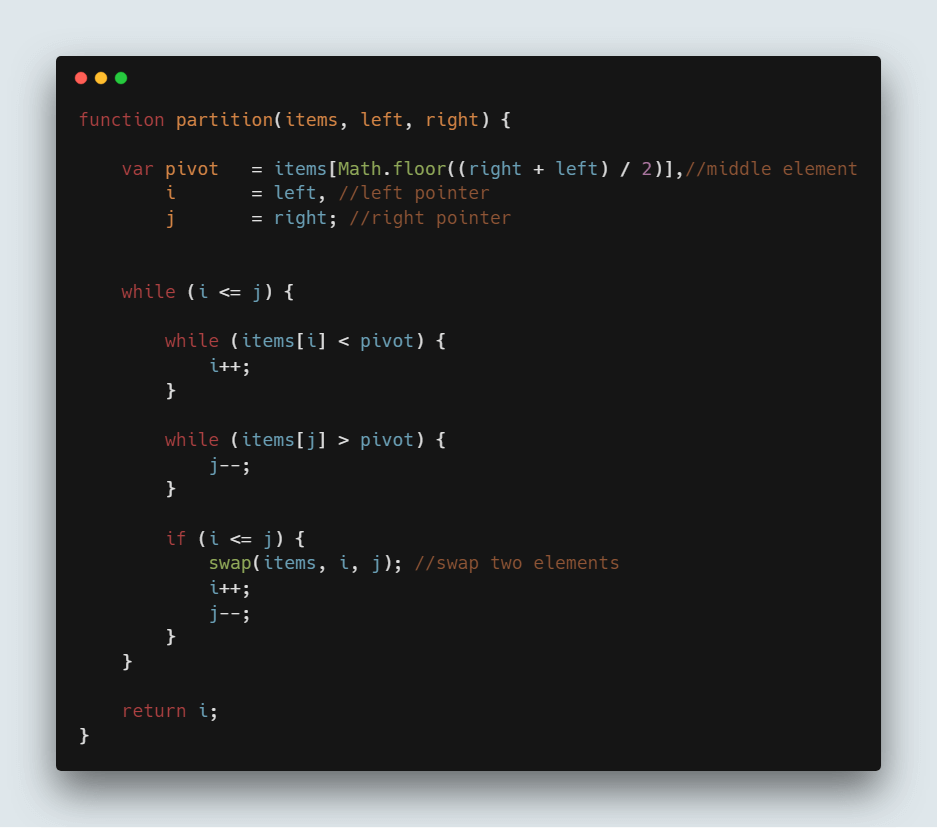
The code in the screenshot above turns steps 1 to 8 into a function. The two inner loops advance the pointers, the if block performs the swap, and the function returns the split index.
function partition(items, left, right) {
    var pivot   = items[Math.floor((right + left) / 2)], // middle element
        i       = left,  // left pointer
        j       = right; // right pointer
    while (i <= j) {
        while (items[i] < pivot) {
            i++;
        }
        while (items[j] > pivot) {
            j--;
        }
        if (i <= j) {
            swap(items, i, j); // swap two elements
            i++;
            j--;
        }
    }
    return i;
}

var items = [5, 3, 7, 6, 2, 9];
var index = partition(items, 0, items.length - 1);
console.log(items);
console.log(index);
Output:
[ 5, 3, 2, 6, 7, 9 ]
4
The output matches the manual walkthrough exactly: after one partition pass the array is [5,3,2,6,7,9] and the returned split index is 4.
Perform the Recursive Operation
Once partitioning returns the split index, use it to divide the range and run Quick Sort on each half. That is why it is called a Divide and Conquer algorithm. The recursion continues until every subrange contains a single element, at which point the whole array is sorted.
Note: Quick Sort works on the same array throughout. No new arrays are created in the process, which is what makes it an in-place algorithm.
So you call the partition() function explained above and use its return value to split the array into parts. Here is the code that does it:
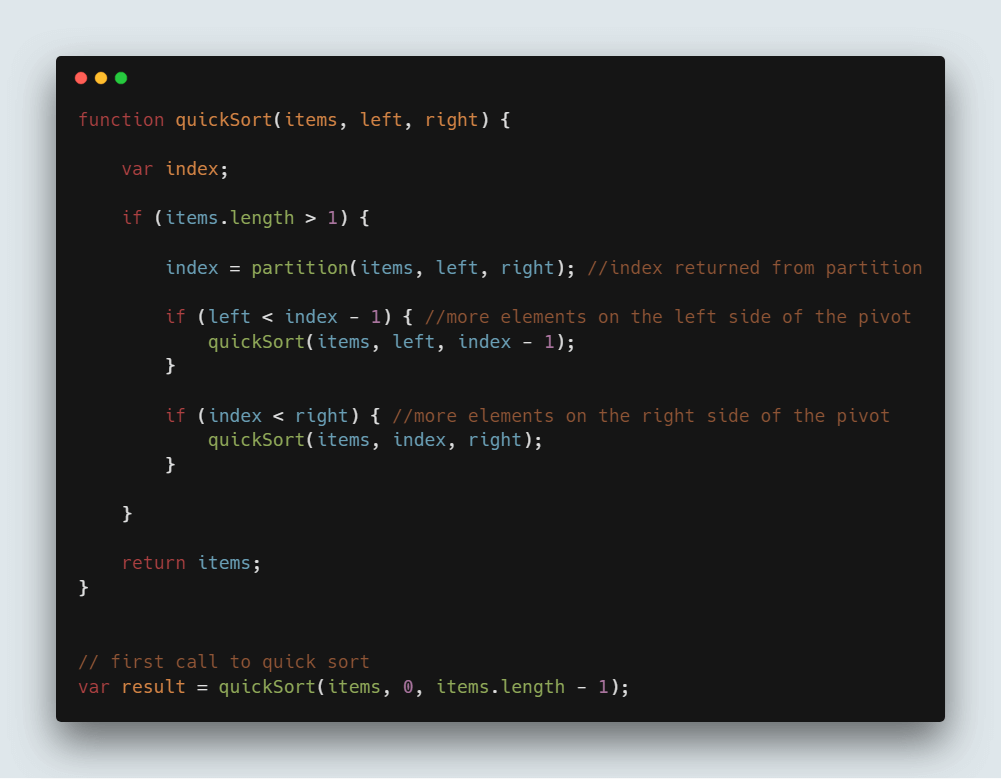
Notice the two guard conditions highlighted in the screenshot. left < index - 1 confirms that at least two elements remain on the left side, and index < right confirms the same for the right side. Without those guards the function would call itself forever on single-element ranges.
function quickSort(items, left, right) {
    var index;
    if (items.length > 1) {
        index = partition(items, left, right); // index returned from partition
        if (left < index - 1) { // more elements on the left side of the pivot
            quickSort(items, left, index - 1);
        }
        if (index < right) { // more elements on the right side of the pivot
            quickSort(items, index, right);
        }
    }
    return items;
}

// first call to quick sort
var items = [5, 3, 7, 6, 2, 9];
var result = quickSort(items, 0, items.length - 1);
console.log(result);
Output:
[ 2, 3, 5, 6, 7, 9 ]
Complete Quick Sort Code
Putting the swap, partition, and recursion pieces together gives the full implementation:
var items = [5, 3, 7, 6, 2, 9];

function swap(items, leftIndex, rightIndex) {
    var temp = items[leftIndex];
    items[leftIndex] = items[rightIndex];
    items[rightIndex] = temp;
}

function partition(items, left, right) {
    var pivot   = items[Math.floor((right + left) / 2)], // middle element
        i       = left,  // left pointer
        j       = right; // right pointer
    while (i <= j) {
        while (items[i] < pivot) {
            i++;
        }
        while (items[j] > pivot) {
            j--;
        }
        if (i <= j) {
            swap(items, i, j); // swapping two elements
            i++;
            j--;
        }
    }
    return i;
}

function quickSort(items, left, right) {
    var index;
    if (items.length > 1) {
        index = partition(items, left, right); // index returned from partition
        if (left < index - 1) { // more elements on the left side of the pivot
            quickSort(items, left, index - 1);
        }
        if (index < right) { // more elements on the right side of the pivot
            quickSort(items, index, right);
        }
    }
    return items;
}

// first call to quick sort
var sortedArray = quickSort(items, 0, items.length - 1);
console.log(sortedArray);
Output:
[ 2, 3, 5, 6, 7, 9 ]

The screenshot above shows the complete program in the editor together with the sorted array in the console. This implementation was verified against an already sorted array, a reverse sorted array, arrays containing duplicate and identical values, negative numbers, a single element, and an empty array, and it returns the correct result in every case.
💡 Tip: The guard if (items.length > 1) checks the length of the whole array rather than the current range. It works here because the two recursive calls are already protected by left < index - 1 and index < right, but if (left >= right) { return items; } is the clearer and safer condition to write in new code.
Time and Space Complexity of Quick Sort
Every partition pass touches each element in the range once, so a single pass costs O(n). The total cost therefore depends on how many times the array can be split before the ranges become trivial.
| Case | Time complexity | When it happens |
|---|---|---|
| Best | O(n log n) | Each pivot splits its range into two halves of equal size. |
| Average | O(n log n) | Randomly ordered input with a reasonable pivot rule. |
| Worst | O(n²) | Each pivot is the smallest or largest value, giving n levels of recursion. |
Space complexity is O(log n) for this in-place version. No second array is allocated, so the only extra memory is the recursion stack, and balanced splitting keeps that stack about log₂(n) frames deep. In the degenerate worst case the stack grows to O(n) frames, which is why very large arrays can overflow the call stack.
Two numbers make this concrete. Sorting 4,096 random values with the code above used roughly 65,000 comparisons against a theoretical n·log₂(n) of 49,152, and the deepest recursion reached 24 frames while log₂(4096) is 12. Both figures sit within the small constant factor expected of an O(n log n) algorithm.
⚠️ Warning: The claim that Quick Sort is simply “an O(n log n) algorithm” is incomplete. Its worst case is O(n²), and a naive first-element pivot hits that worst case on exactly the input you are most likely to receive in production: data that is already sorted.
Quick Sort vs Other Sorting Algorithms
Quick Sort is rarely the only option. The table below compares it with the other algorithms you are most likely to meet, so you can pick the right one for your data.
| Algorithm | Best | Average | Worst | Space | Stable |
|---|---|---|---|---|---|
| Quick Sort | O(n log n) | O(n log n) | O(n²) | O(log n) | No |
| Merge Sort | O(n log n) | O(n log n) | O(n log n) | O(n) | Yes |
| Heap Sort | O(n log n) | O(n log n) | O(n log n) | O(1) | No |
| Insertion Sort | O(n) | O(n²) | O(n²) | O(1) | Yes |
| Bubble Sort | O(n) | O(n²) | O(n²) | O(1) | Yes |
| Selection Sort | O(n²) | O(n²) | O(n²) | O(1) | No |
Quick Sort usually wins in practice because its inner loop is tight and it works in cache-friendly contiguous ranges. Choose merge sort when you need a guaranteed O(n log n) bound or stable ordering, heap sort when memory is extremely constrained, and insertion sort for very small or nearly sorted arrays. Production libraries frequently combine them: introsort starts with Quick Sort, switches to heap sort if the recursion gets too deep, and finishes with insertion sort on small ranges.
How to Quick Sort Objects and Strings
The implementation shown so far compares values with < and >, which restricts it to numbers. Real applications need to sort objects by a property, strings alphabetically, or dates chronologically. The fix is to move the comparison into a callback, exactly as the built-in sort() does.
A comparator receives two values and returns a negative number when the first should come first, a positive number when the second should come first, and zero when the two are equivalent. Replacing the two hard-coded comparisons with comparator calls makes the algorithm work on any data type.
function swap(items, i, j) {
    var temp = items[i];
    items[i] = items[j];
    items[j] = temp;
}

function partition(items, left, right, compare) {
    var pivot = items[Math.floor((right + left) / 2)],
        i     = left,
        j     = right;
    while (i <= j) {
        while (compare(items[i], pivot) < 0) { i++; }
        while (compare(items[j], pivot) > 0) { j--; }
        if (i <= j) {
            swap(items, i, j);
            i++;
            j--;
        }
    }
    return i;
}

function quickSort(items, left, right, compare) {
    if (left >= right) { return items; } // nothing left to split
    var index = partition(items, left, right, compare);
    if (left < index - 1) { quickSort(items, left, index - 1, compare); }
    if (index < right) { quickSort(items, index, right, compare); }
    return items;
}

function sort(items, compare) {
    compare = compare || function (a, b) { return a < b ? -1 : a > b ? 1 : 0; };
    return quickSort(items, 0, items.length - 1, compare);
}

var numbers = [10, 9, 1, 100, 25];
console.log(sort(numbers, function (a, b) { return a - b; }));

var names = ["Priya", "arun", "Bala", "chetan"];
console.log(sort(names, function (a, b) {
    return a.toLowerCase().localeCompare(b.toLowerCase());
}));

var employees = [
    { name: "Arun",   salary: 52000 },
    { name: "Bala",   salary: 41000 },
    { name: "Chetan", salary: 68000 }
];
console.log(sort(employees, function (a, b) { return a.salary - b.salary; }));
Output:
[ 1, 9, 10, 25, 100 ]
[ 'arun', 'Bala', 'chetan', 'Priya' ]
[
  { name: 'Bala', salary: 41000 },
  { name: 'Arun', salary: 52000 },
  { name: 'Chetan', salary: 68000 }
]
Three details are worth noting. The recursion guard is now left >= right, which is correct for any range and does not depend on the length of the outer array. String comparison uses localeCompare() so that accented characters and case are handled properly instead of by raw code point. And because Quick Sort is not stable, records that share a salary may swap places; sort by a tie-breaking second key if the original order matters to you.
Ready to keep going? Strengthen the fundamentals with the JavaScript introduction, practise the pointer mechanics in JavaScript loops, work through more practical JavaScript code examples, compare implementations in Insertion Sort and Heap Sort, or add static types to this algorithm with the TypeScript reference.
