
C# Enum(Enumeration) with Example
 Editorial Team
⚡ Smart Summary
Enumerations in C# define a named set of constant integral values, such as the days of the week, making code easier to read and maintain. The enum keyword declares these fixed constants once for reuse across a program.
C# Enumeration
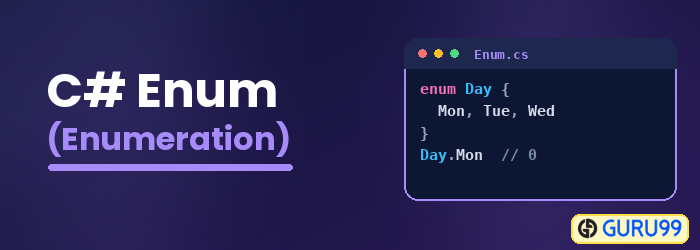
An enumeration is used in any programming language to define a constant set of values. For example, the days of the week can be defined as an enumeration and used anywhere in the program. In C#, the enumeration is defined with the help of the keyword ‘enum’.
Let’s see an example of how we can use the ‘enum’ keyword.
In our example, we will define an enumeration called days, which will be used to store the days of the week. For each example, we will modify just the main function in our Program.cs file.

using System;
using System.Collections.Generic;
using System.Linq;
using System.Text;
using System.Threading.Tasks;
namespace DemoApplication
{
 class Program
 {
  enum Days{Sun,Mon,tue,Wed,thu,Fri,Sat};

  static void Main(string[] args)
  {
   Console.Write(Days.Sun);

   Console.ReadKey();
  }
 }
}
Code Explanation:-
- The ‘enum’ data type is specified to declare an enumeration. The name of the enumeration is Days. All the days of the week are specified as values of the enumeration.
- Finally the console.write function is used to display one of the values of the enumeration.
If the above code is entered properly and the program is executed successfully, the following output will be displayed.
Output:

From the output, you can see that the ‘Sun’ value of the enumeration is displayed in the console.
Why Use Enums in C#?
Enums make a program easier to read, safer, and simpler to maintain. Instead of scattering unexplained numbers, sometimes called magic numbers, throughout the code, an enumeration gives each value a descriptive name that states its intent.
- Readability: A name such as Days.Fri is far clearer than the number 5, so anyone reading the code understands the meaning immediately.
- Type safety: A variable declared with an enum type can only hold one of the defined members, which prevents invalid values from slipping in.
- Maintainability: Related constants live in a single place, so adding or renaming a value updates the whole program consistently.
- Data binding: Frameworks such as WPF and ASP.NET can bind an enum to a dropdown list, which makes enums useful for building user interfaces.
Because the compiler checks every assignment against the allowed members, enums also help catch mistakes early, before the program runs.
Assigning Custom Values to a C# Enum
By default, C# assigns the first enum member the value 0 and increases each following member by one. In the Days enumeration above, Sun equals 0, Mon equals 1, and Sat equals 6. You can override these defaults by assigning explicit numbers.
- Explicit values: Writing enum Level {Low = 1, Medium = 5, High = 10} sets each member to a chosen number instead of the default sequence.
- Partial assignment: If you assign a value to only some members, the compiler keeps numbering from the last assigned value for the members that follow.
- Underlying type: An enum stores its members as int by default, but you can base it on byte, short, or long to save memory or extend the range.
Custom values are helpful when the numbers must match an external system, such as database codes or protocol constants, so the enum mirrors the real data exactly.
How to Convert C# Enums to int, string, and Flags
C# frequently needs to move an enum value into another form, such as storing it as a number or reading it back from text. These conversions happen in a few standard ways.
- Enum to int: An explicit cast such as (int)Days.Wed returns the underlying integer, which is useful for storage or arithmetic.
- int to enum: Casting in the other direction, for example (Days)3, turns a number back into the matching enum member.
- String to enum: Enum.Parse and the safer Enum.TryParse convert a name such as “Fri” into the Days.Fri member without throwing on invalid text.
- Enum to string: Calling ToString on any member returns its name, so Days.Sun.ToString() produces “Sun” for display or logging.
- Listing members: Enum.GetValues and Enum.GetNames return every value or name, which helps when populating menus or validating input.
When an enum should represent a combination of choices rather than one, apply the Flags attribute and give each member a power of two, such as 1, 2, 4, and 8. You can then combine members with the bitwise OR operator and test for a specific option with the HasFlag method.
These conversion techniques let an enum move cleanly between readable names, stored numbers, and combined flag sets, keeping the rest of the program both type-safe and easy to follow.
