
Python abs() Function: Absolute Value Examples
 Editorial Team
⚡ Smart Summary
Python abs() is a built-in function that returns the absolute value of a number, that is, its distance from zero without a sign. It accepts integers, floating-point numbers, and complex numbers, returning the magnitude for complex inputs.
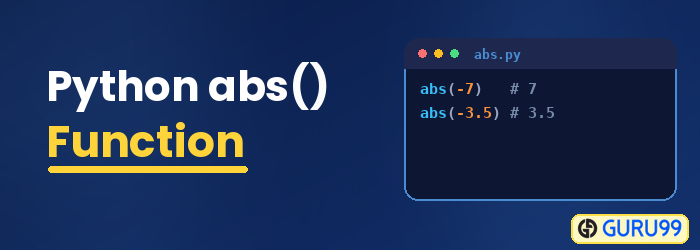
Python abs()
Python abs() is a built-in function available with the standard library of Python. It returns the absolute value for the given number. The absolute value of a number is the value without considering its sign. The number can be an integer, a floating-point number, or a complex number. If the given number is complex, then it will return its magnitude.
Syntax
The syntax of the abs() function is shown below:
abs(value)
Parameters (value)
The input value to be given to abs() to get the absolute value. It can be an integer, a float, or a complex number.
Return Value:
The abs() function returns the absolute value for the given number.
- If the input is an integer, the return value will also be an integer.
- If the input is a float, the return value will also be a float.
- If the input is a complex number, the return value will be the magnitude of the input.
Examples
The following examples show the abs() function applied to integer, float, and complex values.
Code Example 1: Integer and Float number
To get the absolute value of an integer and a float number, check this code:
# testing abs() for an integer and float
  int_num = -25
  float_num = -10.50
  print("The absolute value of an integer number is:", abs(int_num))
  print("The absolute value of a float number is:", abs(float_num))
Output:
The absolute value of an integer number is: 25
The absolute value of a float number is: 10.5
Example 2: Complex Number
To get the absolute value of a complex number, use this code:
# testing abs() for a complex number
complex_num = (3+10j)
print("The magnitude of the complex number is:", abs(complex_num))
Output:
The magnitude of the complex number is: 10.44030650891055
How to Find the Absolute Value of a List in Python
The abs() function works on a single number, so passing a whole list to it raises a TypeError. To apply it to every item in a list, use a list comprehension that calls abs() on each element:
numbers = [12, 30, -33, -22, 77, -100]
abs_numbers = [abs(num) for num in numbers]
print(abs_numbers)
Output:
[12, 30, 33, 22, 77, 100]
The comprehension keeps the original order and returns a new list of positive values. You can achieve the same result with the built-in map() function, for example list(map(abs, numbers)), which applies abs() to each element without writing an explicit loop.
- Use a list comprehension when you also want to filter or transform the values.
- Use map() for a short, readable call that applies abs() directly.
- For large numeric datasets, a NumPy array with np.abs() is faster than a Python loop.
Python abs() vs math.fabs()
Python offers two ways to get an absolute value: the built-in abs() and the math module’s fabs() function. They look similar but behave differently:
import math

print(abs(-7))          # 7 (int is unchanged)
print(math.fabs(-7))    # 7.0 (float result)
Output:
7
7.0
The key differences between the two functions are:
- Return type: abs() preserves the input type and returns an integer for an integer, while math.fabs() always returns a float.
- Import: abs() is always available, but math.fabs() requires
import math. - Complex numbers: abs() returns the magnitude of a complex number, whereas math.fabs() raises a TypeError for complex input.
Practical Applications of the Python abs() Function
Because it discards sign information, abs() is useful whenever only the size of a value matters and not its direction. A common example is finding the difference between two readings:
temp_morning = 12
temp_night = -5
print("Temperature change:", abs(temp_morning - temp_night))
Output:
Temperature change: 17
Everyday uses of the absolute value include:
- Distances and differences: measuring the gap between two points, temperatures, or timestamps regardless of which value is larger.
- Error metrics: calculating the absolute error between a predicted value and an actual value.
- Tolerance checks: testing whether a result is close enough to a target, as in
abs(actual - expected) < 0.01. - Finance: reporting the size of a gain or loss without its sign.
Like the round() function, abs() is a built-in you can call directly without importing any module.
