
What are Time Constraint? SAP HR Tutorial
 Kaelyn Flynn
⚡ Smart Summary
Time constraints in SAP HR determine whether an infotype record must exist and how many records may be valid at once. SAP defines three indicators, numbered one, two, and three, governing record collisions.
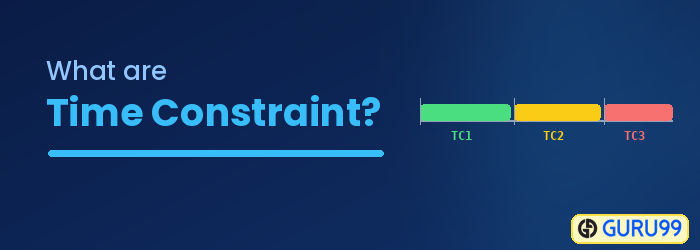
Infotypes in SAP have time constraints that determine how a record exists and how it reacts when updated. There are three types of time constraints in SAP HR, and each one controls whether a record is mandatory and how many records may be valid at the same time.

Time constraints in SAP HR
Let us look at them in detail.
Time Constraint 1
- For infotypes falling under Time Constraint 1, it is mandatory for a record to exist, and only 1 can exist at any point in time.
- For example, Infotype 0002 (personal data).

Time Constraint 2
- For infotypes falling under Time Constraint 2, it is NOT mandatory for a record to exist, but only 1 can exist at any point in time.
- For example, Infotype 0218 (membership insurance).

Time Constraint 3
- For infotypes falling under Time Constraint 3, it is NOT mandatory for a record to exist, but many can exist.
- For example, SAP Infotype 0015 (additional payments).

Special Time Constraint Indicators (A, B, T, and Z)
Beyond the three numeric time constraints, SAP HR uses four special indicators for infotypes that behave differently. They are stored the same way, in table T591A, but apply stricter rules.
| Indicator | Meaning |
|---|---|
| A | Only one record may ever exist, valid from 01.01.1800 to 31.12.9999. The record cannot be split or deleted. |
| B | Only one record may ever exist for the full validity period, but the record may be deleted. |
| T | The constraint depends on the subtype, as with Infotype 0006 (Addresses), where each subtype can have its own rule. |
| Z | Used for time management infotypes; the constraint depends on the class set in view V_T554S_I. |
Indicators A and B suit infotypes that must hold exactly one lifetime record, while T and Z give SAP the flexibility to vary the rule by subtype or by time-management configuration.
Time Constraint Reaction Indicators and Collisions
When you create or change a record, SAP checks whether it collides with existing records for the same infotype. The reaction indicator decides what happens when a collision occurs.
The common reaction indicators are:
- E (Error): The system does not allow the new record and displays the collision.
- W (Warning): The system warns the user but still permits the entry.
- A (Delimit): The existing record is delimited so the new one can begin.
- N (No reaction): No collision check is performed for the pair.
For time management infotypes, the collision rules are stored in the views Global Time Constraint Reaction (V_T554Y) and Time Constraint Reaction to Time Management Infotypes (V_554Y_B). Configuring these indicators lets you control, for example, whether an absence may overlap an attendance or must replace it.
Time Constraint Examples for Common Infotypes
The easiest way to understand time constraints is to see how they apply to infotypes you use every day. The table below maps common infotypes to their usual time constraint.
| Infotype | Time Constraint | Reason |
|---|---|---|
| 0000 Actions | 1 | Every employee must always have one current status. |
| 0001 Organizational Assignment | 1 | An employee must belong to exactly one org unit at a time. |
| 0002 Personal Data | 1 | One valid set of personal details is mandatory. |
| 0006 Addresses | T | Each address subtype follows its own rule. |
| 0015 Additional Payments | 3 | Many one-off payments can coexist. |
| 0021 Family/Related Person | 3 | An employee can have several dependents. |
Checking an infotype’s constraint in table T591A before you configure or load data prevents collision errors and keeps master data consistent.
