
SAP SD – Return Order Process & Free of Charge Delivery
 Jessica Blake
⚡ Smart Summary
Returns, free-of-charge delivery, and subsequent delivery in SAP SD handle post-sales scenarios. A return takes back goods, a free-of-charge delivery ships items at no cost, and a subsequent delivery replaces missing or defective quantities.
What is a Return?
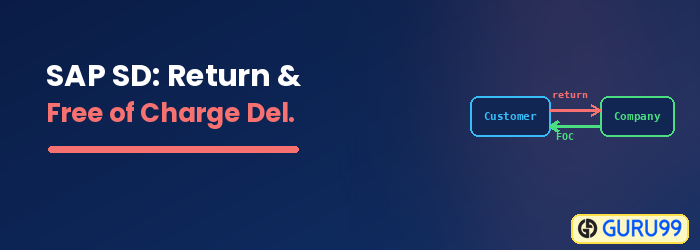
Return is where a customer is not satisfied with the product or the deliverable, & businesses need to create a return the good, based on customer return request.
What is Free of Charge Delivery?
Free of Charge Delivery is where the customer is not charged for shipping. This order type is generally used for sending free sample to customers.
What is Subsequent Delivery?
Subsequent Deliver is when a customer receives lesser number of goods than that ordered, or if the goods have been damaged in the shipment, businesses provide free-of-charge subsequent delivery of goods.
What to do when a customer raises return request?
Sales Department may take any one of the following actions during the return process.
- Approve the complaint and create a credit memo. This is done when customer wants refund for the goods. The system creates credit memo to customer with reference to sales order.
- Approve the complaint, and implement a free of charge subsequent delivery of the disputed goods. This is done when customer want to replace the goods owing to shortfall in delivery or damage in shipment or any other legitimate reasons.
- Reject the complaint if complaint is not valid. For example, customer makes a complaint on wrong data.
How to Create Return Order
Sales Department can create return order by T-code VA01. Return order can be created with reference to sales order or billing documents.
Step 1)
- Enter T-code VA01 in command field.
- Enter Order Type RE(Returns).
- Enter Sales Area data in Organizational Data Block.
- Click on Create with Reference Button.

Step 2)
- Enter Sales order # reference for return order.
- Click on Copy Button.

Step 3)
- Enter PO number.
- Enter PO date.
- Enter Order reason .
- Enter Ordered Quantity.

Step 4) Click on save button. A Message like “Return 60000295 has been saved” displayed.

How to create Return Delivery Document
In order to receive returned goods from customer, Sales department creates return order. Based on return order, return delivery document is created. Return delivery document is created using T-code VL01N. Standard return delivery document type is LR. When return delivery document is created, Logistic departments receives the returned product.
Step 1)
- Enter T-code VL01N in command field.
- Enter Shipping Point.
- Enter Delivery Type LR(Return Delivery).

Press Enter Button.
Step 2) Enter Return Delivery Quantity.

Step 3) Click on save  button.
A message “Return delivery 840000 has been saved” displayed.

How to create Free of Charge Delivery
Free of charge delivery process creates a non-billed sales order .E.g. If some product is shipped for free sample to customer, free of charge delivery is carried out. This document is not relevant for billing because the customer is not billed for the free of charge delivery.
Step 1)
- Enter T-code VA01 in command field.
- Enter Order type FD(Delivery Free of Charge).
- Enter Sales area data in Organizational block.
- Click on Create with References.

Step 2)
- Enter Sales order no. for references.
- Click on Copy button.

Step 3)
- Enter Sold-To party / Ship-To Party.
- Enter Order Reason.

Step 4) Click on Save button.

How to create Subsequent Delivery
Once return process takes place, customer may request
- Good replacement
- Refund.
When customer chooses replacement option, then subsequent sales order is created. If customer chooses refund option, then money can be refunded to customer by credit memo.
Step 1)
- Enter T-code VA01.
- Enter Order Type SDF .
- Enter Sales Area data in Organizational Data.
- Click on Create with References Button.

Step 2)
- Enter Sales Order no. for references.
- Click on Copy button.

Step 3)
- Enter Order Reason.
- Enter Order Quantity for which we create Subsequent Delivery free of charge.

Step 4) Click on Save  Button.
A message Subs. Dlv. Free of Ch. 12355 has been saved” displayed.

