
Throws Keyword in Java
 Editorial Team
⚡ Smart Summary
Throws Keyword in Java is used in a method declaration to announce the checked exceptions that the method may raise during execution. It delegates exception handling to the calling method instead of forcing a try-catch block inside.
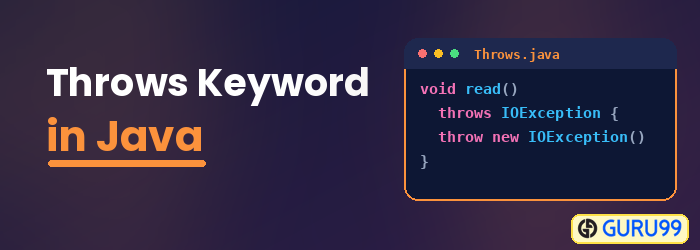
Java Throws Keyword
The Java throws keyword is used to declare the exception information that may occur during the program execution. It gives information about the exception to the programmer. It is better to provide the exception handling code so that the normal flow of program execution can be maintained.
Java Throw Exception Syntax
Suppose in your java program you using a library method which throws an Exception

In your program, you will handle this exception using try & catch.
import java.io.*;
class file1{
  public static void main(String[] args) {
     try{
           FileWriter file = new FileWriter("c:\\Data1.txt");
           file.write("Guru99");
           file.close();
    }
    catch(IOException){}
  }
}
If you do not handle the exception in a try catch block, compiling will fail. But almost every other method in the java library or even user defined may throw an exception or two. Handling all the exceptions using the try and catch block could be cumbersome and will hinder the coder’s throughput.
So java provides an option, wherein whenever you are using a risky piece of code in the method definition you declare it throws an exception without implementing try catch.
Java Throw Exception Syntax
method (Arguments) throws Exception1,Exception2,Exception,… {}
Throws Keyword in Java Example
Consider the same example as above with throws in the method declaration.
import java.io.*;
class file1{
    public static void main(String[] args) throws IOException{
      FileWriter file = new FileWriter("c:\\Data1.txt");
      file.write("Guru99");
      file.close();
    }
}
Note: To successfully the above codes, first create an empty text file with name Data1.txt in your C drive. In sum, there are two methods to handle Exceptions:
- Put the Exception causing code in try and catch block.
- Declare the method to be throwing an Exception
If either of the above two is not done, the compiler gives an error. The idea behind enforcing this rule is that you as a programmer are aware that a certain piece of code could be risky and may throw an exception.
What is the difference between throw and throws?
| throw | throws |
|---|---|
| It is used to create a new Exception object and throw it | It is used in method definition, to declare that a risky method is being called. |
| Using throw keyword you can declare only one Exception at a time | Using throws keyword you can declare multiple exception at a time. |
| Example: throw new IOException(“can not open connection”); | Example: throws IOException, ArrayIndexBoundException; |
