
How to Create an InfoObject with Characteristics in SAP BI/BW
 Editorial Team
⚡ Smart Summary
Characteristic InfoObjects in SAP BW are the business reference objects, such as customer or material, used to analyze key figures, created within a characteristic InfoObject catalog and configured across general, master data, hierarchy, and attribute tab pages.
What is a Characteristic InfoObject?
A characteristic InfoObject is a business reference object, such as customer, material, or cost center, used to classify and analyze key figures. Characteristics are created within a characteristic InfoObject catalog and can carry their own master data, texts, hierarchies, and attributes.
How to Create a Characteristic InfoObject
Step 1)
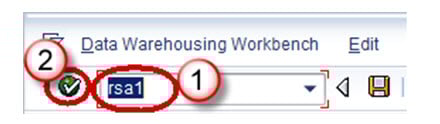
- Go to transaction code RSA1 to open the Data Warehousing Workbench.
- Click the OK button.
Step 2)
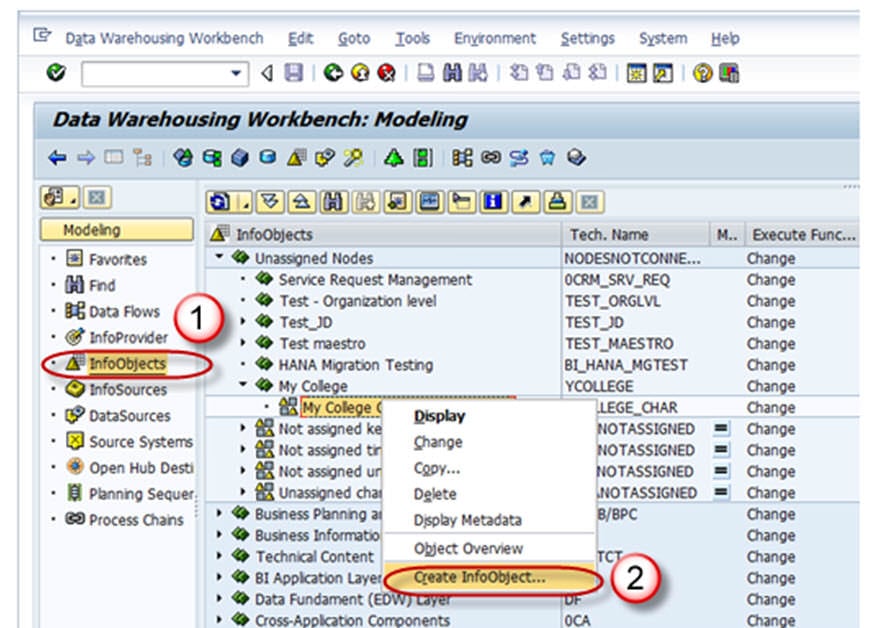
- Navigate to Modeling -> InfoObjects.
- Right click on the characteristic InfoObject catalog and choose the option “Create InfoObject” as shown below.
Step 3)
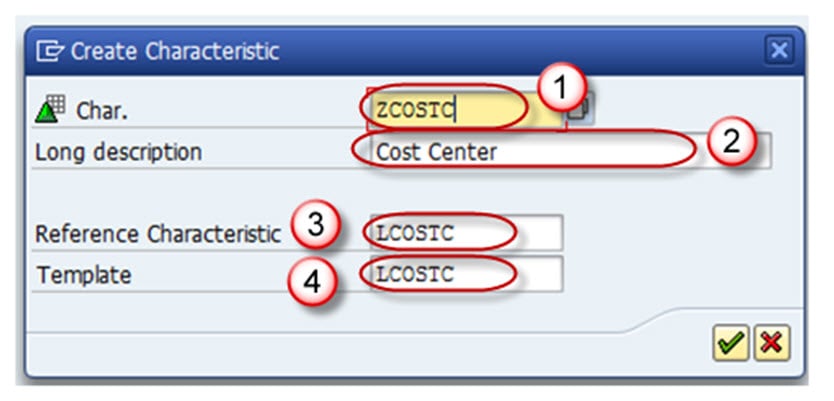
- Give the technical name of the characteristic.
- Give a meaningful description.
- Reference Characteristic is mentioned if the new characteristic has the same technical properties as an existing characteristic (LCOSTC).
- Template is specified if the new characteristic has some of the technical properties of an existing characteristic (LCOSTC).
- Hit the Enter button.
On completion of the above step, the Edit screen of the InfoObject opens. The Edit screen has six tab pages, listed below. Let us see each tab page individually.
- General
- Business Explorer
- Master Data/Texts
- Hierarchy
- Attribute
- Compounding
Tab Page: General
In this tab page, enter the following:
- The technical name of the InfoObject.
- The long and short description.
- The data type.
- The length.
All other settings in this tab and other tabs are optional.

Tab Page: Business Explorer
- Each setting in the Business Explorer tab page sets default values in the Business Explorer.
- The Display “Text” setting decides whether the value of the characteristic is displayed as a textual description or as a key in the Business Explorer.

Tab Page: Master Data/Texts
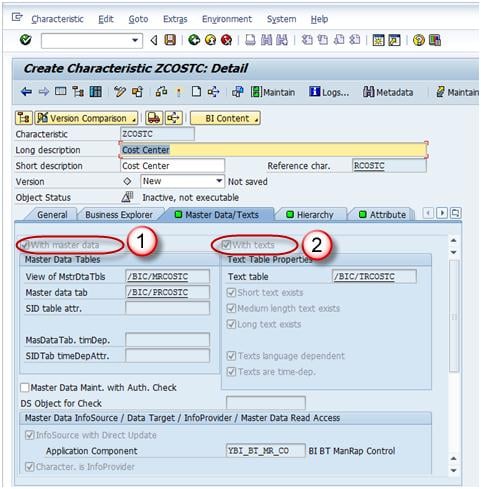
- The “With Master Data” and/or “With Texts” check box has to be selected for a master-data-bearing InfoObject. By selecting these, the characteristic is designed to bear master data with its own master data tables.
- If the characteristic needs its own texts, make at least one text selection. The text can be short, medium, or long, with 20, 40, or 60 characters respectively.
In the screenshot below, the characteristic has a master data table (With Master Data is checked) but does not have a text table (With Texts is unchecked).
Tab Page: Hierarchy
A hierarchy indicates a parent-child relationship that consists of several nodes and leaves. On the Hierarchy tab page, you determine whether the characteristic can have hierarchies and, if so, what properties they may have.
If the “With Hierarchies” check box is checked, hierarchies can be created for this characteristic. In the screenshot below, the check box is unchecked, so no hierarchy is created. A hierarchy can be created manually or loaded from the SAP system or non-SAP source systems, and can be used to drill down or extract specific information.
Example: in the case of a bank, the relationship between the main bank and its various branches can be maintained as a hierarchy, where you can extract customer details at any branch about the account, loan, and due dates.

Tab Page: Attributes
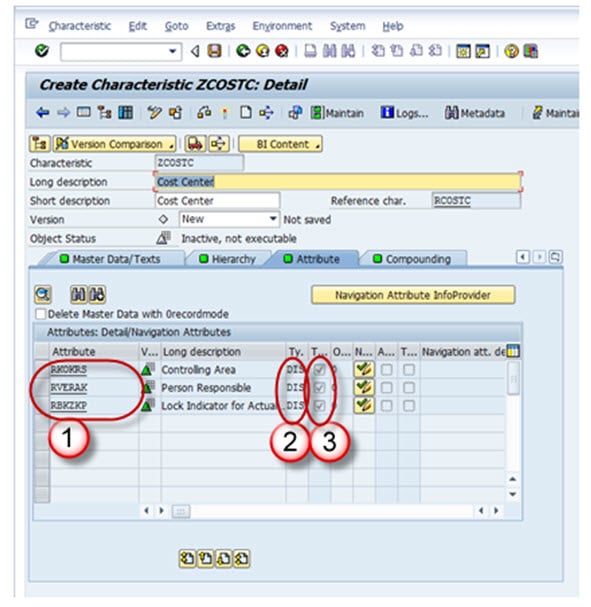
Attributes are the fields or properties of master data. There are different types, such as display attributes, navigational attributes, and compound attributes.
- You determine whether the characteristic can have attributes or texts. Attributes are assigned on the Attributes tab page, and several characteristics can be added as attributes of the master data characteristic.
- Attributes can be marked as navigational or display by clicking the “navigational attribute on/off” button.
- If you define attributes as display attributes, you can use them only as additional information in reporting when combined with the characteristic.
- If you define attributes as navigation attributes, you can use them to navigate in reporting. When a query is executed, the system does not distinguish between navigation attributes and characteristics for an InfoProvider.
- In the example, company code is navigational.
- Display and navigation attributes can be marked as time-dependent if a validity period is required for each attribute value.
Tab Page: Compounding
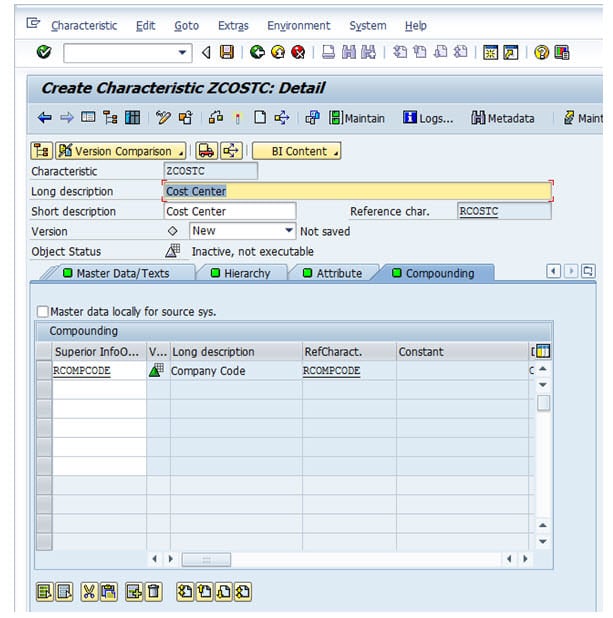
On this tab page, you determine whether the characteristic is compounded to other InfoObjects. You often need to compound characteristic values so that they can be uniquely assigned. Some InfoObjects cannot be defined without compounding, and you may compound InfoObjects to map the data model. If the InfoObject is defined as an attribute, it cannot be included as a compounding object.
For example, cost center 1000 stands for sales and distribution in controlling area 10, and also for sales in controlling area 20. In this case, you would compound the cost center to the controlling area characteristic.
Now save and activate the InfoObject.
