
การเปรียบเทียบ VBA Operaทอร์: ไม่เท่ากัน Less กว่าหรือเท่ากับ
 ทีมบรรณาธิการ
⚡ สรุปอย่างชาญฉลาด
การเปรียบเทียบ VBA Operaตัวดำเนินการจะทดสอบค่าหนึ่งกับอีกค่าหนึ่งและส่งคืนค่า True หรือ False หน้านี้อธิบายตัวดำเนินการทั้งหกตัว แสดงวิธีการใช้งานภายในคำสั่ง If อธิบายวิธีการเปรียบเทียบข้อความและวันที่ และแสดงรายการข้อผิดพลาดที่ทำให้ได้ผลลัพธ์ที่ไม่ถูกต้อง
การเปรียบเทียบ VBA Operaโปร
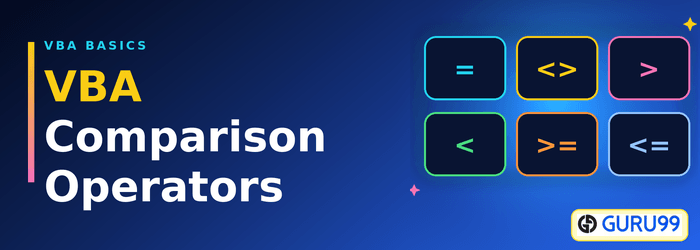
ตัวดำเนินการเหล่านี้ใช้สำหรับเปรียบเทียบค่า ตัวดำเนินการเปรียบเทียบได้แก่ เท่ากับ น้อยกว่า มากกว่า และไม่เท่ากับ
ตัวดำเนินการเปรียบเทียบใช้สำหรับเปรียบเทียบค่าเพื่อวัตถุประสงค์ในการตรวจสอบความถูกต้อง สมมติว่าคุณกำลังพัฒนา...ping นี่คือแอปพลิเคชันจุดขายแบบง่ายๆ ในแอปพลิเคชันนี้ คุณต้องการตรวจสอบความถูกต้องของค่าที่ป้อนก่อนทำการบันทึก ในกรณีเช่นนี้ คุณสามารถใช้ตัวดำเนินการเปรียบเทียบได้ ตัวดำเนินการนี้จะตรวจสอบกับตัวเลขติดลบ หรือเพื่อให้แน่ใจว่าจำนวนเงินที่ชำระไม่เกินจำนวนเงินที่เรียกเก็บ ตัวดำเนินการเปรียบเทียบมีประโยชน์มากในสถานการณ์เช่นนี้
การเปรียบเทียบทุกครั้งจะส่งคืนค่าใดค่าหนึ่งจากสองค่า คือ จริง หรือ เท็จ และไม่เคยเป็นตัวเลข ผลลัพธ์นั้นคือสิ่งที่คำสั่ง If นำไปใช้ในการดำเนินการ
ตารางต่อไปนี้จะแสดงตัวดำเนินการเปรียบเทียบที่กำหนดไว้ใน VBA.
| OperaTor | Descriptไอออน |
|---|---|
| = | เท่ากัน: ตรวจสอบว่าค่าสองค่าเท่ากันหรือไม่ นอกจากนี้ยังใช้เป็นตัวดำเนินการกำหนดค่าอีกด้วย |
| < | Less than: ตรวจสอบว่าค่าทางซ้ายน้อยกว่าค่าทางขวาหรือไม่ |
| > | มากกว่า: ตรวจสอบว่าค่าทางด้านซ้ายมากกว่าค่าทางด้านขวาหรือไม่ |
| <> | ไม่เท่ากับ: ตรวจสอบว่าค่าสองค่าแตกต่างกันหรือไม่ |
| <= | Less มากกว่าหรือเท่ากับ: ตรวจสอบว่าค่าทางด้านซ้ายน้อยกว่าหรือเท่ากับค่าทางด้านขวาหรือไม่ |
| >= | มากกว่าหรือเท่ากับ: ตรวจสอบว่าค่าทางด้านซ้ายมากกว่าหรือเท่ากับค่าทางด้านขวาหรือไม่ |
การเห็นตัวดำเนินการแต่ละตัวถูกนำไปใช้กับตัวแปรสองตัว ทำให้ผลลัพธ์ที่ได้นั้นคาดเดาได้ง่ายขึ้น
การเปรียบเทียบ VBA Operaทอร์พร้อมตัวอย่าง
ตารางต่อไปนี้แสดงการเปรียบเทียบ Excel VBA Operaทอร์พร้อมตัวอย่างและเอาต์พุต
| S / N | OperaTor | ตัวอย่าง | เอาท์พุต |
|---|---|---|---|
| 1 | = | ถ้า x = z แล้ว | คืนค่าเป็นจริงหากเท่ากัน มิฉะนั้นจะส่งคืนค่าเท็จ |
| 2 | < | ถ้า x < z แล้ว | คืนค่าเป็นจริงถ้า x น้อยกว่า z มิฉะนั้นจะส่งคืนค่าเท็จ |
| 3 | > | ถ้า x > z แล้ว | คืนค่าเป็นจริงถ้า x มากกว่า z มิฉะนั้นจะส่งคืนค่าเท็จ |
| 4 | <> | ถ้า x <> z แล้ว | คืนค่าเป็นจริงหากค่าไม่เท่ากัน มิฉะนั้นจะส่งคืนค่าเท็จ |
| 5 | <= | ถ้า x <= z แล้ว | คืนค่าเป็นจริงถ้า x น้อยกว่าหรือเท่ากับ z มิฉะนั้นจะส่งคืนค่าเท็จ |
| 6 | >= | ถ้า x >= z แล้ว | คืนค่าเป็นจริงถ้า x มากกว่าหรือเท่ากับ z มิฉะนั้นจะส่งคืนค่าเท็จ |
ตัวอย่างซอร์สโค้ด
การเปรียบเทียบที่เท่าเทียมกัน OperaTor
If 2 = 1 Then
    MsgBox "True", vbOKOnly, "Equal Operator"
Else
    MsgBox "False", vbOKOnly, "Equal Operator"
End If
ที่นี่
- “ถ้า 2 = 1 แล้ว… อย่างอื่น… สิ้นสุดถ้า” ใช้คำสั่ง if เพื่อประเมินเงื่อนไข “2 = 1”
- “ข่าวสารเกี่ยวกับBox... " เป็นฟังก์ชั่นในตัวที่แสดงกล่องข้อความ
- พารามิเตอร์แรก “True” หรือ “False” คือสิ่งที่จะแสดงในกล่องข้อความ ในตัวอย่างของเรา 2 ไม่เท่ากับ 1 ดังนั้นจะแสดง “false” ในกล่องข้อความ
- พารามิเตอร์ที่สอง “vbOKOnly” คือปุ่มที่แสดงในกล่องข้อความ
- พารามิเตอร์ที่สาม “เท่ากับ Opera“tor” คือหัวเรื่องของกล่องข้อความ
การดำเนินการโค้ดข้างต้นให้ผลลัพธ์ดังต่อไปนี้

การทดสอบแบบเดี่ยวเป็นรูปแบบที่ง่ายที่สุด มาโครที่ใช้งานจริงจะรวมการเปรียบเทียบและแยกย่อยระหว่างผลลัพธ์หลายอย่าง
วิธีใช้การเปรียบเทียบ Operaทอร์ในคำสั่ง If
ตัวดำเนินการเปรียบเทียบนั้นแทบจะไม่เป็นประโยชน์เลยหากใช้เพียงลำพัง ผลลัพธ์ที่เป็นจริงหรือเท็จจะถูกป้อนเข้าสู่โครงสร้างการตัดสินใจ และคำสั่ง If คือคำสั่งที่คุณจะใช้บ่อยที่สุด ตัวอย่างด้านล่างนี้ให้คะแนนที่เก็บไว้ในเซลล์ A1 และเขียนผลลัพธ์ไว้ข้างๆ เซลล์นั้น
Sub GradeScore()
    Dim Score As Long

    Score = Sheet1.Range("A1").Value

    If Score >= 90 Then
        Sheet1.Range("B1").Value = "Distinction"
    ElseIf Score >= 50 Then
        Sheet1.Range("B1").Value = "Pass"
    ElseIf Score < 0 Then
        MsgBox "A score cannot be negative", vbCritical, "Invalid Entry"
    Else
        Sheet1.Range("B1").Value = "Fail"
    End If
End Sub
มาโครนี้จะอ่านค่าคะแนนหนึ่งครั้ง จากนั้นทดสอบกับเงื่อนไขสามข้อตามลำดับ มีสี่ประเด็นที่จะอธิบายว่าทำไมมันถึงทำงานแบบนั้น
- ความสำคัญของการสั่งซื้อ: VBA จะหยุดที่สาขาแรกที่ส่งค่า True กลับมา การวาง คะแนน >= 50 ก่อน คะแนน >= 90 จะระบุคะแนนสูงทุกคะแนนว่าเป็นการสอบผ่าน
- "อื่นๆ" คือคำที่ใช้ครอบคลุมทุกอย่าง: ค่าใดก็ตามที่ไม่ผ่านการทดสอบก่อนหน้านี้ทั้งหมด จะถูกส่งต่อไปยังส่วน "อื่นๆ" ดังนั้นจึงไม่มีค่าใดที่ไม่ได้รับการจัดการ
- ห้ามเชื่อมต่อแบบต่อเนื่อง: VBA ไม่สามารถอ่านได้ 0 <= คะแนน <= 100. เขียน ถ้าคะแนน >= 0 และคะแนน <= 100 แล้ว โดยใช้โปรแกรม ตัวดำเนินการเชิงตรรกะ แทน.
- การทดสอบแบบเดียวกัน แต่ใช้โครงสร้างอื่น: เงื่อนไขเดียวกันนี้ใช้ในการทำงานของระบบ Do While และ Select Case ดังนั้นตัวดำเนินการเหล่านี้จึงถูกนำไปใช้กับทุกลูปที่คุณเขียน
💡 เคล็ดลับ: ประกาศตัวแปรด้วยชนิดข้อมูลตัวเลข ดังแสดงต่อไปนี้ คะแนนที่มืดมน ตราบเท่าที่ถ้าค่าดังกล่าวยังคงเป็น Variant ที่เก็บข้อความอยู่ “9” > “10” ส่งคืนค่า True เนื่องจากเป็นการเปรียบเทียบแบบทีละตัวอักษร
การเปรียบเทียบข้อความและวันที่ใน VBA
Numbers การเปรียบเทียบเป็นไปตามหลักคณิตศาสตร์อย่างแม่นยำ แต่ข้อความและวันที่กลับมีกฎเกณฑ์ของตัวเอง และทั้งสองอย่างนี้มักทำให้ผู้เริ่มต้นประหลาดใจ
สตริงจะถูกเปรียบเทียบทีละตัวอักษรโดยใช้ตำแหน่งการเรียงลำดับ ดังนั้น “Apple” < “Banana” จะได้ผลลัพธ์เป็น True โดยค่าเริ่มต้น การเปรียบเทียบจะคำนึงถึงตัวพิมพ์ใหญ่และตัวพิมพ์เล็ก ซึ่งหมายความว่า “guru99” = “Guru99” ส่งคืนค่าเท็จ การวาง ตัวเลือกเปรียบเทียบข้อความ การตั้งค่านี้ที่ด้านบนสุดของโมดูลจะทำให้การเปรียบเทียบสตริงทั้งหมดในโมดูลนั้นไม่คำนึงถึงตัวพิมพ์ใหญ่เล็ก สำหรับการทดสอบเพียงครั้งเดียวโดยไม่ต้องแก้ไขโมดูล ให้ใช้ StrComp ร่วมกับอาร์กิวเมนต์ vbTextCompare
วันที่ถูกจัดเก็บเป็นหมายเลขลำดับนับจากวันที่ 30 ธันวาคม พ.ศ. 1899 ดังนั้นจึงสามารถเปรียบเทียบได้โดยตรงกับตัวดำเนินการทั้งหกตัวเดียวกัน การเขียน ถ้า DueDate < Date แล้ว ฟังก์ชันนี้ตรวจจับรายการที่ค้างชำระได้อย่างถูกต้อง เนื่องจากฟังก์ชัน Date จะส่งคืนวันที่ปัจจุบันของระบบในรูปแบบเดียวกับหมายเลขลำดับ ข้อควรระวังคือวันที่ที่จัดเก็บในรูปแบบข้อความ: “01/02/2026” ที่อ่านจากไฟล์นำเข้าเป็นสตริง ไม่ใช่วันที่ และจะถูกเปรียบเทียบตามลำดับตัวอักษร ควรแปลงด้วย CDate ก่อนทำการทดสอบ
การรู้กฎเกณฑ์สำหรับแต่ละประเภทจะช่วยลดความประหลาดใจได้มาก แต่ก็ยังมีข้อผิดพลาดเล็กน้อยที่นักพัฒนาที่มีประสบการณ์ยังคงพลาดได้อยู่ดี
ข้อผิดพลาดทั่วไปเมื่อเปรียบเทียบค่าใน VBA
ปัญหาทั้งห้าข้อด้านล่างนี้เป็นสาเหตุหลักของการเปรียบเทียบที่ให้ผลลัพธ์ที่ไม่คาดฝัน
- การมอบหมายงานเข้าใจผิดว่าเป็นงานเปรียบเทียบ: นอกเหนือจากเงื่อนไขบางประการ x = 5 เก็บค่า 5 ไว้ใน x ภายในคำสั่ง If สัญลักษณ์เดียวกันนี้ใช้ทดสอบความเท่าเทียมกัน VBA ไม่มีตัวดำเนินการ == แยกต่างหาก ดังนั้นโปรดอ่านบริบทอย่างระมัดระวัง
- การทดสอบ Double ค่าสำหรับความเท่าเทียมกันอย่างสมบูรณ์: ความแม่นยำที่จัดเก็บไว้หมายความว่า 0.1 + 0.2 = 0.3 จะคืนค่าเป็นเท็จ ให้เปรียบเทียบความแตกต่างที่ปัดเศษแทน เช่น ถ้า Abs(a – b) < 0.000001 แล้ว.
- การเปรียบเทียบสิ่งใดๆ กับค่าว่าง: ค่า Null ไม่เท่ากับอะไรเลย แม้แต่ค่า Null เองก็ตาม ตรวจสอบด้วย IsNull แทนที่จะใช้ = ว่าง.
- การเปรียบเทียบข้อความกับตัวเลข: เซลล์ที่มีข้อความว่า “100” ไม่เท่ากับตัวเลข 100 โปรดแปลงค่าด้วย CLng หรือ CDbl ก่อนทำการทดสอบ
- การอ่านค่า .Text แทนที่จะเป็น .Value: คุณสมบัติ .Text จะส่งคืนค่าที่แสดง ซึ่งจะถูกตัดทอนตามความกว้างของคอลัมน์และการจัดรูปแบบ ควรเปรียบเทียบกับ .Value เสมอ
ดาวน์โหลดไฟล์ Excel ด้านบน Code
