
En İyi 8 ÜCRETSİZ WordPress Barındırma Hizmeti (2026)
 Editoryal Takım
Açıklama: Guru99 okuyucu desteğiyle ayakta durmaktadır. Bu sayfadaki bağlantılar aracılığıyla satın alma yaptığınızda komisyon kazanabiliriz. Devamını okuyunuz

WordPress hosting can overwhelm beginners when slow pages lose visitors, unreliable servers interrupt sales, confusing panels waste hours, hidden renewal costs strain budgets, restricted plugins block growth, and weak backups turn simple mistakes into emergencies. These problems affect rankings, trust, revenue, and recovery time. Buyers often miss the difference between free plans, trials, credits, and refunds. Clear technical evidence makes setup safer, migrations calmer, and future upgrades easier. The right service gives your website room to grow without avoidable operational surprises.
I spent 86+ hours researching 20 WordPress hosting providers, checking official plans, access rules, runtime controls, uptime terms, refunds, and developer documentation. After rigorous verification, I shortlisted 8 Best Free WordPress Hosting Services with features, pros and cons, and backed-by current evidence. Continue reading to compare permanent free access, trials, credits, managed platforms, and self-administered servers confidently. Daha fazla oku…

Hostinger ayrıca web sitenizi oluşturmanıza ve barındırmanıza olanak tanıyan ücretsiz bir çevrimiçi barındırıcıya sahiptir. En son sürümle birlikte tam PHP desteği sağlar. MySQL. Kullanıcılar, arka uçtaki web sitelerini yönetmek için cPanel barındırma özelliğini kullanabilirken, tek tıklamayla komut dosyası yükleyicisi bir siteye 100'den fazla özellik eklenmesine olanak tanır.
En İyi ÜCRETSİZ WordPress Barındırma Hizmetleri: En Çok Tercih Edilenler!
| Hosting Sağlayıcısı |
 Hostinger |
 DigitalOcean |
 Kamatera |
 Hosting.com |
| En | Kaliteli WordPress Barındırma | Web sitelerini ve uygulamaları hızla dağıtmak için en iyisi | Ölçeklenebilir WordPress Hosting Çözümü | Yüksek hızlı yönetilen WordPress barındırma için en iyisi |
| Uptime Garantisi | 99.9% | 99.99% | 99.95% | 99.9% |
| Ücretsiz Alan Adı | Alt alan adı | Alt alan adı | Yok hayır | Evet (1. yıl) |
| Kullanıcı Desteği | Canlı sohbet, telefon, kapsamlı bir bilgi kitaplığı ve adım adım eğitimler | Canlı sohbet, destek talepleri, e-postalar | E-posta, İletişim formu, Canlı sohbet, Telefon | Canlı sohbet, telefon, destek talepleri, 7/24/365 destek |
| Ücretsiz Plan Detayları | 100GB disk alanı, sınırsız bant genişliği, 100 web sitesi | 200 $ Kredi Ücretsiz | 30 Gün Ücretsiz Deneme | 30 Gün Para İade Garantisi |
 Yorumları |
Mükemmel – 4.8
|
İyi – 4.3
|
Mükemmel – 4.5
|
İyi – 4.3
|
| Link | Ziyaret edin Hostinger | Ziyaret edin DigitalOcean | Ziyaret edin Kamatera | Hosting.com'u ziyaret edin |
1) Hostinger
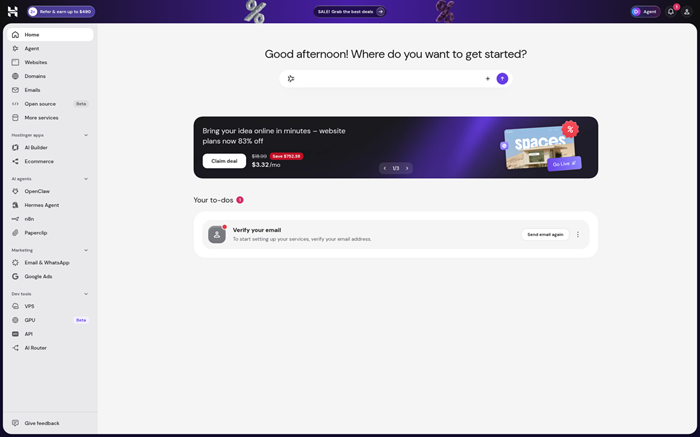
Hostinger provides managed WordPress hosting through its browser dashboard. One-click installation, LiteSpeed caching, automatic updates, malware protection, staging, and backups cover routine site care. Premium Web and higher plans also provide restricted SSH access for command-line tasks.
Developers can switch supported PHP versions and deploy PHP projects from GitHub or GitLab. WordPress sites still need careful plugin and database backups before major changes. Hostinger promises 99.9% uptime and offers eligible hosting purchases a 30-day refund window. It has no permanent free hosting plan available today.
Özellikler:
- WordPress Panel: Manage core versions, plugins, maintenance mode, caching, staging, backups, and databases from one dashboard. Central controls reduce repeated trips through separate tools.
- PHP Control: Select PHP 8.2 through 8.5 for new sites. Hostinger applies patch releases automatically, while compatibility testing remains the site owner’s responsibility.
- Git Deployment: Connect GitHub or GitLab repositories for supported PHP projects. New pushes can trigger automatic deployment, with history visible inside the hosting dashboard.
- SSH Erişimi: Premium Web and higher plans provide restricted shell access beneath the account directory. Assigned SSH ports support WP-CLI without exposing unrestricted service ports.
- Aşama Araçları: Clone a WordPress site before testing themes, plugins, or updates. A separate environment lowers risk but never replaces a verified backup.
- Recovery Points: Weekly backups come with current entry plans, while higher options may include daily copies. Restore availability depends on the purchased plan and retention rules.
- Çalışma Süresi Şartları: Hostinger advertises 99.9% uptime with continuous monitoring. Maintenance, customer changes, network conditions, and other exclusions can affect contractual credit eligibility.
Artılar
Eksiler
Ücretsiz Nasıl Alınır?
- Açılış Hostinger WordPress hosting and select an eligible web plan.
- Pay upfront, migrate or create a site, then test backups, plugins, and PHP compatibility.
- No free plan exists. Eligible hosting purchases carry a 30-day money-back guarantee.
30 gün para iade garantisi
2) DigitalOcean
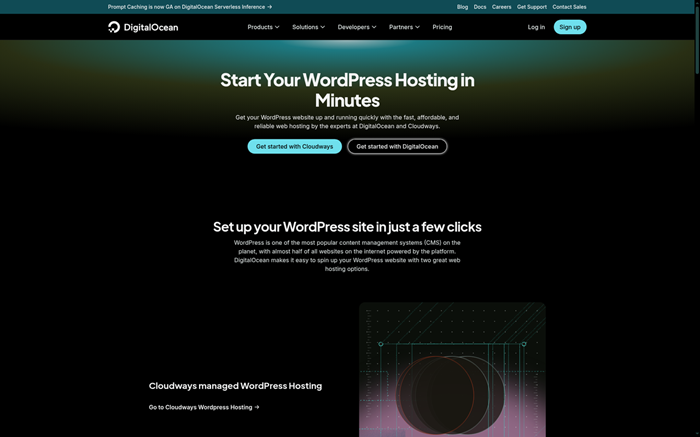
DigitalOcean runs WordPress through Marketplace one-click images on Linux Droplets. Developers receive root access, predictable compute sizes, cloud firewalls, monitoring, snapshots, and API controls. The product suits teams comfortable maintaining operating systems, databases, PHP, TLS, backups, and security patches.
A Droplet permits custom ports, private Git repositories, and complete runtime selection. DigitalOcean publishes a 99.99% website-hosting SLA, while managed App Platform carries different terms. New teams receive a $5 signup credit lasting 90 days after adding payment. Its free App Platform tier hosts static sites only, not normal WordPress.
Özellikler:
- Tek tık: Launch a preconfigured WordPress image from the Marketplace. The shortcut reduces installation work but leaves operating-system maintenance with the server owner.
- Root Control: Configure packages, PHP, databases, web servers, cron jobs, and security policies directly. This flexibility demands Linux administration and regular patching.
- Özel Bağlantı Noktaları: Bind approved services and manage inbound rules through cloud firewalls. Administrators must close unused ports and protect database or management interfaces.
- Git Workflows: Install Git, connect private repositories, and automate deployments with scripts or CI. Keep credentials, uploads, database dumps, and backups outside source history.
- Snapshot Recovery: Create snapshots and optional backups for server-level recovery. Application-aware WordPress restores still require database consistency and independent testing before emergencies.
- İzleme Araçları: Track Droplet resource behavior and configure alerts around processor, memory, and disk pressure. Monitoring helps identify capacity issues before visitors notice failures.
- Çalışma Süresi SLA'sı: DigitalOcean states a 99.99% website-hosting SLA with product-specific measurement and exclusions. Service credits depend on the applicable terms and claim process.
- Kredi Limitleri: New teams receive $5 lasting 90 days after payment verification. WordPress consumes paid compute, because the permanent free App Platform tier is static-only.
Artılar
Eksiler
Ücretsiz Nasıl Alınır?
- Hat için bir DigitalOcean team and add the required valid payment method.
- Deploy a WordPress Marketplace Droplet, then secure ports, updates, backups, and monitoring.
- New teams receive a $5 signup credit that expires after 90 days.
$5 signup credit for 90 days
3) Kamatera
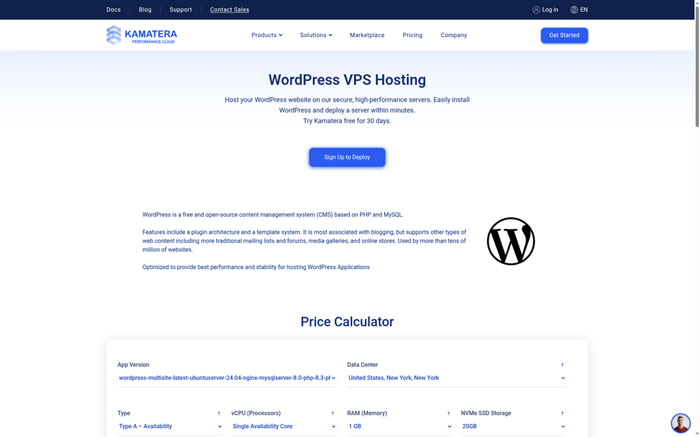
Kamatera supplies configurable Linux cloud servers for self-managed WordPress installations. Customers select processors, memory, storage, location, operating system, and networking before deployment. Full root access supports custom web stacks, control panels, firewalls, monitoring agents, Git, and automation tools.
The provider advertises a 99.95% server uptime guarantee and round-the-clock technical support. WordPress maintenance, backups, security, and compatibility remain customer duties unless separate management is purchased. Its 30-day trial covers one server costing up to $100 and 1 TB traffic. A valid credit card remains required, and excess usage can trigger charges.
Özellikler:
- Resource Builder: Choose virtual processors, memory, storage, image, and data center before deployment. Hourly scaling supports testing changes without rebuilding the complete site.
- Kök Erişimi: Install WordPress, PHP, databases, web servers, and security agents directly. Administrative freedom also transfers patching and hardening duties to customers.
- Bulut Güvenlik Duvarı: Define network rules around web, SSH, database, and monitoring services. Restrict management sources and avoid exposing private services to every address.
- Runtime Choice: Select supported Linux images and maintain the exact PHP stack required. Compatibility checks remain important before upgrading production themes or plugins.
- Git Control: Private repositories can track approved theme, plugin, infrastructure, and configuration changes. Database content and uploaded media need separate backup and deployment plans.
- Çalışma Zamanı Target: Kamatera advertises 99.95% server availability. Its terms still place virtual-environment security, application behavior, and customer backups outside infrastructure responsibility today.
- Trial Boundary: The trial lasts 30 days for one server up to $100 and 1 TB traffic. Overages may charge the validated payment method.
Artılar
Eksiler
Ücretsiz Nasıl Alınır?
- Açılış Kamatera, create an account, and validate a payment method.
- Build one eligible server, install WordPress, then test security, backups, ports, and scaling.
- The 30-day trial covers one server up to $100 and 1 TB traffic.
30 günlük ücretsiz deneme
4) Hosting.com
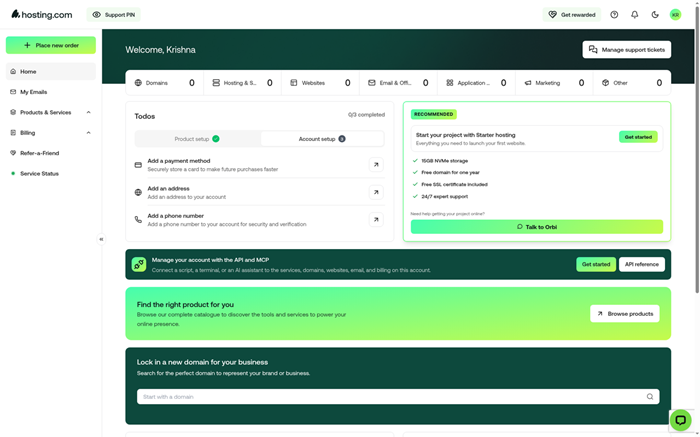
Hosting.com, formerly A2 Hosting, offers managed WordPress and general hosting plans. Current WordPress packages include one-click setup, migration help, malware protection, staging, daily backups, SSL, caching, and round-the-clock support. Some products retain cPanel for direct file, database, and PHP management.
The provider targets 99.9% uptime and documents credits for qualifying outages. Shared users receive assigned endpoints rather than arbitrary ports. Developer access depends on the product. Hosting.com has no permanent free plan, but eligible purchases include a 30-day money-back guarantee. Domain and third-party charges can remain excluded.
Özellikler:
- WordPress Kurulumu: Install WordPress through managed tools and preview migrations before DNS changes. This approach reduces downtime risk when moving an established website.
- Günlük Yedeklemeler: Automatic backups provide recurring restore points for site files and databases. Customers should still keep independent copies before cancellation or major development work.
- Hazırlama Siteleri: Built-in staging separates experiments from production visitors. Test theme, plugin, PHP, and cache changes before synchronizing approved work to the live site.
- cPanel Choice: Selected products expose file management, phpMyAdmin, PHP version controls, email, and installers. Managed shared products use assigned endpoints rather than unrestricted ports.
- Uptime Credits: Hosting.com targets 99.9% uptime and offers credits for qualifying unscheduled downtime. Maintenance, customer actions, and outside network causes remain excluded.
- Güvenlik Yığını: SSL, firewalls, malware scanning, patching, and DDoS mitigation protect common WordPress entry points. Site owners still control plugin quality and account permissions.
- Geçiş Desteği: The team moves eligible sites and supplies a temporary preview address. Complex or bulk migrations may require planning beyond the ordinary free transfer.
Artılar
Eksiler
Ücretsiz Nasıl Alınır?
- Visit Hosting.com and select the exact WordPress or cPanel product required.
- Pay for the service, migrate a site, then test backups, staging, support, and PHP controls.
- No free plan exists. Eligible purchases include a 30-day money-back guarantee.
30 gün para iade garantisi
5) one.com
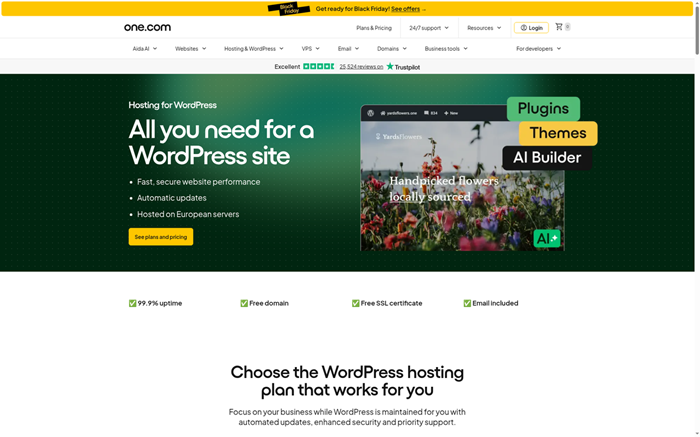
one.com provides managed WordPress hosting with automatic updates, visual checks, daily backups, staging, security monitoring, SSL, migration assistance, and European data hosting. Its update workflow can roll back changes when a visual comparison identifies a problem after deployment.
SFTP supports file transfer, while SSH and command-line Git require eligible higher plans. Customers can select supported PHP versions, with paid support available for outdated branches. one.com publishes live status but no public numeric SLA remedy was verified. New orders carry a 15-day guarantee, with domain fees and certain add-ons excluded.
Özellikler:
- Safe Updates: Managed updates receive visual checks before remaining live. Failed comparisons can trigger rollback, reducing exposure to broken layouts after plugin or theme changes.
- Private Staging: Every managed plan includes a private testing copy. Administrators can check new themes, plugins, or layouts without changing the public site.
- Daily Recovery: Daily backups and one-click restore support fast recovery after mistakes. Independent exports still protect against retention limits or account termination.
- SFTP Erişimi: Secure file transfer is available across hosting packages. SSH shell access is limited to specific higher plans and uses assigned connection details.
- Git Commands: Eligible SSH environments include Git for repository work. Teams must design their own deployment process and exclude uploads, secrets, and database content.
- PHP Desteği: Customers can change PHP versions through hosting controls. Older end-of-life versions may activate a paid extended-support service until migration finishes.
- EU Hosting: Managed WordPress sites operate on European infrastructure with security monitoring. A public status page exists, but no numeric SLA credit remedy was verified.
Artılar
Eksiler
Ücretsiz Nasıl Alınır?
- Open one.com and choose a hosting plan that supports WordPress.
- Pay for the order, then test migration, staging, backups, updates, and access controls.
- No free plan exists. New orders include a 15-day money-back guarantee.
one.com adresini ziyaret edin >>
15 gün para iade garantisi
6) 10Web
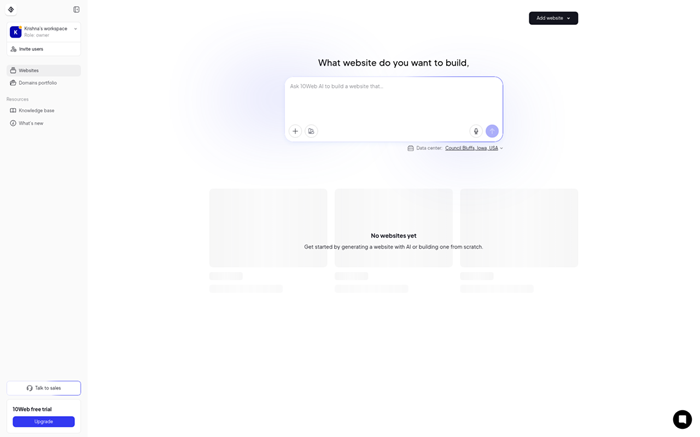
10Web combines managed WordPress hosting with an AI website builder, migration, Elementor-based editing, performance optimization, security, staging, and backups. Sites run on Google Cloud infrastructure, while the dashboard centralizes domains, updates, activity logs, and team access.
The managed environment exposes fewer low-level controls than a VPS. Its page advertises 99.99% uptime, while accompanying text references 99.9%, so stronger contractual conclusions are avoided. Backups and logs support recovery without replacing Git. Managed WordPress includes a seven-day trial. Paid platform subscriptions generally become non-refundable afterward for customers.
Özellikler:
- Yapay Zeka Oluşturucu: Describe a business or page structure and generate an editable WordPress starting point. Review facts, branding, accessibility, and licensing before publication.
- Bulut Hosting: Sites run on managed Google Cloud infrastructure. Customers receive no root or arbitrary ports, while conflicting 99.99% and 99.9% wording prevents a stronger SLA conclusion.
- Site Geçişi: Copy an existing WordPress installation through an automated workflow. Test forms, redirects, media, caching, and integrations before directing production traffic.
- Günlük Yedeklemeler: Scheduled backups and one-click restores create practical recovery points. Retention, plan limits, and off-platform exports should be checked before relying on them.
- Etkinlik Günlükleri: Detailed logs show administrative changes across managed websites. They help investigations but do not provide repository branches or line-level code differences.
- Güvenlik Katmanı: SSL, malware checks, firewall controls, and DDoS protection cover common hosting risks. Plugin vulnerabilities and access decisions still require owner attention.
- Trial Terms: Managed WordPress includes seven free days. Activating paid additions can end the trial early, and platform subscriptions generally become final after charging.
Artılar
Eksiler
Ücretsiz Nasıl Alınır?
- Open 10Web managed WordPress hosting and start the free evaluation.
- Add or migrate a site, then test generation, backups, staging, performance, and support.
- The managed WordPress trial lasts seven days before subscription billing begins.
7 günlük ücretsiz deneme
7) Uzay gemisi
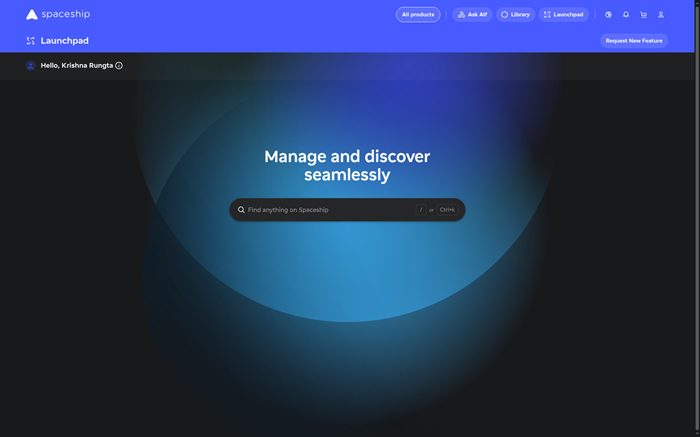
Spaceship offers EasyWP managed WordPress hosting and conventional shared hosting. EasyWP focuses on rapid setup, layered caching, managed security, SFTP details, database access, and a custom dashboard. Shared hosting adds cPanel controls and selectable PHP versions.
Its current promotion provides 30 free days before annual billing. Spaceship advertises 99.99% uptime without detailed public credit terms. EasyWP does not expose root access or arbitrary application ports. SFTP supports file changes, while native Git deployment is not advertised. Hosting fees become non-refundable after trial conversion, so cancellation timing matters.
Özellikler:
- EasyWP Kurmak: Launch WordPress through a custom managed interface without cPanel. The simplified flow suits beginners who do not require server-level operating controls.
- Önbelleğe Alma Katmanları: Three caching layers accelerate common WordPress responses. Plugin behavior, dynamic pages, and ecommerce sessions still need testing after performance changes.
- SFTP Details: Dashboard credentials provide secure access to website files. Database access supports migrations and troubleshooting without opening full low-level server administration.
- Güvenlik Paketi: HackGuardian, MalwareGuardian, SSL, and platform protections address common attacks. Customers remain responsible for passwords, plugins, themes, permissions, and published content.
- PHP Options: Spaceship shared servers support PHP 7.0 through 8.5. EasyWP remains more managed, so low-level runtime customization follows different product boundaries.
- Çalışma Süresi İddiası: Spaceship advertises 99.99% uptime across current hosting pages. A detailed public claim deadline and service-credit calculation were not independently verified.
- Trial Window: EasyWP plans include 30 days at no charge before paid service begins. Customers should record renewal pricing and cancel before conversion if unsuitable.
Artılar
Eksiler
Ücretsiz Nasıl Alınır?
- Open Spaceship EasyWP and select an eligible WordPress plan.
- Create or migrate a site, then test SFTP, plugins, caching, security, and backups.
- Current EasyWP plans provide 30 free days before annual billing starts.
30 günlük ücretsiz deneme
8) WordPress.com
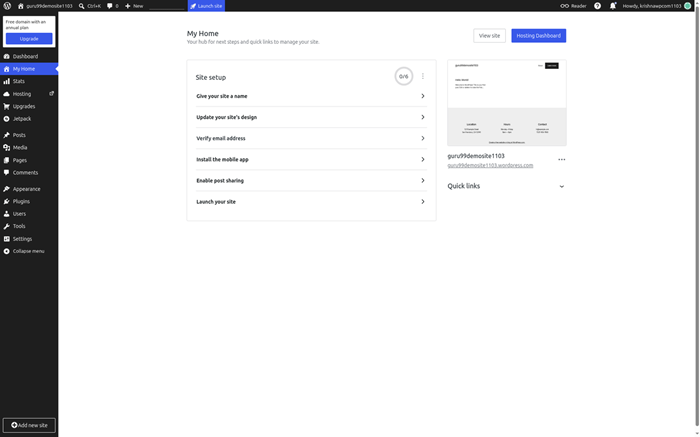
WordPress.com provides permanent hosted WordPress through a free plan. It includes a WordPress.com subdomain, 1 GB media storage, automatic platform updates, unlimited pages, unlimited posts, basic statistics, security protections, and community support. No separate server account is required.
The free tier cannot install plugins, use a custom domain, remove advertising, access SFTP, or deploy through GitHub. Business adds staging, SSH, database access, PHP switching, backups, and GitHub deployments. WordPress.com reports historical uptime above 99.99%, but the free plan carries no service-credit remedy. It works best for learning and low-risk publishing.
Özellikler:
- Free Site: Create unlimited pages and posts on a WordPress.com address. The plan suits learning, personal publishing, and projects without custom-domain requirements.
- Yönetilen Güncellemeler: WordPress.com maintains core software and hosting infrastructure automatically. Free users avoid patching servers but cannot directly control the underlying runtime.
- Medya depolama: The free plan includes 1 GB for uploaded media. Image compression and careful cleanup become important when a visual site grows.
- Platform Güvenliği: Brute-force protection, spam filtering, SSL, and managed infrastructure protect ordinary sites. Account security and content permissions still require owner attention.
- Plugin Limits: Free sites cannot install third-party plugins or upload custom themes. Paid plans expand extensions, while Business adds deeper developer access.
- Destek Erişimi: Free users rely mainly on public community forums and documentation. Paid customers receive direct support, with higher plans covering advanced developer tools.
- Upgrade Yol: Free sites expose no custom ports, SSH, SFTP, or GitHub deployment. Business adds those developer tools with staging, PHP switching, backups, and database controls.
Artılar
Eksiler
Ücretsiz Nasıl Alınır?
- Open WordPress.com and create an account with an email address.
- Choose a free WordPress.com site address and complete the setup prompts.
- The permanent free plan includes hosting, unlimited posts, and 1 GB media storage.
Kalıcı ücretsiz plan
Comparison Between Top WordPress Hosting Providers
| Hosting Sağlayıcısı | WordPress Kurulumu | Yedekleme Kontrolleri | Geliştirici Erişimi | Güvenlik Dahil | Formal SLA | Ücretsiz Değerlendirme |
|---|---|---|---|---|---|---|
| Hostinger | ✅ | ✅ | ✅ | ✅ | ✅ | ❌ |
| DigitalOcean | ✅ | ✅ | ✅ | ✅ | ✅ | ✅ |
| Kamatera | ✅ | ✅ | ✅ | ✅ | ✅ | ✅ |
| Hosting.com | ✅ | ✅ | ✅ | ✅ | ✅ | ❌ |
| WordPress.com | ✅ | ✅ | ❌ | ✅ | ❌ | ✅ |
What Is WordPress Hosting and How Does It Work?
WordPress hosting provides server resources and tools configured for the WordPress content system. Managed plans handle updates, caching, security, backups, and common troubleshooting. Shared hosting places several accounts on one server with defined resource limits. A VPS gives customers deeper control over packages, ports, PHP, databases, and security. WordPress.com hosts the software as a managed platform, while WordPress.org requires separate hosting. Buyers should compare runtime control, recovery, support, traffic capacity, domain rules, plugin access, renewal cost, and administrative responsibility before selecting a service.
Is Free WordPress Hosting Really Free?
Sometimes. WordPress.com provides a permanent free plan with a platform subdomain and 1 GB storage. Several listed providers instead offer trials, small credits, or money-back guarantees after payment. DigitalOcean’s static free tier cannot run normal WordPress because WordPress needs PHP and a database. Refund windows also include exclusions and deadlines. Free access works best for learning, temporary tests, and low-risk personal publishing. A business, store, or revenue site needs dependable backups, support, domain control, security, and predictable renewal costs later.
What Did Our WordPress Hosting Verification Find?
The November 2026 review checked official product pages, documentation, terms, status information, and access policies. Hostinger no longer offers free hosting. DigitalOcean replaced its former large promotion with a $5 credit lasting 90 days. Spaceship offers 30 free days, while 10Web provides seven. Kamatera’s 30-day trial covers one server up to $100. WordPress.com remains the only permanent free plan in this shortlist. Managed hosts usually restrict ports and runtime packages. VPS products allow deeper control but transfer patching, security, and backup responsibility to customers.
Which Features Matter Most in Free WordPress Hosting?
Prioritize features that protect content and keep the website maintainable.
- Erişim türü: Separate permanent free plans, credits, timed trials, and refundable purchases before comparing features.
- Runtime Support: Check current PHP, database, WordPress, plugin, theme, cron, and command-line capabilities.
- Kurtarma: Compare backup frequency, retention, off-platform exports, restore steps, staging, and cancellation treatment.
- Network Terms: Distinguish uptime marketing from contractual SLAs, exclusions, claim windows, and service credits.
- Growth Costs: Review storage, traffic, visitors, renewal pricing, domains, email, migrations, and upgrade paths.
How Do Uptime Guarantees Differ From Network SLAs?
An uptime percentage is a headline. A service-level agreement defines what is measured, which failures count, how long an outage must last, when customers must claim, and what compensation applies. Maintenance, attacks, customer code, DNS, third-party services, or resource exhaustion may be excluded. Service credits usually offset future hosting fees rather than lost sales. Platform history also differs from a contractual promise. Buyers should read the exact product terms and keep independent monitoring when availability matters. No uptime figure can replace tested backups and a recovery plan.
Do WordPress Hosts Allow Custom Ports and SSH?
Managed WordPress and shared hosting usually provide assigned SFTP or SSH endpoints. Customers cannot normally expose arbitrary services or modify server firewalls. VPS products from DigitalOcean hem de Kamatera provide root access, letting administrators configure ports and network rules. That freedom also creates security responsibility. Open only required ports, restrict management sources, and avoid exposing databases publicly. Confirm whether SSH is available on the selected plan, because entry tiers may omit it. For routine WordPress work, SFTP, WP-CLI, cron jobs, and database tools often matter more than custom ports.
How Should You Manage PHP and WordPress Versions?
Keep WordPress core, supported PHP, themes, and plugins compatible. Managed hosts may apply patch releases automatically while allowing customers to choose a major PHP branch. VPS users control the complete stack and must schedule operating-system, web-server, database, and PHP updates. Create a backup, clone staging, review plugin requirements, and test forms, checkout, search, scheduled jobs, and caching before production changes. Avoid unsupported PHP unless a temporary vendor program supplies security fixes. Record every change and maintain a rollback route when an update breaks the site.
Do WordPress Backups Replace Git Version Control?
No. Backups capture files, databases, uploads, and configuration at selected times. Git records line-level code changes, branches, authorship, and release history. WordPress content lives partly in the database, so a repository cannot restore an entire site alone. Keep custom themes, plugins, deployment scripts, and approved configuration in private Git. Exclude credentials, generated caches, uploaded media, and database dumps. Use hosting backups for disaster recovery, staging for change validation, and Git for code review. Test restores and deployment reversals before they become urgent.
Can You Run WooCommerce on Free WordPress Hosting?
A basic store can technically run on some plans, but free hosting rarely suits real transactions. WooCommerce adds database work, scheduled tasks, payment callbacks, emails, security needs, and traffic spikes. WordPress.com requires a paid plan for plugin installation. Static hosting cannot execute WooCommerce. Before launch, verify PHP memory, workers, storage, backups, staging, SSL, payment support, email delivery, caching exclusions, and incident response. Test checkout and refunds from outside the administrator account. Choose paid hosting when downtime, slow pages, or failed orders would harm customers.
Can AI Build and Manage a WordPress Site Safely?
AI can draft layouts, copy, images, code snippets, and troubleshooting suggestions. Hostinger and 10Web include guided AI tools, while other platforms add assistants or generators. Generated material can contain factual errors, insecure code, inaccessible design, or licensing concerns. Never paste credentials, private customer data, payment details, or full sensitive logs into an assistant. Review every change, scan code, verify claims, and test on staging. AI can shorten repetitive setup work, but owners remain responsible for security, accuracy, backups, accessibility, and production approval.
How Can You Host WordPress Without Paying a Provider?
Local or self-hosted WordPress avoids a hosting bill but changes the operating burden.
- Yerel Test: Install a local development environment for private learning, theme work, and plugin experiments.
- Ev Sunucusu: Run WordPress on personal hardware only after securing updates, backups, networking, power, and remote access.
- Ücretsiz Platform: Choose WordPress.com when a public subdomain and restricted plugins meet the project’s needs.
- Düzenli İhracat Yapın: Keep downloadable content and media copies so a future move does not depend on one platform.
How Do We Select the Best Free WordPress Hosting Services?
Guru99 invests 86+ research hours comparing 20 hosting providers, checking official plans, runtime documentation, access rules, uptime terms, refund conditions, and practical risks before publishing recommendations for WordPress users today.
- Serbest erişim: We separated permanent free plans, credits, timed trials, and refund guarantees. Current official terms overruled historical promotions, affiliate cards, and older setup instructions across every shortlisted provider.
- WordPress Fit: Our team confirmed whether each offer runs normal PHP and database-backed WordPress. Static-site tiers received no WordPress credit, even when their advertised price was zero.
- Çalışma Zamanı Kontrolü: The researchers compared PHP selection, WordPress updates, databases, cron jobs, WP-CLI, staging, plugins, themes, server packages, and compatibility responsibilities across both managed and self-managed products.
- Ağ Kanıtları: The team distinguished marketing uptime, status history, and formal SLAs. It recorded exclusions, measurement scope, claim procedures, service credits, monitoring methods, and regional infrastructure choices.
- Limanlar ve Erişim: Our testers checked SFTP, SSH, root access, assigned endpoints, custom ports, firewall controls, database tools, file managers, and the practical boundaries of each hosting model.
- Kurtarma Kontrolleri: Our experts reviewed backup frequency, retention, exports, snapshots, staging, restores, migration paths, and data treatment after cancellation. Claims needed usable, documented recovery procedures.
- Sürüm Geçmişi: The experts separated complete backups, activity logs, staging copies, snapshots, and Git repositories. Each method solves a different change-management, deployment, or recovery problem.
- Ticari Şartlar: We examined payment requirements, trial conversion, renewal pricing, refund exclusions, domain charges, traffic limits, support channels, checkout requirements, and upgrade paths before recommending each practical evaluation route for website owners.
How Do You Troubleshoot Common WordPress Hosting Problems?
Start with a current backup, status page, recent changes, and error logs. Change one variable at a time.
- Konu: The site shows errors after a PHP upgrade breaks an older plugin.
Çözüm: The administrator should restore staging, identify incompatible extensions, update supported code, and repeat the version change before production. - Konu: Visitors see stale pages because several caching layers store different page versions.
Çözüm: The administrator should purge caches in order, verify exclusions, inspect CDN behavior, and retest while logged out. - Konu: WordPress becomes slow when traffic exceeds processors, memory, workers, or database capacity.
Çözüm: The team should inspect resource graphs, optimize queries and plugins, enable appropriate caching, and compare a larger plan. - Konu: A migration finishes but forms, redirects, media, or scheduled jobs stop working.
Çözüm: The administrator should compare URLs, DNS, file permissions, cron events, mail delivery, database paths, and plugin licenses. - Konu: Automatic updates change layouts because installed theme and plugin versions conflict unexpectedly.
Çözüm: The administrator should use staging, visual comparisons, tested backups, and controlled deployment windows before accepting production updates. - Konu: A restore exists but cannot recover the matching database and uploaded media.
Çözüm: The team should run recurring restoration drills, export independent copies, document retention, and verify complete application consistency. - Konu: SSH or SFTP fails because the plan, credentials, address, or assigned port differs.
Çözüm: The administrator should confirm plan eligibility, reset credentials, compare fingerprints, verify endpoint details, and restrict access sources properly.
What Trends Will Shape WordPress Hosting?
WordPress hosts are combining managed security, visual update checks, staging, global caching, AI builders, and guided troubleshooting. Developer plans increasingly add Git deployment, SSH, WP-CLI, activity logs, and stronger database tools. Free access will remain limited because dynamic WordPress sites consume compute, storage, security, and support. Providers may keep shortening promotions or converting them into trials. Buyers should expect clearer differences between managed platforms and root-controlled cloud servers. Independent backups, supported PHP, verified renewals, and human approval of generated changes will remain important regardless of automation.
Karar
After reviewing eight providers, I found three options that covered managed simplicity, developer control, and flexible cloud evaluation with clear practical differences.
- Hostinger: I preferred its combined WordPress dashboard, staging, backups, PHP controls, and optional Git deployment for managed website work.
- DigitalOcean: Its root-controlled Droplets supported custom ports, private Git workflows, snapshots, and complete runtime selection for capable developers.
- Kamatera: The 30-day trial, adjustable resources, global locations, and full root access made infrastructure testing unusually flexible.
SSS
Hostinger ayrıca web sitenizi oluşturmanıza ve barındırmanıza olanak tanıyan ücretsiz bir çevrimiçi barındırıcıya sahiptir. En son sürümle birlikte tam PHP desteği sağlar. MySQL. Kullanıcılar, arka uçtaki web sitelerini yönetmek için cPanel barındırma özelliğini kullanabilirken, tek tıklamayla komut dosyası yükleyicisi bir siteye 100'den fazla özellik eklenmesine olanak tanır.
