
5 BEST Non-Custodial Crypto Wallets (2026)
 Editorial Team
When it comes to managing your crypto assets, non-custodial wallets often promise freedom and control, but they can quickly become a headache. Poor security measures, unexpected fees, or confusing interfaces can lead to frustrated users, wasted time, and even lost funds. Many people overlook important features such as backup recovery or multi-asset support, which can result in costly mistakes. The good news is that with the right tools, these frustrations can be minimized. By focusing on the right features and making smarter choices, you can confidently take control of your assets easily.
Through over 150 hours of research and testing across 20+ options, I have carefully evaluated the top choices in non-custodial crypto wallets. After rigorous testing, I have shortlisted 5 top options. Each wallet was assessed based on factors such as security, user experience, fees, and supported cryptocurrencies. Backed by real-world testing, these options stand out for their reliable performance and thoughtful design. Keep reading to discover which ones best suit your needs. Read more…
Best Non-Custodial Wallets: Top Picks!
| Tool Name | Best For | Top Features | Coins Supported | Learn More |
|---|---|---|---|---|
| Ledger | Secure long-term storage | Cold storage security, Ledger Live app, Bluetooth & USB-C | 5,500+ coins & tokens (incl. BTC, ETH, XRP) | Learn More |
| Trezor | Open-source hardware wallet | Offline private keys, Trezor Suite, Works with wallets | Thousands (8,000+ assets via Suite & apps) | Learn More |
| MetaMask | DeFi & dApp gateway | EVM networks, Swaps built-in, Browser + mobile | 100+ (EVM & ERC-20) | Learn More |
| Zengo | Easy self-custody for beginners | MPC keyless security, Buy/swap crypto, Recover without seed | 380+ crypto & Web3 assets | Learn More |
| Trust Wallet | Mobile multi-chain wallet | Multi-chain support, dApp browser, Staking & NFTs | 10M+ assets across 100+ chains | Learn More |
1) Ledger
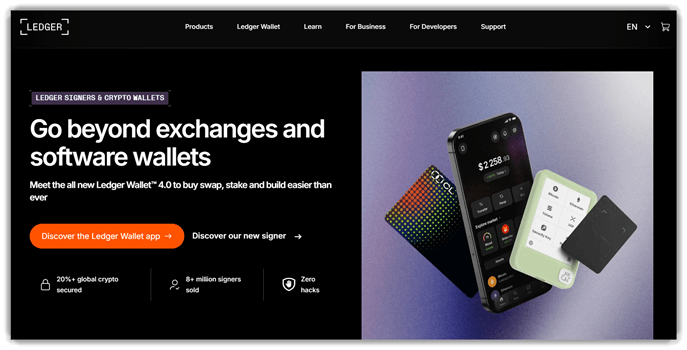
Ledger is a non-custodial hardware wallet for securing crypto offline. It stores private keys on dedicated devices, not internet-connected phones. Its Secure Element design gives it a strong security reputation. The companion Ledger Wallet app handles swaps, staking, and dApps.
In practice, I find transaction signing clear, deliberate, and reassuring. It works well before moving long-term holdings off an exchange. You can review wallet addresses on-device, then approve with confidence. That flow is especially useful when using new dApps carefully.
Features:
- Hardware Wallet Integration: Ledger users can securely store their private keys offline with the integrated hardware wallet. This helps protect against online hacking attempts by keeping critical data away from internet-connected devices. It ensures your assets are safe from cyber threats.
- Multi-Currency Support: This wallet supports a wide range of cryptocurrencies, including Bitcoin, Ethereum, and many altcoins. This functionality allows users to manage various types of digital assets all in one place, simplifying portfolio management. It streamlines the process of handling multiple cryptocurrencies without the need for multiple wallets.
- Recovery Sheet: It includes a recovery sheet that stores backup information for restoring your wallet. You can easily recover your funds if your device is lost or damaged. This feature offers peace of mind, knowing that you can restore access to your wallet quickly and securely.
- User-Friendly Interface: Ledger’s user interface is designed to be intuitive, even for beginners. It offers simple navigation to send, receive, and manage your crypto. This reduces the learning curve, making it easier for new users to start managing their digital assets confidently.
- Secure Transaction Signing: Transactions are signed directly on the device, not on your computer or smartphone. This ensures that even if your device is compromised, your funds remain secure. It helps maintain the integrity of transactions by protecting the process from malware.
- Multi-Device Synchronization: Ledger can sync across multiple devices, such as smartphones and computers, using a single wallet. This enables seamless access and management of your funds from different platforms. It makes it more convenient to access your cryptocurrency whenever you need it.
- Portfolio Tracking: Ledger includes tools that provide insights into your crypto holdings, helping you track market performance. This feature helps you stay on top of your investments by offering a clear overview of the value of your assets. It simplifies portfolio management without relying on external tools.
- Ongoing Firmware Updates: Regular firmware updates ensure that Ledger devices stay current with the latest security enhancements. Users benefit from the constant protection of new cryptographic standards. This keeps your wallet safe from evolving cyber threats and enhances its functionality over time.
Pros
Cons
2) Trezor
Trezor is a hardware wallet designed to securely store cryptocurrency assets. It supports a wide range of digital currencies, allowing users to manage their funds offline, which minimizes the risk of hacking. Trezor’s reliability comes from its industry-standard security features, including two-factor authentication and a secure chip, making it a trusted choice for both beginners and advanced crypto users.
In my experience, Trezor provides seamless integration with various cryptocurrency platforms. For instance, when managing multiple wallets, it helps automate security checks, ensuring smooth transactions while safeguarding against phishing attempts. It’s a great choice for teams who prioritize security in their crypto workflows.

Features:
- Hardware Security: Trezor offers top-notch physical security by storing your private keys on a device disconnected from the internet. This prevents hackers from accessing your keys through online vulnerabilities, keeping your assets safe from remote attacks.
- Multi-Currency Support: This non-custodial wallet supports over 1,000 cryptocurrencies, including Bitcoin, Ethereum, and many altcoins. You can manage a diverse portfolio all in one place, saving you the hassle of using multiple wallets for different assets.
- Backup & Recovery: Using Trezor, you can create a backup of your recovery seed. This allows you to restore your wallet if your device is lost, stolen, or damaged. I often rely on this feature when switching devices, ensuring I never lose access to my assets.
- Two-Factor Authentication (2FA): It integrates with popular services like Google and Dropbox for enhanced security. You can enable 2FA to add an extra layer of protection on top of your private keys, helping prevent unauthorized access to your accounts.
- User-Friendly Interface: The Trezor Suite software is intuitive and easy to navigate, even for beginners. It simplifies the process of transferring, receiving, and managing cryptocurrencies, so you can perform tasks with minimal confusion.
- Transaction Confirmation: With Trezor, you must manually confirm transactions on the device before they’re processed. This feature gives you control over your funds, ensuring that no unauthorized transactions are executed, even if your computer is compromised.
- Advanced Privacy Features: Trezor supports CoinJoin for Bitcoin, enhancing transaction privacy by obfuscating the source of funds. This is ideal for users looking to maintain a higher level of anonymity while transacting.
- Firmware Updates: It frequently releases firmware updates to enhance security and add new features. Users can easily update their device via the Trezor Suite, ensuring they always have the latest protections without hassle.
Pros
Cons
3) MetaMask
MetaMask is a self-custodial wallet for storing assets and connecting dapps. It supports token swaps, NFT management, and multi-network asset access. MetaMask feels established because millions use it across browsers and mobile. Its security focus includes transaction controls, threat monitoring, and built-in alerts.
I’ve found its wallet connections usually feel fast and predictably stable. That matters when you are moving between networks during routine transactions. For example, before using a new dapp, you can confirm wallet permissions. Then you can swap tokens and check balances without leaving.

Features:
- Wallet Management: Metamask allows users to securely store and manage multiple cryptocurrencies. It helps users keep track of their assets in one place, reducing the need for multiple wallets. This capability simplifies the management process and saves time, especially for users with diverse portfolios.
- Direct Blockchain Interaction: This feature enables users to interact directly with decentralized applications (dApps) on the Ethereum blockchain and other networks. By eliminating intermediaries, users gain full control over their transactions. This improves the user experience by offering seamless access to decentralized finance (DeFi) and other blockchain-based services.
- Custom Token Support: Metamask lets users add custom tokens to their wallet, providing flexibility beyond the standard ones. This helps users track lesser-known or new tokens easily, making it ideal for investors exploring niche assets. It also simplifies the tracking process by centralizing all token information in one interface.
- Easy Token Swaps: Using integrated token swap functionality, users can exchange cryptocurrencies directly within the wallet. This feature reduces the need for external exchanges, saving users both time and transaction fees. The built-in feature streamlines the swapping process, making it ideal for beginners and experienced users alike.
- Enhanced Security Features: Metamask employs robust security mechanisms, including password protection and seed phrase encryption, to protect user data. It offers users peace of mind by reducing the risk of hacks or loss of assets. This improves user confidence in managing and interacting with crypto assets securely.
- Cross-Chain Compatibility: Users can connect Metamask to multiple blockchains, such as Ethereum, Binance Smart Chain, and others. This flexibility allows users to access a wide range of dApps and services across different networks. It simplifies the process of working with multiple blockchains without needing to switch wallets.
- Transaction History: The wallet includes a built-in transaction history feature, allowing users to track and review past transactions. It helps users stay organized and monitor their portfolio’s performance over time. This transparency supports better decision-making by offering insights into spending and earning patterns.
- Custom Gas Fees: Users can adjust gas fees based on their needs for transaction speed. This feature allows more control over transaction costs, especially when the network is congested. By offering this flexibility, Metamask helps users balance cost and speed, ensuring transactions are processed efficiently.
Pros
Cons
Link: https://metamask.io/
4) Zengo
Zengo is a non-custodial wallet for buying, swapping, and storing crypto. It supports self-custody with MPC security, replacing traditional seed phrases. That makes setup simpler for beginners and less fragile overall. Its seedless design, millions of users, and no-hack record stand out.
I found the recovery flow noticeably less stressful than seed phrases. That matters when you switch phones or need access quickly. In a typical workflow, you might rebalance holdings before travel. Zengo lets you swap, confirm, and keep assets recoverable afterward.

Features:
- Multi-Signature Security: This feature adds an extra layer of protection by requiring multiple approvals before any transaction is completed. By requiring multiple authentication methods, this helps protect users from unauthorized access. It reduces the risk of loss and enhances peace of mind.
- Automatic Backup: Zengo automatically creates secure backups of your wallet’s encryption keys. Users can easily restore their wallet in case of device loss or failure. This ensures no valuable assets are lost due to unexpected events and simplifies recovery.
- Recovery Without Seed Phrase: Instead of a traditional seed phrase, Zengo uses facial recognition for recovery. Users can instantly regain access to their funds by verifying their identity. This eliminates the need to remember complex phrases and provides an easier, more secure alternative.
- Cryptocurrency Portfolio Overview: This feature gives a clear overview of your crypto assets in real-time. You can track balances across multiple cryptocurrencies with a single glance. This simplifies portfolio management, saving time on checking each asset individually.
- Transaction History: Zengo records and displays a detailed history of all your transactions. This makes it easy to review past actions and keep track of spending. By having this at your fingertips, users can efficiently monitor their activity and identify any issues quickly.
- Seamless Cross-Platform Access: Zengo allows you to access your wallet on multiple devices without compromising security. You can switch between your phone and tablet while staying secure. This makes managing your wallet flexible and convenient, ensuring you’re always in control.
- Secure Face Authentication: Users can sign in or approve transactions using advanced facial recognition technology. This feature makes the login process faster and more secure. It’s a highly reliable method that reduces the chances of unauthorized access without the need for traditional passwords.
- Instant Customer Support: Zengo offers 24/7 access to support through in-app chat. You can resolve issues or ask questions at any time, making the experience more user-friendly. In my experience, this feature is particularly helpful for beginners who need quick assistance.
Pros
Cons
5) Trust Wallet
Trust Wallet is a self-custody wallet for managing crypto assets. It supports multi-chain storage, swaps, staking, NFTs, and dApp access. Its independent audits and ISO certification make it feel dependable. The platform says 200 million people use it worldwide today.
In my use, the mobile flow stayed fast and straightforward consistently. That matters during a token transfer, when timing and clarity matter. You can check balances, swap tokens, and review connection warnings. That helps catch mistakes before signing transactions across different chains.

Features:
- Multi-Currency Support: Trust Wallet allows users to store a wide variety of cryptocurrencies. It supports both popular coins like Bitcoin and Ethereum, as well as lesser-known altcoins. This helps users manage all their digital assets in one place, avoiding the need for multiple wallets.
- Decentralized Access: Trust Wallet operates without requiring a centralized server, giving users full control over their funds. This means you do not rely on a third party, which enhances security and privacy. Users can access their wallets directly through their devices.
- Built-In DApp Browser: Trust Wallet includes a built-in decentralized application (DApp) browser. This feature enables users to directly interact with DApps and DeFi protocols without leaving the wallet. It simplifies the experience by streamlining access to the broader blockchain ecosystem.
- Staking Capabilities: Users can stake certain coins directly within the wallet to earn rewards. This feature allows users to generate passive income by simply holding their coins in Trust Wallet. It automates the staking process, making it accessible to beginners.
- Cross-Platform Syncing: Trust Wallet offers seamless synchronization between mobile devices. If you use both iOS and Android, your wallet data is easily synced across devices. This ensures that you can access your cryptocurrencies regardless of the device you use.
- NFT Storage: Trust Wallet supports storing non-fungible tokens (NFTs), making it a versatile choice for collectors. You can securely store, manage, and view your NFTs directly in the app. This makes Trust Wallet ideal for users who are also into the growing NFT market.
- Security Features: Trust Wallet includes industry-standard security features such as biometric authentication and encrypted private keys. It helps protect your funds from unauthorized access while maintaining ease of use. I often rely on these features when handling large transactions.
- Token Swap Functionality: Trust Wallet integrates a token swap feature that allows users to trade different cryptocurrencies directly within the wallet. This eliminates the need to transfer funds to an exchange, reducing fees and making the process quicker.
Pros
Cons
Link: https://trustwallet.com/
Comparison between the Best Non-Custodial Crypto Wallets
| Wallet Tool | Ledger | Trezor | MetaMask | Zengo |
| User-Friendliness | ✔️ | ✔️ | ✔️ | ✔️ |
| Multi-Currency Support | ✔️ | ✔️ | ✔️ | ✔️ |
| Security Features | ✔️ | ✔️ | ✔️ | ✔️ |
| Cross-Platform Compatibility | ✔️ | ✔️ | ✔️ | ✔️ |
| Support Availability | ✔️ | ✔️ | ❌ | ✔️ |
| Forward-Looking Features | ✔️ | ✔️ | ✔️ | ✔️ |
What is a Non-Custodial Crypto Wallet?
A non-custodial crypto wallet is a wallet where users maintain full control over their private keys, which are essential for accessing their cryptocurrencies. Unlike custodial wallets, which store funds on behalf of users, non-custodial wallets let users directly manage and secure their funds. This type of wallet empowers users with privacy and control but requires them to take responsibility for safeguarding their keys. It offers freedom but also increases the risk of losing access to funds if keys are lost.
How Do Non-Custodial Crypto Wallets Work?
Non-custodial crypto wallets function by giving users control over their private keys and allowing them to sign transactions directly. These wallets use encryption to secure private keys on the user’s device, ensuring that only the wallet holder can access their funds. When sending or receiving cryptocurrencies, users authenticate the transaction using their private keys, and the wallet broadcasts the transaction to the blockchain network. Unlike custodial wallets, there is no third party to rely on for recovery if the keys are lost.
What Are the Benefits of Using Non-Custodial Crypto Wallets?
The benefits of using non-custodial crypto wallets are significant.
- Full Control Over Funds: Users have total ownership of their private keys and funds.
- Enhanced Privacy: These wallets do not require personal information, ensuring privacy.
- Reduced Risk of Hacking: Since the wallet holder controls the keys, there is less risk from third-party breaches.
- No Dependency on Third Parties: There is no reliance on exchanges or other services for wallet security.
How Do We Select the Best Non-Custodial Crypto Wallets?
At Guru99, our team rigorously tests and reviews non-custodial crypto wallets to provide users with the most accurate and reliable information. Our experts analyze each wallet based on multiple criteria, such as security, ease of use, supported currencies, and customer service. The research team also takes into account user feedback and trends to ensure our selections are up-to-date and relevant. Below are the factors we consider when selecting top wallets:
- Security Measures: We assess encryption standards and backup features to ensure user safety.
- Supported Assets: Our experts check the variety of cryptocurrencies supported, ensuring a broad range of options.
- User Interface: The team evaluates ease of use, aiming for a wallet that caters to both beginners and experts.
- Reputation and Reviews: We monitor feedback from the crypto community to gauge user satisfaction and reliability.
What Are the Troubleshooting Tips for Non-Custodial Crypto Wallets?
When using non-custodial crypto wallets, users may encounter technical issues. Some common problems and their solutions include:
- Private Key Recovery Issues: Users often struggle to recover their wallet when they lose their private key.
Solution: Always create and store backup copies of your private key in a secure place to avoid loss. - Transaction Failures: Transactions sometimes fail due to network congestion or incorrect gas fees.
Solution: Double-check the transaction fees and ensure the network is not congested before initiating transactions. - App Crashes: Some wallet apps may crash unexpectedly, making it difficult to access funds.
Solution: Ensure the app is updated to the latest version and consider reinstalling it if the issue persists.
What Future Trends Can We Expect for Non-Custodial Crypto Wallets?
The future of non-custodial crypto wallets is filled with exciting developments. We can expect:
- Integration with DeFi: As decentralized finance grows, wallets will offer better integration with DeFi platforms.
- Improved User Experience: Advances in UI/UX design will make crypto wallets even more intuitive and user-friendly.
- Cross-Platform Compatibility: Wallets will continue to expand across devices, offering seamless experiences on desktops, mobile apps, and hardware wallets.
- AI-powered Security: Future wallets may leverage artificial intelligence to enhance security, identifying and mitigating threats in real-time.
Verdict
After extensively testing several non-custodial crypto wallets, I found three that consistently delivered exceptional security, usability, and features. Here are my top recommendations based on hands-on experience.
- Ledger: Ledger stood out for its robust security features and wide range of supported cryptocurrencies. Its hardware wallet design gives peace of mind to those with serious security concerns.
- Trezor: Trezor impressed with its user-friendly interface and advanced features like password management. It strikes a great balance between security and ease of use, making it ideal for most users.
- Metamask: Metamask delivered a seamless experience for interacting with decentralized applications. Its intuitive browser extension made managing assets on the Ethereum network incredibly easy and efficient.
