
10 최고의 무료 이미지 호스팅 사이트 (2026)
 편집 팀
공개 : Guru99는 독자 여러분의 후원으로 운영됩니다. 이 페이지의 링크를 통해 구매하시면 저희에게 수수료가 지급될 수 있습니다. 상세보기

Free image hosting can feel generous until compressed uploads blur a portfolio, public links stop working, storage fills unexpectedly, or a confusing dashboard hides privacy settings. Slow transfers, limited recovery, weak album controls, and unclear inactivity rules can also waste hours or expose personal pictures. The factors that matter most are often buried inside plan tables and help pages. A clearer comparison helps you preserve image quality, share confidently, and choose a service that remains manageable as your library grows.
I spent 68+ hours researching 18 image hosting and cloud storage platforms, checking current free allowances, sharing controls, format support, recovery rules, and official status information. I also compared documented capabilities with recurring user feedback. After reviewing those findings, I shortlisted 10 최고의 Free Image Hosting Sites, with practical features, pros and cons, and current plan details to help you choose confidently. 자세히보기 ...

Icedrive 최고의 이미지 호스팅 플랫폼으로, 사진 저장 및 공유를 간편하게 해줍니다. 완벽한 개인정보 보호를 보장하는 플랫폼에 파일을 저장하는 것이 가장 좋습니다. 제3자의 접근을 차단하여 관리 권한을 유지하는 데 도움이 됩니다.
최고의 Free Image Hosting Sites: Top Picks!
| 이름 | 지원되는 플랫폼 | 무료 저장 용량 | (링크) |
|---|---|---|---|
???? Icedrive |
iOS를 Android, Windows, Mac 및 Linux | 10 GB | 더 알아보기> |
 조호 워크드라이브 |
Windows, Mac, 웹, Android, iOS | 5 GB | 더 알아보기> |
 어도비 벽돌 Lightroom |
Windows, 맥, Android, IOS, 리눅스 및 Ubuntu | 7 일 무료 평가판 | 더 알아보기> |
 Smugmug |
iOS를 Android Windows | 14 일 무료 평가판 | 더 알아보기> |
 pCloud |
Windows맥, 리눅스, iOS 및 Android | 10 GB | 더 알아보기> |
1) Icedrive
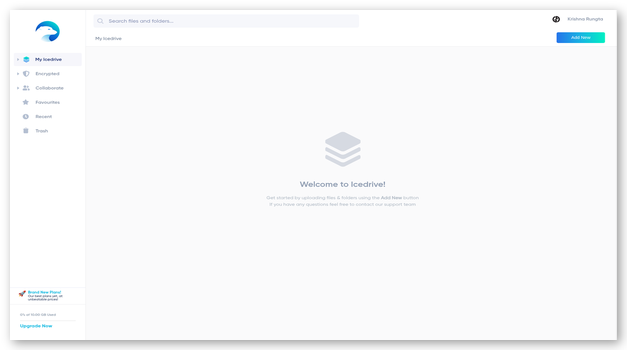
Icedrive combines web, mobile, and desktop cloud storage with public sharing links and a virtual drive for Windows. Its free plan provides up to 10 GB, making it suitable for photo collections, temporary delivery folders, and several devices without a subscription.
The free tier includes encryption at rest, TLS transfers, and authenticator-based two-factor security. However, client-side encrypted storage, file version history, link passwords, and link expiration controls require paid access. Icedrive publishes no numeric consumer uptime SLA, and its discontinued WebDAV support makes the official apps the practical transfer route.
특징:
- 여유 용량: Store up to 10 GB without a paid subscription. The allowance suits selected albums, compressed exports, and working files better than complete RAW archives.
- 공개 링크: Create shareable links for files and folders through the web interface. Free links lack paid password and expiration controls, so avoid sensitive client material.
- 가상 드라이브: 클라우드 파일을 마운트하는 방법 Windows virtual drive without downloading everything locally. This saves disk space, although reliable access still depends on connectivity.
- 모바일 백업: 사진을 업로드하고 찾아보세요 Android 및 iOS 애플리케이션. 카메라 백업은 새 이미지를 중앙 집중식으로 저장할 수 있지만, 사용자는 원본을 삭제하기 전에 전송된 이미지를 확인해야 합니다.
- 보안 통제: 무료 계정은 암호화된 전송, 서버 측 저장소 보호 및 인증 기반 2단계 보안을 제공받습니다. 제로 지식 암호화 폴더는 별도의 유료 플랜 기능으로 제공됩니다.
- 복구 한도: 현재 무료 플랜에는 파일 버전 기록 기능이 포함되어 있지 않습니다. 덮어쓰기 또는 삭제 시 복구 옵션이 제한될 수 있으므로 별도의 백업을 유지하십시오.
- 서비스 조건: Icedrive 무료 소비자 계정에 대한 수치화된 가용성 SLA를 공개하지 않습니다. 또한, WebDAV를 더 이상 지원하지 않으며, 지원되는 애플리케이션을 통해 데이터 전송을 안내합니다.
장점
단점
무료로 얻는 방법?
- 열기 Icedrive 회원가입 페이지에서 개인 계정을 만드세요.
- 이메일 주소를 인증하고, 2단계 인증을 활성화하고, 필요한 공식 앱만 설치하세요.
- Upload selected photos within the 10 GB allowance, then test every public link before sharing.
10GB 데이터가 포함된 영구 무료 플랜
2) 조호 (Zoho) WorkDrive
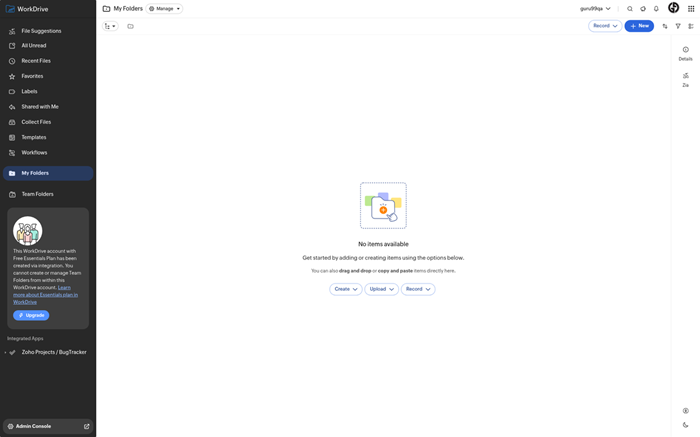
조호 (Zoho) WorkDrive organizes photos and documents inside folders, team folders, and shared workspaces. The free plan provides 5 GB and basic sharing, while a 15-day business trial opens controls without a credit card. The service fits teams handling approvals, images, or client assets.
Paid tiers add extensive previews, version management, stronger external-link controls, and administration. Zoho documents ISO 27001, SOC 2 Type II, GDPR, and HIPAA-related safeguards. It does not advertise a numeric free-tier uptime SLA, so teams needing contractual availability should confirm terms before relying on it for time-sensitive delivery.
특징:
- 팀 폴더: Separate shared assets from personal files through organized workspaces. Roles and permissions help teams keep approved images visible without exposing every internal folder.
- 무료 저장용량: The free plan provides 5 GB for individual access and lightweight sharing. Larger creative libraries will need careful selection, compression, or a paid team plan.
- 비즈니스 시험: Test paid WorkDrive capabilities for 15 days without a credit card. Trial accounts include expanded storage and collaboration features for evaluation.
- 외부 공유: Send files and folders outside the organization through links. Advanced passwords, expiration dates, and administrative restrictions depend on the selected paid plan.
- 파일 미리보기: WorkDrive 브라우저 내에서 일반적인 이미지 및 문서 형식을 미리 볼 수 있습니다. 더 넓은 형식 지원과 더욱 풍부한 공동 작업 제어 기능은 유료 비즈니스 등급에서 제공됩니다.
- 버전 처리: 유료 플랜은 파일 버전을 보존하여 이전 작업을 더 쉽게 복구할 수 있도록 합니다. 플랫폼을 아카이빙 백업으로 사용하기 전에 현재 보존 기간을 확인하십시오.
- 보안 프로그램: Zoho documents encryption and recognized compliance programs, including ISO 27001 and SOC 2 Type II. A numeric consumer availability SLA is not published.
장점
단점
무료로 얻는 방법?
- Zoho 열기 WorkDrive and register an account with a verified email address.
- 무료 5GB 플랜을 선택하거나 카드 정보 없이 15일 비즈니스 체험판을 시작하세요.
- Create folders, assign permissions, upload sample images, and test external access before moving a library.
Free plan with 5 GB
3) 어도비 벽돌 Lightroom
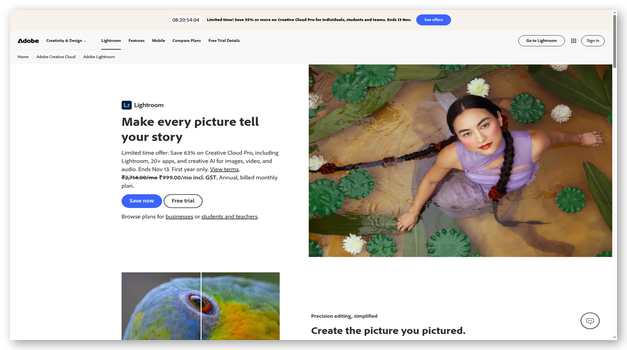
Adobe offers free photo sharing through Lightroom mobile, where users receive 5 GB of shared Adobe cloud storage and can publish public albums. This works well for curated galleries, creative reviews, and lightweight portfolios connected to Adobe’s editing environment.
무료 Lightroom album sharing is public, while private invitations require a subscription. Creative Cloud desktop applications generally provide seven-day trials with payment details and then renew unless canceled. Adobe maintains a public service-status page, but its consumer plans do not present a numeric uptime SLA. Native Linux desktop apps remain unavailable.
특징:
- Free Gallery: Lightroom mobile users can publish public albums from 5 GB of shared Adobe cloud storage. This route does not require a premium Lightroom 신청.
- 공개 공유: Generate a browser gallery that viewers can open through a link. Private invited sharing is reserved for subscribed Lightroom 고객.
- 창의적인 편집: Adobe’s ecosystem connects photo organization with Lightroom and other creative applications. Advanced desktop tools require subscriptions after their short evaluation periods end.
- Library Sharing: Creative Cloud Libraries can distribute reusable images and design assets with view or edit permissions. Library limits and app access vary by account.
- 버전 기록 : Supported cloud documents preserve previous versions for recovery and comparison. Lightroom photo history and cloud-document behavior differ, so confirm the exact workflow.
- 서비스 상태 : Adobe publishes live status and incident history for cloud services. Consumer accounts receive transparency, but no numeric availability commitment is presented.
- 플랫폼 지원 : Web and mobile access cover common sharing tasks, while Creative Cloud desktop applications support Windows macOS. Adobe provides no native Linux desktop suite.
장점
단점
무료로 얻는 방법?
- 설치 Lightroom mobile or open the supported Adobe account workflow and sign in.
- Import selected photos while staying within the shared 5 GB cloud allowance.
- Create a public album, enable sharing, and review the gallery link in a private browser window.
7 일 무료 사용
4) Smugmug
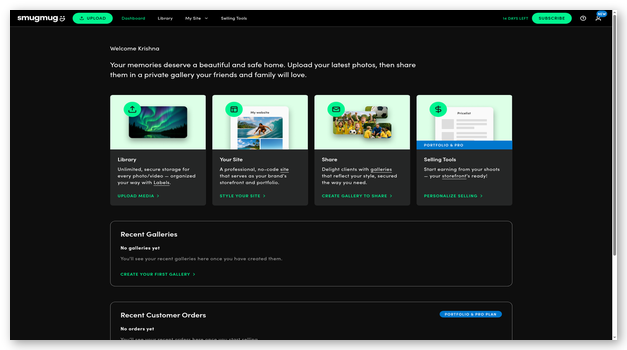
SmugMug is a portfolio and gallery service for photographers who value presentation, client access, and full-resolution delivery. It stores unlimited JPEG photos on paid plans without reducing resolution. Gallery layouts, privacy options, mobile uploads, and direct image links support display and delivery workflows.
There is no permanent free plan. A 14-day trial requires no credit card and ends unless the user chooses a subscription. SmugMug provides a public status page, yet no numeric consumer SLA or service-credit promise appears in its plan materials. RAW storage remains a separate paid add-on.
특징:
- 무제한 사진: Paid plans accept unlimited JPEG photo storage and preserve uploaded resolution. The policy suits large finished-image libraries, but RAW files require a separate add-on.
- 갤러리 디자인: Choose layouts, themes, and organizational settings for portfolios or client collections. Customization depth increases on higher plans and may take time to learn.
- 프라이버시 옵션: 갤러리 접근 설정과 비밀번호를 사용하여 갤러리를 보호하고, 지원되는 경우 다운로드 권한을 제어하세요. 민감한 고객 이미지를 제공하기 전에 항상 게스트 접근 권한을 테스트하십시오.
- 직접 링크: 직접 이미지를 생성합니다 URLs at multiple display sizes, plus HTML and forum codes. This offers more embedding flexibility than ordinary cloud-drive shares.
- Upload Tools: Transfer images through browser, desktop, and mobile workflows. Individual image limits and accepted formats should be checked before migrating unusual archival files.
- 상태 페이지: SmugMug publishes current service health and incident history. The consumer plan pages do not include a numeric availability SLA with credits.
- 체험판 접속: The 14-day trial requires no card and does not renew automatically. Continued hosting after evaluation requires choosing a paid subscription.
장점
단점
무료로 얻는 방법?
- Open the SmugMug sign-up page and start its 14-day trial.
- Create sample galleries, upload representative JPEG files, and configure privacy or download settings.
- Test guest links and direct embeds, then subscribe or export everything before the trial ends.
14 일 무료 사용
5) pCloud
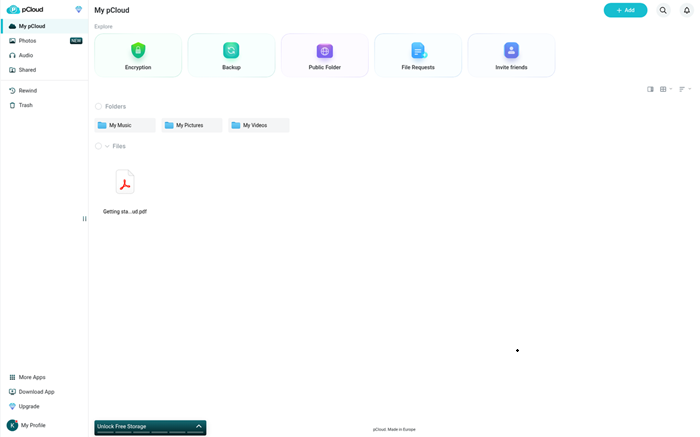
pCloud provides cross-platform storage, photo uploads, shared folders, and public links. A free account starts with 2 GB and can unlock 10 GB through account tasks and referrals. Free link traffic is capped, making it better for personal sharing than high-volume delivery.
무료 계정에는 15일간의 파일 버전 관리 및 휴지통 복구 기능이 포함됩니다. 링크 비밀번호 및 만료일 설정은 유료이며, 클라이언트 측 pCloud 암호화는 별도로 판매됩니다. 해당 업체는 99.98%의 가동 시간을 광고하지만, 장애 발생 시 대처 방안은 공개하지 않습니다.tractual free-plan SLA or service-credit schedule.
특징:
- 확장 가능한 스토리지 : Begin with 2 GB and unlock up to 10 GB through account tasks and referrals. The full allowance is not granted immediately.
- 공유 링크: 수신자가 등록할 필요 없이 파일 및 폴더 링크를 생성할 수 있습니다. 무료 계정은 월별 공유 링크 사용량 제한이 있어 인기 있는 공개 다운로드에 제약이 있을 수 있습니다.
- 사진 업로드: 모바일 애플리케이션은 카메라 이미지를 자동으로 업로드할 수 있습니다. 사용자는 업로드가 완료되었는지 확인하고, 로컬 기기 라이브러리를 삭제하기 전에 백업 사본을 보관해야 합니다.
- 버전 복구: 무료 사용자는 파일 수정, 휴지통 삭제 및 계정 복구에 대해 15일의 보호 혜택을 받습니다. 유료 플랜은 표준 복구 기간을 연장합니다.
- 링크 제어: Password protection and expiration dates are premium features. Public free links should contain only material intended for anyone possessing the URL.
- 보안 옵션: 전송 및 서버 측 보호 기능은 일반 계정에 적용됩니다. 클라이언트 측 영지식 pCloud 암호화는 기본적으로 무료로 제공되는 기능이 아니라 별도의 유료 제품으로 제공됩니다.
- 가동 시간 관련 주장: pCloud는 99.98%의 가동 시간을 광고하지만, 구체적인 내용은 공개하지 않습니다.trac진정한 무료 등급 SLA 또는 서비스 크레딧 프로세스.
장점
단점
무료로 얻는 방법?
- pCloud 가입 페이지를 열고 인증된 무료 계정을 만드세요.
- Complete the listed account tasks and referral requirements to unlock storage beyond 2 GB.
- 샘플 사진을 업로드하고, 모바일 백업을 신중하게 활성화하고, 공유 링크 트래픽과 15일 복구 기한을 모니터링하세요.
최대 10GB의 무료 저장 공간
6) 테라Box
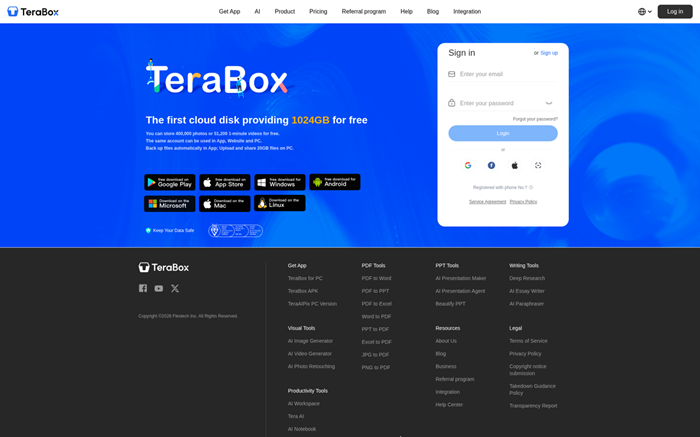
테라Box advertises 1,024 GB of free cloud storage, beyond typical consumer allowances. Its apps support uploads, album browsing, automatic backup, and share links with access codes. The capacity can accommodate large collections when local storage is tight.
The trade-offs require attention. TeraBox 이용 약관에 따라 특히 비활성 계정의 경우 무료 용량 및 서비스 제한이 변경될 수 있으며, 사용자 피드백에서 광고 및 느린 무료 다운로드 속도가 반복적으로 언급됩니다. 무료 계정에는 수치화된 가동 시간 SLA나 명확한 파일 버전 기록이 적용되지 않습니다. 중요한 원본 파일은 하나의 계정에 보관하기보다는 다른 곳에 백업해 두는 것이 좋습니다.
특징:
- 많은 용돈: 테라Box advertises 1,024 GB for free accounts. Its terms permit capacity and feature adjustments, so confirm the actual allocation after registration.
- 사진 백업: Mobile applications can back up camera images and organize them for browsing. Completion checks remain essential before deleting any device originals.
- 링크 공유: Generate links for selected files and apply access codes or expiration choices where available. Recipients may encounter advertising or slower free download speeds.
- 이미지 형식 : The service accepts common photo and general file types. Check the per-file upload limit shown in the account before moving large videos.
- 보안 기본 사항: 테라Box 암호화된 문서 전송 및 저장 보호, 2단계 인증, 그리고 선택적으로 AI 기반 정리 기능이 제공됩니다. 이러한 보안 기능은 독립적인 백업을 대체하는 것은 아닙니다.
- 유지 위험: Current terms allow free storage capacity to shrink for inactive users after notice. Regular sign-ins and exports reduce dependence on changing account conditions.
- 서비스 제한: 테라Box publishes no numeric consumer uptime SLA or free-plan version history. The platform should serve as an additional copy, not the sole archive.
장점
단점
무료로 얻는 방법?
- Open the TeraBox 회원가입 페이지에서 인증된 계정을 만드세요.
- Check the storage allowance, upload limits, and security controls displayed for that account.
- 2단계 인증을 활성화하고, 테스트용 사본을 업로드하고, 모든 중요한 원본은 별도의 독립적인 장소에 보관하십시오.
최대 1,024GB의 무료 저장 공간
7) Google Photos 웹 사이트
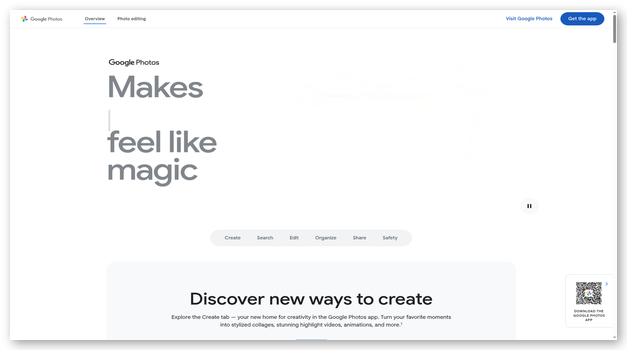
Google Photos 백업, 시각적 검색, 앨범, 편집 및 공유 기능을 하나의 플랫폼으로 통합합니다. Google Account. The free 15 GB allowance is shared with Gmail and Drive, so space may be smaller. Original-quality uploads consume full size, while Storage Saver may resize media.
이 서비스는 도서관에는 훌륭하지만 웹사이트 이미지 CDN으로는 적합하지 않습니다. 앨범 및 파트너 공유 기능을 제공하며, 안정적인 직접 이미지 호스팅이나 파일 버전 기록 기능은 제공하지 않습니다. 2년 동안 활동이 없거나 2년 동안 할당량을 초과한 계정은 경고 후 콘텐츠가 삭제될 수 있습니다. Google’s current storage policy.
특징:
- Shared Quota: 각각의 Google 해당 계정은 사진, 드라이브 및 기타 앱에 걸쳐 공유되는 15GB의 저장 공간을 받습니다. Gmail. Existing mail and documents can leave much less room for pictures.
- 백업 품질: Original quality retains uploaded resolution and consumes actual storage. Storage Saver can resize photos above 16 megapixels and videos above 1080p.
- AI 검색: 검색 기능을 이용하면 사람, 장소, 사물 또는 텍스트를 기준으로 사진을 그룹화하고 찾을 수 있습니다. 정확도는 다양하며, 민감한 얼굴 인식 기능은 제대로 작동하지 않을 수 있습니다.ping 선택 사항입니다.
- 앨범 공유: Share albums and individual photos through links or Google contacts. Anyone with an unrestricted link may forward it, so review audience settings.
- 파일 제한: Google accepts supported photos up to 200 MB or 200 megapixels and videos up to 10 GB. Unusual RAW formats need compatibility checks.
- 보존 정책: 2년간 활동이 없거나 할당량을 초과하는 상태가 지속될 경우, 사전 통지 후 계정이 삭제될 수 있습니다. 정기적인 계정 활동과 내보내기를 통해 중요한 컬렉션을 보호하세요.
- Hosting Boundary: Google Photos provides albums, not stable hotlinks, custom ports, or CDN delivery. It also offers no per-photo version history for overwritten originals.
장점
단점
무료로 얻는 방법?
- 엽니다 Google Photos and sign in with the intended Google 계정.
- Rev남은 공유 저장 공간을 확인한 후 백업을 활성화하기 전에 원본 품질 또는 저장 공간 절약 모드를 선택하세요.
- 소량의 샘플을 업로드하고, 앨범 권한을 확인하고, 중요한 이미지는 정기적으로 내보내 보관하세요.
최대 15GB의 공유 무료 저장 공간
8) Internxt
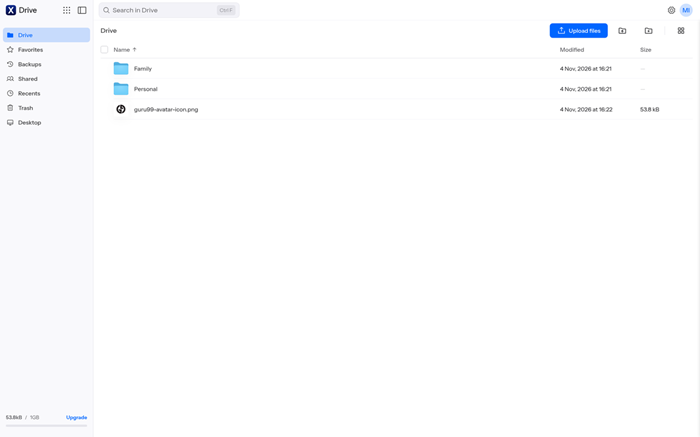
Internxt emphasizes privacy through client-side, zero-knowledge encryption across web, desktop, and mobile apps. Its free plan supplies 1 GB and allows files up to 100 MB, fitting selected images or documents rather than large archives. Sharing links extend secure delivery beyond the account.
The allowance and transfer ceiling are important constraints for photographers. WebDAV and command-line integrations belong to paid access, while dependable free file-version history is not available. Recurring user feedback praises the privacy model but also reports sync, transfer, and support problems. No numeric uptime SLA is published.
특징:
- 개인 저장소: Internxt applies client-side zero-knowledge encryption so the provider cannot read stored content. Losing credentials can also limit recovery, requiring careful account protection.
- 여유 용량: The free plan provides 1 GB. It fits a small protected collection, not a complete photo library.
- 업로드 제한: Free accounts accept files up to 100 MB each. High-resolution exports and RAW files can exceed that threshold and require another service.
- 보안 공유: Create encrypted links for selected files and folders. Check recipient access and expiration behavior before sending sensitive photographs outside the account.
- 크로스 플랫폼: Official applications cover web, Windows, macOS, 리눅스, Android, iOS. Sync behavior should be tested with copies before a full migration.
- 버전 상태: Reliable file version history is not a current free-plan capability. Maintain independent backups for accidental overwrites, ransomware, and deletion recovery.
- 통합 제한: WebDAV and command-line integrations sit on higher plans. Internxt publishes no numeric availability SLA for its free consumer storage accounts.
장점
단점
무료로 얻는 방법?
- 열기 Internxt sign-up page and register a free account.
- Secure the credentials, install an official application, and confirm the displayed 1 GB allowance.
- Upload files below 100 MB, test a secure link, and retain another copy for recovery.
1GB 데이터가 포함된 영구 무료 플랜
9) Dropbox
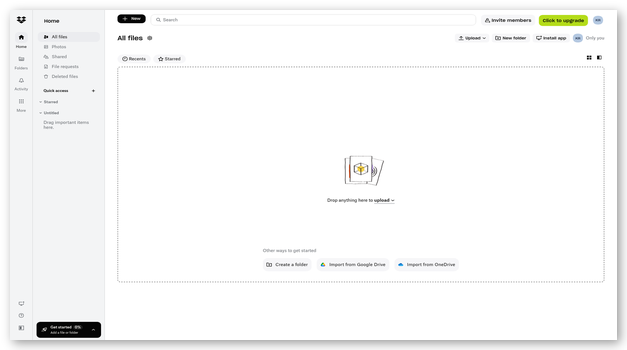
Dropbox Basic offers 2 GB of free storage, synchronization, camera uploads, previews, and links recipients can open without accounts. Its familiar interface supports selected picture delivery, project collection, or a compact folder synchronized across three devices.
Free accounts include 30 days of deleted-file recovery and version history, plus transfers up to 2 GB. Link passwords, expiration dates, and download controls require higher plans. Dropbox 기본 플랜의 가동 시간 SLA는 수치로 공개되지 않습니다. 현재 정책에 따라 할당량을 초과하는 계정은 제한을 받을 수 있으며, 반복적인 사전 통지 후에도 계속될 경우 결국 삭제될 수 있습니다.
특징:
- Basic Storage: Dropbox Basic provides 2 GB of free storage. The allowance fits selected exports and delivery folders better than full-resolution personal archives.
- 장치 한도: A Basic account can link up to three devices. Browser access remains available, but additional synchronized computers require unlinking or upgrading.
- 공유 링크: 수신자는 계정을 만들지 않고도 지원되는 다양한 파일 형식을 미리 볼 수 있습니다. 무료 링크에는 암호 보호, 만료일 및 다운로드 차단 기능이 없습니다.
- 버전 복구: Basic preserves deleted files and earlier versions for 30 days. This helps with mistakes but cannot replace a second independent backup.
- 파일 전송: Dropbox Transfer sends packages up to 2 GB on free accounts. It suits short delivery jobs without exposing the surrounding folder structure.
- 카메라 업로드: 모바일 애플리케이션은 새 사진을 자동으로 업로드할 수 있습니다. 동영상과 원본 해상도 이미지를 포함하면 무료 저장 용량이 빠르게 소진될 수 있습니다.
- Quota Policy: 지속적으로 할당량을 초과하는 계정은 사용 제한을 받을 수 있으며, 반복적인 이메일 알림 후 추후 삭제될 수 있습니다. Dropbox provides no numeric Basic-plan availability SLA.
장점
단점
무료로 얻는 방법?
- 열기 Dropbox 가입 페이지에서 무료 기본 계정을 선택하세요.
- 이메일 주소를 확인하고, 2단계 인증을 활성화하고, 최대 3개의 기기만 연결하세요.
- Upload a sample folder, test recipient access, and monitor both quota and 30-day recovery dates.
2GB가 포함된 무료 기본 플랜
10) Sync
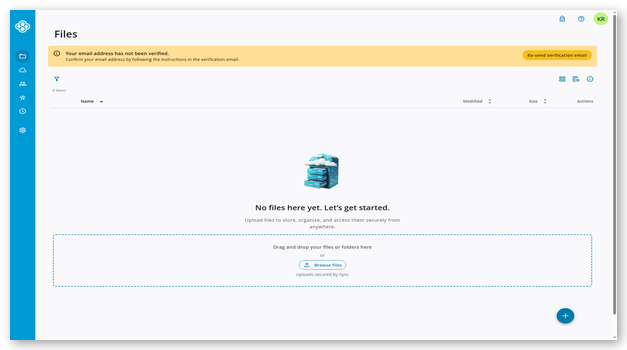
Sync supplies 5 GB of free end-to-end encrypted storage through web, desktop, and mobile apps. It supports camera uploads, file version history, Vault storage, and protected links. The privacy model suits images, contracts, and small client sets that should remain unreadable to the provider.
Free accounts can maintain three sharing links, with download limits. Password protection is available, while expiration dates, upload-enabled folders, and richer controls require payment. Shared links can stream media, although the account interface is not a full gallery platform. Sync publishes no numeric free-tier uptime SLA.
특징:
- 암호화된 저장소: End-to-end encryption and zero-knowledge design protect stored content from provider access. Account recovery settings should be configured before uploading irreplaceable images.
- 여유 용량: The free plan includes 5 GB across desktop, mobile, and web access. It suits selected albums and documents rather than complete RAW archives.
- Protected Links: Free users can password-protect shared links and maintain up to three active links. Daily download limits apply to each shared item.
- 버전 기록 : Free storage includes file version history and deleted-file recovery. Verify the current retention window inside the account before relying on older revisions.
- 카메라 업로드: Mobile apps can collect photos automatically. Users should confirm full-resolution transfer and preserve local originals until every upload is verified.
- 미디어 미리보기: The browser previews common images and documents, while shared links can stream supported media. It lacks the visual presentation of a dedicated gallery.
- 서비스 경계: Sync offers no custom ports or public CDN controls and publishes no numeric free-tier SLA. Its purpose is private storage and controlled sharing.
장점
단점
무료로 얻는 방법?
- 열기 Sync sign-up page and create a free account.
- Set recovery options, enable two-factor authentication, and install the required official applications.
- Upload a sample collection, test a password-protected link, and confirm current version-retention limits.
5GB 데이터가 포함된 영구 무료 플랜
Comparison Between Top Image Hosting Sites
| 수단 | 영구 무료 플랜 | 오리지널 품질 보관 | Protected Sharing | Version Recovery | 공개 상태 페이지 | Cross Platform Apps |
|---|---|---|---|---|---|---|
| Icedrive | ✅ | ✅ | ❌ | ❌ | ❌ | ✅ |
| 조호 (Zoho) WorkDrive | ✅ | ✅ | ✅ | ✅ | ✅ | ✅ |
| 어도비 벽돌 Lightroom | ✅ | ✅ | ❌ | ✅ | ✅ | ✅ |
| Smugmug | ❌ | ✅ | ✅ | ✅ | ✅ | ✅ |
| pCloud | ✅ | ✅ | ❌ | ✅ | ✅ | ✅ |
What is a Free Image Hosting Site?
A free image hosting site stores pictures online and provides ways to view or share them. Some services build visual galleries, while others behave like cloud drives. Free plans usually limit storage, traffic, recovery, file size, or link controls. They may also compress large uploads or remove inactive content. Good services explain those rules before registration. They also preserve privacy choices and offer practical export options. Image hosting can support personal albums, portfolio samples, client proofs, or occasional sharing. It should never become the only copy of irreplaceable photographs.
How Do Image Hosting Sites Differ From Cloud Storage?
이미지 호스팅 emphasizes galleries, browser viewing, direct links, and presentation. 클라우드 스토리지 focuses on synchronized files, folders, permissions, and recovery. A gallery service may offer attractive layouts and website embeds. A cloud drive may provide stronger version history and team collaboration. Neither category automatically works as a content delivery network. Direct links can expire, change, or reject hotlinking without warning. Choose according to the reader’s actual destination and traffic pattern. Photographers often benefit from combining a gallery for delivery with independent cloud or local backups for preservation.
What Features Should You Check Before Choosing Free Image Hosting?
Compare the limits that affect everyday access and recovery.
- 스토리지 : Check the free allowance, shared quotas, file ceilings, and unlock requirements before moving a library.
- 화질 : Confirm whether originals remain unchanged or receive automatic resizing or compression.
- 공유 : Review public links, passwords, expiration dates, embeds, traffic limits, and account requirements.
- 회복: Compare version history, trash retention, inactivity policies, exports, and deletion notices.
- 개인 정보 : Look for two-factor security, encryption, audience controls, recovery, and clear ownership terms.
How Does Compression Affect Image Quality and Storage?
압축 reduces file size, but its effect depends on the method. Lossless compression preserves image information while shrinking files modestly. Lossy compression removes data and can introduce softness, banding, or artifacts. Some platforms also resize photos above a resolution threshold. That saves storage and speeds sharing, yet it weakens archival value. Upload a detailed sample, download it again, and compare dimensions and file size. Keep original RAW or master files elsewhere. A convenient online copy should never silently replace the highest-quality source available.
Can Free Image Hosting Support Direct Links and Website Embeds?
일부 image hosting sites provide direct image URLs, HTML snippets, or multiple display sizes. Ordinary cloud drives usually share a landing page instead. Even valid direct links may carry traffic caps, referrer restrictions, or changing addresses. A service intended for personal sharing is not automatically a website CDN. Test the link inside a private browser and on the target website. Monitor loading speed and monthly bandwidth afterward. For business pages, product catalogs, or heavy traffic, dedicated media hosting with documented delivery terms offers fewer surprises.
Are Free Image Hosting Sites Safe for Personal Photos?
Free hosting can be safe for selected pictures when settings match their sensitivity. 공개 링크 may be forwarded, indexed, or opened by unintended viewers. Passwords and expiration dates are often paid features. Encryption protects transfers, but only zero-knowledge designs restrict provider access to stored content. Enable two-factor security and review account recovery immediately. Avoid uploading identity documents or intimate images without strong controls. Keep another encrypted copy under your control. Also read ownership, training, deletion, and inactivity terms before trusting any service long term.
How Can AI Improve Photo Organization and Search?
AI photo tools can recognize objects, text, locations, faces, and visual similarities. They reduce manual tagging and help users find forgotten pictures quickly. Automated edits can improve lighting, remove distractions, or create grouped memories. These benefits carry privacy questions because analysis may involve sensitive faces and places. Review whether face grouping is optional and how training data is handled. AI suggestions also make mistakes, especially with identities and context. Treat automated labels as navigation aids rather than permanent truth, and preserve original metadata during exports.
What Happens When Free Storage Fills or an Account Becomes Inactive?
When a free account reaches its quota, uploads and synchronization may stop. Some platforms also restrict sharing until space becomes available. Long-term over-quota status can eventually lead to deletion after repeated notices. Inactive-account rules vary and may reduce storage or remove content. Keep the registered email address current and read every warning message carefully. Export important albums before approaching any stated deadline. A simple 3-2-1 백업 계획 remains safer: maintain three copies, on two storage types, with one copy kept elsewhere.
How Do We Select the 최고의 Free Image Hosting Sites?

Guru99 reviews current plans, official policies, and recurring user feedback to separate usable free image hosting from outdated allowances, unclear limits, and unsupported promotional claims for readers and teams today.
- 저장 한도: We verify starting allowances, unlock conditions, shared quotas, file-size ceilings, and inactivity rules across official plan pages and help documents. These checks expose plans that advertise more capacity than users receive immediately.
- 영상 Integrity: We review compression, resizing, supported formats, previews, metadata behavior, and downloaded quality with representative image types. We favor services that explain changes before they affect archival pictures.
- 공유 컨트롤: We compare public links, passwords, expiration dates, direct-image URLs, embed support, traffic limits, and recipient access in signed-out browsers. Clear permissions matter more than decorative gallery claims.
- 개인정보 보호 표준: We examine encryption, two-factor security, account recovery, ownership terms, and zero-knowledge claims within current policies. We distinguish ordinary transport security from private client-side encryption.
- 복구 옵션: We check version history, trash retention, export tools, over-quota rules, and deletion warnings across free accounts. These safeguards determine whether simple mistakes become permanent losses.
- 이용 가능성 증거: We look for public status pages, incident history, formal uptime commitments, and consumer-plan exclusions from contractual terms. Marketing percentages are not treated as enforceable service-level agreements. They help readers judge whether downtime promises carry meaningful contractual remedies.
- Practical Feedback: We compare recurring review patterns involving uploads, synchronization, advertising, support, interface clarity, and download speed across several review platforms. Isolated complaints never override stronger documented evidence.
How Can You Troubleshoot Common Free Image Hosting Problems?
Most image hosting failures come from quotas, permissions, compression settings, or unstable links. Work through each issue without deleting local originals.
발행물: Uploads repeatedly stop before large photos finish transferring to the selected account.
해결 방법 : The user should check remaining quota and file-size limits, then retry one supported image through the official web application.
발행물: Shared links open for the owner but fail for all outside recipients.
해결 방법 : The owner should test an incognito window, remove account-only restrictions, and create a new link with intentional audience settings.
발행물: Downloaded images look noticeably softer or smaller than the uploaded original files.
해결 방법 : The user should inspect upload-quality settings, compare pixel dimensions, and select original-quality storage before moving any master files.
발행물: Website images suddenly disappear after cloud-drive links worked during earlier initial testing.
해결 방법 : The publisher should replace unsupported share links with documented direct URLs or a proper image CDN built for embedded traffic.
발행물: Mobile backup appears complete, but several recent photographs still remain missing online.
해결 방법 : The account holder should verify permissions, battery restrictions, network rules, and upload queues before deleting anything from the device.
발행물: Deleted images cannot be found after the documented recovery period finally expires.
해결 방법 : The user should check trash and version history immediately, then restore from an independent backup when platform retention has ended.
How Should Photographers Move a Library Between Hosting Services?
A controlled migration protects originals, metadata, permissions, and client access.
- 목록: Record folder counts, storage totals, file formats, shared galleries, and current links before exporting anything.
- 내 보내다: Download original files with metadata where possible, then compare checksums, dimensions, and representative RAW images.
- 파일럿 : Upload one mixed folder and test quality, privacy, search, mobile access, downloads, and recovery.
- 리디렉션: Update website embeds and client links only after the new copies work for signed-out recipients.
- 은퇴: Keep the former service active during a transition period and preserve an offline backup afterward.
What Trends Will Shape Image Hosting Services Next?
Image hosting will increasingly combine AI 검색, automated editing, privacy controls, and content provenance. Services may label generated media and preserve capture credentials from supported cameras. Passkeys and stronger account recovery should reduce password risks. Storage plans will keep separating personal sharing from high-traffic delivery. More providers may charge for advanced link controls, longer history, or original-quality media. Users should expect faster previews but also closer scrutiny of training permissions. Clear export paths and transparent deletion policies will remain more valuable than novelty features.
평결
After reviewing current plans, sharing controls, recovery rules, and privacy limits, I found these three services offered the clearest value for different image workflows.
- Icedrive: I preferred its clean virtual drive and straightforward 10 GB allowance for simple personal storage and occasional public sharing.
- 조호 (Zoho) WorkDrive: Its team folders and structured permissions stood out for organized creative assets, approvals, and small-business collaboration.
- 어도비 벽돌 Lightroom: I valued its free Lightroom public albums for polished presentation within an established creative editing environment.
자주 묻는 질문
Icedrive 최고의 이미지 호스팅 플랫폼으로, 사진 저장 및 공유를 간편하게 해줍니다. 완벽한 개인정보 보호를 보장하는 플랫폼에 파일을 저장하는 것이 가장 좋습니다. 제3자의 접근을 차단하여 관리 권한을 유지하는 데 도움이 됩니다.
