
8 Най-добри БЕЗПЛАТНИ Instagram Приложение за планиране на публикации (2026)
 Редакционен екип
Разкриване на информация Guru99 се поддържа от читателите. Възможно е да получим комисионна, когато купувате чрез връзки на тази страница. Научете повече

Instagram scheduling tools can disappoint when posts fail, interfaces feel confusing, trials hide strict limits, analytics lack context, mobile reminders replace direct publishing, and performance varies by format. These problems create missed campaigns, rushed corrections, duplicate work, and inconsistent feeds. Buyers often overlook account eligibility, story restrictions, and monthly post caps. A suitable scheduler makes the calendar visible, keeps approvals organized, and frees time for stronger creative work. That clarity replaces daily posting anxiety with a manageable publishing routine.
I spent 52+ hours researching 18+ competitors, checking official plan terms, supported Instagram formats, calendars, analytics, AI, integrations, and recurring review patterns. My in-depth research shortlisted eight Best Free Instagram Post Scheduler App options. This review covers each tool’s features, pros and cons, and free-plan or trial limits. Continue reading to find the right fit. Чети повече…

SmarterQueue е мощен инструмент за планиране в социалните медии, който ви помага да планирате, насрочвате и рециклирате най-добрите си Instagram съдържание. Той предлага интелигентна автоматизация с опашки, базирани на категории, и вечнозелено рециклиране за максимално ангажиране.
НАЙ-ДОБРОТО безплатно Instagram Софтуер за планиране на публикации и емисии
| Име | Поддържани социални мрежи | платформа | Безплатен пробен период | връзка |
|---|---|---|---|---|
👍 SmarterQueue |
Instagram, LinkedIn, Facebook, Pinterest и Twitter | Windows | 30-дневна безплатна пробна версия | Научете повече |
 👍 Zoho Social |
Facebook, Twitter, Instagram, YouTube, Pinterest, LinkedIn и други. | Мрежа, Android, iOS | 15-дневна безплатна пробна версия | Научете повече |
 Circleboom Publish |
Туитър, Фейсбук, Instagram, Pinterest, LinkedIn и Google Моят бизнес | Windows, Mac | 14-дневна безплатна пробна версия | Научете повече |
 Adobe Express |
тикток, Instagram, Facebook, X (Twitter), Pinterest и LinkedIn | Android, IOS, Windows, macOS | Доживотен безплатен основен план | Научете повече |
 Iconosquare |
Instagram, TikTok, Facebook, LinkedIn, Pinterest, Теми | Мрежа, Android, iOS | 14-дневна безплатна пробна версия | Научете повече |
1) SmarterQueue
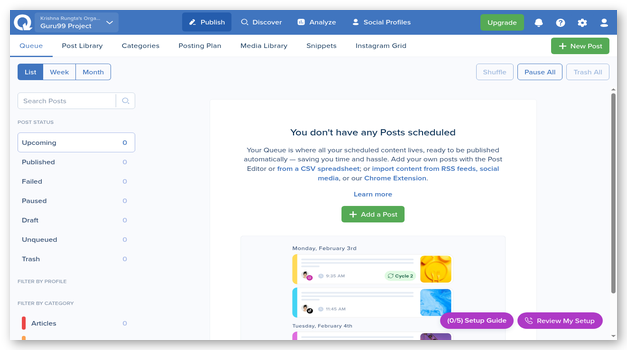
SmarterQueue organizes Instagram and other social content into category-based queues. Its calendar, visual planner, content curation, analytics, and evergreen recycling suit creators who want older posts reused on a controlled schedule. Users can customize captions for each network before publishing.
The trial lasts seven days and starts after the posting plan is configured and the first post enters the queue. No payment card is required. Reviews commonly praise time-saving automation and content organization, while some users find cross-platform edits and initial queue rules less intuitive.
Характеристики:
- Category Queues: Assign posts to named categories with separate time slots. The structure keeps promotional, educational, and community content balanced across a recurring calendar.
- Евъргрийн рециклиране: Republish selected posts after their first run while excluding time-sensitive material. Expiration dates and cycle controls prevent outdated campaigns from returning unexpectedly.
- Визуален плановик: Preview upcoming Instagram content and rearrange scheduled items before publication. A visual sequence helps teams notice repetitive topics or clashing creative assets.
- Куриране на съдържанието: Discover articles and import content through feeds or browser tools. Every suggested item still needs editorial review before it joins a branded queue.
- Post Variations: Create multiple captions for reusable content instead of repeating identical copy. Network-specific edits help preserve formatting and tone across connected social profiles.
- Анализ на ефективността: Review engagement and publishing history to identify stronger categories, posting times, and formats. Results guide future scheduling without promising automatic audience growth.
- Team Workflow: Share workspaces, assign access, and coordinate several profiles on supported plans. Permissions help agencies separate brands and reduce accidental cross-account publishing.
Предимства
Недостатъци
👉 Как да получите SmarterQueue безплатно?
- Open the official SmarterQueue page and create an account.
- Connect a profile, build a posting plan, and queue the first post.
- Use all features for seven days without entering a payment card.
7-дневен безплатен пробен период
2) Социален Zoho
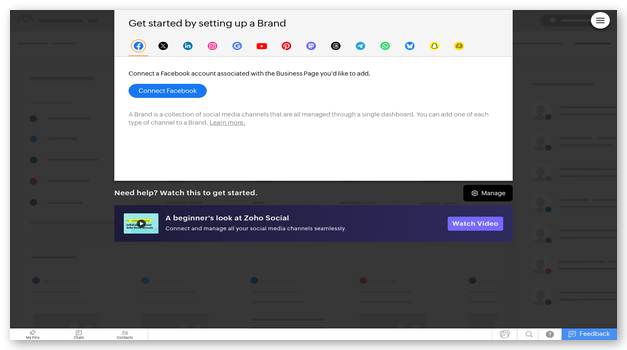
Zoho Social combines publishing, monitoring, reporting, and team collaboration for several social networks. Instagram Business users can publish posts, reels, and carousels, then review recent engagement from one brand dashboard. SmartQ suggests publishing windows on eligible paid plans.
A 15-day trial needs no payment card and later moves to a permanent Free plan. The free edition covers one brand, one team member, and six channels, but scheduled publishing is excluded. Reviews often favor value and Zoho integrations, while advanced reports and approvals require paid access.
Характеристики:
- Publishing Calendar: Plan and reschedule content from a calendar on paid plans. Drafts and status views help users identify gaps before a campaign begins.
- SmartQ Timing: Recommend publishing windows from audience activity on supported plans. Teams can compare suggested times with campaign goals and recent performance patterns.
- Channel Monitoring: Track selected mentions, keywords, and social activity in dedicated columns. Monitoring supports timely responses without requiring constant manual searches across networks.
- Персонализирани отчети: Build or schedule reports with available metrics on higher plans. Clear exports help agencies explain results without rebuilding every chart manually.
- Team Approvals: Assign roles, discuss drafts, and route content for approval on eligible subscriptions. Structured review reduces unapproved posts reaching a public profile.
- Zoho Connections: Connect supported Zoho CRM and Desk workflows with social activity. Shared business context can help sales and service teams coordinate follow-up.
- Мобилен достъп: Publish, monitor, and review supported activity from Android or iOS applications. Mobile tools cover urgent changes when the main dashboard is unavailable.
Предимства
Недостатъци
👉 Как да получите Zoho Social безплатно?
- Open the official Zoho Social page and register without a card.
- Свържете а Instagram Business profile and test paid features for 15 days.
- Continue on Free afterward, noting that scheduled publishing is excluded.
15-дневен безплатен пробен период
3) Circleboom Publish
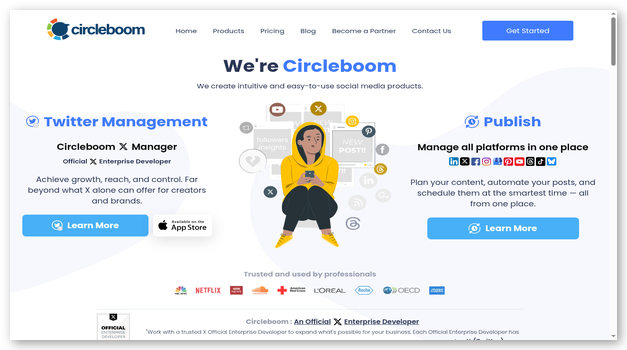
Circleboom Publish поддържа Instagram posts, carousels, reels, stories, grids, and first comments alongside several other networks. Canva, Unsplash, Giphy, Google Photos, queue rules, and caption tools place creation and scheduling in one workspace. Users can preview content before publication.
New accounts begin on a free tier without payment details. Reviews commonly value the broad network list and design options. Users report that advanced Instagram tools, larger account allowances, and team support sit behind paid plans.
Характеристики:
- Queue Scheduling: Set recurring time slots and place posts into an ordered queue. Regular intervals make campaign pacing visible without choosing every date individually.
- Instagram формати: Prepare supported posts, reels, stories, carousels, panoramas, and grid layouts. Platform rules can still require final mobile actions for interactive elements.
- Студио за дизайн: отворено Canva tools and approved media integrations while composing posts. Keeping creative work near the calendar reduces repeated downloading and uploading.
- First Comments: Schedule a first comment with eligible Instagram posts. This can separate hashtags or supporting context from the main caption when desired.
- Писане с изкуствен интелект: Generate caption drafts and ideas through available AI credits. Editors should revise tone, factual claims, and repetitive phrasing before scheduling content.
- RSS Automation: Connect supported feeds and convert new articles into queued social posts. Filters and editorial checks prevent irrelevant items from publishing automatically.
- Post Preview: Review platform-specific presentation before publishing. Previews help catch cropped images, long captions, and missing context before content enters the queue.
Предимства
Недостатъци
👉 Как да получите Circleboom Publish безплатно?
- Отворете служителя Circleboom Publish page and create an account.
- Connect a supported social profile and prepare a scheduled draft.
- Remain on the free tier, or upgrade when you need more accounts or team features.
Безплатен наличен план
4) Adobe Express
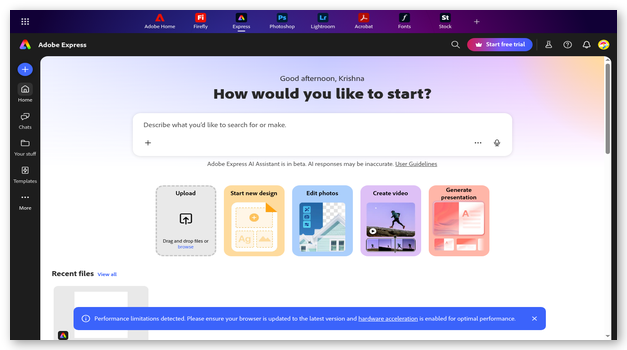
Adobe Express combines social design, video editing, templates, stock assets, and a content scheduler. Free users can plan and publish to Instagram, Facebook, TikTok, X, Pinterest, LinkedIn, and YouTube. Instagram Grid view previews how scheduled content will appear together.
The permanent Free plan supports one account per social channel and up to 1,000 posts monthly across supported channels. Reviews favor the approachable editor and creative library. Teams needing several accounts per network, broader brand controls, or premium assets must upgrade. Scheduling is unavailable for some school-managed accounts.
Характеристики:
- Календар на съдържанието: Create, preview, schedule, and publish supported social content from one calendar. Moving drafts between dates makes campaign gaps easier to notice.
- Instagram Решетка: Preview the planned Instagram feed and swap scheduled order. Date and time values update when users rearrange items in Grid view.
- Творчески шаблони: Customize social templates with text, graphics, photos, video, and animation. Free and premium assets are clearly separated during project creation.
- Caption Assistant: Generate caption suggestions with available generative credits. Writers should add brand details and confirm claims before any draft reaches the calendar.
- Account Tagging: Type supported account handles in Instagram and X posts. Tag behavior depends on the destination network and current publishing requirements.
- Mobile Scheduler: Create and manage scheduled social content through the Adobe Express mobile application. Mobile access helps teams revise urgent posts away from desktops.
- Multi-Channel Posts: Publish one creative across supported networks while adjusting captions and presentation. Channel-specific review prevents unsuitable dimensions or language from spreading everywhere.
Предимства
Недостатъци
👉 Как да получите Adobe Express безплатно?
- Отворете служителя Adobe Express page and select the Free plan.
- Create content, connect one Instagram account, and open Content Scheduler.
- Schedule within the free monthly allowance without entering a paid subscription.
Доживотен безплатен основен план
5) Iconosquare
Iconosquare combines Instagram scheduling with analytics, reporting, conversation management, and competitor monitoring. The visual calendar supports posts, reels, stories, carousels, first comments, saved captions, and cross-network publishing. Performance views keep scheduling decisions near recent account results.
Its 14-day trial requires no payment card and later switches to a limited Free plan. Free includes one user, two social profiles, ten posts monthly per profile, basic analytics, and one month of history. Reviews praise reporting depth, while smaller teams may find paid tiers expensive and feature-rich dashboards demanding.

Характеристики:
- Visual Calendar: Arrange posts, reels, stories, and carousels across a calendar. A clear schedule helps users balance formats and locate unattended campaign dates.
- First Comments: Prepare a first comment alongside eligible Instagram мнения. Hashtags and added context can remain separate from the main caption when preferred.
- Социални анализи: Measure supported reach, engagement, audience, and content metrics. Historical depth and custom dashboards depend on the selected subscription plan level.
- Работен процес за одобрение: Send drafts through internal review on eligible plans. Comments and status changes reduce lengthy email threads during multi-person content production.
- Обединена входяща кутия: Manage supported comments, direct messages, and mentions from one inbox on qualifying plans. Clear assignment helps teams avoid duplicate responses.
- AI Analyst: Ask supported questions about social performance through available credits. Recommendations need human judgment because account context and campaign goals vary.
- Насрочени отчети: Automate stakeholder reports on eligible plans and customize included metrics. Recurring delivery removes repeated manual exports from routine reporting cycles.
Предимства
Недостатъци
👉 How to Get Iconosquare for Free?
- Open the official Iconosquare page and create a free account.
- Connect eligible profiles and evaluate all features during the 14-day trial.
- Continue with two profiles and ten monthly posts per profile on Free.
14-дневен безплатен пробен период
6) Вати
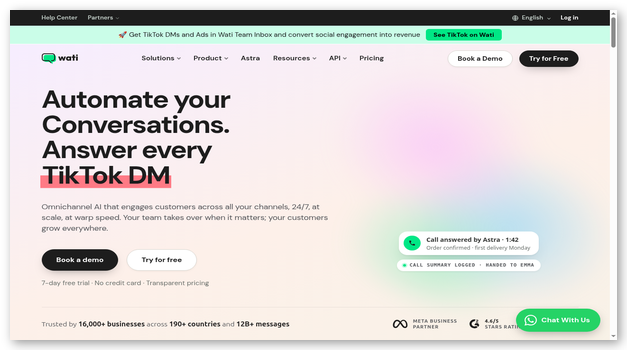
Wati is a WhatsApp engagement platform, not an Instagram post scheduler. It is an adjacent option for teams moving Instagram leads into WhatsApp conversations. The product provides broadcasts, automations, chatbots, analytics, and a shared inbox.
A seven-day trial needs no payment card and limits messages to the user’s own WhatsApp number. Automation workflows cannot be saved during trial, while user management and webhooks require payment. Reviews often value shared conversations and automation, but pricing includes separate message charges and setup depends on WhatsApp business requirements.
Характеристики:
- Входяща поща на екипа: Route WhatsApp conversations through a shared workspace with assignments, tags, notes, and history. Teams can coordinate follow-up after Instagram кампании.
- График на кампанията: Prepare and schedule WhatsApp campaigns for eligible contacts. Consent, approved templates, and message rules remain essential before reaching real customers.
- Не-Code Чатботове: Build keyword actions and conversational paths without programming. Trial users can experiment, but saved automation workflows require a paid account.
- Анализ на кампанията: Review available delivery, engagement, and campaign information. Metrics help teams compare follow-up messages without claiming direct organic Instagram пост изпълнение.
- Commerce Links: Connect supported commerce, CRM, and spreadsheet tools. Synced customer details reduce repeated manual data entry across marketing and service workflows.
- Click Ads: Support click-to-WhatsApp advertising workflows that open conversations from social promotions. This differs significantly from scheduling organic Instagram posts or stories.
- API достъп: Test most API requests during trial within current restrictions. Production use requires careful review of quotas, webhooks, authentication, and message charges.
Предимства
Недостатъци
👉 Как да получите Уати безплатно?
- Open the official Wati page and start the seven-day trial.
- Connect your own WhatsApp number and test inbox, campaign, and chatbot tools.
- No card is required, but real-customer messaging needs a paid setup.
7-дневен безплатен пробен период
7) Onlypult
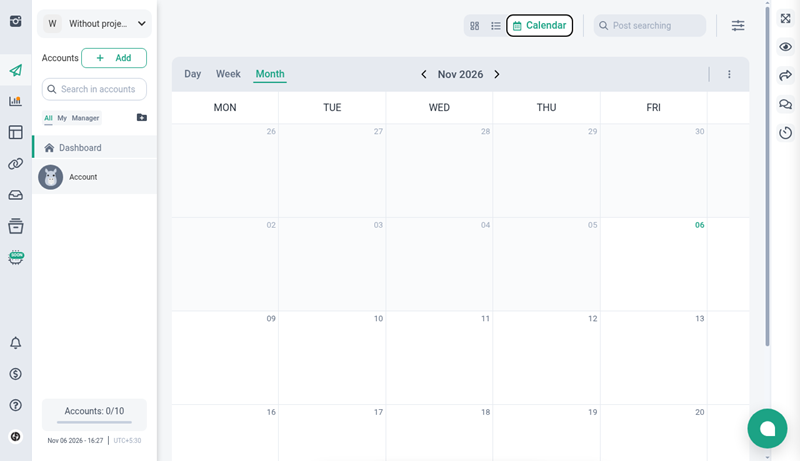
Onlypult brings publishing, analytics, team roles, social listening, page building, and AI assistance into one service. Users can manage Instagram and other supported platforms, prepare posts in bulk, save drafts, customize each network version, and review campaign calendars.
The free trial lasts seven days and needs no payment card. All Onlypult tools are available during the evaluation, after which a paid plan is required. Reviews often praise broad platform coverage and bulk workflows. Recurring concerns include the learning curve, limited entry-plan history, and support differences between subscription levels.
Характеристики:
- Масово публикуване: Upload and prepare multiple posts in one work session. Batch creation reduces repeated setup when campaigns contain several scheduled assets and captions.
- Calendar Views: Switch among dashboard, calendar, feed, title, and list presentations. Different views help editors inspect campaign timing, appearance, or workload clearly.
- Медиен редактор: Crop, resize, and revise supported image or video assets before scheduling. Keeping basic edits inside the platform reduces separate export steps.
- Екипни роли: Invite collaborators and control available actions on supported plans. Clear permissions reduce accidental edits across agency clients and brand profiles.
- Социални анализи: Build dashboards and export available reports for connected profiles. Entry-plan history is limited, so longer comparisons may require separate archives.
- AI асистент: Generate or revise text using included monthly credits. Editors should check brand tone, repetition, facts, and platform requirements before publishing.
- Multi-Platform Posts: Prepare content for several supported channels and adjust each version. Platform-specific revisions help avoid copied captions that ignore network conventions.
Предимства
Недостатъци
👉 Как да получите Onlypult безплатно?
- Отворете служителя Onlypult страница и изберете безплатния пробен период.
- Create an account without a card and connect a supported profile.
- Evaluate all available tools for seven days before selecting a paid plan.
7-дневен безплатен пробен период
8) Hootsuite
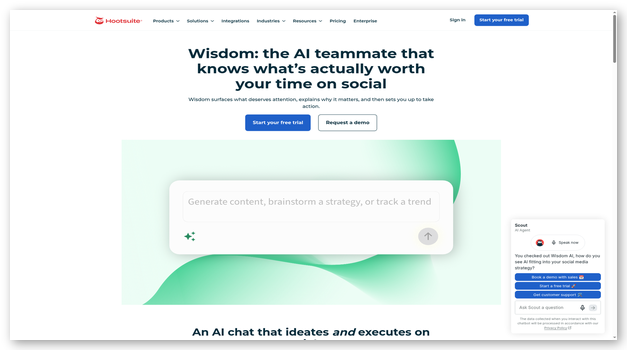
Hootsuite combines content creation, scheduling, engagement, analytics, listening, and AI assistance in one social workspace. Standard supports ten social accounts, unlimited scheduled posts, a unified inbox, competitor monitoring, and recommended publishing times. Professional expands account and automation capacity.
Current self-service plans offer a 14-day trial without a payment card. Trial accounts have daily posting limits and exclude bulk scheduling. Reviews value broad coverage and reporting, while solo creators often consider the platform complex or expensive for basic scheduling. There is no permanent free scheduler plan.
Характеристики:
- Publishing Calendar: Schedule unlimited posts on paid self-service plans and view networks together. Trial accounts have daily limits and cannot access bulk scheduling.
- Best-Time Advice: Recommend publishing windows using available audience and performance signals. Users should match suggestions with campaign timing and current regional context.
- Обединена входяща кутия: Respond to supported public and private conversations from one workspace. Notes, history, and clear assignments help teams coordinate customer replies.
- Социално слушане: Monitor recent mentions, topics, hashtags, and sentiment through available listening tools. Coverage and historical depth depend on the selected plan.
- AI помощ: Generate posts, captions, images, summaries, and recommendations through current AI features. Careful editorial review remains necessary before any public distribution.
- Отчети за ефективността: Track organic and paid metrics across supported networks with templates and benchmarks. Advanced exports and customization vary by subscription level.
- Approval Controls: Route drafts and coordinate internal review on higher plans. Clear approval states help regulated or multi-person teams prevent premature publishing.
Предимства
Недостатъци
👉 Как да получите Hootsuite безплатно?
- Отворете служителя Hootsuite page and choose a self-service trial.
- Register without a card and connect representative social accounts.
- Evaluate scheduling for 14 days, noting daily limits and unavailable bulk scheduling.
14-дневен безплатен пробен период
Feature Comparison Table of Top Instagram Инструменти за планиране
| Особеност | SmarterQueue | Социален Zoho | Circleboom Publish | Adobe Express |
|---|---|---|---|---|
| Най-добър за | Стратегия и рециклиране, основани на анализи | Унифицирано управление на социалните медии за бизнеса | Canvaпроектиране, ориентирано към клиента, и групово планиране | Creatorс, марки, маркетолози |
| Планове | Започва от $32.65 | Започнете от $10/месец | Започнете от $29.99/месец | Започнете от $9.99/месец |
| Безплатен пробен период | 30 дни | 15 дни | 14 дни | Доживотен безплатен основен план |
| Поддържа истории и филми | ✔️ | ✔️ | ✔️ | ✔️ |
| Преглед на мрежата/канала | ✔️ | ❌ | ✔️ | ✔️ |
| AI надписи Writer | ✔️ | ✔️ | ✔️ | ❌ |
| Управление на множество акаунти | ✔️ | ✔️ | ✔️ | ✔️ |
| Управление на хаштагове | ✔️ | ✔️ | ✔️ | ✔️ |
Как избрахме най-доброто безплатно Instagram Приложение за планиране на публикации?
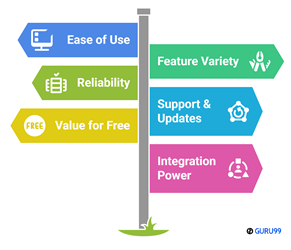
At Guru99, нашият ангажимент за достоверност остава силен, с редакционен фокус върху предоставянето на точна, релевантна и обективна информация. Ние гарантираме, че всяко съдържание е щателно създадено и прегледано, за да предложим надеждни ресурси, които наистина отговарят на вашите нужди. За да ви помогнем да намерите най-добрите безплатни Instagram приложението за планиране след това, прекарахме 15 дни в тестване на множество инструменти и внимателно подбрахме 10-те най-добри приложения, които превъзхождат по производителност и използваемостНашите практически оценки разкриха техните характеристики, силни и слаби страни, помощping разбирате всяка опция подробно. Ние се фокусираме върху следните фактори, докато разглеждаме инструмент въз основа на.
- Лесна употреба: Избрахме въз основа на инструменти, предлагащи интуитивна, безпроблемна настройка и гладко изживяване за творци от всички нива.
- Разнообразие от характеристики: Нашият екип се погрижи да подбере приложения с гъвкави възможности за планиране, анализ и планиране на съдържание, за да решава проблемите бързо.
- Надеждност: Експертите в нашия екип избраха инструменти въз основа на тяхната сигурна производителност, постоянни резултати и прецизно доставяне на съдържание.
- Поддръжка и актуализации: Избрахме приложения, които предоставят редовни актуализации и бърза поддръжка, за да гарантираме, че социалните ви медии работят безупречно всеки път.
- Стойност за безплатно: Уверихме се, че сме включили приложения, които предлагат основни функции дори в безплатните версии, за да можете да планирате съдържанието безпроблемно.
- Интеграционна мощност: Нашият екип даде приоритет на инструменти, които се интегрират безпроблемно с други платформи и работни процеси, за да ви помогнат да работите без усилие.
Какво е ан Instagram Планировчик на публикации?
An Instagram планировчик на публикации lets users prepare content before its publication date. Depending on the service and account type, it can publish posts, reels, stories, or carousels automatically. Other formats may trigger a mobile reminder because Instagram requires final actions for music, stickers, links, or interactive elements. Schedulers usually add calendars, drafts, media libraries, approvals, analytics, and cross-network publishing. They help creators and teams maintain a consistent plan, but they cannot replace editorial judgment, accurate captions, audience research, or final checks for every format.
How Do Free Instagram Scheduling Apps Work?
Free schedulers connect to Instagram through supported authorization and publishing interfaces. Users create a post, attach media, add a caption, choose a date, and confirm the destination account. The service then publishes directly or sends a reminder for manual completion. Permanent free plans usually restrict accounts, monthly posts, analytics history, users, or advanced formats. Trials temporarily unlock more features. Before committing, schedule a representative post, reel, carousel, and story. This reveals whether direct publishing, notifications, previews, time zones, and free limits match the intended workflow.
What Features Should an Instagram Scheduler Include?
A practical scheduler should cover planning, publishing, review, and measurement.
- Поддръжка на формати: Handle posts, reels, and stories while explaining which items need reminders.
- Visual Calendar: Show scheduled content clearly and support quick movement between dates and campaigns.
- Сигурност на акаунта: Use approved connections without asking users to share passwords.
- Проект - Draft Revаз: Provide comments, approvals, or clear statuses when several people prepare content.
- Анализ: Report useful reach and engagement metrics without promising guaranteed audience growth.
- Безплатни лимити: State monthly posts, connected accounts, history, storage, users, and trial duration.
Мога Instagram Schedule Posts Without a Third-Party App?
Да. Instagram and Meta Business Suite provide native scheduling for eligible accounts and supported formats. Native tools suit users managing Instagram or Facebook without advanced team workflows. Third-party products become useful when campaigns need several networks, reusable queues, bulk preparation, visual grid planning, client approvals, deeper reports, shared asset libraries, or one inbox. Begin with native scheduling when requirements are simple. Pay for another service only when its additional workflow removes enough repeated work or gives several collaborators clearer control over content.
How Do You Choose the Right Free Instagram Scheduler?
Start with the account type, monthly post volume, required formats, connected networks, and number of contributors. Separate a permanent free plan from a temporary trial. Confirm whether reels, stories, carousels, first comments, tags, music, and interactive elements publish directly. Review time-zone controls, draft ownership, approval states, analytics history, and export options. Then schedule a small representative campaign. The right product should reduce routine work without forcing the team to rebuild content around unexpected post caps, missing formats, or premium-only collaboration rules.
Са безплатни Instagram Scheduling Apps Safe?
Yes, when the provider uses supported account authorization and publishes clear security practices. Avoid services asking for an Instagram password outside the official login flow. Review permissions, connected apps, user roles, audit history, encryption, retention, and account removal. Grant only necessary access and remove former collaborators promptly. Teams should use unique accounts, multifactor authentication, and documented approval rules. A scheduler cannot prevent every mistake, so users must still confirm the destination profile, caption, media rights, links, and sensitive campaign timing before publication.
How Does AI Help With Instagram Scheduling?
AI can suggest captions, hashtags, themes, post variations, images, and publishing ideas. Analytics assistants may summarize results or answer questions about recent performance. These features reduce blank-page work, but they can repeat phrases, miss brand context, invent facts, or recommend unsuitable trends. Editors should rewrite generic language, confirm claims, check image rights, and disclose synthetic media where required. Инструменти за планиране с изкуствен интелект are most useful as drafting and analysis aids. They should never publish unchecked content or replace an accountable campaign owner.
Can AI Replace a Social Media Manager?
No. AI can draft captions, resize ideas, summarize analytics, and organize calendars. A social media manager still defines campaign goals, protects brand voice, evaluates cultural context, obtains rights, answers sensitive comments, and coordinates stakeholders. Human review matters when posts contain product claims, customer information, regulated topics, or crisis responses. AI also lacks full knowledge of business priorities and offline events. Teams should assign final approval, keep source material available, and measure whether automation improves workflow quality rather than only increasing publishing volume.
What Free Instagram Scheduler Limits Should You Expect?
Free access normally restricts scale or advanced workflow rather than basic drafting.
- Публикувани горни граници: Monthly or queued-post limits may interrupt larger campaigns without warning.
- Account Caps: Free plans often connect one or two social profiles only.
- Кратка история: Analytics and version history may cover only recent weeks or months.
- Format Gaps: Stories, first comments, music, tags, or bulk uploads may require payment.
- Team Limits: Approvals, guest access, permissions, and client workspaces often sit on higher plans.
How Do You Troubleshoot Instagram Scheduling Problems?
Scheduling failures usually involve permissions, unsupported formats, account eligibility, time zones, or expired plan access. Diagnose one draft before rebuilding the entire calendar.
- Проблем: Планирано Instagram post remains queued after its intended publication time passes.
Решение: The user should refresh authorization, inspect status messages, confirm account eligibility, and publish manually if campaign timing is sensitive. - Проблем: A story or reel triggers a reminder instead of publishing automatically as expected.
Решение: The creator should remove unsupported music, stickers, links, or effects, then review the scheduler’s current format requirements. - Проблем: Images appear cropped or videos fail platform checks during the final upload.
Решение: The editor should confirm dimensions, duration, file size, codec, aspect ratio, and thumbnail requirements before rescheduling. - Проблем: The wrong time zone causes campaign posts to appear several hours early.
Решение: The administrator should align workspace, profile, campaign, and device time zones, then test one private draft first. - Проблем: A collaborator can view drafts but cannot edit or approve scheduled Instagram съдържание.
Решение: The owner should inspect role permissions, workspace membership, plan limits, and approval-stage ownership before sending another invitation. - Проблем: Scheduled posts disappear from the calendar immediately after a free trial expires.
Решение: The account owner should check downgrade rules, preserved drafts, queue status, exports, and permanent free-plan allowances before upgrading. - Проблем: Instagram disconnects repeatedly and asks the scheduling service to authorize access again.
Решение: The user should review Meta permissions, password changes, security alerts, connected apps, and administrator access for the linked page.
What Trends Will Shape Instagram Scheduling Apps?
Schedulers are moving from simple calendars toward connected workspaces for creation, approval, listening, engagement, and reporting. AI will draft more captions, images, variations, and performance summaries, while platforms add stronger provenance and synthetic-media controls. Native Instagram scheduling will keep covering basic individual needs, pushing paid tools toward multi-network work, client approvals, asset governance, deeper analytics, and customer care. Buyers should expect changing platform permissions and usage-based AI limits. Reliable tools will explain format restrictions clearly and keep humans responsible for final publication decisions.
Присъда
After comparing eight platforms, I found three options that handled planning, publishing, and repeatable Instagram workflows especially well for different users.
- SmarterQueue: I preferred its category queues and evergreen recycling for creators who regularly republish useful content.
- Социален Zoho: Its monitoring, business integrations, and permanent free fallback impressed me for one-brand management.
- Circleboom Publish: The built-in design tools and broad Instagram format support stood out for visual campaign preparation.
Въпроси и Отговори
SmarterQueue е мощен инструмент за планиране в социалните медии, който ви помага да планирате, насрочвате и рециклирате най-добрите си Instagram съдържание. Той предлага интелигентна автоматизация с опашки, базирани на категории, и вечнозелено рециклиране за максимално ангажиране.
