---
description: This tutorial covers basic to advanced concepts of serialization and deserialization using an object with step by step code examples.
title: Serialization and Deserialization in C# with Example
image: https://www.guru99.com/images/c-sharp-serialization-and-deserialization.png
---


[Skip to content](#main) 

**⚡ Smart Summary**

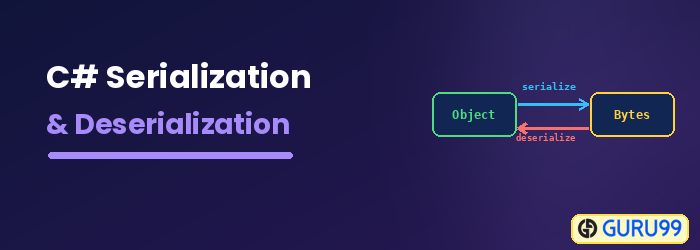
Serialization in C# converts an object into a stream of bytes so it can be saved to a file or sent between applications; deserialization rebuilds the object. Here you will learn to serialize and deserialize objects with examples.

* 🔄 **What it is:** Serialization writes a C# object to a file, and deserialization reads it back.
* 🏷️ **\[Serializable\]:** A class needs the \[Serializable\] attribute before it can be serialized.
* 💾 **Binary format:** BinaryFormatter with a FileStream writes the object in binary form.
* 🧩 **Formats:** C# also supports XML and JSON serialization for readable output.
* 🤖 **AI help:** AI tools like GitHub Copilot generate serialization code instantly.

[ Read More ](javascript:void%280%29;) 

![C# Serialization and Deserialization](https://www.guru99.com/images/c-sharp-serialization-and-deserialization.png)

## Serialization & Deserialization in C#

The concept of Serialization and deserialization is used whenever data pertaining to objects have to be sent from one application to another. Serialization is used to export application data into a file. The destination application then uses deserialization to extract the data from the application for further use.

Serialization is a concept in which C# class objects are written or serialized to files. Let’ say you had a C# class called Tutorial. And the class has 2 properties of ID and Tutorials name.

Serializing can be used to directly write the data properties of the Tutorial class to a file. Deserialization is used to read the data from the file and construct the Tutorial object again.

## Types of Serialization in C#

C# supports several serialization formats, and you choose one based on where the data will be used. The main types are listed below.

* **Binary serialization** converts an object into a compact binary stream. It is fast but not human-readable and is tied to .NET.
* **XML serialization** uses the XmlSerializer class to write an object’s public properties to a readable XML file.
* **JSON serialization** uses System.Text.Json or Newtonsoft.Json to produce lightweight JSON, the most common format for web APIs.
* **SOAP serialization** formats data as SOAP messages for older web services.

## How to Serialize an Object in C#

Let’s look at an example of how we can achieve this.

In our example, we are going to perform the below high-level steps in the code

1. Create a class called Tutorial which has 2 properties, namely ID, and Name
2. We will then create an object from the class and assign a value of “1” to the ID property and a value of “.Net” to the name property.
3. We will then use serialization to serialize the above object to a file called Example.txt
4. Finally, we will use deserialization to deserialize the object from the file and display the values in the Console.

Enter the below code in the program.cs file of the console application.

**Step 1)** Add the class.

The first step is to add the class which will be used for serialization

[![Serialize an Object in C#](https://www.guru99.com/images/c-sharp-net/052716_0700_CFileOperat13.png)](https://www.guru99.com/images/c-sharp-net/052716%5F0700%5FCFileOperat13.png)

**Code Explanation:-**

1. The class which needs to be serialized needs to have the \[Serializable\] attribute. This is a keyword in C#. This keyword is then attached to the Tutorial class. If you don’t mention this attribute, you will get an error when you try to serialize the class.
2. Next is the definition of the class which will be serialized. Here we are defining a class called “Tutorial” and providing 2 properties, one is “ID” and the other is “Name.”

**Step 2)** Create the object.

In this step, first we will create the object of the Tutorial class and serialize it to the file called Example.txt

[![Serialize an Object in C#](https://www.guru99.com/images/c-sharp-net/052716_0700_CFileOperat14.png)](https://www.guru99.com/images/c-sharp-net/052716%5F0700%5FCFileOperat14.png)

**Code Explanation:-**

1. First, we create an object of the Tutorial class. We then assign the value of “1” to ID and “.net” to the name property.
2. We then use the formatter class which is used to serialize or convert the object to a binary format. The data in the file in serialization is done in binary format. Next, we create a file stream object. The file stream object is used to open the file Example.txt for writing purposes. The keywords FileMode.Create and FileMode.Write is used to specifically mention that the file should be opened for writing purposes.
3. Finally, we use the Serialize method to transfer the binary data to the file. We then close the stream, since the write [operation](https://www.guru99.com/c-sharp-file-operations.html) is complete.

### RELATED ARTICLES

* [C# Class & Object Tutorial with Examples ](https://www.guru99.com/c-sharp-class-object.html "C# Class & Object Tutorial with Examples")
* [Coded UI Test Automation Framework Tutorial ](https://www.guru99.com/coded-ui-test-cuit.html "Coded UI Test Automation Framework Tutorial")
* [C# ArrayList Tutorial with Examples ](https://www.guru99.com/c-sharp-arraylist.html "C# ArrayList Tutorial with Examples")
* [Top 50 Entity Framework Interview Questions and Answers (2026) ](https://www.guru99.com/entity-framework-interview-questions.html "Top 50 Entity Framework Interview Questions and Answers (2026)")

**Step 3)** Use deserialization.

Finally to ensure that the data is present in the file, we use deserialization to deserialize the object from the file.

[![Serialize an Object in C#](https://www.guru99.com/images/c-sharp-net/052716_0700_CFileOperat15.png)](https://www.guru99.com/images/c-sharp-net/052716%5F0700%5FCFileOperat15.png)

using System;
using System.IO;
using System.Linq;
using System.Runtime.Serialization;
using System.Runtime.Serialization.Formatters.Binary;
using System.Text;
using System.Threading.Tasks;
namespace DemoApplication
{
  [Serializable]
  class Tutorial
  {
  public int ID;
  public String Name;
   static void Main(string[] args)
   {
    Tutorial obj = new Tutorial();
    obj.ID = 1;
    obj.Name = ".Net";

    IFormatter formatter = new BinaryFormatter();
    Stream stream = new FileStream(@"E:\ExampleNew.txt",FileMode.Create,FileAccess.Write);

    formatter.Serialize(stream, obj);
    stream.Close();

    stream = new FileStream(@"E:\ExampleNew.txt",FileMode.Open,FileAccess.Read);
    Tutorial objnew = (Tutorial)formatter.Deserialize(stream);

    Console.WriteLine(objnew.ID);
    Console.WriteLine(objnew.Name);

    Console.ReadKey();
  }
 }
}

**Code Explanation:-**

1. We create the object “[stream](https://www.guru99.com/c-sharp-stream.html)” to open the file Example.txt in reading only mode.
2. We then use the formatter class which is used to deserialize the object, which is stored in the Example.txt file. The object returned is set to the object objnew.
3. Finally, we display the properties of the object “objnew” to the console using the “ID” and “name” properties.

When the above code is set, and the project is run using [Visual Studio](https://www.guru99.com/download-install-visual-studio.html), you will get the below output.

**Output:-**

[![Serialize an Object in C#](https://www.guru99.com/images/c-sharp-net/052716_0700_CFileOperat16.png)](https://www.guru99.com/images/c-sharp-net/052716%5F0700%5FCFileOperat16.png)

You can see from the above output that the values from the file were deserialized properly and displayed in the console.

## JSON Serialization in C#

JSON is the most widely used format for modern applications and web APIs. The built-in `System.Text.Json` namespace serializes and deserializes objects with a single method call, as shown below.

using System;
using System.Text.Json;
namespace DemoApplication
{
  class Tutorial
  {
    public int ID { get; set; }
    public string Name { get; set; }
  }
  class Program
  {
    static void Main(string[] args)
    {
      Tutorial obj = new Tutorial { ID = 1, Name = ".Net" };
      string json = JsonSerializer.Serialize(obj);
      Console.WriteLine(json);

      Tutorial objnew = (Tutorial)JsonSerializer.Deserialize(json, typeof(Tutorial));
      Console.WriteLine(objnew.Name);
      Console.ReadKey();
    }
  }
}

**Output:**

{"ID":1,"Name":".Net"}
.Net

## FAQs

🔄 What is serialization in C#?

Serialization converts a C# object into a stream of bytes (binary, XML, or JSON) so it can be saved to a file or sent to another application. Deserialization rebuilds the object from that data.

🏷️ What does the \[Serializable\] attribute do?

The \[Serializable\] attribute marks a class so its objects can be serialized. Without it, binary serialization throws an exception when you try to write the object to a file.

🧩 What are the types of serialization in C#?

C# supports binary serialization (compact, .NET-only), XML serialization via XmlSerializer, JSON serialization via System.Text.Json, and SOAP serialization for older web services.

🆚 What is the difference between serialization and deserialization?

Serialization writes an object’s data to a file or stream, while deserialization reads that data back and reconstructs the original object in memory.

⚠️ Is BinaryFormatter safe to use in C#?

BinaryFormatter is now obsolete and considered insecure because it can execute harmful code during deserialization. Microsoft recommends System.Text.Json or XmlSerializer for new applications.

🤖 How can AI tools like GitHub Copilot help with C# serialization?

AI assistants like GitHub Copilot autocomplete Serialize and Deserialize calls, add the \[Serializable\] attribute, and generate JSON or XML serialization code from a short comment.

🧠 Can AI automate serialization code in C#?

Yes. AI-powered tools generate model classes, choose between JSON, XML, and binary formats, and add error handling so your serialization code is safe and complete.

💾 Which namespace is needed for serialization in C#?

Binary serialization uses System.Runtime.Serialization.Formatters.Binary, JSON uses System.Text.Json, and XML uses System.Xml.Serialization.

#### Summarize this post with:

ChatGPT Perplexity Grok Google AI 

**Stay Updated on AI** **Get Weekly AI Skills, Trends, Actionable Advice.** 

##### Sign up for the newsletter

Subscribe for Free 

You have successfully subscribed.  
Please check your inbox. 

![AI-Newsletter](https://www.guru99.com/images/footer-email-avatar-imges-1.png) Chosen by over **350,000+** professionals 

[Scroll to top ](#wrapper)Scroll to top 

× 

Toggle Menu Close 

Search for: 

Search

```json
{"@context":"https://schema.org","@graph":[{"@type":"Organization","@id":"https://www.guru99.com/#organization","name":"Guru99","sameAs":["https://www.facebook.com/Guru99Official","https://twitter.com/guru99com"],"logo":{"@type":"ImageObject","@id":"https://www.guru99.com/#logo","url":"https://www.guru99.com/images/guru99-logo-v1-150x59.png","contentUrl":"https://www.guru99.com/images/guru99-logo-v1-150x59.png","caption":"Guru99","inLanguage":"en-US"}},{"@type":"WebSite","@id":"https://www.guru99.com/#website","url":"https://www.guru99.com","name":"Guru99","publisher":{"@id":"https://www.guru99.com/#organization"},"inLanguage":"en-US"},{"@type":"ImageObject","@id":"https://www.guru99.com/images/c-sharp-serialization-and-deserialization.png","url":"https://www.guru99.com/images/c-sharp-serialization-and-deserialization.png","width":"700","height":"250","caption":"C# Serialization &amp; Deserialization","inLanguage":"en-US"},{"@type":"BreadcrumbList","@id":"https://www.guru99.com/c-sharp-serialization.html#breadcrumb","itemListElement":[{"@type":"ListItem","position":"1","item":{"@id":"https://www.guru99.com","name":"Home"}},{"@type":"ListItem","position":"2","item":{"@id":"https://www.guru99.com/c","name":"C#"}},{"@type":"ListItem","position":"3","item":{"@id":"https://www.guru99.com/c-sharp-serialization.html","name":"Serialization and Deserialization in C# with Example"}}]},{"@type":"WebPage","@id":"https://www.guru99.com/c-sharp-serialization.html#webpage","url":"https://www.guru99.com/c-sharp-serialization.html","name":"Serialization and Deserialization in C# with Example","dateModified":"2026-07-11T18:29:53+05:30","isPartOf":{"@id":"https://www.guru99.com/#website"},"primaryImageOfPage":{"@id":"https://www.guru99.com/images/c-sharp-serialization-and-deserialization.png"},"inLanguage":"en-US","breadcrumb":{"@id":"https://www.guru99.com/c-sharp-serialization.html#breadcrumb"}},{"@type":"Person","@id":"https://www.guru99.com/author/benjamin","name":"Benjamin Walker","description":"I'm Benjamin Walker, an expert in C, C++, and C# programming, providing resources to enhance your coding proficiency and project outcomes.","url":"https://www.guru99.com/author/benjamin","image":{"@type":"ImageObject","@id":"https://www.guru99.com/images/benjamin-walker-author.png","url":"https://www.guru99.com/images/benjamin-walker-author.png","caption":"Benjamin Walker","inLanguage":"en-US"},"worksFor":{"@id":"https://www.guru99.com/#organization"}},{"articleSection":"C#","headline":"Serialization and Deserialization in C# with Example","description":"This tutorial covers basic to advanced concepts of serialization and deserialization using an object with step by step code examples.","keywords":"c#","speakable":{"@type":"SpeakableSpecification","cssSelector":[".entry-title",".summary"]},"@type":"Article","author":{"@id":"https://www.guru99.com/author/benjamin","name":"Benjamin Walker"},"dateModified":"2026-07-11T18:29:53+05:30","image":{"@id":"https://www.guru99.com/images/c-sharp-serialization-and-deserialization.png"},"copyrightYear":"2026","name":"Serialization and Deserialization in C# with Example","subjectOf":[{"@type":"HowTo","name":"How to Serialize an Object in C#","description":"Here is a step by step process on Serialize an Object in C#:","step":[{"@type":"HowToStep","name":"Step 1) Add the class.","text":"The first step is to add the class which will be used for serialization","image":"https://www.guru99.com/images/c-sharp-net/052716_0700_CFileOperat13.png","url":"https://www.guru99.com/c-sharp-serialization.html#step1"},{"@type":"HowToStep","name":"Step 2) Create the object.","text":"In this step, first we will create the object of the Tutorial class and serialize it to the file called Example.txt","image":"https://www.guru99.com/images/c-sharp-net/052716_0700_CFileOperat14.png","url":"https://www.guru99.com/c-sharp-serialization.html#step2"},{"@type":"HowToStep","name":"Step 3) Use deserialization.","text":"Finally to ensure that the data is present in the file, we use deserialization to deserialize the object from the file.","image":"https://www.guru99.com/images/c-sharp-net/052716_0700_CFileOperat15.png","url":"https://www.guru99.com/c-sharp-serialization.html#step3"}]},{"@type":"FAQPage","mainEntity":[{"@type":"Question","name":"What is serialization in C#?","acceptedAnswer":{"@type":"Answer","text":"Serialization converts a C# object into a stream of bytes (binary, XML, or JSON) so it can be saved to a file or sent to another application. Deserialization rebuilds the object from that data."}},{"@type":"Question","name":"What does the [Serializable] attribute do?","acceptedAnswer":{"@type":"Answer","text":"The [Serializable] attribute marks a class so its objects can be serialized. Without it, binary serialization throws an exception when you try to write the object to a file."}},{"@type":"Question","name":"What are the types of serialization in C#?","acceptedAnswer":{"@type":"Answer","text":"C# supports binary serialization (compact, .NET-only), XML serialization via XmlSerializer, JSON serialization via System.Text.Json, and SOAP serialization for older web services."}},{"@type":"Question","name":"What is the difference between serialization and deserialization?","acceptedAnswer":{"@type":"Answer","text":"Serialization writes an object's data to a file or stream, while deserialization reads that data back and reconstructs the original object in memory."}},{"@type":"Question","name":"Is BinaryFormatter safe to use in C#?","acceptedAnswer":{"@type":"Answer","text":"BinaryFormatter is now obsolete and considered insecure because it can execute harmful code during deserialization. Microsoft recommends System.Text.Json or XmlSerializer for new applications."}},{"@type":"Question","name":"How can AI tools like GitHub Copilot help with C# serialization?","acceptedAnswer":{"@type":"Answer","text":"AI assistants like GitHub Copilot autocomplete Serialize and Deserialize calls, add the [Serializable] attribute, and generate JSON or XML serialization code from a short comment."}},{"@type":"Question","name":"Can AI automate serialization code in C#?","acceptedAnswer":{"@type":"Answer","text":"Yes. AI-powered tools generate model classes, choose between JSON, XML, and binary formats, and add error handling so your serialization code is safe and complete."}},{"@type":"Question","name":"Which namespace is needed for serialization in C#?","acceptedAnswer":{"@type":"Answer","text":"Binary serialization uses System.Runtime.Serialization.Formatters.Binary, JSON uses System.Text.Json, and XML uses System.Xml.Serialization."}}]}],"@id":"https://www.guru99.com/c-sharp-serialization.html#schema-144830","isPartOf":{"@id":"https://www.guru99.com/c-sharp-serialization.html#webpage"},"publisher":{"@id":"https://www.guru99.com/#organization"},"inLanguage":"en-US","mainEntityOfPage":{"@id":"https://www.guru99.com/c-sharp-serialization.html#webpage"}}]}
```