
Python 检查文件是否存在(附示例)
 安娜·布莱克
⚡ 智能摘要
Python 允许您使用 os.path 模块和 pathlib 来检查文件或目录是否存在。在这里,您将学习 os.path.exists()、os.path.isfile()、os.path.isdir() 和 pathlib.Path.exists(),每个函数都附有清晰的代码示例。
Python 存在()
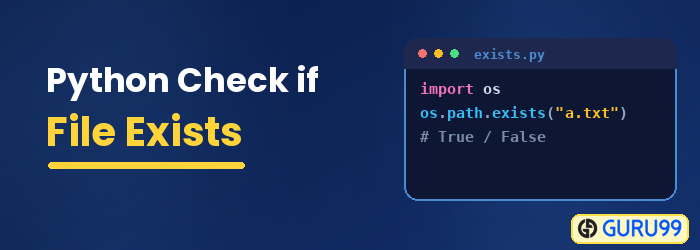
Python 存在() 方法用于检查特定文件或目录是否存在。它还用于检查路径是否引用任何打开的文件描述符。如果文件存在,则返回布尔值 true,否则返回 false。它与 os 模块和 os.path 子模块一起使用,作为 os.path.exists(path)。
在本 Python 文件存在教程,我们将学习如何使用 Python. 检查文件是否存在 Python,我们使用内置库 Python 检查文件是否存在的功能。
验证文件或 Python 使用下面列出的函数检查目录是否存在。
如何检查文件是否存在 Python 使用 os.path.exists()
使用 path.exists 可以快速检查文件或目录是否存在。步骤如下 Python 检查文件是否存在:
步骤1)导入os.path模块
在运行代码之前,导入 os.path 模块非常重要。
import os.path
from os import path
步骤2)使用path.exists()函数
现在,使用 path.exists() 函数来 Python 检查文件是否存在。
path.exists("guru99.txt")
步骤 3)运行下面给出的代码
以下是完整的代码
import os.path
from os import path

def main():

   print ("File exists:"+str(path.exists('guru99.txt')))
   print ("File exists:" + str(path.exists('career.guru99.txt')))
   print ("directory exists:" + str(path.exists('myDirectory')))

if __name__== "__main__":
   main()
在我们的例子中,工作目录中只创建了文件 guru99.txt
输出:
File exists: True
File exists: False
directory exists: False
Python 文件()
此 Python 文件() 方法用于查找给定路径是否为现有常规文件。如果特定路径是现有文件,则返回布尔值 true,否则返回 false。可以使用以下语法:os.path.isfile(path)。
os.path.isfile()
我们可以使用 isfile 命令来检查给定的输入是否是文件。
import os.path
from os import path

def main():

	print ("Is it File?" + str(path.isfile('guru99.txt')))
	print ("Is it File?" + str(path.isfile('myDirectory')))
if __name__== "__main__":
	main()
输出:
Is it File? True
Is it File? False
os.path.isdir()
如果我们想确认给定的路径指向目录,我们可以使用 os.path.dir() 函数
import os.path
from os import path

def main():

   print ("Is it Directory?" + str(path.isdir('guru99.txt')))
   print ("Is it Directory?" + str(path.isdir('myDirectory')))

if __name__== "__main__":
   main()
输出:
Is it Directory? False
Is it Directory? True
pathlibPath.exists() 对于 Python 3.4
Python 3.4 及以上版本有 pathlib 模块用于处理文件系统路径。它使用面向对象的方法 Python 检查文件夹是否存在。
import pathlib
file = pathlib.Path("guru99.txt")
if file.exists ():
    print ("File exist")
else:
    print ("File not exist")
输出:
File exist
完成: Code
以下是完整的代码
import os
from os import path

def main():
    # Print the name of the OS
    print(os.name)
#Check for item existence and type
print("Item exists:" + str(path.exists("guru99.txt")))
print("Item is a file: " + str(path.isfile("guru99.txt")))
print("Item is a directory: " + str(path.isdir("guru99.txt")))

if __name__ == "__main__":
    main()
输出:
Item exists: True
Item is a file: True
Item is a directory: False
