
JSP Örtülü Nesneleri
 Editoryal Takım
⚡ Akıllı Özet
JSP Örtük Nesneleri, servlet konteynerinin sayfa çevirisi sırasında otomatik olarak oluşturduğu önceden tanımlanmış değişkenlerdir ve geliştiricilerin çıktı akışlarına, isteklere, yanıtlara, oturumlara ve uygulama verilerine manuel bildirim veya ek yapılandırma gerektirmeden doğrudan bir sayfa içinde erişmelerini sağlar.
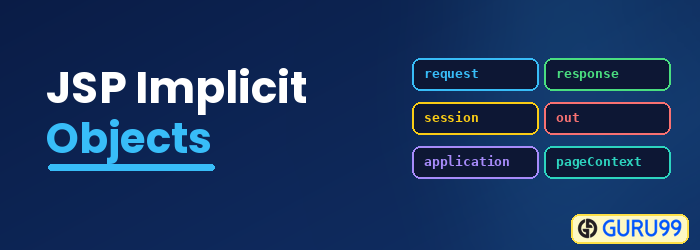
JSP Örtülü nesne nedir?
- JSP örtük nesneleri, JSP'nin servlet'e çevrilmesi aşamasında oluşturulur.
- Bu nesneler doğrudan servis yöntemine giren komut dosyalarında kullanılabilir.
- Konteyner tarafından otomatik olarak oluşturulurlar ve nesneler kullanılarak erişilebilirler.
JSP'de kaç tane Örtülü Nesne mevcuttur?
Kapta 9 tür örtülü nesne mevcuttur:
- Dışarı
- Talep Alma
- yanıt
- Yapılandırma
- Uygulama
- oturum
- Sayfa Bağlamı
- Sayfa
- Istisna
Teker teker çalışalım
1) Dışarı
- Out, verileri tampona yazmak ve yanıt olarak istemciye çıktı göndermek için kullanılan örtük nesnelerden biridir
- Out nesnesi sunucu uygulamasının çıktı akışına erişmemizi sağlar
- Out, javax.servlet.jsp.jsp sınıfının bir nesnesidir.Writer sınıf
- İle çalışırken sunucu uygulaması, yazıcı yazarı nesnesine ihtiyacımız var
Örnek:
<%@ page language="java" contentType="text/html; charset=ISO-8859-1"
    pageEncoding="ISO-8859-1"%>
<!DOCTYPE html PUBLIC "-//W3C//DTD HTML 4.01 Transitional//EN" "http://www.w3.org/TR/html4/loose.dtd">
<html>
<head>
<meta http-equiv="Content-Type" content="text/html; charset=ISO-8859-1">
<title>Implicit Guru JSP1</title>
</head>
<body>
<% int num1=10;int num2=20;
out.println("num1 is " +num1);
out.println("num2 is "+num2);
%>
</body>
</html>
Kodun açıklaması:
Code Satır 11-12– out, çıktı akışına yazdırmak için kullanılır
Yukarıdaki kodu çalıştırdığımızda aşağıdaki çıktıyı alırız:

Çıktı:
- Çıktıda num1 ve num2 değerlerini alıyoruz
2) İstek
- İstek nesnesi Java.servlet.http.HttpServletRequest'in bir örneğidir ve hizmet yönteminin argümanlarından biridir.
- Her istek için konteyner tarafından oluşturulacaktır.
- Parametre, başlık bilgisi, sunucu adı vb. bilgileri istemek için kullanılacaktır.
- İstek parametresine erişmek için getParameter() işlevini kullanır.
Örnek:
Implicit_jsp2.jsp(isteğin guru.jsp'ye gönderildiği form)
<%@ page language="java" contentType="text/html; charset=ISO-8859-1"
    pageEncoding="ISO-8859-1"%>
<!DOCTYPE html PUBLIC "-//W3C//DTD HTML 4.01 Transitional//EN" "http://www.w3.org/TR/html4/loose.dtd">
<html>
<head>
<meta http-equiv="Content-Type" content="text/html; charset=ISO-8859-1">
<title>Implicit Guru form JSP2</title>
</head>
<body>
<form action="guru.jsp">
<input type="text" name="username">
<input type="submit" value="submit">
</form>
</body>
</html>
Guru.jsp (işlemin gerçekleştirildiği yer)

Kodun açıklaması:
Code 10-13. satırlar: Implicit_jsp2.jsp(form)'da istek gönderilir, dolayısıyla kullanıcı adı değişkeni işlenir ve JSP'nin eylemi olan guru.jsp'ye gönderilir.
Guru.jsp
Code Satır 10-11: İsteğin işlendiği action jsp'dir ve kullanıcı adı form jsp'den alınır.
Yukarıdaki kodu çalıştırdığınızda aşağıdaki çıktıyı alırsınız
Çıktı:

Testi yazıp gönder butonuna tıkladığınızda aşağıdaki çıktıyı alırsınız: “Welcome Test.”

3) Yanıt
- “Response”, HttpServletResponse arayüzünü uygulayan bir sınıf örneğidir
- Container bu nesneyi oluşturur ve parametre olarak _jspservice() yöntemine aktarır
- Her istek için konteyner tarafından “Yanıt nesnesi” oluşturulacaktır.
- Danışana verilebilecek yanıtı temsil eder.
- Yanıt örtülü nesnesi içerik türü, çerez eklemek ve yanıt sayfasına yönlendirmek için kullanılır
Örnek:
<%@ page language="java" contentType="text/html; charset=ISO-8859-1"
    pageEncoding="ISO-8859-1"%>
<!DOCTYPE html PUBLIC "-//W3C//DTD HTML 4.01 Transitional//EN" "http://www.w3.org/TR/html4/loose.dtd">
<html>
<head>
<meta http-equiv="Content-Type" content="text/html; charset=ISO-8859-1">
<title>Implicit Guru JSP4</title>
</head>
<body>
<%response.setContentType("text/html"); %>
</body>
</html>
Kodun açıklaması:
Code Çizgi 11: Yanıt nesnesinde içerik türünü ayarlayabiliriz
Burada yanıt nesnesinde yalnızca içerik türünü ayarlıyoruz. Dolayısıyla buna yönelik bir çıktı yoktur.
4) Yapılandırma
- “Config” java.servlet.servletConfig türündedir
- Her jsp sayfası için kapsayıcı tarafından oluşturulur.
- Web.xml'de başlatma parametresini almak için kullanılır
Örnek:
Web.xml (adı ve haritayı belirtir)ping servlet'in)

Implicit_jsp5.jsp (sunucu uygulaması adının değerini alma)
<%@ page language="java" contentType="text/html; charset=ISO-8859-1"
    pageEncoding="ISO-8859-1"%>
<!DOCTYPE html PUBLIC "-//W3C//DTD HTML 4.01 Transitional//EN" "http://www.w3.org/TR/html4/loose.dtd">
<html>
<head>
<meta http-equiv="Content-Type" content="text/html; charset=ISO-8859-1">
<title>Implicit Guru JSP5</title>
</head>
<body>
<% String servletName = config.getServletName();
out.println("Servlet Name is " +servletName);%>
</body>
</html>
Kodun açıklaması:
web.xml'de
Code 14-17 satır: web.xml dosyasında haritamız var.ping Servlet'lerin sınıflara olan bağlantısı.
Implicit_jsp5.jsp
Code 10-11 satır: JSP'de sunucu uygulamasının adını almak için, sunucu uygulamasının adını almamıza yardımcı olacak config.getServletName'i kullanabiliriz.
Yukarıdaki kodu çalıştırdığınızda aşağıdaki çıktıyı alırsınız:

Çıktı:
- Servlet adı "Guru"Servlet" adı web.xml dosyasında yer almaktadır.
5) Uygulama
- Uygulama nesnesi (kod satırı 10) javax.servlet.ServletContext'in bir örneğidir ve JSP'deki bağlam bilgilerini ve niteliklerini almak için kullanılır.
- Uygulama nesnesi, uygulama dağıtıldığında uygulama başına bir konteyner tarafından oluşturulur.
- Servletcontext nesnesi, servlet kapsayıcısıyla etkileşimde bulunmak için kullanılan bir dizi yöntem içerir. Servlet kapsayıcısı hakkında bilgi bulabiliriz.
Örnek:
<%@ page language="java" contentType="text/html; charset=ISO-8859-1"
    pageEncoding="ISO-8859-1"%>
<!DOCTYPE html PUBLIC "-//W3C//DTD HTML 4.01 Transitional//EN" "http://www.w3.org/TR/html4/loose.dtd">
<html>
<head>
<meta http-equiv="Content-Type" content="text/html; charset=ISO-8859-1">
<title>Guru Implicit JSP6</title>
</head>
<body>
<% application.getContextPath(); %>
</body>
</html>
Kodun açıklaması:
- Yukarıdaki kodda, uygulama niteliği JSP sayfasının içerik yolunun elde edilmesine yardımcı olur.
6) Oturum
- Oturum “httpsession” nesnesini tutuyor (kod satırı 10).
- Oturum nesnesi, oturum kapsamına ilişkin öznitelikleri almak, ayarlamak ve kaldırmak için kullanılır ve ayrıca oturum bilgilerini almak için kullanılır.
Örnek:
Implicit_jsp7(öznitelik ayarlandı)
<%@ page language="java" contentType="text/html; charset=ISO-8859-1"
    pageEncoding="ISO-8859-1"%>
<!DOCTYPE html PUBLIC "-//W3C//DTD HTML 4.01 Transitional//EN" "http://www.w3.org/TR/html4/loose.dtd">
<html>
<head>
<meta http-equiv="Content-Type" content="text/html; charset=ISO-8859-1">
<title>Implicit JSP</title>
</head>
<body>
<% session.setAttribute("user","GuruJSP"); %>
<a href="implicit_jsp8.jsp">Click here to get user name</a>
</body>
</html>
Implicit_jsp8.jsp (getAttribute)
<%@ page language="java" contentType="text/html; charset=ISO-8859-1"
    pageEncoding="ISO-8859-1"%>
<!DOCTYPE html PUBLIC "-//W3C//DTD HTML 4.01 Transitional//EN" "http://www.w3.org/TR/html4/loose.dtd">
<html>
<head>
<meta http-equiv="Content-Type" content="text/html; charset=ISO-8859-1">
<title>implicit Guru JSP8</title>
</head>
<body>
<% String name = (String)session.getAttribute("user");
out.println("User Name is " +name);
%>
</body>
</html>
Kodun açıklaması:
Implicit_jsp7.jsp
Code Çizgi 11: oturum değişkeninde kullanıcı niteliğini ayarlıyoruz ve bu değer, hangi jsp'nin çağrıldığı oturumdan (_jsp8.jsp) alınabilir.
Code Çizgi 12: Ayarlanan kullanıcı özelliğinin değerini alacağımız href üzerinde başka bir jsp çağırıyoruz.
Implicit_jsp8.jsp
Code Çizgi 11: Kullanıcı özelliğinin değerini oturum nesnesinden alıyoruz ve bu değeri görüntülüyoruz
Yukarıdaki kodu çalıştırdığınızda aşağıdaki çıktıyı alırsınız:

Kullanıcı adı için olan bağlantıya tıkladığınızda aşağıdaki çıktıyı alacaksınız.

Çıktı:
- implicit_jsp7.jsp dosyasında verilen linke tıkladığımızda ikinci jsp sayfasına yani (_jsp8.jsp) sayfasına yönlendiriliyoruz ve değeri kullanıcı özelliğinin (_jsp7.jsp) oturum nesnesinden alıyoruz.
7) Sayfa Bağlamı
- Bu nesne sayfa bağlamı türündedir.
- Belirli bir kapsamdaki nitelikleri almak, ayarlamak ve kaldırmak için kullanılır.
Kapsamlar 4 türden oluşur:
- Sayfa
- Talep Alma
- oturum
- Uygulama
Örnek:
<%@ page language="java" contentType="text/html; charset=ISO-8859-1"
    pageEncoding="ISO-8859-1"%>
<!DOCTYPE html PUBLIC "-//W3C//DTD HTML 4.01 Transitional//EN" "http://www.w3.org/TR/html4/loose.dtd">
<html>
<head>
<meta http-equiv="Content-Type" content="text/html; charset=ISO-8859-1">
<title>Implicit Guru JSP9</title>
</head>
<body>
<% pageContext.setAttribute("student","gurustudent",pageContext.PAGE_SCOPE);
String name = (String)pageContext.getAttribute("student");
out.println("student name is " +name);
%>
</body>
</html>
Kodun açıklaması:
Code Çizgi 11: niteliği pageContext nesnesini kullanarak ayarlıyoruz ve üç parametresi var:
- anahtar
- Özellik
- kapsam
Yukarıdaki kodda anahtar öğrenci, değer ise “gurustudent” olup kapsam sayfa kapsamıdır. Burada kapsam “sayfa”dır ve yalnızca sayfa kapsamını kullanarak alabilir.
Code Çizgi 12: Özelliğin değerini pageContext kullanarak alıyoruz
Yukarıdaki kodu çalıştırdığınızda aşağıdaki çıktıyı alırsınız:

Çıktı:
- Çıktıda “öğrenci adı gurustudent” yazacaktır.
8) Sayfa
- Sayfa örtülü değişkeni, karşılık gelen jsp için geçerli olarak yürütülen sunucu uygulaması nesnesini tutar.
- Geçerli jsp sayfası için bu nesne gibi davranır.
Örnek:
Bu örnekte, toString yöntemini kullanarak sayfa adını almak için sayfa nesnesini kullanıyoruz.
<%@ page language="java" contentType="text/html; charset=ISO-8859-1"
    pageEncoding="ISO-8859-1"%>
<!DOCTYPE html PUBLIC "-//W3C//DTD HTML 4.01 Transitional//EN" "http://www.w3.org/TR/html4/loose.dtd">
<html>
<head>
<meta http-equiv="Content-Type" content="text/html; charset=ISO-8859-1">
<title>Implicit Guru JSP10</title>
</head>
<body>
<% String pageName = page.toString();
out.println("Page Name is " +pageName);%>
</body>
</html>
Kodun açıklaması:
Code 10-11 satır: Bu örnekte, sayfa nesnesinin toString() yöntemini kullanmaya çalışıyoruz ve JSP Sayfasının dize adını almaya çalışıyoruz.
Kodu çalıştırdığınızda aşağıdaki çıktıyı alırsınız:

Çıktı:
- Çıktı yukarıdaki jsp sayfasının dize adıdır
9) İstisna
- İstisna, atılabilir sınıfın örtülü nesnesidir.
- İçin kullanılır JSP'de istisna yönetimi.
- İstisna nesnesi yalnızca hata sayfalarında kullanılabilir.Örnek:
<%@ page language="java" contentType="text/html; charset=ISO-8859-1"
    pageEncoding="ISO-8859-1" isErrorPage="true"%>
<!DOCTYPE html PUBLIC "-//W3C//DTD HTML 4.01 Transitional//EN" "http://www.w3.org/TR/html4/loose.dtd">
<html>
<head>
<meta http-equiv="Content-Type" content="text/html; charset=ISO-8859-1">
<title>Implicit Guru JSP 11</title>
</head>
<body>
<%int[] num1={1,2,3,4};
out.println(num1[5]);%>
<%= exception %>
</body>
</html>
Kodun açıklaması:
Code Satır 10-12 – Sayılardan oluşan bir diziye sahiptir, yani dört öğeli num1. Çıktıda dizi listesinde bildirilmeyen num1'den dizinin beşinci elemanını yazdırmaya çalışıyoruz. Bu nedenle jsp'nin istisna nesnesini almak için kullanılır.
Çıktı:

Beşinci elemanın num1 dizisini aldığımız dizide ArrayIndexOfBoundsException elde ediyoruz.
