
12 najlepszych BEZPŁATNYCH narzędzi oprogramowania CRM (2026)
 Zespół redakcyjny
Ujawnienie: Guru99 jest wspierane przez czytelników. Możemy otrzymać prowizję, gdy dokonasz zakupu za pośrednictwem linków na tej stronie. Zobacz więcej

Free CRM platforms can create fresh problems when weak imports, unreliable synchronization, wasted setup time, confusing screens, hidden limits, and inconsistent automation interrupt customer work. Missed follow-ups cost opportunities, while duplicate records weaken confidence across teams. Buyers often overlook seat caps, contact allowances, and paid feature boundaries. A suitable platform creates cleaner pipelines, dependable routines, and shared customer context. That clarity helps teams act faster, forecast sensibly, and move beyond spreadsheet repairs.
I spent 125+ research hours evaluating 20+ CRM tools, checking free access, trials, features, integrations, security, AI capabilities, and recurring user feedback. My in-depth research shortlisted twelve Best FREE CRM Software options with distinct strengths and trade-offs. Czytaj więcej ...

Zoho to narzędzie Sales CRM, które pomaga zwiększyć produktywność zespołów dzięki projektom, które są precyzyjnymi rozwiązaniami dla działań biznesowych. Jest to jedno z najlepszych CRM dla start-upów, zapewniające łatwy sposób monitorowania kluczowych wskaźników i zarządzania miesięcznymi celami.
Best Free CRM Software for Startups & Small Businesses
| Narzędzie | Zoho CRM |
 Monday.com |
 Centrum Spot CRM |
 Pipedrive |
| Udogodnienia | ✔️ Funkcjonalny CRM w chmurze ✔️ Skuteczne narzędzia komunikacji |
✔️ Zarządzaj wszystkim w jednym obszarze roboczym ✔️ Konfiguracja w kilka minut |
✔️ Bez problemu możesz umawiać spotkania z klientami. ✔️ HubSpot oferuje pulpit nawigacyjny umożliwiający przeglądanie wszystkich raportów. |
✔️ Wizualny proces sprzedaży metodą „przeciągnij i upuść” ✔️ Inteligentna automatyzacja z przypomnieniami o aktywnościach |
| Free Trial | 15-dniowy bezpłatny okres próbny (karta kredytowa nie jest wymagana) | Podstawowa darmowa wersja | Wolny na zawsze | 14-dniowy bezpłatny okres próbny (karta kredytowa nie jest wymagana) |
| Revwidok/ocena |  4.7 4.7 |
4.6 |
4.4 |
4.4 |
| Połączyć | Dowiedz się więcej | Dowiedz się więcej | Dowiedz się więcej | Dowiedz się więcej |
1) Zoho CRM
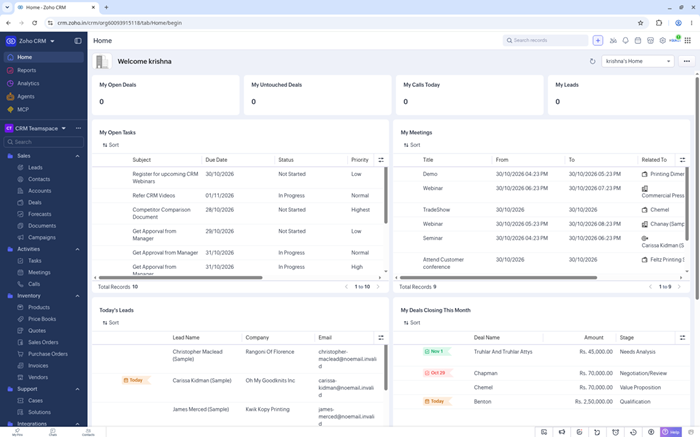
Zoho CRM gives startups a structured place for leads, contacts, accounts, deals, tasks, and meetings. Its permanent free edition supports three users, fitting a founder-led sales team. Custom views and reports organize follow-ups without rebuilding the process in spreadsheets.
The platform can expand into workflow automation, forecasting, scoring, and wider Zoho applications. Email, mobile access, APIs, and marketplace connections support common routines. Its broad configuration range requires patient setup, but growing teams gain a credible path beyond the free edition. That supports a measured rollout.
Udogodnienia
- Zarządzanie ołowiu: Pozyskuj leady, przypisuj właścicieli, rejestruj działania i konwertuj kwalifikowanych potencjalnych klientów na kontakty i transakcje, zachowując jednocześnie użyteczną historię sprzedaży. To wspiera bardziej przejrzysty przegląd lejka sprzedażowego.
- Kanały transakcyjne: Track szans poprzez konfigurowalne etapy z wartościami, prawdopodobieństwami, datami zamknięcia i szczegółami dotyczącymi własności, widocznymi dla całego zespołu sprzedaży. Zespoły zyskują bardziej spójną kontrolę nad własnością.
- Planowanie zadań: Zaplanuj rozmowy, spotkania, zadania i przypomnienia obok rekordów klientów, aby założyciele mogli śledzić ich działania bez konieczności prowadzenia osobnych list. Założyciele unikną konieczności korzystania z kolejnego ręcznego arkusza kalkulacyjnego.
- Widoki niestandardowe: Filtruj rekordy CRM według właściciela, statusu, źródła, daty lub innych pól, aby tworzyć ukierunkowane listy robocze do codziennego kontaktu. To usprawnia codzienne decyzje sprzedażowe.
- Raporty: Build basic sales reports and dashboards from current records, helping Małe zespoły analizują aktywność w leju transakcyjnym, konwersje i reprezentatywne obciążenia. W ten sposób przygotowują każdą rozmowę z klientem.
- Mobilny CRM: Uzyskuj dostęp do leadów, kontaktów, transakcji, zadań i notatek z aplikacji mobilnych, gdy obsługa klienta odbywa się poza biurem. Rozwijające się zespoły zachowują użyteczny kontekst.
- Integracja: Connect email, APIs, marketplace extensions, and other Zoho products as the startup adds marketing, support, finance, or analytics workflows. That supports later team expansion.
ZALETY
Wady
Jak zdobyć to za darmo?
- Otwórz tracPrzejdź na stronę Zoho CRM i wybierz opcję rejestracji w wersji bezpłatnej.
- Create the company account, invite teammates, and configure the first sales pipeline.
- Keep the free edition for three users, or test paid features for 15 days without a credit card.
Free for 3 users; 15-day paid trial
2) Monday CRM
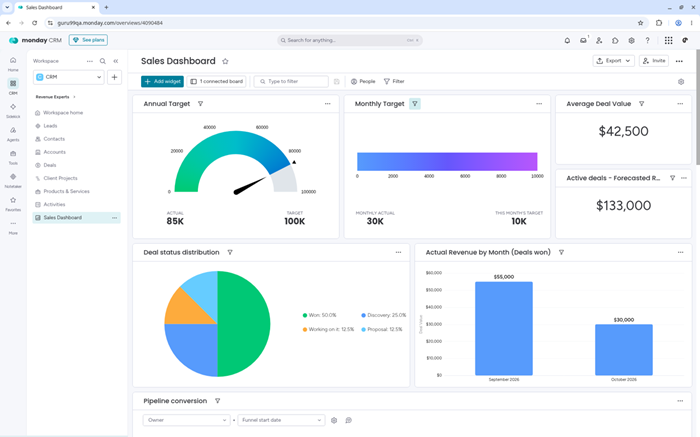
Monday CRM organizes contacts, leads, deals, emails, and activities through configurable boards. Startups can shape columns, stages, dashboards, and views around their selling method. Its visual layout makes ownership and pipeline movement easy to scan during collaborative reviews.
Automations can assign leads, schedule reminders, and update statuses from board events. Email tools and dashboards add useful customer context. The CRM product lacks permanent free access, so startups should treat its 14-day trial as an evaluation and calculate minimum-seat costs carefully. That keeps evaluation goals concrete.
Udogodnienia
- Tablice transakcyjne: Uporządkuj szanse sprzedaży według etapu, właściciela, wartości, przewidywanej daty i priorytetu za pomocą elastycznych tablic, które odzwierciedlają proces sprzedaży zespołu. Użytkownicy widzą bardziej przejrzyste schematy aktywności.
- Dane kontaktowe: Gromadź dane firmy, historię komunikacji, działania i powiązane możliwości w jednym miejscu, aby członkowie zespołu mogli zrozumieć każdą relację przed udzieleniem odpowiedzi. To wyjaśnia współodpowiedzialność za konta.
- Email Sync: Połącz obsługiwane skrzynki odbiorcze, rejestruj rozmowy, track i ponownie wykorzystuj szablony, zachowując wiadomości obok odpowiednich rekordów klientów. Zespoły zachowują ważny kontekst relacji.
- Automatyzacje: Uruchamiaj zadania, przypomnienia, powiadomienia i zmiany statusu na podstawie zdarzeń na tablicy, redukując powtarzalną koordynację między rozwijającymi się zespołami sprzedaży. To usprawnia wczesne planowanie przychodów.
- Pulpity nawigacyjne: Połącz widżety dotyczące przepływu pracy, celów, aktywności i prognoz w wizualne widoki zarządzania, które aktualizują się wraz ze zmianami w połączonych tablicach. Działy koordynują pracę z klientami w sposób spójny.
- Pomoc AI: Podsumowuj rozmowy, przygotowuj spotkania, wzbogacaj informacje i wspieraj pozyskiwanie klientów dzięki dostępnym funkcjom sztucznej inteligencji i przyznawaniu kredytów w oparciu o plany. To strukturyzuje coraz bardziej złożone procesy.
- Integracja: Połącz popularne aplikacje do produktywności, komunikacji, marketingu i zarządzania pracą, korzystając z szerszej automatyzacji dostępnej na wyższych poziomach subskrypcji. Małe zespoły utrzymują szybsze procedury sprzedażowe.
ZALETY
Wady
Jak zdobyć to za darmo?
- Odwiedź tracKED Monday CRM page and choose the free-trial option.
- Create a workspace, import sample contacts, and configure one representative deal pipeline.
- Evaluate the Pro-level CRM features for 14 days without a card; continuing afterward requires a paid subscription.
14-day trial; no permanent CRM plan
3) Centrum Spot CRM
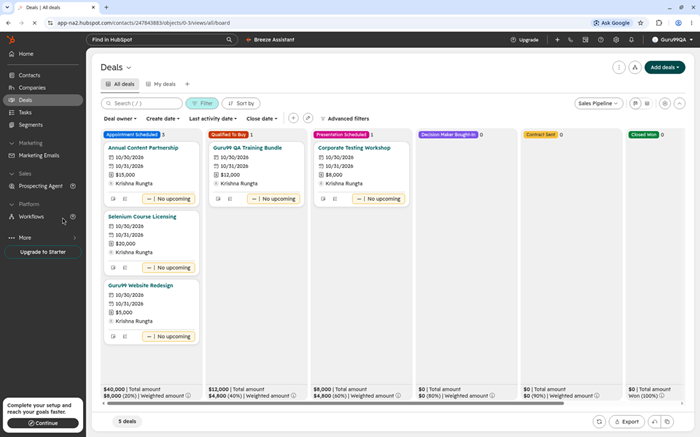
HubSpot CRM combines contacts, companies, deals, activities, email tracking, meetings, and live chat. Its lasting free plan supports two users and 1,000 contacts. Startups can manage outreach while keeping marketing, sales, and service activity connected to shared customer records.
A large marketplace and clear learning resources support early adoption. Paid Sales Hub editions add sequences, automation, forecasting, coaching, and deeper reporting. Costs rise when a startup needs more seats or professional features, so teams should model their upgrade point before building dependent workflows. Plan carefully.
Udogodnienia
- Inteligentny CRM: Centralizuj kontakty, firmy, transakcje, zgłoszenia i historię zaangażowania w ramach współdzielonych rekordów, które wspierają skoordynowaną pracę z klientami w różnych zespołach. To z kolei przekłada się na bardziej przejrzysty przegląd lejka sprzedażowego.
- Narzędzia e-mailowe: Track wiadomości, przechowuj szablony, planuj spotkania i rejestruj rozmowy z obsługiwanych skrzynek odbiorczych bez konieczności wielokrotnego kopiowania aktywności do rekordów klientów. Zespoły zyskują bardziej spójną kontrolę.
- Kanały transakcyjne: Twórz możliwości, przydzielaj właścicieli, ustalaj etapy, rejestruj wartości i monitoruj daty zamknięcia za pomocą wizualnych tablic przepływów i osi czasu dla klientów. Założyciele unikają konieczności ponownego ręcznego arkusza kalkulacyjnego.
- Czat na żywo: Add chat and conversational tools to capture website inquiries, route visitors, and create records for follow-up from the CRM. That improves daily selling decisions.
- Raportowanie: RevŚledź aktywność transakcji, wartości lejka sprzedażowego i wydajność zespołu za pomocą dołączonych pulpitów nawigacyjnych, a zaawansowane raportowanie jest dostępne tylko w wersjach płatnych. Dzięki temu możesz przygotować każdą rozmowę z klientem.
- Breeze AI: Podsumowuj zapisy, twórz wiadomości, badaj perspektywy i wspieraj wybrane procesy, a dostępność i przyznawane punkty zależą od dostępu do produktu. Rozwijające się zespoły zachowują użyteczny kontekst.
- Rynek: Connect thousands of supported applications, including email, calendars, ecommerce, communication, accounting, and data synchronization services. That supports later team expansion.
ZALETY
Wady
Jak zdobyć to za darmo?
- Otwórz tracPrzejdź na stronę HubSpot CRM i wybierz bezpłatną opcję CRM.
- Create the account, connect an inbox, and import a clean contact sample.
- Continue with two free users and 1,000 contacts without an expiration date or payment card.
Bezpłatnie dla 2 użytkowników i 1,000 kontaktów
4) Pipedrive
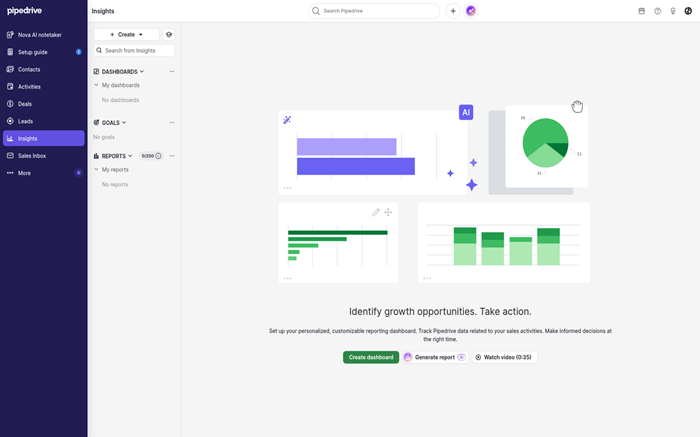
Pipedrive centers selling on visual pipelines and the next activity attached to each deal. Representatives drag opportunities through stages, schedule calls, and review contact timelines. This focused structure suits startups wanting sales discipline without a broad marketing or service platform.
Reporting, automations, email synchronization, and Nova AI expand across paid plans. More than 500 marketplace applications extend the product. Pipedrive offers a 14-day trial, not permanent free access, so teams should test complete workflows and identify add-on needs before committing customer data. Test exports early.
Udogodnienia
- Wizualny kanał komunikacyjny: Przesuwaj karty transakcji przez niestandardowe etapy, uwzględniając właścicieli, wartości, daty i sygnały aktywności widoczne podczas rutynowych przeglądów sprzedaży. Użytkownicy widzą bardziej przejrzyste wzorce aktywności.
- Aktywność Sprzedaż: Zaplanuj rozmowy telefoniczne, spotkania, e-maile i działania następcze dla każdej szansy sprzedaży, kładąc nacisk na kontrolowane działania, które przybliżają transakcje do finalizacji. To wyjaśnia współodpowiedzialność za klienta.
- Terminy kontaktu: RevPrzeglądaj wiadomości, notatki, pliki, działania i powiązane możliwości z historii klienta, która pozwala zachować istotny kontekst. Zespoły zachowują ważny kontekst relacji.
- Email Sync: Połącz skrzynki odbiorcze, track otwiera, ponownie wykorzystuje szablony i łączy rozmowy z kontaktami, chociaż pełna synchronizacja rozpoczyna się powyżej planu wejściowego. To usprawnia wczesne planowanie przychodów.
- Automatyzacje: Twórz zadania, przypomnienia i sekwencje działań następczych oparte na zdarzeniach, z dostępnością przepływu pracy i miesięcznymi limitami różniącymi się w zależności od subskrypcji. Działy koordynują pracę z klientami w sposób spójny.
- Nova AI: Przygotowuj briefingi ze spotkań, transkrybuj rozmowy, sugeruj aktualizacje nagrań i twórz raporty dzięki zależnym od planu możliwościom sztucznej inteligencji. To porządkuje coraz bardziej złożone przepływy pracy.
- Rynek: Połącz ponad 500 obsługiwanych aplikacji i rozszerz specjalistyczne przepływy pracy za pomocą interfejsów API, gdy natywne opcje nie są dostępne. Małe zespoły utrzymują szybsze procedury sprzedaży.
ZALETY
Wady
Jak zdobyć to za darmo?
- Otwórz tracWejdź na stronę Pipedrive i rozpocznij bezpłatny okres próbny konta.
- Import a representative contact sample and build the primary opportunity pipeline.
- Test available CRM features for 14 days without a card; permanent access requires a paid plan afterward.
14-day trial; no credit card
5) tworzenie
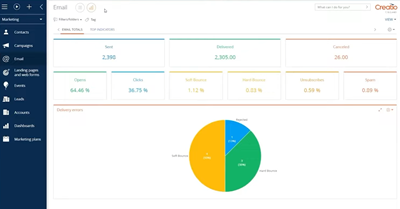
Creatio combines CRM applications with a no-code platform for customer processes. Startups can model leads, opportunities, activities, forecasts, orders, and contracts while building tailored pages and workflows. Its composable approach suits operations requiring approvals, branching rules, or cross-department work.
Predictive, generative, and agentic AI can assist scoring, recommendations, content, and specialized actions. The visual process engine offers deeper flexibility than a simple pipeline but demands stronger planning. Creatio provides a 14-day trial for unlimited users, while deployment requires paid licensing. That favors structured implementation ownership.
Udogodnienia
- Opinia klienta: Połącz konta, kontakty, dokumenty, działania i historię interakcji w ramach połączonych profili, co pozwala na prowadzenie świadomych rozmów z klientami. To z kolei przekłada się na bardziej przejrzysty przegląd lejka sprzedażowego.
- NIE-Code Studio: Projektuj strony, struktury danych, aplikacje i przepływy pracy za pomocą narzędzi wizualnych, zamiast polegać na konwencjonalnym programowaniu przy każdej zmianie. Zespoły zyskują większą spójność i poczucie odpowiedzialności.
- Silnik procesów: Modelowe zatwierdzenia, zadania, warunki i kroki międzyzespołowe dla potencjalnych klientów, szans, zamówień, umówtracts, and other repeatable work. Founders avoid another manual spreadsheet.
- Studio AI: Konfiguruj modele predykcyjne, generowane akcje, rekomendacje i wyspecjalizowane agenty, uwzględniając pakiety i limity wpływające na ostateczne koszty wdrożenia. To usprawnia codzienne decyzje sprzedażowe.
- Zaangażowanie w sprzedaż: Twórz sekwencje działań informacyjnych łączące e-maile, połączenia i zadania reprezentacyjne, tracking which patterns help opportunities progress. This prepares each customer conversation.
- Revinteligencja enue: RevMonitoruj stan lejka sprzedażowego, sygnały szans, kategorie prognoz i aktywność sprzedażową dzięki aktualnym danym CRM i konfigurowalnym analizom. Rozwijające się zespoły zachowują użyteczny kontekst.
- Rynek: Dodawaj łączniki, komponenty branżowe i gotowe aplikacje z ekosystemu Creatio lub buduj specjalistyczne połączenia za pośrednictwem obsługiwanych interfejsów API. To wspiera późniejszą rozbudowę zespołu.
ZALETY
Wady
Jak zdobyć to za darmo?
- Odwiedź tracked Creatio page and choose the free-trial option.
- Create the workspace, invite pilot participants, and configure one complete customer workflow.
- Evaluate the platform for 14 days with unlimited users; ongoing production access requires paid licensing.
14-dniowy okres próbny dla nieograniczonej liczby użytkowników
6) Szybka baza
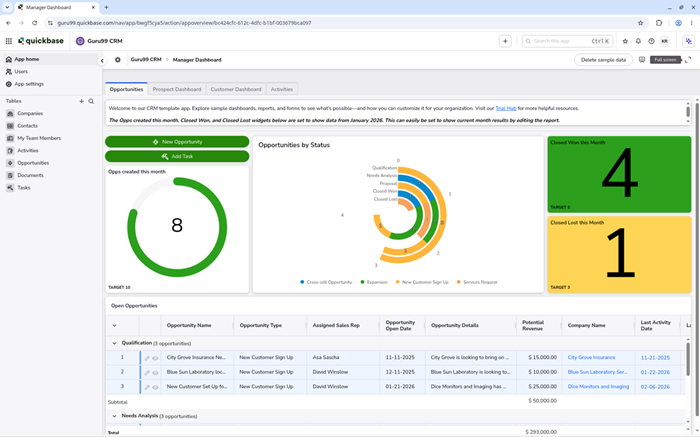
Quickbase is a no-code application platform rather than a packaged CRM. Startups can build connected tables, forms, pipelines, permissions, reports, and dashboards for specialized customer operations. It fits teams coordinating projects, approvals, assets, field work, or data beyond standard CRM objects.
Business users can import spreadsheets, create applications with AI assistance, and automate cross-system work through Pipelines. That flexibility adds responsibility for data design and access rules. Quickbase offers a 30-day Business trial, but platform pricing and user minimums challenge small budgets. Prototype before purchasing.
Udogodnienia
- Kreator aplikacji: Twórz połączone tabele, formularze, relacje i reguły biznesowe, które odzwierciedlają działania klientów wykraczające poza standardowe struktury procesu sprzedaży. Użytkownicy widzą bardziej przejrzyste wzorce aktywności.
- Szybka baza AI: Generuj wstępne aplikacje, importuj struktury arkuszy kalkulacyjnych i wspomagaj wybrane przepływy pracy za pomocą narzędzi konwersacyjnych dostępnych w ramach obsługiwanych planów. To wyjaśnia współodpowiedzialność za konta.
- Rurociągi: Automatyzuj przenoszenie danych i działania w aplikacjach Quickbase i usługach połączonych bez konieczności pisania każdej integracji od podstaw. Zespoły zachowują ważny kontekst relacji.
- Pulpity nawigacyjne: Łącz wykresy, raporty, przyciski i podsumowania rekordów w widokach opartych na rolach dla działów sprzedaży, operacji, zarządzania lub obsługi klienta. To usprawnia wczesne planowanie przychodów.
- Uprawnienia: Kontroluj dostęp do aplikacji, tabel, pól i rekordów za pomocą ról, które pomagają chronić poufne informacje o klientach i dane operacyjne. Działy koordynują pracę z klientami w sposób spójny.
- Dostęp mobilny: Open forms, records, reports, and workflow actions from mobile devices when teams work in the field or with customers. This structures increasingly complex workflows.
- Kontrole audytowe: TracWprowadzaj ważne zmiany i wdrażaj funkcje zarządzania, które wspierają kontrolowane procesy, przeglądy i regulowane wymogi operacyjne. Małe zespoły utrzymują szybsze procedury sprzedaży.
ZALETY
Wady
Jak zdobyć to za darmo?
- Otwórz tracked Quickbase page and start the free Business plan trial.
- Build a small customer application using sample records, forms, and one automation.
- Evaluate Business features for 30 days; continued application access requires a paid platform subscription.
30-dniowy okres próbny planu biznesowego
7) SalesforceCRM
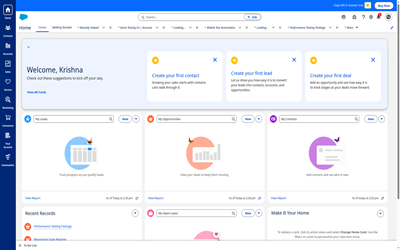
Salesforce Free Suite gives two users lasting access to lead, opportunity, account, contact, case, and task management. It includes simple email marketing, Slack collaboration, and selected AI assistance. Small startups can establish structured records inside an ecosystem with extensive expansion options.
Free allocations include limited flows and custom fields, while custom objects remain unavailable. Users must log in once every 60 days to retain access. Startups needing deeper automation, reporting, integrations, or seats can test paid editions, but should plan for administration and ownership costs.
Udogodnienia
- Wyniki sprzedaży: Zarządzaj potencjalnymi klientami, kontaktami, kontami, szansami, zadaniami i działaniami za pomocą połączonych rekordów, które wspierają ustrukturyzowany proces sprzedaży. To z kolei pozwala na bardziej przejrzysty przegląd lejka sprzedażowego.
- Zarzadzanie sprawą: Track pytań klientów i zgłoszeń serwisowych obok informacji sprzedażowych, dzięki czemu małe zespoły mogą koordynować odpowiedzi posprzedażowe na podstawie współdzielonych danych. Zespoły zyskują bardziej spójną kontrolę.
- Marketing e-mailowy: Twórz proste kampanie klienckie i utrzymuj zaangażowanie klientów w tym samym środowisku, którego używasz do sprzedaży i obsługi klienta. Założyciele firm unikają konieczności ponownego ręcznego arkusza kalkulacyjnego.
- Slack Dostęp: Współpracuj przy pracy z klientem poprzez zawarte Slack dostęp, piekłoping Dwuosobowe zespoły omawiają zapisy i działania poza ekranami CRM. To usprawnia codzienne decyzje sprzedażowe.
- Automatyzacja przepływu: Zbuduj ograniczoną liczbę zautomatyzowanych przepływów w ramach pakietu Free Suite, z większą pojemnością procesów zarezerwowaną dla wersji płatnych. To pomoże Ci przygotować każdą rozmowę z klientem.
- Pomoc AI: Generuj wybrane podsumowania i wersje robocze wiadomości e-mail za pomocą dołączonych funkcji, jednocześnie zachowującping Komunikacja skierowana do klienta podlega weryfikacji przez człowieka. Rozwijające się zespoły zachowują użyteczny kontekst.
- Kontrola bezpieczeństwa: Zastosuj role, ustawienia dostępu i zabezpieczenia platformy z ekosystemu z obszerną dokumentacją dotyczącą zaufania, zgodności i zarządzania. To wspiera późniejszą rozbudowę zespołu.
ZALETY
Wady
Jak zdobyć to za darmo?
- Otwórz tracked Salesforce page and locate the Free Suite registration option.
- Create the organization, invite the second user, and configure core sales records.
- Keep two users free by signing in at least once every 60 days; paid trials cover advanced editions.
Bezpłatny pakiet dla 2 użytkowników
8) OnePageCRM
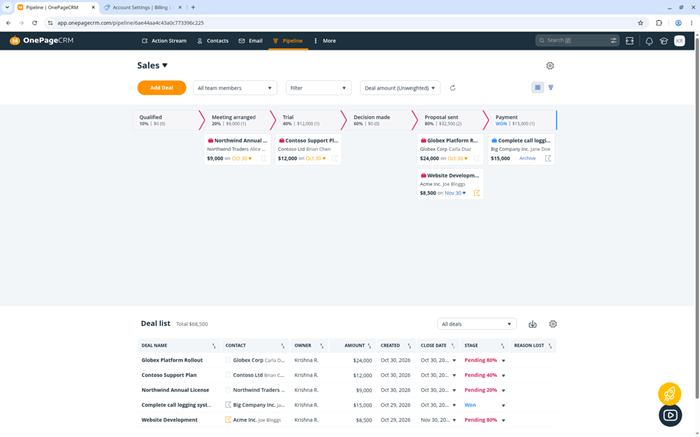
OnePageCRM turns follow-up work into a dated Next Action attached to each contact. Its Action Stream sorts tasks by urgency, while contact records preserve messages, notes, deals, and tags. Small sales teams gain a focused daily agenda instead of a crowded enterprise interface.
Email synchronization, Autoflows, reports, mobile apps, web forms, and AI summaries extend that routine. Every paid plan includes unlimited contacts, with limits affecting pipelines and automation. A 21-day card-free trial gives teams time to test full workflows. Permanent access requires payment after evaluation.
Udogodnienia
- Action Stream: Sort contacts and dated follow-ups by urgency inside one working list. Sellers can finish an action and immediately schedule the next commitment. Users see cleaner activity patterns.
- Dane kontaktowe: Keep messages, calls, notes, deals, files, tags, and custom fields together. Split views reduce switching while representatives prepare customer responses. This clarifies shared account responsibility.
- Kanały sprzedaży: Move deals through customizable Kanban stages and forecast views. Plan limits range from one pipeline to unlimited pipelines on Max. Teams preserve important relationship context.
- Przepływy automatyczne: Trigger repeatable tasks, reminders, record updates, and email steps. Professional includes fifteen workflows, while Max removes that automation limit. That improves early revenue planning.
- Email Sync: Connect mailboxes, preserve conversations, and send personalized bulk messages. Tracking, scheduling, sequences, and higher volumes depend on the chosen plan. Departments coordinate customer work consistently.
- Asystent AI: Summarize contact histories and enrich selected information before follow-up. Mobile tools also support card scanning and route planning within plan allowances. This structures increasingly complex workflows.
- Otwarte połączenia: Link external services through more than forty integrations, APIs, webhooks, and MCP support. Teams can extend focused CRM records without replacing every application. Small teams maintain faster sales routines.
ZALETY
Wady
Jak zdobyć to za darmo?
- Otwórz tracked OnePageCRM page and select the free-trial option.
- Create an account, import sample contacts, and schedule representative Next Actions.
- Evaluate the Max plan for 21 days without a credit card; continued access requires a paid subscription.
21-day trial; no credit card
9) Agile CRM
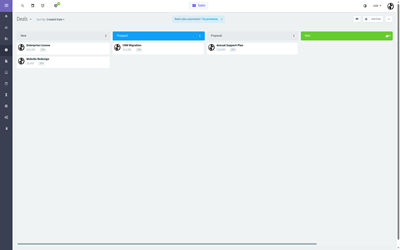
Agile CRM combines sales, marketing, and helpdesk functions in a permanent free plan for ten users and 1,000 contacts. Startups can track deals, score leads, schedule meetings, run campaigns, create forms, and manage tickets without immediate seat charges.
The free edition includes email tracking, basic reports, Google synchronization, and a browser extension. Automation, campaign, plugin, email, and API limits matter as activity grows. Its interface feels older, but cost-sensitive startups may accept that trade-off for several users and customer functions. Monitor those limits during growth.
Udogodnienia
- Dane kontaktowe: Store people, companies, communication details, notes, tasks, and custom fields within customer profiles shared across sales and support. This supports clearer pipeline reviews.
- Sprawa Tracking: Manage unlimited deals, stages, values, milestones, and sales tasks while monitoring progress through visual opportunity views. Teams gain more consistent ownership.
- Punktacja ołowiu: Assign scores from engagement and profile information to help small teams decide which prospects deserve earlier follow-up. Founders avoid another manual spreadsheet.
- Narzędzia marketingowe: Create limited campaigns, forms, landing pages, and web engagement activities from the same customer database used by sales. That improves daily selling decisions.
- Pomoc techniczna: Track tickets, groups, labels, and responses so customer support activity remains connected with broader account and contact history. This prepares each customer conversation.
- Harmonogram: Publish appointment options and coordinate meetings without relying entirely on separate scheduling software for prospect conversations. Growing teams retain useful context.
- Google Sync: Synchronize supported Google information and apply a browser extension to bring CRM context closer to everyday communication work. That supports later team expansion.
ZALETY
Wady
Jak zdobyć to za darmo?
- Otwórz tracKED Agile CRM page and choose the free plan.
- Create the account, invite teammates, and import a clean contact sample.
- Keep up to ten users and 1,000 contacts free without a card, while monitoring automation and API limits.
Bezpłatnie dla 10 użytkowników i 1,000 kontaktów
10) Wnikliwy CRM
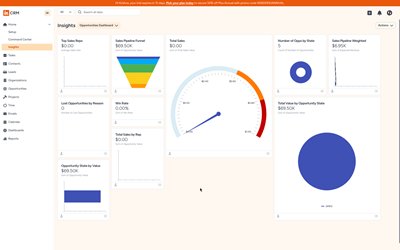
Insightly combines relationship management with project delivery, preserving context after a sale closes. Teams manage leads, contacts, organizations, opportunities, tasks, and projects from connected records. Kanban views and dashboards show pipeline movement and customer work without an immediate separate project system.
Workflow automation, AppConnect integrations, permissions, and AI assistance expand across higher plans. The product no longer advertises a permanent free edition. Its 14-day trial needs no card, so startups should test imports, project conversion, reporting, and integrations before accepting ongoing costs. Verify exports early.
Udogodnienia
- Relationship Links: Connect people, organizations, opportunities, and projects so users can understand customer relationships and prior work before taking action. Users see cleaner activity patterns.
- Widoki rurociągu: Track leads and opportunities through defined stages with ownership, values, dates, and activity details visible in working views. This clarifies shared account responsibility.
- Project Handoff: Convert won opportunities into projects while preserving relevant contacts, notes, files, and tasks for post-sale delivery teams. Teams preserve important relationship context.
- Pulpity nawigacyjne: Review pipeline, activities, milestones, and outcomes through configurable cards and reports suited to sales and project oversight. That improves early revenue planning.
- Automatyzacja przepływu pracy: Trigger tasks, notifications, assignments, and updates from record conditions, with automation depth varying across subscription levels. Departments coordinate customer work consistently.
- AppConnect: Build connections and data flows between Insightly and external systems through available integration and automation capabilities. This structures increasingly complex workflows.
- Drugi pilot AI: Request summaries, assistance, and selected CRM actions through plan-dependent artificial intelligence features inside the product environment. Small teams maintain faster sales routines.
ZALETY
Wady
Jak zdobyć to za darmo?
- Odwiedź tracked Insightly page and select the free CRM trial.
- Create the account, import a contact sample, and test one opportunity-to-project handoff.
- Evaluate the platform for 14 days without a credit card; continued access requires a paid plan.
14-day trial; no credit card
11) Miedź
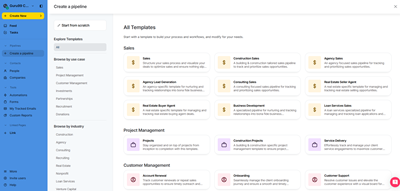
Copper brings CRM records into the Google Workspace environment many startups already know. Teams manage contacts, companies, opportunities, tasks, and project pipelines near Gmail, Calendar, and Drive. This familiar context reduces tab switching and encourages regular relationship updates.
Workflow automation, reports, mobile applications, and integrations support broader customer operations. AI tools can draft and revise email content. Copper lacks a permanent free plan, but its 14-day trial needs no card. Startups should test Gmail behavior, reporting limits, and integrations before subscribing. Test data portability early.
Udogodnienia
- Google Workspace: Connect CRM activity with Gmail, Calendar, Drive, Contacts, Sheets, and supported reporting tools used throughout daily startup work. This supports clearer pipeline reviews.
- Relationship Records: Maintain people, companies, opportunities, activities, notes, and communication history in connected profiles close to familiar Google applications. Teams gain more consistent ownership.
- Rurociągi: Configure sales and project stages with values, owners, dates, tasks, and status details suited to recurring customer processes. Founders avoid another manual spreadsheet.
- Automatyzacja przepływu pracy: Create rules for assignments, reminders, tasks, and record updates, with availability depending on the selected subscription level. That improves daily selling decisions.
- Email AI: Draft or revise customer email content through available artificial intelligence assistance while keeping final approval with the sender. This prepares each customer conversation.
- Raportowanie: Review pipeline values, activity, conversions, and team performance through dashboards and reports, with deeper options on higher plans. Growing teams retain useful context.
- Integracja: Connect services such as Zapier, Mailszympans, DocuSign, Szybkie Książki, Slack, and supported applications used by sales teams. That supports later team expansion.
ZALETY
Wady
Jak zdobyć to za darmo?
- Odwiedź tracked Copper page and begin the free CRM trial.
- Połącz a Google Workspace account and test one pipeline with sample contacts.
- Evaluate the platform for 14 days without a credit card; continued access requires a paid subscription.
14-day trial; no credit card
12) Zwinny CRM
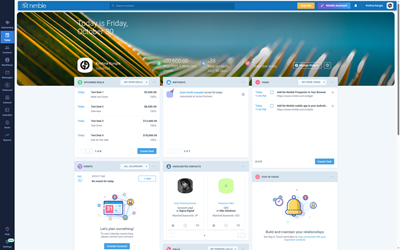
Nimble CRM brings contact records, conversations, activities, and pipelines into a relationship-focused workspace. It connects with Microsoft 365 i Google Workspace, enriching profiles with business and social information. Browser tools capture prospects from websites and professional networks without repeated copying.
Workflows, group messaging, task reminders, and AI-assisted email support ongoing outreach. Teams can manage up to 25,000 contacts on the standard plan. The 14-day card-free trial allows five licenses, but permanent access requires payment. Reporting and file storage remain noticeably lighter than larger enterprise-focused platforms.
Udogodnienia
- Unified Contacts: Combine people, companies, messages, activities, and social context within relationship records. Teams can review recent communication before planning another conversation. Users see cleaner activity patterns.
- Wzbogacanie danych: Fill missing business and social details from available sources. Prospector credits reveal selected email addresses and phone numbers during outreach preparation. This clarifies shared account responsibility.
- Workspace Links: Skontaktuj się Microsoft 365, Google Workspace, Zespoły, Gmail, Outlook. Representatives can manage records closer to the communication tools they already open. Teams preserve important relationship context.
- Kanały sprzedaży: Track opportunities through customizable stages with values, owners, dates, and activities. Visual boards help teams monitor movement and stalled relationships. That improves early revenue planning.
- Workflow Boards: Organize people-centered processes beyond deals through Kanban and list views. Time-in-stage information shows where customer work remains waiting. Departments coordinate customer work consistently.
- Kontakt e-mailowy: Create AI-assisted messages, templates, and tracked group outreach from business inboxes. Monthly sending limits apply to each licensed user. This structures increasingly complex workflows.
- Przechwytywanie przeglądarki: Add or update contacts from websites and social pages through the browser extension. Captured context reduces repeated data entry during prospecting. Small teams maintain faster sales routines.
ZALETY
Wady
Jak zdobyć to za darmo?
- Odwiedź tracked Nimble CRM page and start the free account trial.
- Połącz a Microsoft or Google inbox, then import a representative contact sample.
- Test all Business features for 14 days with up to five licenses; no credit card is required.
14-day trial for up to 5 licenses
Comparison Between Top CRM Tools
| Narzędzie | Stały bezpłatny plan | Wizualny rurociąg | Automatyzacja pracy | Wbudowana AI | Integracje biznesowe | Kontrola bezpieczeństwa |
|---|---|---|---|---|---|---|
| Zoho CRM | ✅ | ✅ | ✅ | ✅ | ✅ | ✅ |
| Monday CRM | ❌ | ✅ | ✅ | ✅ | ✅ | ✅ |
| Centrum Spot CRM | ✅ | ✅ | ✅ | ✅ | ✅ | ✅ |
| Pipedrive | ❌ | ✅ | ✅ | ✅ | ✅ | ✅ |
| tworzenie | ❌ | ✅ | ✅ | ✅ | ✅ | ✅ |
Czym jest CRM?
Customer Relationship Management, or CRM, is a strategy and software system for organizing interactions with prospects and customers. It centralizes contacts, communication history, opportunities, tasks, purchases, and support activity so teams share one source of customer context. Modern platforms also add automation, reports, integrations, and AI assistance. The objective is practical: improve follow-up, coordinate sales work, and make customer decisions from current records. A CRM succeeds when people maintain accurate information and follow a consistent process, not simply when the company buys software.
How Do Free CRM Platforms Work?
Free CRM platforms organize contacts around companies, activities, deals, and assigned owners. Users import records, define pipeline stages, and schedule the next action. Dashboards summarize opportunities and completed work for daily management. Providers often restrict seats, contacts, storage, reports, automation, integrations, or support. A free trial works differently because access expires after a fixed period. Teams should test one complete workflow before importing everything. That pilot should cover capture, assignment, follow-up, reporting, export, permissions, and accurate restoration of deleted records.
What Features Should Free CRM Software Include?
A useful free CRM should cover the daily customer workflow clearly.
- Zarządzanie kontaktami: Shared records should preserve details, notes, activities, communication, and ownership.
- Sprawa trackról: Pipeline stages should show value, progress, dates, and next actions.
- Task control: Reminders and calendars should reduce missed calls and overdue follow-ups.
- Podstawowe raportowanie: Dashboards should reveal pipeline value, activity, and conversion patterns.
- Przenośność danych: Imports and exports should support cleanup, migration, and practical backups.
- Kontrola dostępu: Permissions should protect customer information as the team adds members.
Automation and AI add value only after these foundations work consistently.
How Do Permanent Free CRM Plans Differ From Trials?
The word free can describe two very different access models.
- Permanent plan: Access continues while the account stays within stated user, contact, storage, and activity limits.
- Okres próbny: A paid edition remains available for a fixed evaluation period before access ends or changes.
- Feature boundaries: Automation, reporting, AI, support, and integrations may disappear when a trial expires.
- Data planning: Teams should export sample records and document which tested features belong to the final plan.
Careful plan verification prevents daily workflows from depending on temporary capabilities the team cannot retain.
Why Should a Small Business Use CRM Software?
A CRM gives small businesses one place for prospects, conversations, tasks, and opportunity status. Shared records reduce duplicate outreach and make ownership visible. Reminders support consistent follow-up when schedules become crowded. Pipeline views help managers estimate likely revenue and identify stalled opportunities. Automation can remove repetitive assignments or notifications after the process is clear. The strongest benefit comes from dependable record keeping and agreed sales stages. Excessive customization should wait until the team knows which customer information improves decisions, service, and revenue planning.
What Is a CRM Dashboard?
A CRM dashboard is a visual control panel showing current sales and customer activity. It combines measures such as pipeline value, lead movement, overdue tasks, forecast amounts, conversions, and representative workloads. Managers can spot stalled opportunities without opening every record or exporting several reports. Useful dashboards remain focused on decisions rather than decorative charts. Different roles may need different views, with sellers tracking follow-ups and leaders reviewing forecast risk. Dashboard accuracy still depends on complete records, agreed stage definitions, and consistent closing dates.
How Should Teams Connect CRM With Existing Business Tools?
Start with email and calendars because they capture daily customer activity. Add forms, marketing, accounting, support, and communication systems only when a defined workflow needs them. Test field mapping, update direction, duplicate handling, permissions, delays, and failure alerts. Native integrations generally require less maintenance than custom connections. However, important connectors may require higher subscriptions. A controlled pilot should create and update representative records across both systems. Reliable data flow matters more than the number of integration logos displayed by a provider.
How Can AI Improve Free CRM Workflows?
CRM AI can summarize records, draft messages, prepare meetings, and suggest follow-up actions. Predictive tools may score leads or identify deals requiring attention. These functions reduce searching and repetitive writing when source records remain accurate. Teams should review generated communication before sending it. They should also inspect credit limits, available plans, data handling, and permission boundaries. AI assistance cannot repair unclear sales stages or incomplete records independently. Clean processes and human approval remain necessary for reliable customer decisions and responsible automation.
Can AI Replace Manual CRM Work?
AI can reduce selected research, writing, enrichment, and record-update tasks. It cannot own process design, permissions, customer judgment, or data accountability. Salespeople still interpret intent, negotiate terms, and manage sensitive conversations. Administrators must monitor agents because records, policies, and business rules change. Require approval for structural changes, data deletion, and external messages. Treat CRM AI as controlled assistance around well-defined work. Human owners remain directly responsible for customer data quality and every automated action affecting business revenue, privacy, or service.
How Secure Is Customer Data in Free CRM Software?
Security depends on the provider, subscription, configuration, and internal practices. Buyers should verify encryption, multifactor authentication, permissions, exports, backups, and published compliance details. Some advanced controls appear only on paid enterprise plans. Administrators should remove inactive users and review connected applications regularly. Customer records also need clear ownership and retention rules. A reputable vendor cannot prevent careless sharing or excessive access inside the account. Treat CRM security as an ongoing internal management responsibility rather than a one-time checkbox during selection.
Jak wybraliśmy najlepsze narzędzia oprogramowania CRM?

At Guru99Stawiamy na wiarygodność, zapewniając rzetelne, trafne i obiektywne treści dzięki rygorystycznym badaniom i recenzjom. Po ponad 125 godzinach analizy ponad 20 najlepsze darmowe narzędzia oprogramowania CRMStworzyłem dobrze opracowany przewodnik, który przedstawia najlepsze darmowe i płatne opcje, wraz z kluczowymi funkcjami, zaletami, wadami i cenami. Ten sprawdzony przewodnik ma na celu pomóc Ci znaleźć idealne narzędzie CRM dla Twojej firmy. Wybór odpowiedniego oprogramowania jest kluczowy, dlatego skupiliśmy się na przyjaznych dla użytkownika i niezawodnych narzędziach do efektywnego zarządzania relacjami z klientami. Oto, jak wybraliśmy najlepsze oprogramowanie CRM:
- Łatwość użytkowania w całym zespole: Wdrożenie było dla nas nie do negocjacji. Testowaliśmy, jak szybko nowi użytkownicy potrafią dodawać kontakty, rejestrować transakcje i generować raporty. Wiedzieliśmy, że jeśli wymagałoby to tygodni szkoleń lub stałej pomocy, narzędzie po prostu zniknie.
- Integracja z istniejącymi narzędziami: System CRM musiał dobrze współgrać z naszym zestawem narzędzi – pocztą e-mail, automatyzacją marketingu, księgowością i wsparciem. Jeśli nie mógł stać się centrum, groziło mu, że stanie się kolejnym silosem.
- Skalowalność i elastyczność: Przyjrzeliśmy się dzisiejszym potrzebom, ale zaplanowaliśmy rozwój w przyszłości. Odpowiedni system CRM musiał skalować się wraz z wielkością zespołu, dodawać zaawansowane funkcje w razie potrzeby i umożliwiać personalizację bez angażowania armii programistów.
- Raportowanie i analiza, które napędzają działania: Raporty musiały robić coś więcej niż tylko wypluwać liczby. Priorytetem były dla nas systemy CRM, które ułatwiały menedżerom tracmonitoruj stan rurociągu, dokładnie prognozuj i szkol przedstawicieli handlowych bez konieczności angażowania analityka danych.
- Obsługa klienta i społeczność: Efektowna oferta sprzedaży jest bezużyteczna, jeśli wsparcie techniczne znika po zakupie. Przetestowaliśmy czas reakcji dostawców i skorzystaliśmy z forów społecznościowych, aby ocenić, jak aktywny i pomocny jest ekosystem.
- Dopasowanie biznesowe a nadmiar funkcji: Nie goniliśmy za najdłuższą listą funkcji – dopasowaliśmy możliwości do naszych rzeczywistych przepływów pracy. CRM, który wygląda imponująco na papierze, ale nie spełnia potrzeb sprzedaży, marketingu ani obsługi klienta, to po prostu drogi produkt na półce.
- Całkowity koszt posiadania: Ceny mogą być mylące. Uwzględniliśmy opłaty instalacyjne, obowiązkowe dodatki i opłaty dodatkowe.tracWarunki i koszty szkoleń. Niektóre „tanie” CRM-y okazały się najdroższe w dłuższej perspektywie.
How Do You Troubleshoot Common Free CRM Problems?
Free CRM problems usually involve data, permissions, integrations, or unclear processes. Diagnose one workflow before expanding the rollout.
- Kwestia: Imported contacts appear twice after forms and spreadsheets create differently formatted records.
Rozwiązanie: The administrator should standardize email and phone fields, define matching rules, and merge duplicates before adding new sources. - Kwestia: Przedstawiciele handlowi nie realizują działań następczych, ponieważ zadania nie mają przypisanych właścicieli, dat ani jasno określonych priorytetów.
Rozwiązanie: Kierownik powinien wymagać odpowiedzialności i terminów wykonania, a następnie przejrzeć zaległe prace podczas cyklicznego spotkania dotyczącego procesu. - Kwestia: Email messages stop attaching to contacts after passwords or security policies change.
Rozwiązanie: Użytkownik powinien ponownie połączyć się ze skrzynką pocztową, sprawdzić uprawnienia, potwierdzić zgodność adresu i wysłać kontrolowane wiadomości w celu weryfikacji. - Kwestia: Pipeline reports disagree because team members interpret stages and closing dates differently.
Rozwiązanie: The administrator should document stage definitions, required fields, probability rules, and date policies before rebuilding affected reports. - Kwestia: Automations stop running after the account reaches a monthly free-plan activity allowance.
Rozwiązanie: The owner should check usage limits, disable low-value rules, and compare upgrade costs with measured manual effort. - Kwestia: New teammates cannot view records needed for customer follow-up and account coverage.
Rozwiązanie: The administrator should inspect roles, ownership, sharing rules, and field permissions through a nonadministrator test account. - Kwestia: Connected applications overwrite newer customer information or update records much later than expected.
Rozwiązanie: Właściciel integracji powinien sprawdzić kierunek synchronizacji, kolejność pól, znaczniki czasu, dzienniki błędów i sposób ponawiania prób przed ponownym nawiązaniem połączenia.
Werdykt
After comparing twelve CRM platforms, I found three options that balanced practical free access, clear workflows, integrations, and credible growth paths particularly well.
- Zoho CRM: I preferred its three-user free edition, configurable pipeline, and measured upgrade path for increasingly detailed sales operations.
- Monday CRM: Its visual boards made collaborative revenue work easy to review, although continued CRM access required payment after the trial.
- Centrum Spot CRM: The shared customer record impressed me by connecting approachable sales tools with marketing, service, learning resources, and broad integrations.
