---
description: In PostgreSQL, the insert statement helps insert a new row or row into the table. You can insert rows specified by value expressions, zero, or multiple rows resulting from the query.
title: PostgreSQL INSERT: Inserting Data into a Table
image: https://www.guru99.com/images/postgresql-insert-1.png
---


[Skip to content](#main) 

**⚡ Smart Summary**

PostgreSQL INSERT statement adds new rows to a table using SQL. Lessons cover syntax, single and multi-row inserts, the RETURNING clause, default values, and adding records through the pgAdmin interface visually.

* 📥 **Basic Syntax:** INSERT INTO table (cols) VALUES (vals) — canonical form.
* 📋 **Multi-Row:** Comma-separate value tuples to insert many rows.
* 🔄 **RETURNING:** Fetches inserted rows in the same call.
* 💡 **Defaults:** Omitted columns receive DEFAULT or NULL.
* 🖥️ **pgAdmin GUI:** Add rows visually without writing SQL.
* 🤖 **AI SQL:** Copilot generates parameterised INSERTs.

[ Read More ](javascript:void%280%29;) 

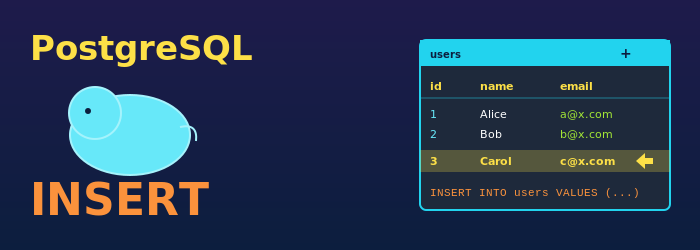
![PostgreSQL INSERT](https://www.guru99.com/images/postgresql-insert-1.png)

## PostgreSQL INSERT statement

In PostgreSQL, the insert statement helps insert a new row or row into the table. You can insert rows specified by value expressions, zero, or multiple rows resulting from the query.

### Syntax of PostgreSQL INSERT INTO

INSERT INTO TABLE_NAME (column1, column2, ...columnN)
VALUES (value1, value2,...valueN);

You can see in the above syntax column 1 to N are the names of the columns in the table into which you wanted to insert data. The target column needs to list in any specific order. The values supplied by the query or values clause is either the corresponding values for the columns.

Once the query is executed, you can see the output message.

Insert oid 1

This output message will be displayed if only a single row is inserted, oid is the numeric OID assigned to the inserted row.

## Example of PostgreSQL Insert into Table

Consider the following table, “tutorials,” with two columns.

“id” integer DEFAULT value 1  
“tutorial\_name” text DEFAULT value postgre  
And no constraints

[](https://www.guru99.com/images/3/postgresql-insert-1.png)

Here, are steps for PostgreSQL insert into table:

**Step 1)** Inserting a row into 

INSERT INTO tutorials(id, tutorial_name) VALUES (1, 'postgre');

[](https://www.guru99.com/images/3/postgresql-insert-2.png)

**NOTE**: Only the characters or date values need to be enclosed with single quotes when inserting a row.

**Step 2)**  However, If you insert data into all the columns, you can omit the column names. The same insert statement can also be written as,

INSERT INTO tutorials VALUES (1, 'postgre');

[](https://www.guru99.com/images/3/postgresql-insert-3.png)

**Step 3)** The data values are listed in the order as the columns appear in the table, separated by commas.

The above syntax has an issue which you need to know the order of the columns in the table. To overcome this problem, you can also list the columns explicitly.

For example, both below-given commands have the same effect as displayed below:

INSERT INTO tutorials(id, tutorial_name) VALUES (1, 'postgre');
INSERT INTO tutorials(tutorial_name, id) VALUES ('postgre',1);

[](https://www.guru99.com/images/3/postgresql-insert-4.png)

**Step 4)** In this example, you can see that if you do not have values for all the columns, you can omit some of them.

In that case, the columns will be automatically filled with their default values if specified.

INSERT INTO tutorials(id) VALUES (5);

[](https://www.guru99.com/images/3/postgresql-insert-5.png)

**Step 5)** You can also request default values for individual columns or the entire row:

INSERT INTO tutorials(id, tutorial_name) VALUES (1, DEFAULT);
INSERT INTO tutorials DEFAULT VALUES;

[](https://www.guru99.com/images/3/postgresql-insert-6.png)

**Step 6)** You can multiple rows with the just single command:

INSERT INTO tutorials(id, tutorial_name) VALUES
(1, 'postgre'),
(2, 'oracle'),
(3, 'mysql'),
(4, 'mongo');

[](https://www.guru99.com/images/3/postgresql-insert-7.png)

**Step 7)** In [PostgreSQL](https://www.guru99.com/introduction-postgresql.html), it is also to insert the result of a query which might be no rows, one row, or multiple rows:

INSERT INTO tutorials (id, tutorial_name)
SELECT id, tutorial_name FROM tutorials
WHERE tutorial_name = 'mysql';

[](https://www.guru99.com/images/3/postgresql-insert-8.png)

### RELATED ARTICLES

* [What is PostgreSQL? Advantages & Disadvantages ](https://www.guru99.com/introduction-postgresql.html "What is PostgreSQL? Advantages & Disadvantages")
* [How to Create & Drop Table in PostgreSQL (Examples) ](https://www.guru99.com/create-drop-table-postgresql.html "How to Create & Drop Table in PostgreSQL (Examples)")
* [DISTINCT in PostgreSQL: Select, Order By & Limit (Examples) ](https://www.guru99.com/postgresql-select-distinct.html "DISTINCT in PostgreSQL: Select, Order By & Limit (Examples)")
* [PostgreSQL IN, Not IN with Examples ](https://www.guru99.com/postgresql-in-not.html "PostgreSQL IN, Not IN with Examples")

## PostgreSQL Insert statement using pgAdmin

Here, are steps to Insert statement using [pgAdmin in Postgre SQL](https://www.guru99.com/postgresql-create-alter-add-user.html)

**Step 1)** In the object tree

1. Right Click on the table where you want to insert data
2. Select Scripts
3. INSERT Script

[](https://www.guru99.com/images/3/postgresql-insert-9.png)

**Step 2)** In the Insert Panel

1. Edit the Query
2. Click the lighting button
3. Observe the output

[](https://www.guru99.com/images/3/postgresql-insert-10.png)

**Step 3)** You can also goto to Tools > Query Tools to open the Query Editor, but you will not get the default insert query.

[](https://www.guru99.com/images/3/postgresql-insert-11.png)

## FAQs

⚡ How to insert multiple rows in PostgreSQL at once?

Use a single INSERT with comma-separated tuples: INSERT INTO t (a,b) VALUES (1,2), (3,4). Far faster than multiple single-row INSERTs.

🤖 How does AI improve PostgreSQL INSERT statements?

AI tools generate parameterised INSERTs to prevent SQL injection, suggest RETURNING clauses, and convert spreadsheet data into multi-row INSERTs.

💡 Can AI generate test data for INSERT statements?

Yes. AI produces realistic seed data, infers column types from schemas, and writes Python or shell scripts to batch INSERTs.

🔄 What does the RETURNING clause do?

RETURNING fetches columns from the rows just inserted in the same statement. Use RETURNING \* for all columns or list specific columns.

📋 What is the max rows per INSERT?

PostgreSQL has no hard row limit, but very large statements can hit memory limits. Use COPY for bulk loads.

🛡️ How to avoid SQL injection in INSERT?

Always use parameterised queries with $1, $2 placeholders. Never concatenate user input into INSERT SQL strings.

🖥️ Can I INSERT through pgAdmin without SQL?

Yes. Open the table, choose View/Edit Data, add a new row in the grid. pgAdmin generates the INSERT statement for you.

📚 INSERT vs COPY in PostgreSQL?

INSERT adds row-by-row through SQL. COPY streams bulk data from files much faster. Use COPY for initial loads.

#### Summarize this post with:

ChatGPT Perplexity Grok Google AI 

**Stay Updated on AI** **Get Weekly AI Skills, Trends, Actionable Advice.** 

##### Sign up for the newsletter

Subscribe for Free 

You have successfully subscribed.  
Please check your inbox. 

![AI-Newsletter]() Chosen by over **350,000+** professionals 

[Scroll to top ](#wrapper)Scroll to top 

× 

Toggle Menu Close 

Search for: 

Search

```json
{"@context":"https://schema.org","@graph":[{"@type":"Organization","@id":"https://www.guru99.com/#organization","name":"Guru99","sameAs":["https://www.facebook.com/Guru99Official","https://twitter.com/guru99com"],"logo":{"@type":"ImageObject","@id":"https://www.guru99.com/#logo","url":"https://www.guru99.com/images/guru99-logo-v1-150x59.png","contentUrl":"https://www.guru99.com/images/guru99-logo-v1-150x59.png","caption":"Guru99","inLanguage":"en-US"}},{"@type":"WebSite","@id":"https://www.guru99.com/#website","url":"https://www.guru99.com","name":"Guru99","publisher":{"@id":"https://www.guru99.com/#organization"},"inLanguage":"en-US"},{"@type":"ImageObject","@id":"https://www.guru99.com/images/postgresql-insert-1.png","url":"https://www.guru99.com/images/postgresql-insert-1.png","width":"700","height":"250","caption":"PostgreSQL INSERT","inLanguage":"en-US"},{"@type":"BreadcrumbList","@id":"https://www.guru99.com/postgresql-insert.html#breadcrumb","itemListElement":[{"@type":"ListItem","position":"1","item":{"@id":"https://www.guru99.com","name":"Home"}},{"@type":"ListItem","position":"2","item":{"@id":"https://www.guru99.com/postgresql","name":"PostgreSQL"}},{"@type":"ListItem","position":"3","item":{"@id":"https://www.guru99.com/postgresql-insert.html","name":"PostgreSQL INSERT: Inserting Data into a Table"}}]},{"@type":"WebPage","@id":"https://www.guru99.com/postgresql-insert.html#webpage","url":"https://www.guru99.com/postgresql-insert.html","name":"PostgreSQL INSERT: Inserting Data into a Table","dateModified":"2026-06-23T17:20:47+05:30","isPartOf":{"@id":"https://www.guru99.com/#website"},"primaryImageOfPage":{"@id":"https://www.guru99.com/images/postgresql-insert-1.png"},"inLanguage":"en-US","breadcrumb":{"@id":"https://www.guru99.com/postgresql-insert.html#breadcrumb"}},{"@type":"Person","@id":"https://www.guru99.com/author/juniper","name":"Juniper Willow","description":"I am Juniper Willow, a PostgreSQL Developer, offering expert guidance to help you optimize and master PostgreSQL database development.","url":"https://www.guru99.com/author/juniper","image":{"@type":"ImageObject","@id":"https://www.guru99.com/images/juniper-willow-author.png","url":"https://www.guru99.com/images/juniper-willow-author.png","caption":"Juniper Willow","inLanguage":"en-US"},"worksFor":{"@id":"https://www.guru99.com/#organization"}},{"articleSection":"PostgreSQL","headline":"PostgreSQL INSERT: Inserting Data into a Table","description":"In PostgreSQL, the insert statement helps insert a new row or row into the table. You can insert rows specified by value expressions, zero, or multiple rows resulting from the query.","keywords":"postgresql","speakable":{"@type":"SpeakableSpecification","cssSelector":[".entry-title",".summary"]},"@type":"Article","author":{"@id":"https://www.guru99.com/author/juniper","name":"Juniper Willow"},"dateModified":"2026-06-23T17:20:47+05:30","image":{"@id":"https://www.guru99.com/images/postgresql-insert-1.png"},"copyrightYear":"2026","name":"PostgreSQL INSERT: Inserting Data into a Table","subjectOf":[{"@type":"FAQPage","mainEntity":[{"@type":"Question","name":"How to insert multiple rows in PostgreSQL at once?","acceptedAnswer":{"@type":"Answer","text":"Use a single INSERT with comma-separated tuples: INSERT INTO t (a,b) VALUES (1,2), (3,4). Far faster than multiple single-row INSERTs."}},{"@type":"Question","name":"How does AI improve PostgreSQL INSERT statements?","acceptedAnswer":{"@type":"Answer","text":"AI tools generate parameterised INSERTs to prevent SQL injection, suggest RETURNING clauses, and convert spreadsheet data into multi-row INSERTs."}},{"@type":"Question","name":"Can AI generate test data for INSERT statements?","acceptedAnswer":{"@type":"Answer","text":"Yes. AI produces realistic seed data, infers column types from schemas, and writes Python or shell scripts to batch INSERTs."}},{"@type":"Question","name":"What does the RETURNING clause do?","acceptedAnswer":{"@type":"Answer","text":"RETURNING fetches columns from the rows just inserted in the same statement. Use RETURNING * for all columns or list specific columns."}},{"@type":"Question","name":"What is the max rows per INSERT?","acceptedAnswer":{"@type":"Answer","text":"PostgreSQL has no hard row limit, but very large statements can hit memory limits. Use COPY for bulk loads."}},{"@type":"Question","name":"How to avoid SQL injection in INSERT?","acceptedAnswer":{"@type":"Answer","text":"Always use parameterised queries with $1, $2 placeholders. Never concatenate user input into INSERT SQL strings."}},{"@type":"Question","name":"Can I INSERT through pgAdmin without SQL?","acceptedAnswer":{"@type":"Answer","text":"Yes. Open the table, choose View/Edit Data, add a new row in the grid. pgAdmin generates the INSERT statement for you."}},{"@type":"Question","name":"INSERT vs COPY in PostgreSQL?","acceptedAnswer":{"@type":"Answer","text":"INSERT adds row-by-row through SQL. COPY streams bulk data from files much faster. Use COPY for initial loads."}}]}],"@id":"https://www.guru99.com/postgresql-insert.html#schema-1118983","isPartOf":{"@id":"https://www.guru99.com/postgresql-insert.html#webpage"},"publisher":{"@id":"https://www.guru99.com/#organization"},"inLanguage":"en-US","mainEntityOfPage":{"@id":"https://www.guru99.com/postgresql-insert.html#webpage"}}]}
```