
MySQL LIMIT & OFFSET s primjerima
 Uredništvo
⚡ Pametni sažetak
The MySQL Ključna riječ LIMIT ograničava broj redaka koje upit vraća, a vrijednost OFFSET određuje od kojeg retka rezultat počinje. Zajedno održavaju male skupove rezultata, omogućuju brzo učitavanje stranica i potiču paginaciju zapis po zapis.
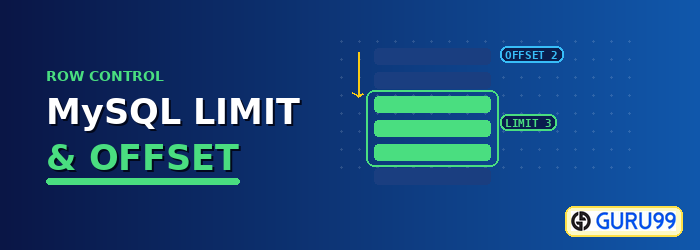
Koja je ključna riječ LIMIT u MySQL?
The OGRANIČAVA Ključna riječ ograničava broj redaka vraćenih u rezultatu upita. Može se koristiti s naredbama SELECT, UPDATE i DELETE, tako da ograničava retke koje upit čita, kao i retke na koje utječe pisanje.
Sintaksa za ključnu riječ LIMIT je sljedeća.
SELECT {fieldname(s) | *} FROM tableName(s) [WHERE condition] LIMIT N;
OVDJE
- “SELECT {fieldname(s) | *} FROM tableName(s)” je SELECT izraz koji sadrži polja koja želimo vratiti u našem upitu.
- “[WHERE uvjet]” je opcionalan, ali kada se navede, određuje filter na skupu rezultata. WHERE klauzula primjenjuje se prije LIMIT-a, pa se filtriranje događa prvo, a ograničenje se primjenjuje na ono što preživi.
- "OGRANIČENJE N" je ključna riječ, a N je bilo koji broj koji počinje od 0. Stavljanje 0 kao ograničenja vraća nijedan zapis. Stavljanje broja poput 5 vraća pet zapisa. Ako tablica sadrži manje zapisa od N, vraćaju se svi i ne javlja se greška.
Sintaksa je kratka, ali razlog njenog postojanja vrijedi navesti prije primjera.
Zašto bismo trebali koristiti ključnu riječ LIMIT?
Pretpostavimo da se razvijamoping aplikacija koja se izvodi na myflixdb-u. Dizajneri sustava su nas zamolili da ograničimo broj zapisa prikazanih na stranici na 20 zapisa, kako bismo se suprotstavili sporom vremenu učitavanja. Kako implementirati sustav koji zadovoljava takav zahtjev?
Ključna riječ LIMIT rješava upravo ovu situaciju. Umjesto da se svaki redak člana povuče u aplikaciju i većina njih odbaci, upit vraća 20 zapisa po stranici, a baza podataka obavlja posao. Iz toga slijede tri prednosti.
- Brži odgovor: Manje podataka se čita s diska i manje podataka prolazi kroz mrežu.
- Manja upotreba memorije: Aplikacija sadrži jednu stranicu redaka, a ne cijelu tablicu.
- Safer piše: OGRANIČENJE na AŽURIRANJE ili DELETE naredba ograničava koliko redaka greška može dotaknuti.
MySQL Primjeri upita LIMIT
Primjeri u nastavku se izvode na tablici članova baze podataka myflixdb. Prvi vraća dva retka i ništa više.
SELECT * FROM members LIMIT 2;
| članski broj | puna_ imena | rod | datum_rođenja | datum_registracije | fizička adresa | poštanska adresa | kontaktni broj | broj kreditne_kartice | |
|---|---|---|---|---|---|---|---|---|---|
| 1 | Janet Jones | ženski | 21-07-1980 | NULL | Prva ulica Parcela broj 4 | Privatna torba | 0759 253 542 | janetjones@yagoo.cm | NULL |
| 2 | Janet Smith Jones | ženski | 23-06-1980 | NULL | Melrose 123 | NULL | NULL | jj@fstreet.com | NULL |
Kao što gornji rezultat pokazuje, vraćena su samo dva člana.
Dobivanje popisa od deset (10) članova iz baze podataka
Pretpostavimo da želimo popis prvih 10 registriranih članova iz Myflix baze podataka. Skript u nastavku ih traži.
SELECT * FROM members LIMIT 10;
Izvršavanje skripte daje rezultat prikazan dolje.
| članski broj | puna_ imena | rod | datum_rođenja | datum_registracije | fizička adresa | poštanska adresa | kontaktni broj | broj kreditne_kartice | |
|---|---|---|---|---|---|---|---|---|---|
| 1 | Janet Jones | ženski | 21-07-1980 | NULL | Prva ulica Parcela broj 4 | Privatna torba | 0759 253 542 | janetjones@yagoo.cm | NULL |
| 2 | Janet Smith Jones | ženski | 23-06-1980 | NULL | Melrose 123 | NULL | NULL | jj@fstreet.com | NULL |
| 3 | Robert Phil | Muški | 12-07-1989 | NULL | 3. ulica 34 | NULL | 12345 | rm@tstreet.com | NULL |
| 4 | Gloria Williams | ženski | 14-02-1984 | NULL | 2. ulica 23 | NULL | NULL | NULL | NULL |
| 5 | Leonard Hofstadter | Muški | NULL | NULL | Woodcrest | NULL | 845738767 | NULL | NULL |
| 6 | Sheldon Cooper | Muški | NULL | NULL | Woodcrest | NULL | 976736763 | NULL | NULL |
| 7 | Rajesh Koothrappali | Muški | NULL | NULL | Woodcrest | NULL | 938867763 | NULL | NULL |
| 8 | Leslie Winkle | Muški | 14-02-1984 | NULL | Woodcrest | NULL | 987636553 | NULL | NULL |
| 9 | Howarda Wolowitza | Muški | 24-08-1981 | NULL | Južni park | PO Box 4563 | 987786553 | lwolowitz[at]email.me | NULL |
Vraćeno je samo 9 članova jer je N u LIMIT klauzuli veći od broja zapisa u tablici. Eksplicitni zahtjev za 9 redaka daje isti skup rezultata.
SELECT * FROM members LIMIT 9;
💡 Savjet: LIMIT odabire retke iz bilo kojeg redoslijeda koji poslužitelj generira. Dodajte NARUČITE PO klauzulu kad god je identitet redaka važan, inače se ne jamči da će „prvih 10 članova“ dvaput značiti istih devet osoba.
Ograničavanje broja redaka je prva polovica funkcije. Odabir mjesta početka prozora je druga.
Korištenje OFFSET vrijednosti u LIMIT upitu
The OFFSET Argument "value" se najčešće koristi zajedno s ključnom riječi LIMIT. Određuje od kojeg retka poslužitelj počinje dohvaćati podatke, pa se retci prije te točke preskaču.
Pretpostavimo da želimo ograničen broj članova počevši od sredine tablice. Skript u nastavku počinje u drugom retku i ograničava rezultat na dva zapisa.
SELECT * FROM `members` LIMIT 1, 2;
Izvršavanje u MySQL Radna tezga prema myflixdb daje sljedeći rezultat.
| članski broj | puna_ imena | rod | datum_rođenja | datum_registracije | fizička adresa | poštanska adresa | kontaktni broj | broj kreditne_kartice | |
|---|---|---|---|---|---|---|---|---|---|
| 2 | Janet Smith Jones | ženski | 23-06-1980 | NULL | Melrose 123 | NULL | NULL | jj@fstreet.com | NULL |
| 3 | Robert Phil | Muški | 12-07-1989 | NULL | 3. ulica 34 | NULL | 12345 | rm@tstreet.com | NULL |
Imajte na umu da ovdje POMAK = 1, stoga je redak #2 prvi vraćeni redak i OGRANIČENJE = 2, stoga se vraćaju samo 2 zapisa.
U obliku s dva argumenta, pomak se zapisuje prvo, a broj redaka zatim, što je lako slučajno preokrenuti. MySQL također prihvaća eksplicitni oblik koji uklanja dvosmislenost i to je onaj koji treba preferirati u novom kodu.
SELECT * FROM `members` LIMIT 2 OFFSET 1;
Obje naredbe vraćaju ista dva retka. S razumijevanjem pomaka, obrazac paginacije na koji se oslanja svaki zaslon s popisom izravno ispada iz njega.
Kako paginirati rezultate upita pomoću LIMIT-a i OFFSET-a
Paginacija dijeli veliki skup rezultata na numerirane stranice, a LIMIT zajedno s OFFSET je mehanizam koji to čini. Dvije vrijednosti pokreću svaki zahtjev za stranicu: veličina stranice, koja predstavlja koliko se zapisa prikazuje na jednom zaslonu, i broj stranice koji je zatražio korisnik.
Pomak se izvodi iz njih pomoću jedne formule.
-- OFFSET = page_size * (page_number - 1)
SELECT membership_number, full_names
FROM members
ORDER BY membership_number ASC
LIMIT 20 OFFSET 0;   -- page 1
Stranica 2 zadržava isto ograničenje i pomiče pomak naprijed za jednu veličinu stranice.
SELECT membership_number, full_names
FROM members
ORDER BY membership_number ASC
LIMIT 20 OFFSET 20;  -- page 2
Tri pravila održavaju paginirani popis točnim i brzim.
- Uvijek sortiraj: Paginirani upit bez ORDER BY može prikazati isti zapis na dvije različite stranice i potpuno sakriti drugu, jer poslužitelj može slobodno mijenjati redoslijed redaka između poziva.
- Sortiraj po jedinstvenom stupcu: Veze u stupcu za sortiranje ostavljaju redoslijed povezanih redaka nedefiniranim. Sortiranje po primarnom ključu ili njegovo dodavanje kao alata za prekid veze uklanja problem.
- Pogledajte duboke stranice: POMAK 100000 sila MySQL pročitati sto tisuća redaka i odbaciti ih prije nego što vrati sljedećih dvadeset. Vrijeme odgovora raste s brojem stranice.
Za vrlo duboko paginiranje, paginiranje skupa ključeva u potpunosti izbjegava pomak. Umjesto brojanja redaka koje treba preskočiti, upit pamti posljednji ključ s prethodne stranice i traži retke nakon njega.
SELECT membership_number, full_names
FROM members
WHERE membership_number > 20      -- last id from the previous page
ORDER BY membership_number ASC
LIMIT 20;
Ovaj obrazac ostaje brz na bilo kojoj dubini, jer indeks skače ravno na početni ključ umjesto da se kreće po redovima ispred njega. Kompromis je u tome što se stranice moraju pregledavati redom, pa skačeping Izravan pristup stranici 500 više nije moguć.
LIMIT u MySQL u odnosu na TOP i FETCH FIRST
LIMIT nije dio svakog SQL dijalekta, što je važno čim se upit mora premještati između mehanizama baze podataka. MySQL, PostgreSQLi SQLite dijeliti ključnu riječ LIMIT. SQL Server koristi TOP i Oracle koristi standardnu klauzulu FETCH FIRST. Tablica u nastavku uspoređuje te tri.
| Klauzula | Motor | Primjer | Preskače retke |
|---|---|---|---|
| OGRANIČENJE … POMIKAN | MySQL, PostgreSQL, SQLite | ODABERI * IZ članova LIMIT 20 OFFSET 40; | Da, s OFFSET-om |
| VRH | SQL Server | ODABERITE TOP 20 * OD članova; | Ne, potreban je OFFSET ... FETCH |
| DOHVATI PRVI | Oracle, Db2, standardni SQL | ODABERI * IZ članova DOHVATI SAMO PRVIH 20 REDAKA; | Da, s OFFSET … REDOVI |
Ponašanje je u oba slučaja isto: ograničite broj redaka i, opcionalno, prvo preskočite određeni broj redaka. Mijenja se samo pravopis. Upit koji se mora izvršavati na više od jednog tražila stoga bi trebao izolirati klauzulu za ograničavanje redaka, a ne raspršiti je po kodnoj bazi.
